
Self-host PeerDB
v0.37.13Postgres-first CDC and streaming ETL into warehouses
- Stars
- 3 310
- Ports
- 9900 (PeerDB server: Postgres-compatible SQL interface (psql client port)), 8112 (Flow API (gRPC)), 8113 (Flow API (HTTP)), 3000 (PeerDB web UI)
- Requires
- MinIO (S3-compatible object storage), PostgreSQL (catalog), Temporal
ghcr.io/peerdb-io/peerdb-server
What is PeerDB?
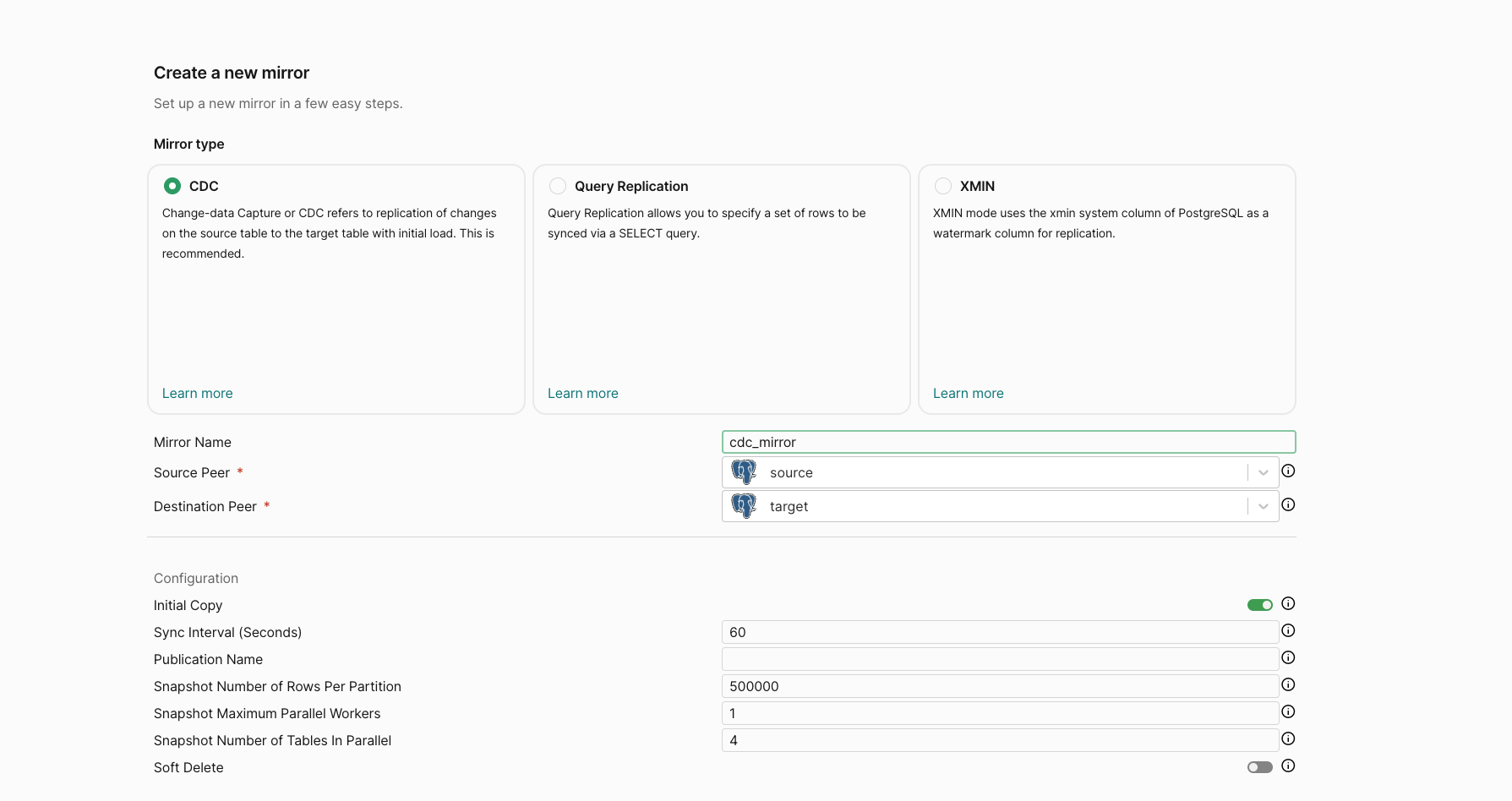
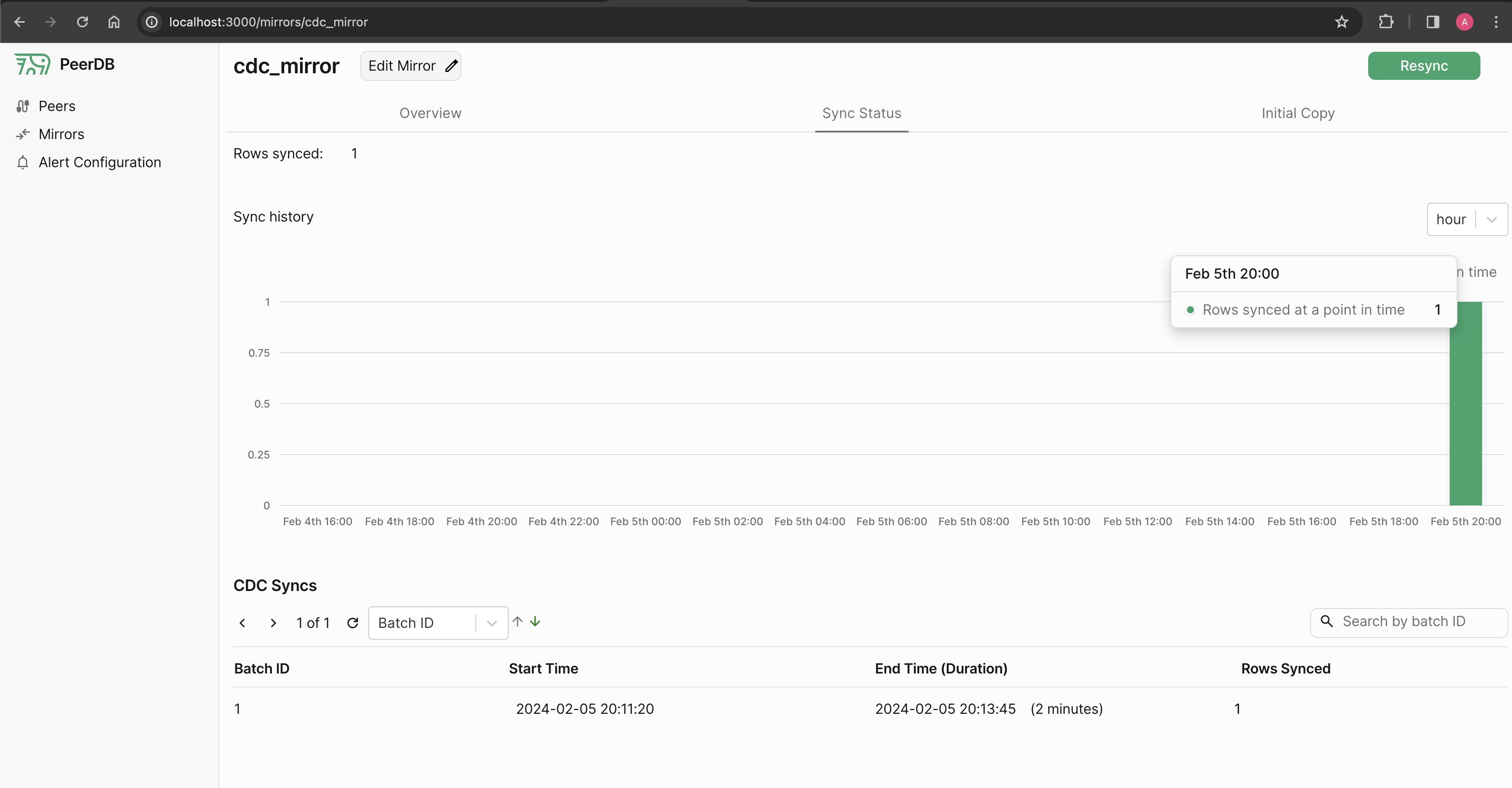
PeerDB is a Postgres-focused ETL/ELT tool for streaming data out of PostgreSQL into warehouses, queues and storage at scale. It supports log-based (CDC) replication as the actively maintained mode, with cursor-based Query Replication and XMIN kept functional but deprecated. The maintainers claim 10x faster CDC than general-purpose tools thanks to parallel initial load with transaction snapshotting and CTID scans, parallel reading of the replication slot, efficient handling of large TOAST columns, propagation of added columns, partitioned-table support, and slot-growth and connection alerts. Everything is driven through a Postgres-compatible SQL interface on port 9900, so psql, pgAdmin, or any BI tool can create and monitor peers and mirrors, alongside a web dashboard on port 3000; the Rust Nexus query layer also allows querying remote peers like a federated database. Operators deploy it with the repo's Docker Compose stack (bash ./run-peerdb.sh), which starts the peerdb-server, Flow API and workers, the UI, a Postgres catalog, Temporal for orchestration and fault tolerance, and MinIO used to stage files before loading. PeerDB Cloud and a native ClickHouse Cloud integration are offered as hosted alternatives, and several destination connectors (Snowflake, BigQuery, Elasticsearch, Kafka family, Event Hubs, Pub/Sub, S3) are deprecated for maintenance reasons while still working.
Should you self-host PeerDB?
PeerDB scores 60/100 on selfhost.directory (how scoring works) and ranks #3 of 8 in Data Pipeline. It has 3 310 GitHub stars.
It shipped 8 stable releases in the past year. The latest, v0.37.13, came out on 22 October 2026. New versions land roughly every 7 days.
Setup is moderate: expect some configuration beyond a single command. An official Docker image is available. It is AGPL-3.0-licensed and written mostly in Go.
Its closest alternative on selfhost.directory is sequin (61/100, 2 219 stars). It scores higher overall, so compare the two before you pick. See PeerDB vs sequin side by side.
Features
- Alerting
- Change data capture (CDC) replication
- Fault tolerance and automatic retries
- Mirror pause, edit and resyncPausing is not possible during initial load/setup, and a paused mirror still grows the replication slot.
- Parallel initial load
- Partitioned table replication
- PeerDB Cloud (hosted)Hosted service, not part of the self-hosted software.
- Postgres-compatible SQL interface
- Query-based replicationDeprecated and no longer actively maintained; still functional.
- Query federation / query layer
- Schema change propagationRenames, drops and type changes are not propagated automatically.
- TOAST / large column support
- Web Dashboard
PeerDB README
FAQ
Does Query Replication support deletes?
No — use CDC if deletes must be synced.
When should I use query replication?
For replicating views, joins or complex queries, tables without primary key/replica identity, or when you cannot have a replication slot in Postgres.
Does PeerDB drop the replication slot once I delete the mirror?
Only slots created by PeerDB (names starting with peerflow_slot_) are dropped; a slot you supplied yourself is kept.
If I change the data type of a column on source, will PeerDB automatically change the data type in destination?
No; the destination keeps the old type and the sync may fail if the change is incompatible.
If I drop a column from a table which is part of a mirror, will PeerDB automatically drop the column in the destination?
No, the column remains and future values will be null.
If I rename a column, will PeerDB automatically rename the column in the destination?
No — the old column stays in the destination and future rows have it as null.
If I add a column to a table which is part of a mirror, will that column automatically be added in destination?
Yes, the new column is synced in the next CDC sync.
If I add a table to my source schema, will PeerDB automatically pick it up and sync it?
No — you must edit the mirror to add newly created tables.
Does pausing a mirror stop replication slot growth?
No, the replication slot keeps growing; only a running mirror that syncs changes makes the slot size drop.
What is pull batch size in PeerDB CDC?
It is the row count PeerDB reads from the WAL into staging files before flushing that batch to the destination.
What is sync interval in PeerDB CDC?
PeerDB stages rows read from the WAL as temporary files and flushes them to the target warehouse once the sync interval elapses; for PeerDB Streams it is not applicable since data is synced as soon as it is read.
If I kick off an initial load + CDC mirror with pre-existing data, will it duplicate the data?
Yes — initial load blindly copies everything, so data already present in the destination can be duplicated. Resync via the UI, or drop target tables and recreate the mirror.
What is initial load in CDC?
If enabled, initial load performs a one-time copy of the existing data in the synced tables before CDC starts streaming newer changes.
What is the difference between CDC and Query Replication?
CDC mirrors replicate table inserts/updates/deletes by reading the Postgres WAL via logical replication, while query replication periodically streams the results of a SQL query to a single destination table and needs no replication slot.
Can I pause a mirror during initial load or setup phase?
No.
More in ETL
 rudderstackAn open-source, Segment-alternative customer data platform: run the self-hosted Go/React event pipeline and route data to 90+ warehouse and tool destinations.
 superglueAI-agent integration platform: agents build connectors, migrate data and sync ERPs, CRMs, databases. Source-available, self-hosted with Docker Compose or on Kubernetes.
 airbyteAirbyte is a self-hosted data movement platform with hundreds of connectors for ELT pipelines and AI agents, deployable via Docker, Kubernetes, and abctl CLI.
 Apache HopApache Hop is a self-hosted, open-source data integration platform for visual pipelines that run on local, Hop Server, Spark, Flink, and Dataflow without rewriting.
 apache-nifiApache NiFi is an open-source, self-hosted data flow automation platform with browser-based UI, provenance tracking, and secure configuration.
 dagsterOpen-source, self-hosted data orchestration platform whose pipelines are Python-defined data assets with lineage, schedules and a web UI; runs via pip or Docker Compose.
 DuckleDuckle is a free, open-source, self-hosted ETL platform: build pipelines visually or in Python/SQL, compile to DuckDB SQL, run on your own infra.
 EMQXThe most scalable and reliable MQTT broker for AI, IoT, IIoT and connected vehicles
 frankframeworkFrank!Framework is a self-hosted, open-source low-code integration platform for exchanging messages between systems via XML config.
 GlassFlow ClickHouse ETLSelf-hosted, open-source stream processor that ingests data from Kafka and OTLP into ClickHouse with deduplication, filtering, and temporal joins.
 KestraSelf-hosted, open-source (Apache-2.0) engine that schedules and chains data, AI and infrastructure jobs from YAML or a visual editor, with 2,200+ plugins.
 llm-appOpen-source, self-hosted template collection that streams your files, Google Drive or S3 into live RAG, vector-store and enterprise-search APIs.
0 comments