
Self-host ownphotos-frontend
0.2.0-rcSelf-hosted Google Photos alternative with face recognition
- Stars
- 177
- Requires
- Mapbox API, PostgreSQL, Redis
guysoft/ownphotos-frontend

What is ownphotos-frontend?
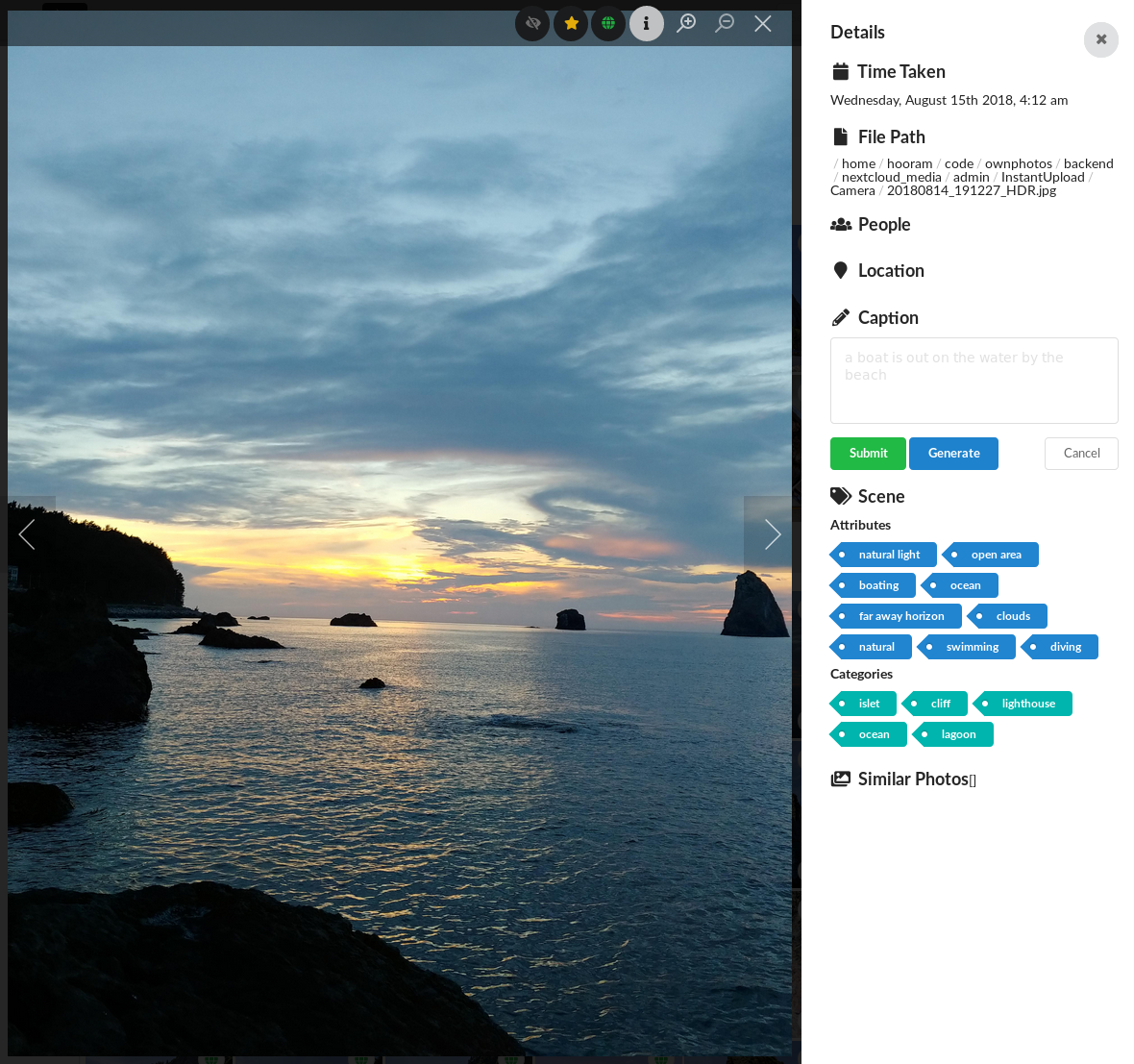
Ownphotos is a self-hosted photo management application designed as a Google Photos alternative. It provides face detection and recognition to organize photos by people, object detection for searchable content, automatic event album generation with location-based titles, and a map view to browse photos geographically. The stack uses a React frontend with a Django REST API backend, deployed via Docker Compose alongside PostgreSQL and Redis. Authentication uses JWT tokens. The project is in early development and has been succeeded by LibrePhotos, but the code remains functional for self-hosting. A live demo is available at demo.ownphotos.io.
Should you self-host ownphotos-frontend?
ownphotos-frontend scores 39/100 on selfhost.directory (how scoring works) and ranks #38 of 41 in Photo Management. It has 177 GitHub stars.
There was no stable release in the past 12 months, so check the repository's recent activity before you rely on it.
Setup is moderate: expect some configuration beyond a single command. An official Docker image is available. It is MIT-licensed and written mostly in JavaScript.
Its closest alternative on selfhost.directory is Immich (93/100, 117 509 stars). It scores higher overall, so compare the two before you pick. See ownphotos-frontend vs Immich side by side.
Features
- Backend caching
- Custom Albums
- Date-based grouping
- Event albums
- Face detection and recognition
- Location search
- Map View
- Object Detection
- People view
ownphotos-frontend README
More in Photo Management
 PhotofieldPhotofield is a self-hosted personal photo gallery focused on speed and simplicity for viewing large photo collections locally.
 PhotoMigratorPhotoMigrator is a self-hosted, open-source tool for migrating photos between cloud services and processing Takeout archives. Offers web, desktop, terminal, CLI.
 photoprism-helperSelf-hosted companion tool that extends PhotoPrism with additional API endpoints for automated importing and indexing of photos.
 PhotoviewPhotoview is a self-hosted, open-source photo gallery organizing photos from your filesystem with RAW support, EXIF metadata, face recognition, and multi-user sharing.
 PicImpactOpen-source, self-hosted photo portfolio site with a masonry gallery, Live Photos, WebGL viewer, EXIF and map views, RSS, S3/R2/AList storage, TOTP and passkeys.
 picpeakSelf-hosted photo gallery for photographers to share password-protected, expiring galleries with clients. Includes proofing, guest uploads, and white-label branding.
 Pictaria ServerFree, open-source, self-hosted Immich companion adding AI enrichment, human curation, smart albums, and voice-controlled photo frames on your hardware.
 PiGallery 2PiGallery2 is a self-hosted, open-source photo gallery that organizes images by your existing folder structure, optimized for low-end hardware like a Raspberry Pi.
 PiwigoSelf-hosted, open-source photo gallery and DAM web app for organisations, teams and individuals, with a large extensions catalogue and Docker or LAMP install.
 Plant-itOpen-source Android gardening app that logs plant care (watering, fertilizing), stores photos and sends care reminders, installed as an APK or via F-Droid.
 SharedMomentsSelf-hosted web app for couples, families, and friends to capture and relive shared memories with photos, videos, timelines, and AI-assisted descriptions.
 snsSNS is a self-hosted, open-source photo-sharing social network similar to Instagram, Flickr, Dribbble, and Behance, built with AngularJS and PHP REST API.
0 comments