Self-host openclaw.net
v0.4.2Run AI agents locally on .NET with a desktop interface
- Stars
- 528
- Port
- 18789 (gateway HTTP/WebSocket/Web UI/Admin UI/MCP)
What is openclaw.net?
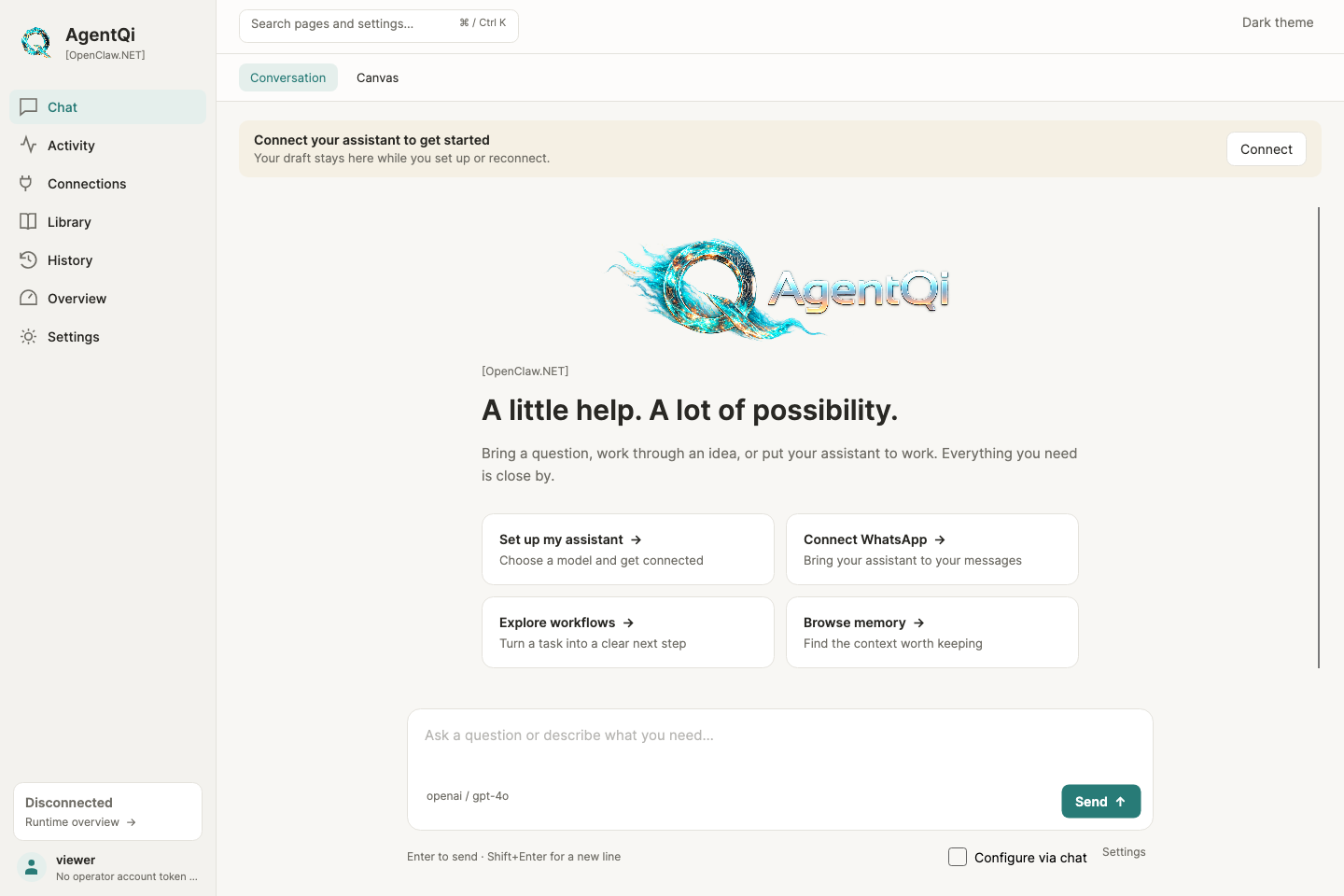
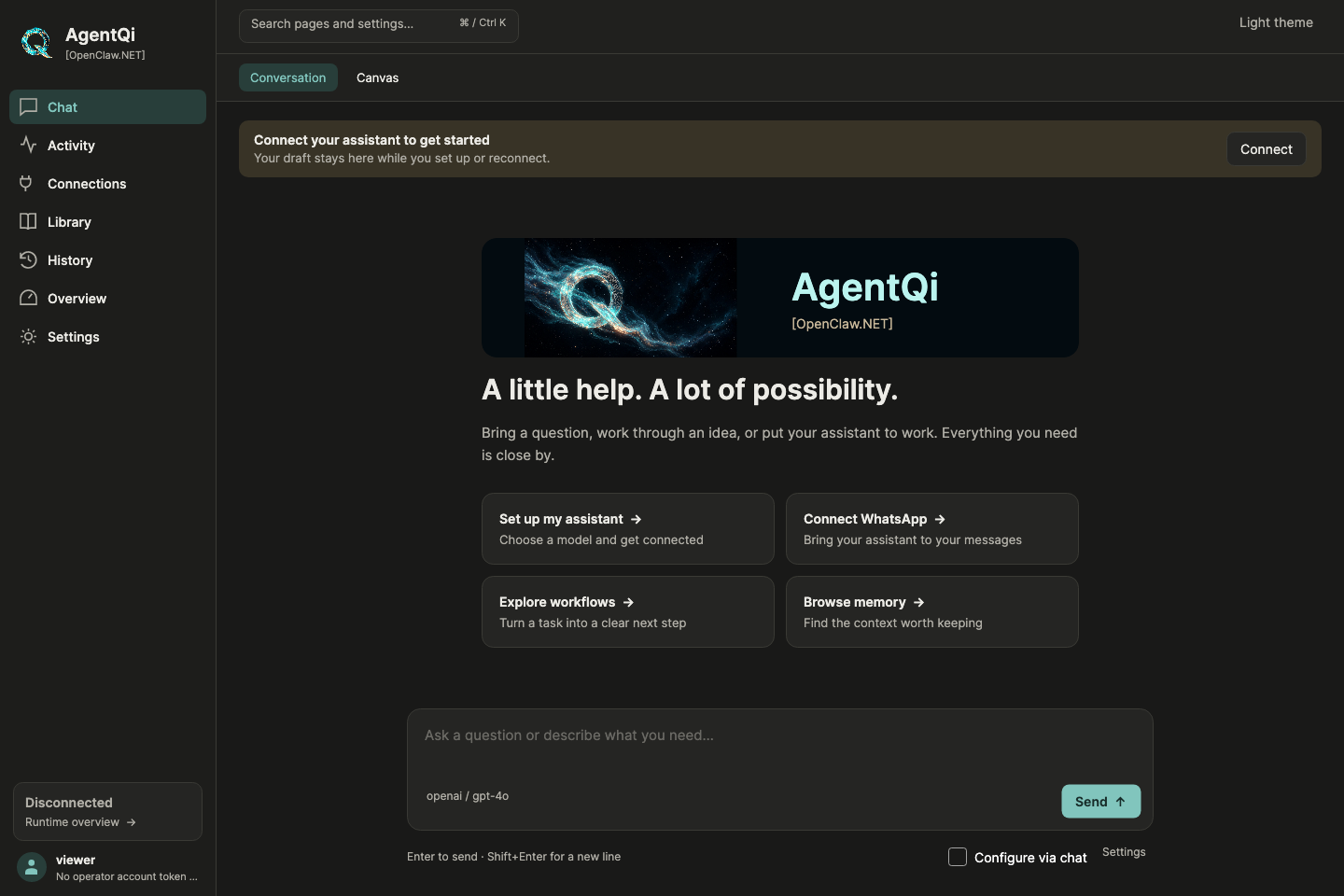
This project delivers a self-hosted AI agent runtime built on .NET 10 with NativeAOT support. It runs a gateway that exposes HTTP, WebSocket, and MCP endpoints, plus a browser-based chat and admin console. The runtime includes 48 built-in tools for file operations, web browsing, code execution, and shell access, along with nine channel adapters for messaging platforms like Telegram, Slack, Discord, and email. It works with major LLM providers including OpenAI, Anthropic, Google, Azure, and local models via Ollama. A cross-platform Avalonia desktop companion provides a graphical setup and chat experience with light and dark themes. Deployment options include pre-built desktop bundles for Windows, macOS, and Linux, Docker Compose, or running directly from source with the .NET 10 SDK. The codebase is MIT licensed and developed independently from the upstream OpenClaw project.
Should you self-host openclaw.net?
openclaw.net scores 50/100 on selfhost.directory (how scoring works) and ranks #97 of 209 in AI Agents. It has 528 GitHub stars.
It shipped 8 stable releases in the past year. The latest, v0.4.2, came out on 21 October 2026. New versions land roughly every 3 weeks.
Setup is moderate: expect some configuration beyond a single command. It is MIT-licensed and written mostly in C#.
Its closest alternative on selfhost.directory is Orca (91/100, 108 739 stars). It scores higher overall, so compare the two before you pick. See openclaw.net vs Orca side by side.
Features
- 48 native tools
- 9 channel adapters
- Admin UI
- Browser chat UI
- CLI and TUI
- Desktop Companion (AgentQi Companion)
- Fractal Memory
- MCP (Model Context Protocol) endpoint
- MetaSkills (DAG workflows)
- Multiple LLM provider support
- NativeAOT support
- OpenAI-compatible HTTP API
- Self-hosted AI agent runtime
- Tool approvals and observability
- Websocket Support
openclaw.net README
More in Chat
 OpenCode Chat BridgeSelf-hosted open-source bot connecting ACP agents like OpenCode and Ferrum to Matrix, Slack, WhatsApp, Discord, Telegram, and a web widget with permission-based security.
 OpenConchoOpenConcho is a self-hosted, open-source desktop and web app for browsing memories, peers, sessions, and conclusions from your Honcho instance with memory context chat.
 opencrowSelf-hosted open-source system for AI agents on messaging apps and web UI with many tools, autonomous scrapers, semantic memory, and scheduled tasks.
 OpenfireOpen-source XMPP chat server for instant messaging and group chats. Supports embedded or external databases, cross-platform installation, web-based administration.
 OpeniLink HubSelf-hosted WeChat Bot platform (iLink) with 20+ app integrations. Multi-bot management, WebSocket/Webhook/AI routing, message tracing, Passkey auth.
 OpenMausBotOpen-source Grok Bot alternative: a self-hosted team of AI agent bots in a chat app, running locally on your own Claude, Codex or Grok CLI logins.
 OpenmeetingsApache OpenMeetings is a self-hosted, open-source video conferencing platform with WebRTC audio/video, whiteboard, and screen sharing on your own server.
 opensoulOpenSoul is a self-hosted, open-source AI agent runtime across 30+ messaging channels with cross-surface task continuity and 50+ built-in skills.
 open-tagSelf-hosted open-source team chat where people and AI agents work together in channels, threads, and task boards.
 orcOrc Master is a self-hosted, open-source bridge to control local Codex AI agents from Telegram or Slack with session persistence and multi-agent routing.
 OvertChatSelf-hosted AI chat with local models, bundled voice/search, multi-user accounts, native mobile/desktop apps, and portable SQLite database.
 OwncastOpen-source, self-hosted live streaming server: RTMP ingest, built-in chat with moderation, transcoding, Fediverse federation, plugins, webhooks and an admin dashboard.
0 comments