Easier setup, more control over chats & tidier workspaces ✨
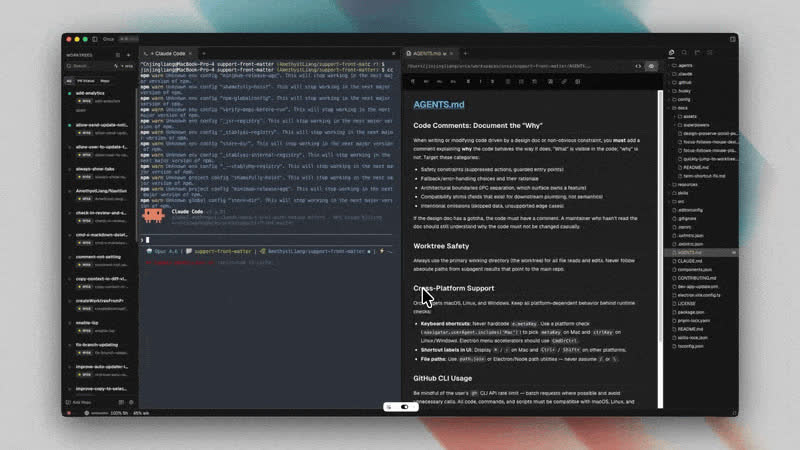
- 🎛️ Choose Chat or Terminal from the start: Onboarding now lets you pick Chat UI or Terminal, then choose an agent and install the skills for that setup.
- 💬 Keep control of conversations: Preserve chat inputs through uncertain delivery and Stop, choose whether sending moves the scroll position, and decide when idle chat agents stop—or keep them running.
- 🗂️ Keep projects tidy: Adding a project keeps discovered worktrees hidden, while create and clone handle symlinked parent folders consistently.
- 📝 Make reading and editing your own: Set the default Markdown view, optionally insert a final newline on save, and adjust chat width from pane headers.
- 📱 A clearer phone Home: The updated phone app separates Feed, Usage, Automations and Settings, shows more agent usage, and names recent conversations.
- 🧩 Small fixes across daily work: Keep terminal scroll position on input, open file links in their workspace, render Mermaid in PR comments, and close floating browser splits from their own toolbar.
Highlights
- Setup & skills: Pick Chat or Terminal during onboarding, use the updated agent picker and theme step, and install Chat skills for the selected provider on this computer. Empty newly added projects can open the chosen Chat agent when that route is supported.
- Chat behavior: Inputs and queued follow-ups are retained through uncertain delivery and Stop. New settings control scroll position when sending and when idle chat agents stop. Loaded chat images stay visible across scrolling and workspace switches, and Pi compaction holds sends until it finishes.
- Agent choices: Managed Claude accounts keep later
/model and effort choices when the defaults have not changed. Claude fallback is shown without changing saved model choices; OpenCode effort follows the selected model, and Claude chat adds Ultracode effort.
- Projects & navigation: Adding a project keeps discovered worktrees hidden. Project creation and cloning resolve symlinked parents consistently; manual workspace order and type-to-search in the new-workspace agent picker receive fixes.
- Editor & browser: Choose the default Markdown view, enable Insert Final Newline on save, preserve chat HTML appearance in file previews, and close a floating browser split without closing the terminal beside it.
- Phone: The updated app adds Home tabs, usage for more agents and conversation names in Jump back in. It also improves terminal input, effort controls, HTML previews and Android theme/navigation behavior.
- Automation & notifications: Automations use the shared agent picker, accept Pi model/thinking arguments and refresh when projects change. Interrupted terminal automation runs are recorded as failed, acknowledged desktop alerts clear, and OpenCode completion notifications handle OSC 7501.
Compatibility & upgrade notes
- Existing setup choices: The new onboarding choices use existing surface and agent preferences. This release does not reset everyone's default agent or switch every existing workspace to Chat. A workspace with existing tabs keeps them; the new-project Chat path depends on a supported runtime and agent.
- Chat settings: Scroll-on-send and idle-agent stopping are configurable. Choose Never if you want idle chat agents to remain running; stopping an idle agent is separate from deleting the conversation.
- Managed Claude accounts: Unchanged defaults stop overwriting later account choices after settings synchronization. This does not recover choices overwritten by an older build, and changed default keys still apply.
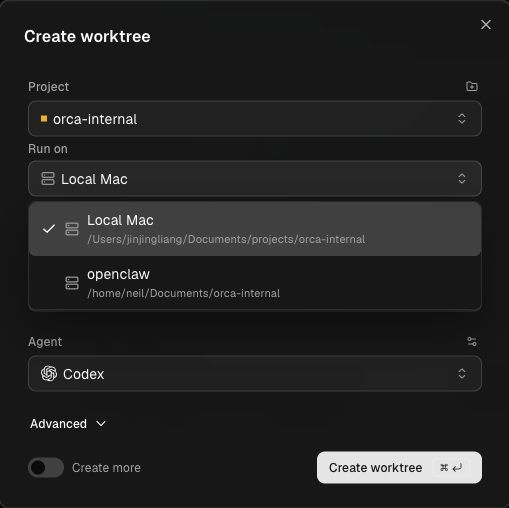
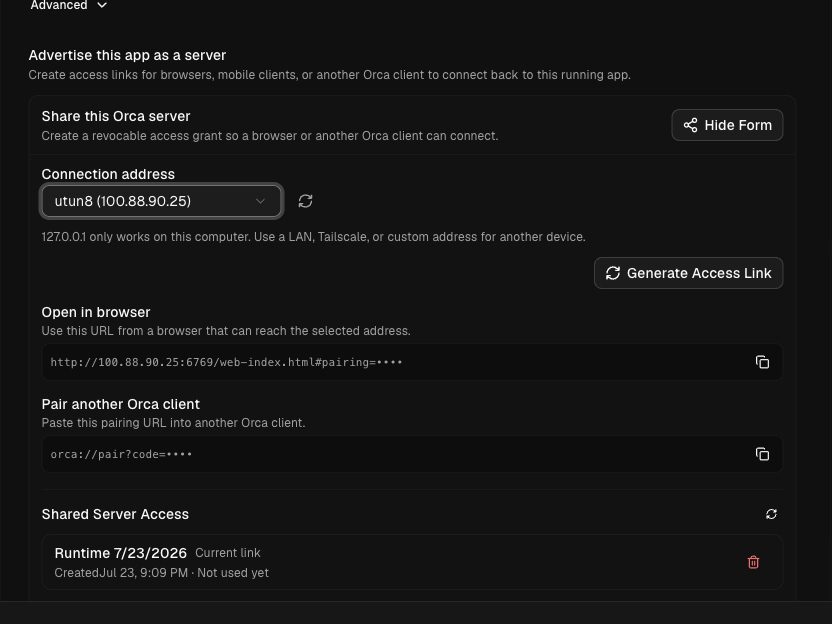
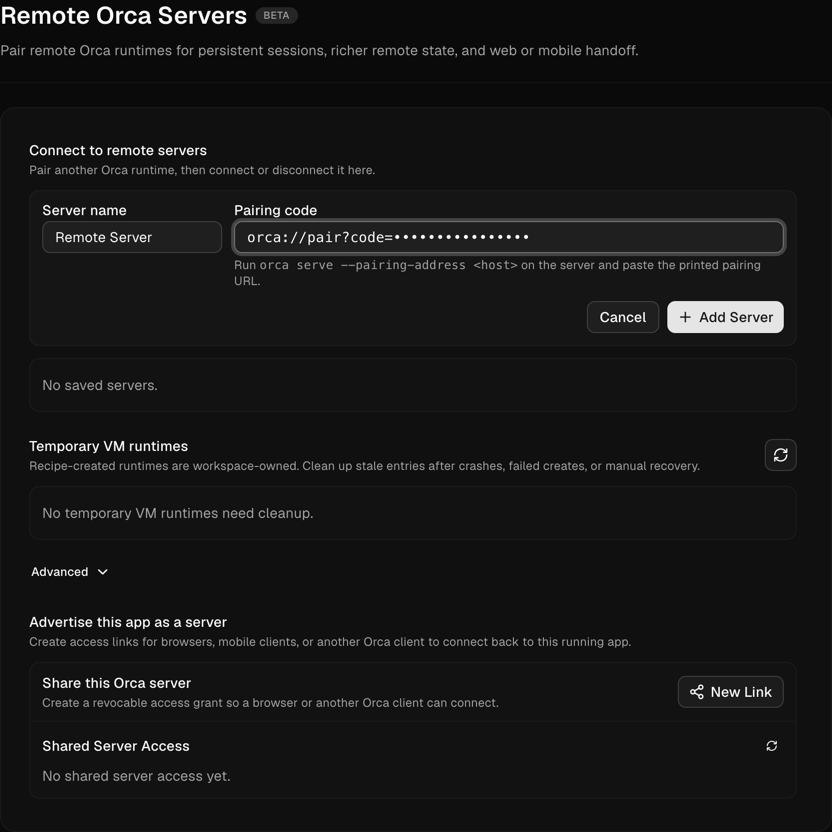
- Paired servers: Improvements to paired-server file links use the new capability when available; older servers retain their existing path. There is no new minimum server version for the setup changes. GitHub issue limitations with older servers remain below.
- Phone changes: Native phone UI and Android fixes require an updated Orca Mobile app as well as a compatible desktop or server. The mobile changes are included in Orca Mobile 0.0.64; updating desktop alone does not install a native phone release.
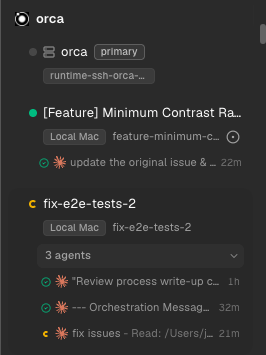
- Orchestration panel: The experimental panel and its setting are temporarily disabled again. Orchestration messaging changes are separate from availability of that panel.
Known issues
Chat setup with no default agent: With Chat UI enabled and the default agent cleared in Settings, Setup Guide's Install skills button can remain disabled without an explanation. Choose a default agent, such as Claude, before installing.
Shell history after a cold restart: Some Mac shell panes can reopen without showing their previous output after a full app and terminal restart. This class of failure was also observed on v1.4.248; the cause remains unresolved. This release does not claim to fix it.
GitHub issues on older paired servers: Opening an issue through a repository or URL can leave title, label and assignee editing unavailable. Phone issue Close/Reopen can also refuse an older server or intermediary. Open on GitHub remains available.
Saved chat storage & performance: Live-history compaction remains paused, so storage can grow as conversations continue. This release does not claim to remove every source of chat stalls. Hook changes reduce subprocess work, but whole-app latency, CPU and heap improvements were not measured.
Long update delays: With a 14- or 30-day delay, a release can leave the update feed before it becomes eligible. None and Skip Delay Once remain available.
Plugin command replacements: A plugin replacing a built-in command can still finish after Orca has used the normal command instead, causing the action to happen twice.
Product experience
Native chat
Keep inputs available through interrupted delivery, adjust chat behavior, and make conversations easier to read.
Agents & orchestration
Choose Chat or Terminal during setup, keep provider choices intact, and improve agent messages and status.
Phone
Improve Home navigation, usage visibility, chat controls and terminal input in the updated phone app.
Source control, tasks & integrations
Keep GitHub task sources consistent and make checks and diagrams clearer.
Workspaces, sidebar & tabs
Keep project admission, workspace ordering and picker navigation consistent.
- fix(sidebar): stop the resize handle from covering the workspace list scrollbar by @OrcaWin in #37948
- fix: respect manual workspace order around primary checkouts by @davefano in #37557
- Keep folder workspace creation from flashing by @brennanb2025 in #38039
- Restore type-to-search on the new-workspace agent picker and skip the emoji button on Tab by @nwparker in #38073
- Keep the Split tip until the user splits or closes it by @brennanb2025 in #38097
- fix(projects): refuse removing a project while one of its workspaces is being created by @AmoabaKelvin in #38196
- fix(sidebar): keep discovered worktrees hidden when adding a project by @brennanb2025 in #38208
Editor, files & browser
Add save and Markdown preferences, preserve HTML previews, and improve browser split behavior.
- feat(editor): add Insert Final Newline on save by @nwparker in #37786
- fix(browser): an agent-set viewport wider than the pane scrolls instead of being cut off by @Jinwoo-H in #38005
- fix(browser): a split tab create joins a browser pane already beside the caller by @Jinwoo-H in #38006
- Preserve chat HTML appearance in file previews by @brennanb2025 in #37890
- feat(editor): default Markdown view setting + right-click on the view switcher by @nwparker in #38106
- fix(browser): keep local browser tabs when a mutually paired desktop echoes them back by @AmoabaKelvin in #38186
- fix(floating-terminal): close a browser split from its own toolbar by @younghwan91 in #38175
Updates, terminals & remote work
Preserve terminal position and file-link context, and clarify notifications and update cards.
Automations & plugins
Refresh automation lists, accept Pi arguments and report interrupted runs accurately.
Reverted
Temporarily remove the experimental Orchestration panel.
Tests, CI & maintenance
Update dependencies and translations, organize internal owners, and maintain targeted checks and tests.
- Fix AI token translations by @AmethystLiang in #37876
- test: remove 151 low-value test declarations by @OrcaWin in #37870
- test: remove 96 low-value test declarations by @OrcaWin in #37882
- test: remove 37 low-value test declarations by @OrcaWin in #37885
- test: remove 74 low-value test declarations by @OrcaWin in #37887
- test: remove 63 low-value test declarations by @OrcaWin in #37888
- refactor(browser): group routing and client-host owners by @nwparker in #37872
- improve app loading efficiency by @AmethystLiang in #37877
- refactor: group browser lifecycle and extension owners by @nwparker in #37910
- fix(deps): update Electron to 43.8.6 and resolve open security advisories by @nwparker in #37916
- test: remove 11 low-value declarations and batch historical checkout fetches by @OrcaWin in #37894
- test: remove 31 low-value declarations and three suites by @OrcaWin in #37947
- refactor: group agent launch contracts and startup owners by @nwparker in #37915
- Remove 35 low-value tests across build, mobile, and preload by @OrcaWin in #37956
- Remove 30 low-value tests and an unused replay fixture by @OrcaWin in #37963
- test: fix historical compatibility setup reliability by @brennanb2025 in #37905
- Remove 44 low-value tests, including ten whole suites by @OrcaWin in #37969
- test: remove 28 low-value tests and five suites by @OrcaWin in #37972
- fix(i18n): translate recent desktop and mobile copy by @AmethystLiang in #37976
- refactor: organize agent status and lifecycle owners by @nwparker in #37961
- fix(i18n): correct Portuguese and Turkish copy by @AmethystLiang in #37988
- test: remove 145 low-value tests and nine suites by @OrcaWin in #37982
- test: remove 63 low-value test declarations by @OrcaWin in #37991
- fix(deps): backport minimatch, glob, and deepmerge security fixes by @nwparker in #37981
- test: remove 78 low-value test declarations by @OrcaWin in #37997
- test: remove 72 low-value test declarations by @OrcaWin in #38002
- test: remove 228 low-value test declarations by @OrcaWin in #38004
- docs(agents): default to no new tests and tighten the anti-pattern list by @nwparker in #37993
- refactor: organize source-control contract owners by @nwparker in #37990
- test: remove 454 low-value tests and copied benchmarks by @OrcaWin in #38014
- refactor: organize terminal and runtime contract owners by @nwparker in #38011
- fix(ci): place PR LoC table after ELI5 so link unfurls stay readable by @nwparker in #38025
- refactor: organize workspace and remote runtime contract owners by @nwparker in #38018
- refactor: organize Codex transport, trust and history owners by @nwparker in #38023
- refactor: organize notebook, diff and check detail owners by @nwparker in #38033
- test: remove 2,816 low-value test declarations and 395 whole suites by @OrcaWin in #38030
- refactor: organize markdown, editor model and save owners by @nwparker in #38037
- Delete the legacy orchestration takeover guide by @Jinwoo-H in #38013
- refactor: place terminal and workspace contracts with concrete owners by @nwparker in #38061
- refactor: group sidebar admission and workspace creation owners by @nwparker in #38068
- test: remove 997 low-value test declarations by @OrcaWin in #38058
- test: remove 1,460 low-value test declarations by @OrcaWin in #38082
- refactor(sidebar): organize workspace cards and actions by owner by @nwparker in #38081
- refactor(sidebar): organize workspace lists boards and catalog by owner by @nwparker in #38092
- refactor(plugins): group panel and frame ownership by @nwparker in #38095
- test: remove 1,015 low-value test declarations by @OrcaWin in #38087
- test: remove 2,191 low-value test declarations by @OrcaWin in #38113
- refactor(renderer): organize right sidebar modules by feature ownership by @nwparker in #38101
- test: remove 675 low-value test declarations by @OrcaWin in #38129
- test: remove 336 low-value test declarations by @OrcaWin in #38137
- test: remove 482 low-value test declarations by @OrcaWin in #38145
- test: remove 137 low-value test declarations by @OrcaWin in #38147
- test: remove 280 low-value test declarations by @OrcaWin in #38157
- test: remove 208 low-value test declarations by @OrcaWin in #38160
- test: remove 189 low-value test declarations by @OrcaWin in #38169
- test: remove 158 low-value test declarations by @OrcaWin in #38177
- test: remove 152 low-value test declarations by @OrcaWin in #38182
- Remove 249 low-value test cases and 10 whole suites by @OrcaWin in #38198
- Remove 390 low-value test cases and 18 whole suites by @OrcaWin in #38209
- Remove 230 low-value test cases and 19 whole suites by @OrcaWin in #38223
New Contributors
Full Changelog: v1.4.248...v1.4.249

 OpenWorkSelf-hosted and open-source, this Electron workspace puts AI agents to work on local files; over 50 providers, Ollama support, and a self-hosted Den control plane.CompareOpenWork with Orca
 IM.codesSelf-hosted open-source messaging and control layer for AI coding agents providing shared memory, remote desktop, supervised execution, and cross-provider audit.CompareIM.codes with Orca
 CezarA self-hosted tool that queues and runs AI coding assistants like Claude Code and Codex simultaneously on your machine or a VPS, with a browser-based control panel.CompareCezar with Orca
 ColliePWASelf-hosted, open-source PWA that mirrors your Herdr, tmux or zellij agent panes on your phone, so Claude Code, Codex and OpenCode can be answered anywhere.CompareColliePWA with Orca
 orcOrc Master is a self-hosted, open-source bridge to control local Codex AI agents from Telegram or Slack with session persistence and multi-agent routing.Compareorc with Orca
 CodemanSelf-hosted web dashboard running 11 AI coding agents in tmux sessions, streaming live terminals to any browser with zero-lag input, QR login, and autonomous runs.CompareCodeman with Orca
 PaseoOpen-source environment to run coding agents like Claude Code, Codex, Copilot, and OpenCode in parallel from desktop, mobile, or CLI; self-hosted via Docker or npm.ComparePaseo with Orca
 Oh My SubagentsOh My Subagents is a self-hosted, open-source runtime that turns ad-hoc AI subagents into durable, accountable teams for Codex and Claude.CompareOh My Subagents with Orca












0 comments