
Self-host NetMap
v1.7.0Network visibility and IPAM for home labs
- Stars
- 153
- Ports
- 8080 (Web UI and REST API), 1514 (Syslog UDP ingest)
xoriin/netmap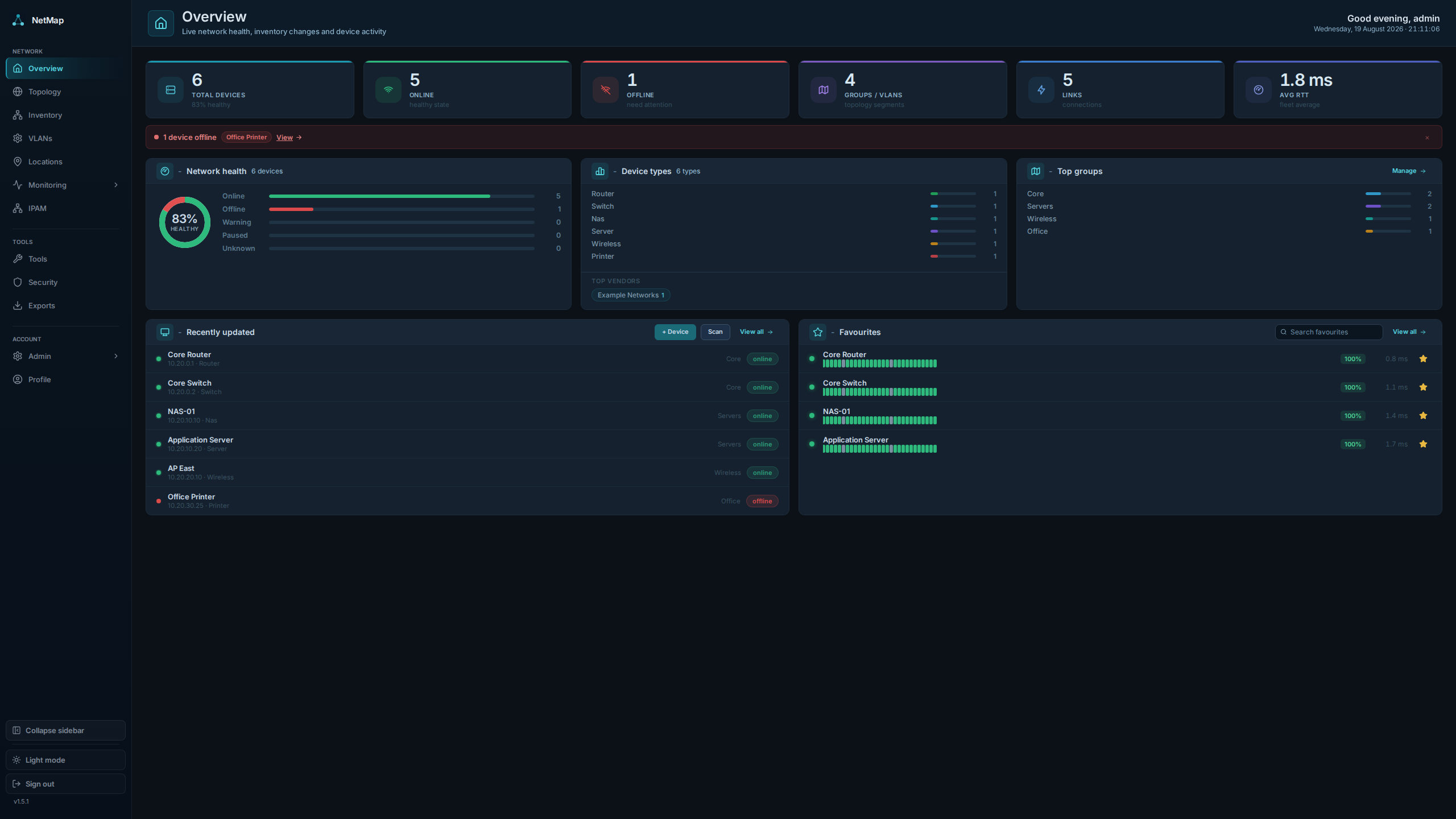
What is NetMap?
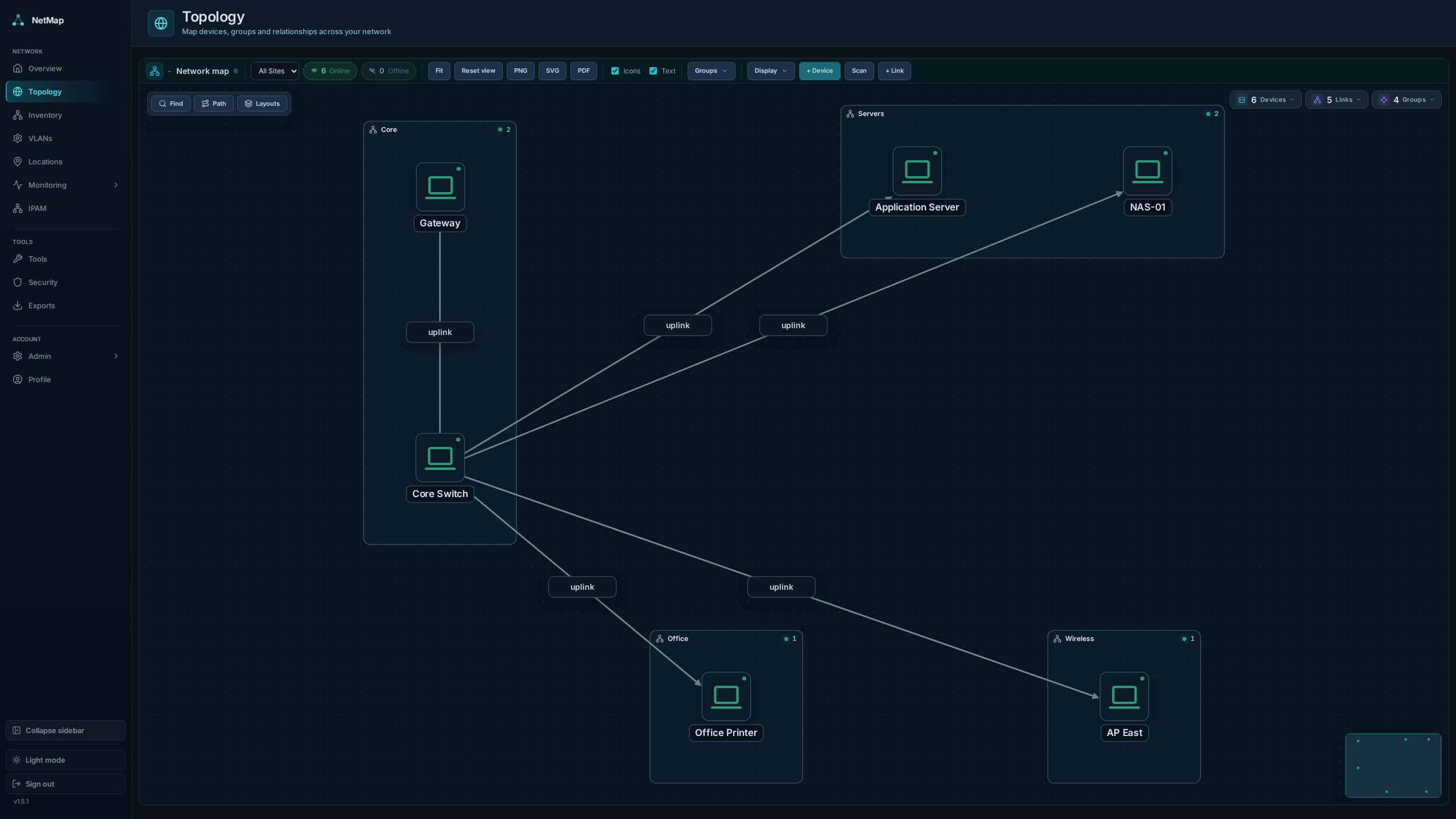
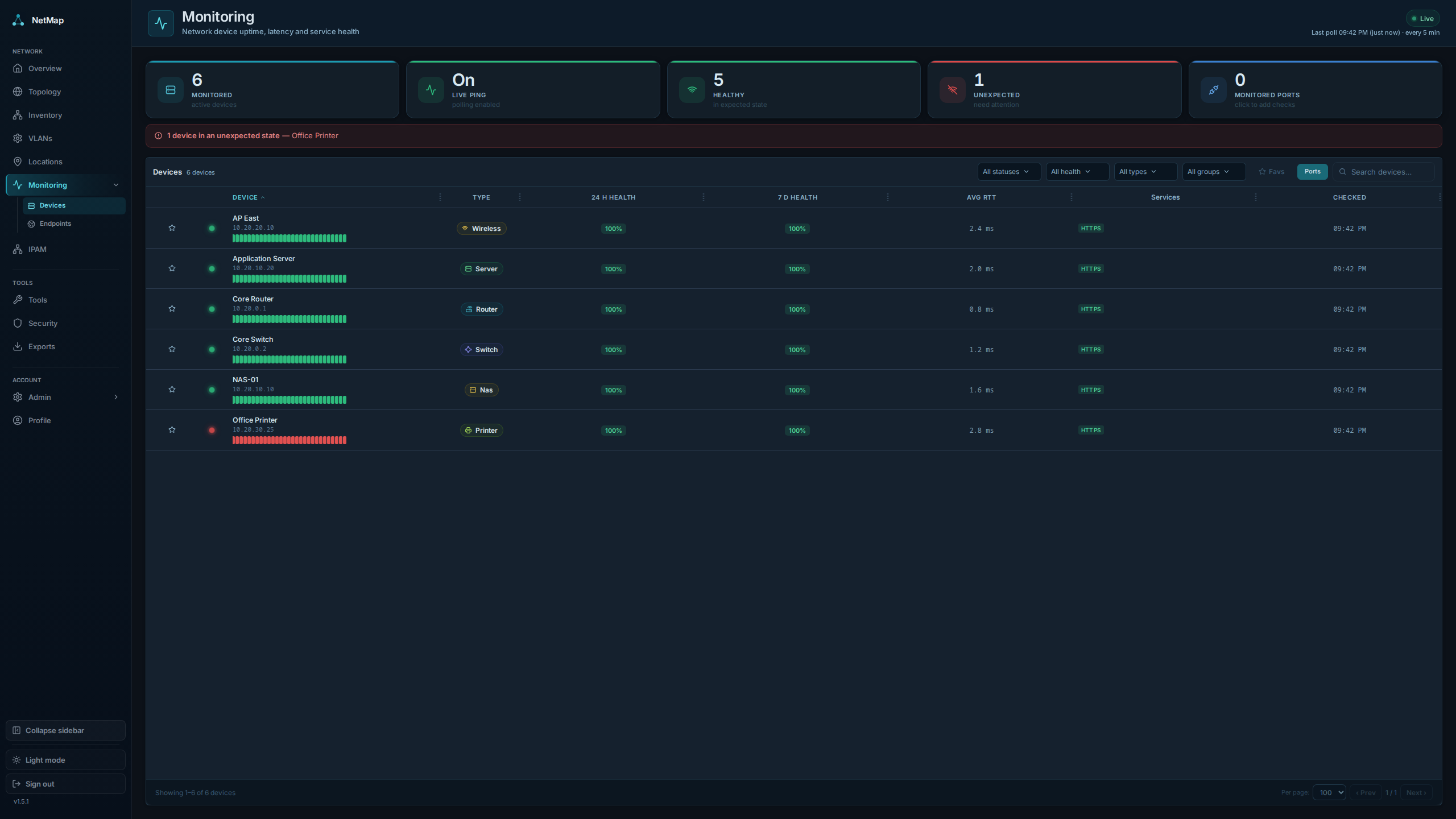
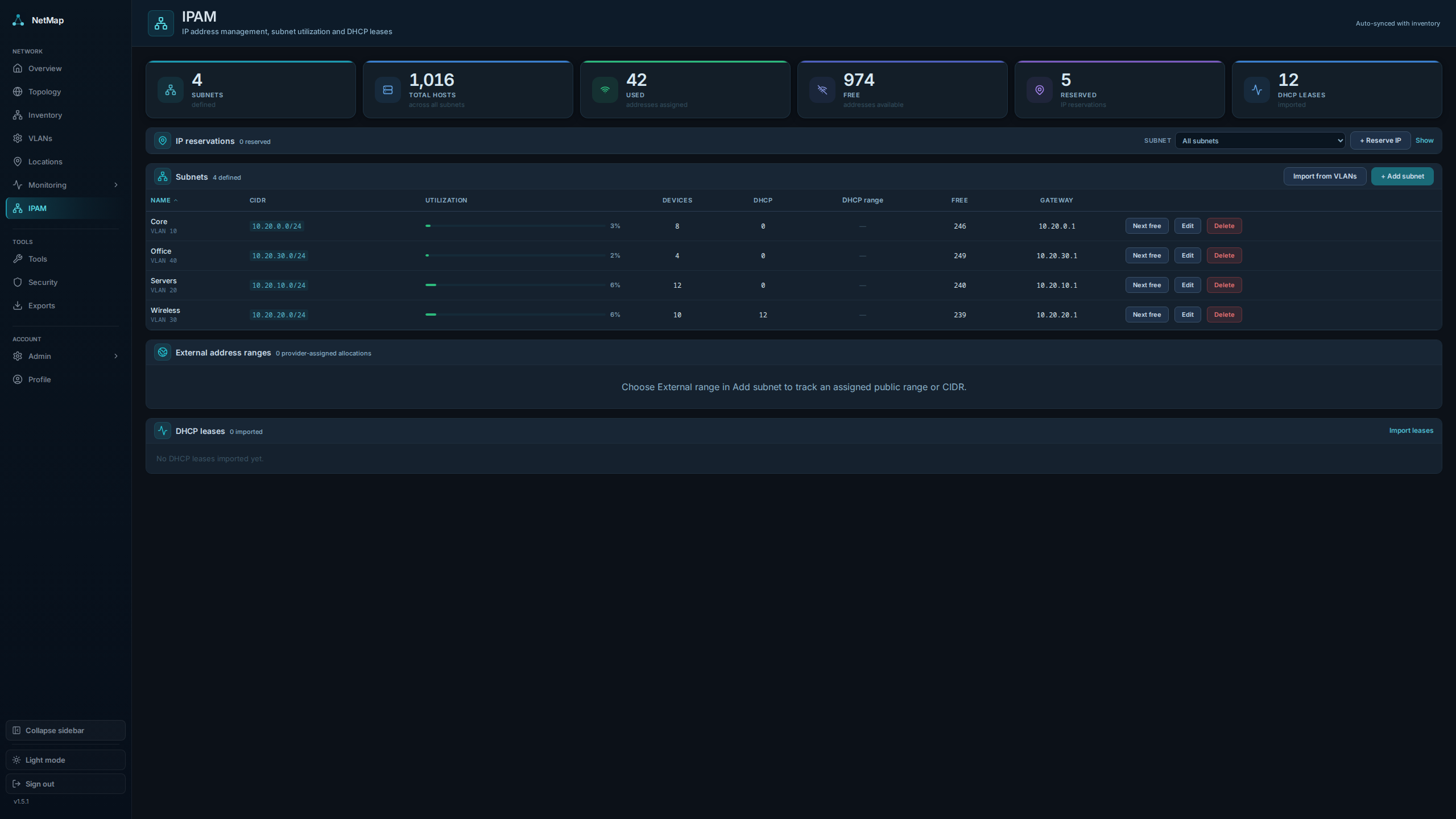
NetMap provides a complete view of a home lab or small network from a single self-hosted application. It maps topology visually with a force-directed canvas, tracks devices in a searchable inventory, monitors availability with ICMP ping and service checks (TCP, HTTP, DHCP), manages IP addresses and subnets with conflict detection, ingests firewall syslog from pfSense, OPNsense, or UniFi, and runs network discovery using a bundled Nmap scanner. Built-in tools include ping, traceroute, TCP connect, DNS lookup, SNMP probe, and a subnet calculator. Alerts can be sent via ntfy, Telegram, Signal, Email, and many other channels such as chat platforms, push services, generic webhooks, or any Apprise-supported service. Access control uses four built-in roles (SuperAdmin, NetworkAdmin, SecurityAnalyst, Viewer) with customizable permissions. The entire stack — web UI, REST API, SQLite database, and syslog receiver — runs in one Docker container configured via environment variables. No external database or message queue is required.
Should you self-host NetMap?
NetMap scores 47/100 on selfhost.directory (how scoring works) and ranks #31 of 48 in Network Monitoring. It has 153 GitHub stars.
It shipped 15 stable releases in the past year. The latest, v1.7.0, came out on 17 October 2026. New versions land roughly every 6 days.
Setup is moderate: expect some configuration beyond a single command. An official Docker image is available. It is GPL-3.0-licensed and written mostly in Typescript.
Its closest alternative on selfhost.directory is mitmproxy (86/100, 46 448 stars). It scores higher overall, so compare the two before you pick. See NetMap vs mitmproxy side by side.
Features
- Alerting with multiple notification channels
- Built-in network tools
- Device Inventory
- Exports and reporting
- Firewall log ingestion
- IP Address Management (IPAM)
- Live Monitoring
- Network Discovery
- Network topology visualization
- REST API with OpenAPI documentation
- Role-based Access Control
NetMap README
More in Network Management
 NetworkOptimizerSelf-hosted UniFi NMS with Wi-Fi optimization, security auditing, ISP health scoring, and multi-site management for up to 3 sites free.
 Nginx Proxy ManagerOpen-source, self-hosted Docker reverse proxy manager with a web admin UI, Let's Encrypt SSL, and SQLite, MySQL or Postgres backends.
 Nginx-Reverse-EmbySelf-hosted Go reverse proxy with HTTP/HTTPS and TCP/UDP forwarding, auto ACME certs, multi-node agents, Relay tunnels, and traffic quotas — managed via web UI.
 Omada-mcpSelf-hosted MCP server giving AI assistants secure, capability-gated access to TP-Link Omada Controller APIs for network automation.
 openvpn_webpanel_managerSelf-hosted proprietary VPN panel managing OpenVPN, Cisco, L2TP, WireGuard, Sing-box with users, resellers, multi-node, REST API. Commercial license required.
 opnborgSelf-hosted daemon that backs up, monitors, and audits OPNsense firewalls via WebUI, with AI security audit, git history, and fleet config sync.
 oxidizedOxidized is a self-hosted, open-source network device config backup tool replacing RANCID. Supports 150+ device types, REST API, web UI, and Git/file/HTTP storage.
 phpIPAMSelf-hosted, open-source web IP address management (IPAM) tool for network admins: IPv4/IPv6 subnets, VLANs and VRFs, NAT and racks, subnet scanning and a REST API.
 Pi.AlertSelf-hosted, open-source LAN/Wi-Fi device discovery and presence monitoring with alerts, web-service and SSL checks, ICMP monitoring and Nmap/Wake-on-LAN tools.
 Pi-holePi-hole is a self-hosted, open-source DNS sinkhole that blocks ads network-wide without client software, running on Linux hardware with a web dashboard and REST API.
 pikvmSelf-hosted, open-source KVM over IP you flash to a Raspberry Pi: browser access down to BIOS, bootable virtual CD/DVD, ATX power control, VNC, IPMI and 2FA.
 poweradminSelf-hosted, open-source web control panel and REST API for PowerDNS: manage zones, records, DNSSEC and users, with LDAP/SSO and Docker deployment.
0 comments