
Self-host openvpn_webpanel_manager
4.0.3Multi-protocol VPN panel with reseller, multi-node support
- Stars
- 297
What is openvpn_webpanel_manager?
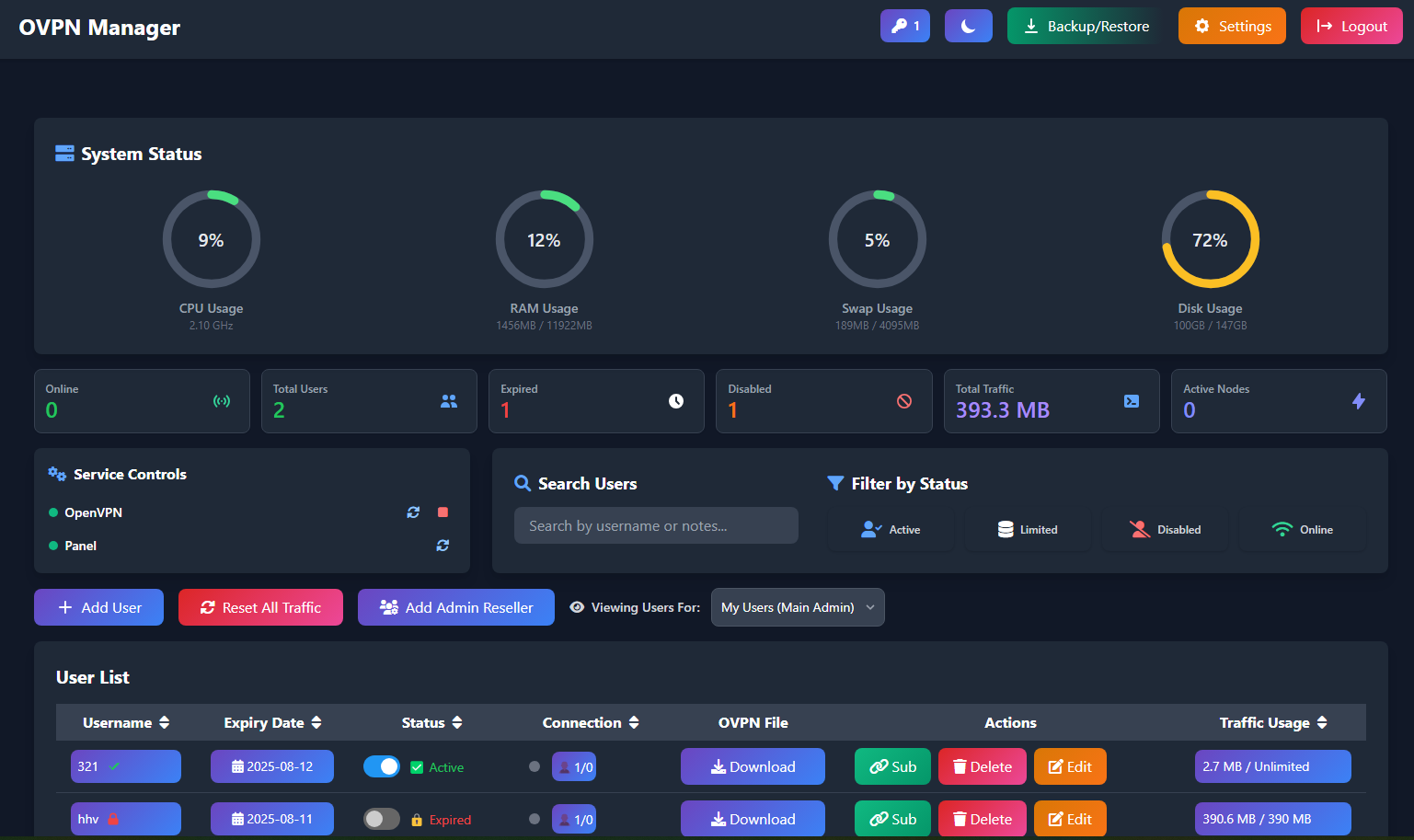
This commercial Flask dashboard consolidates management of five VPN stacks into a single web console and key-driven API. Operators create accounts with bandwidth ceilings, concurrent-session ceilings, and calendar expirations. A reseller tier delegates limited authority to sub-administrators. Remote nodes synchronize and report health to the primary host. Snapshots preserve both configuration and subscriber data. The front end switches between light and dark palettes. The bootstrap script targets Ubuntu 22.04 64-bit exclusively, registering each VPN daemon as a systemd unit. Every production server requires a purchased license, though a one-week trial exists. Persistence uses SQLite or PostgreSQL.
Should you self-host openvpn_webpanel_manager?
openvpn_webpanel_manager scores 39/100 on selfhost.directory (how scoring works) and ranks #50 of 56 in VPN. It has 297 GitHub stars.
It shipped 12 stable releases in the past year. The latest, 4.0.1, came out on 4 October 2026. New versions land roughly every 3 weeks.
Setup is advanced: plan for several services and some ongoing maintenance. It is Other-licensed and written mostly in Shell.
Its closest alternative on selfhost.directory is Tailscale (84/100, 38 241 stars). It scores higher overall, so compare the two before you pick. See openvpn_webpanel_manager vs Tailscale side by side.
Features
- Backup and Restore
- Multi-node Deployment
- Multi-protocol VPN management
- Panel branding
- Reseller/sub-admin system
- REST API
- SSL/SNI management
- Subscription links
- Traffic Monitoring
- User management with quotas
openvpn_webpanel_manager README
More in Network Management
 opnborgSelf-hosted daemon that backs up, monitors, and audits OPNsense firewalls via WebUI, with AI security audit, git history, and fleet config sync.
 oxidizedOxidized is a self-hosted, open-source network device config backup tool replacing RANCID. Supports 150+ device types, REST API, web UI, and Git/file/HTTP storage.
 phpIPAMSelf-hosted, open-source web IP address management (IPAM) tool for network admins: IPv4/IPv6 subnets, VLANs and VRFs, NAT and racks, subnet scanning and a REST API.
 Pi.AlertSelf-hosted, open-source LAN/Wi-Fi device discovery and presence monitoring with alerts, web-service and SSL checks, ICMP monitoring and Nmap/Wake-on-LAN tools.
 Pi-holePi-hole is a self-hosted, open-source DNS sinkhole that blocks ads network-wide without client software, running on Linux hardware with a web dashboard and REST API.
 pikvmSelf-hosted, open-source KVM over IP you flash to a Raspberry Pi: browser access down to BIOS, bootable virtual CD/DVD, ATX power control, VNC, IPMI and 2FA.
 poweradminSelf-hosted, open-source web control panel and REST API for PowerDNS: manage zones, records, DNSSEC and users, with LDAP/SSO and Docker deployment.
 PowerDNS-AdminOpen-source, self-hosted web interface for administering PowerDNS forward and reverse zones, with role-based access, SAML/LDAP/OAuth sign-in, TOTP 2FA and DynDNS support.
 powerdns-uiSelf-hosted DNS management UI for PowerDNS Authoritative servers with built-in API proxy, LDAP/OIDC authentication, and ACME DNS-01 certificate automation.
 rackpadSelf-hosted infrastructure inventory for homelabs: racks, devices, IPAM, VLANs, monitoring, discovery, compute, WiFi, and docs in one Docker container with SQLite.
 RackPeekSelf-hosted web UI and CLI for home lab infrastructure documentation, tracking hardware, services, and networks in open YAML formats.
 RackulaRackula is a self-hosted, open-source rack layout designer using real NetBox device images. Plan server racks, export to PNG/PDF/SVG/YAML, and share via URL or QR code.
0 comments