Self-host miniboard
1.2.2Lightweight dashboard with uptime monitoring and tabs
- Stars
- 242
- Port
- 8849 (Web GUI)
aceberg/miniboard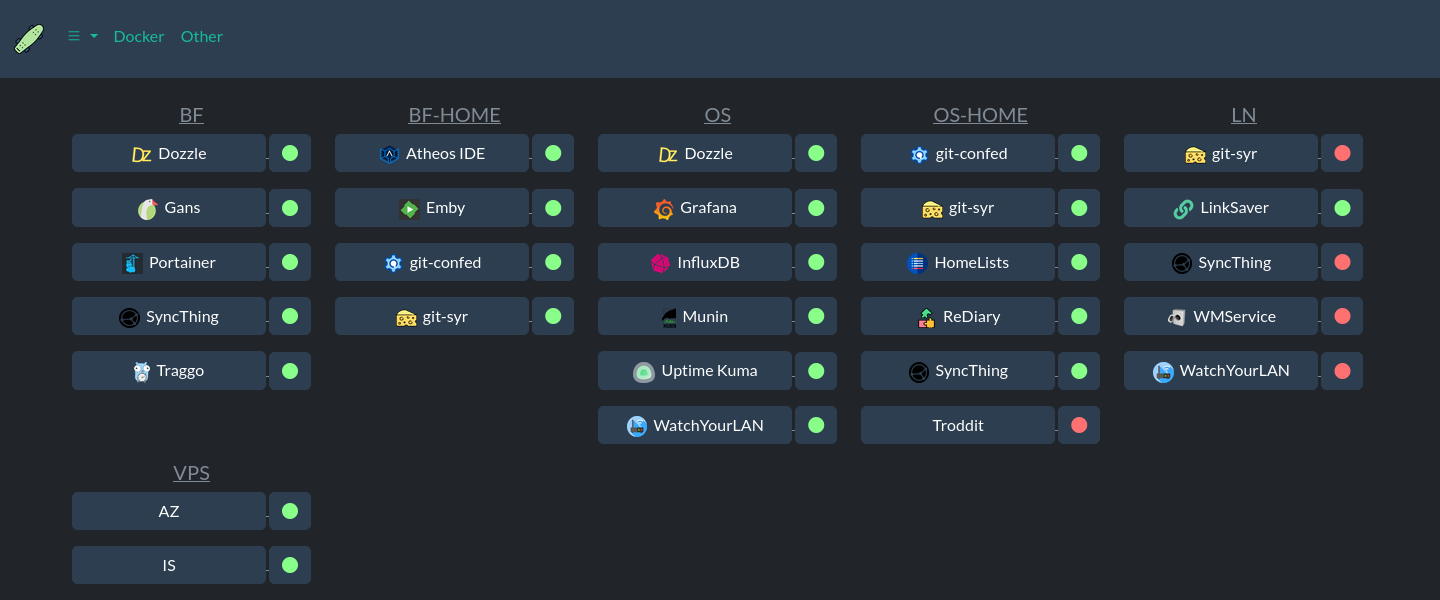
What is miniboard?
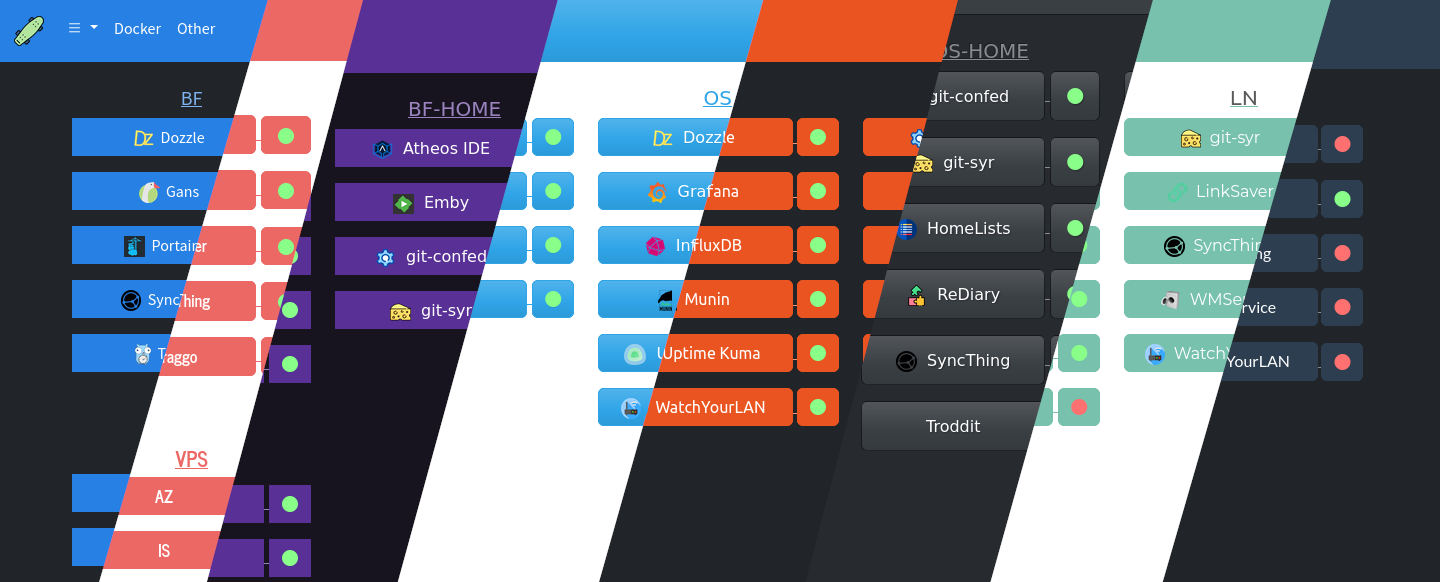
miniboard is a lightweight self-hosted dashboard written in Go that lets you organize services into tabs and panels with uptime monitoring. It supports configuring panels and hosts through a web GUI or YAML files, offers Bootswatch themes with light/dark modes, and can send notifications via Shoutrrr (e.g., Gotify) when host status changes. The app runs as a single binary or Docker container on port 8849, uses SQLite for uptime history, and optionally mounts the Docker socket to auto-discover containers. Authentication is available via session cookies with bcrypt password hashing. Last release was 1.2.2 in December 2023; the project appears inactive since then.
miniboard alternatives
 NimbusNimbus is a self-hosted, open-source homelab dashboard for monitoring services with real-time health checks, multi-user auth, widgets, and app integrations.CompareNimbus with miniboard
 lab-dashSelf-hosted dashboard for managing homelab applications with customizable grid layout, service health checks, and PWA support.Comparelab-dash with miniboard
 WatchYourPortsWatchYourPorts is a self-hosted, open-source tool that inventories open ports on local servers and exports data to InfluxDB2 for Grafana visualization.CompareWatchYourPorts with miniboard
 vigilVigil is a self-hosted terminal dashboard for Raspberry Pi that collects metrics, stores them in SQLite, and sends alerts via Discord, webhooks, or ntfy.sh.Comparevigil with miniboard
 UniBoardUniBoard is an open-source, self-hosted personal dashboard with homepage, Markdown notes, URL shortener, file sharing, and server monitoring via Docker Compose.CompareUniBoard with miniboard
 pi-dashboardSelf-hosted, open-source monitoring dashboard for Raspberry Pi and Linux with live metrics, Docker, WireGuard, REST API, and MCP server for AI assistants.Comparepi-dashboard with miniboard
 DockDashDockDash is a self-hosted, open-source Docker dashboard with semantic-version-aware update monitoring showing actual version upgrades and changelogs.CompareDockDash with miniboard
 asuraSelf-hosted uptime monitor as one Go binary with SQLite. 19 check types, distributed probes, live dashboards, status pages, SLA tracking, 13 alert channels.Compareasura with miniboard
Should you self-host miniboard?
miniboard scores 45/100 on selfhost.directory (how scoring works) and ranks #29 of 44 in Dashboard. It has 242 GitHub stars, +1 in the last 30 days.
There was no stable release in the past 12 months, so check the repository's recent activity before you rely on it.
Setup is easy: most people get it running in one sitting. An official Docker image is available. It is MIT-licensed and written mostly in Go.
Its closest alternative on selfhost.directory is Homepage by gethomepage (84/100, 33 448 stars). It scores higher overall, so compare the two before you pick. See miniboard vs Homepage by gethomepage side by side.
Features
- Notifications
- Offline ModeRequires separate node-bootstrap container
- Session Authentication
- Tabbed dashboard
- Uptime Monitoring
- Web GUI configuration
- YAML Configuration
miniboard README


Can be configured through GUI or yaml file.
More in Dashboard
 movelMovel is a self-hosted dashboard reading real-time OBD2 vehicle data via Bluetooth, showing RPM, speed, and throttle on a Raspberry Pi.
 MuximuxOpen-source self-hosted homelab dashboard in Go whose built-in embedding proxy rewrites headers and paths so stubborn apps work inside iframes.
 n8nTraceObservability platform for n8n with execution analytics, Prometheus metrics, RBAC, and audit logging. Deployed as a hardened Docker container with PostgreSQL.
- NimbusNimbus is a self-hosted, open-source homelab dashboard for monitoring services with real-time health checks, multi-user auth, widgets, and app integrations.
 OpenClaw-bot-reviewAn open-source, self-hosted Next.js dashboard that lists all your OpenClaw bots, models, sessions and gateway health, adds alert rules, and shows a pixel-art office view.
 openclaw-command-centerSelf-hosted, open-source dashboard for OpenClaw AI agents — real-time sessions, LLM costs, system vitals, cron jobs in a lightweight Node.js server with dark mode.
 openclaw-control-centerSelf-hosted, open-source control center for OpenClaw: observability, usage and spend, staff status, task approvals, and a live multi-agent collaboration hall.
 openclaw-deckA macOS dashboard for OpenClaw agents that watches spending, stops runaway runs, replays work, and pings Discord — powered by SQLite.
 openclaw-studioSelf-hosted, MIT-licensed control panel for OpenClaw: point it at your Gateway, then chat with agents, handle exec approvals and schedule jobs in one web UI.
 OpenRemoteA self-hosted, open-source (AGPLv3) IoT platform for device management, rule-based automation, multi-protocol agents (MQTT, HTTP, KNX, Z-Wave), and real-time dashboards.
 PersesSelf-hosted, open-source dashboards for observability signals: Prometheus, Tempo, Loki and Pyroscope in one tool, with RBAC, OIDC login and Dashboard-as-Code SDKs.
 personal-dashboardA self-hosted personal dashboard built with Next.js and TailwindCSS for displaying homelab services, weather, news, and IP location information.
0 comments