
Self-host WatchYourPorts
0.1.2Open ports inventory with InfluxDB2/Grafana export
- Stars
- 206
- Port
- 8853 (Web GUI)
aceberg/watchyourports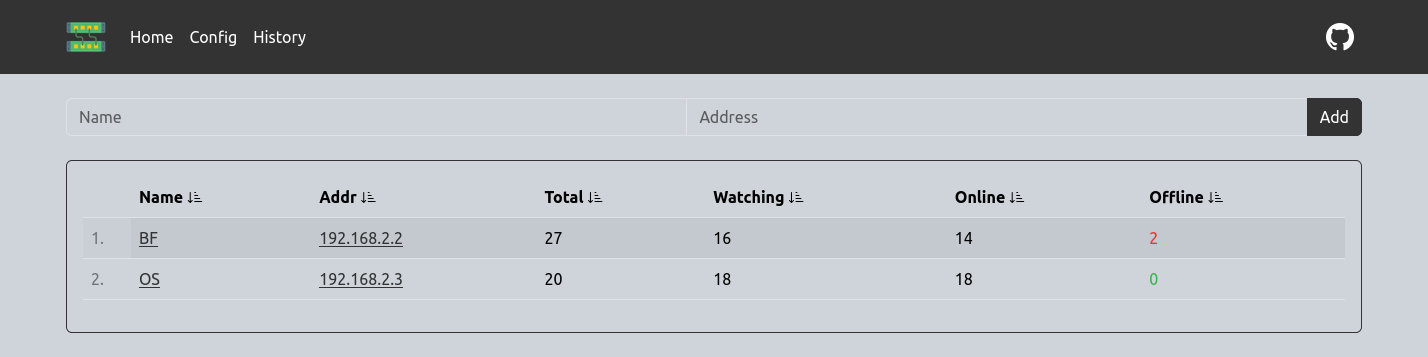

What is WatchYourPorts?
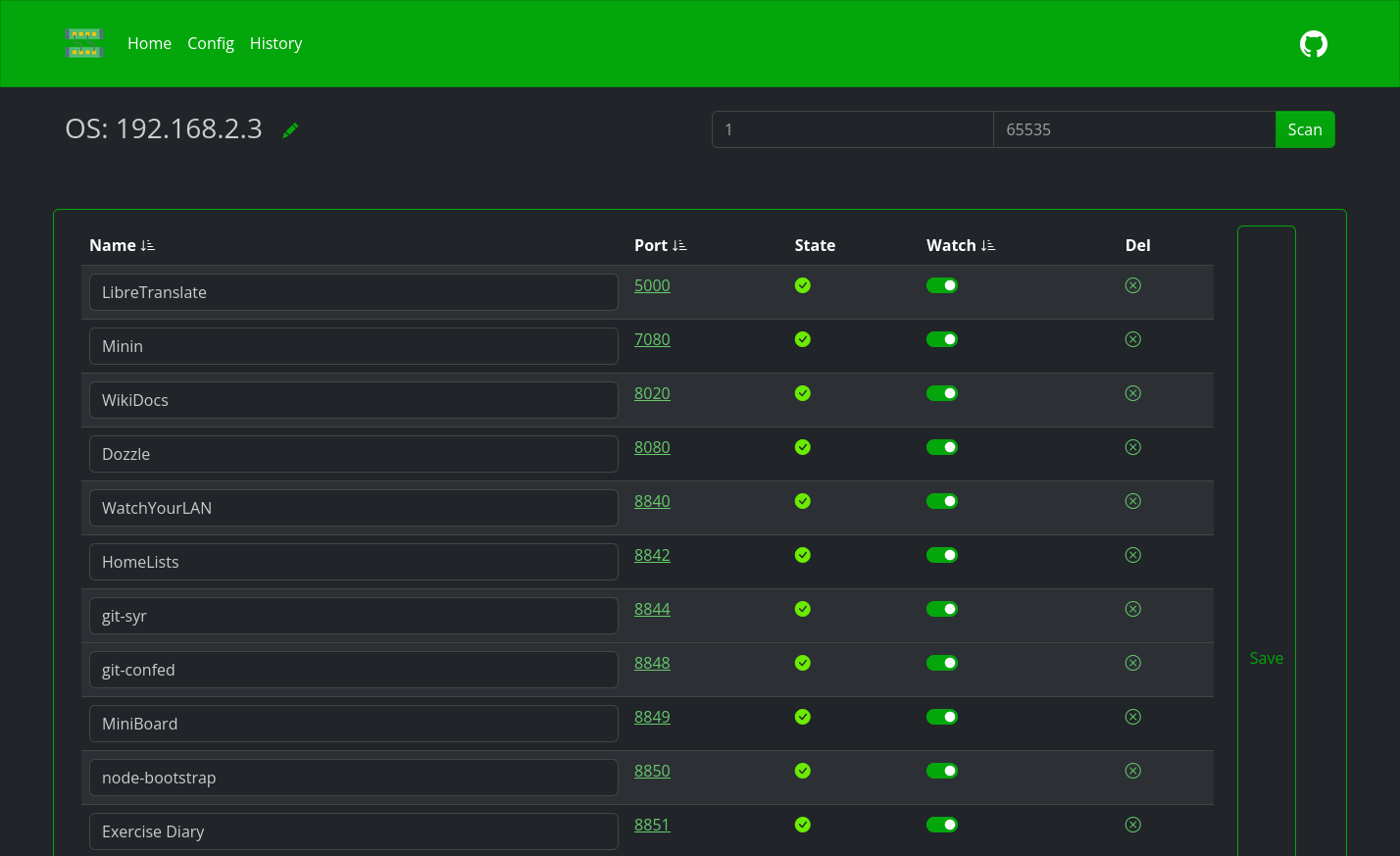
WatchYourPorts is a self-hosted network monitoring tool that scans and tracks open ports across local servers. It provides a web-based dashboard showing port status, history, and statistics, with data export to InfluxDB2 for Grafana visualization. The application runs as a Docker container and can import port mappings from Docker containers automatically. It supports theming via Bootswatch, configurable scan intervals, and offers a REST API for programmatic access. Authentication can be added via the companion ForAuth service or SSO tools like Authelia. The project is written in Go and licensed under MIT.
Should you self-host WatchYourPorts?
WatchYourPorts scores 41/100 on selfhost.directory (how scoring works) and ranks #39 of 48 in Network Monitoring. It has 206 GitHub stars.
There was no stable release in the past 12 months, so check the repository's recent activity before you rely on it.
Setup is moderate: expect some configuration beyond a single command. An official Docker image is available. It is MIT-licensed and written mostly in Go.
Its closest alternative on selfhost.directory is mitmproxy (86/100, 46 451 stars). It scores higher overall, so compare the two before you pick. See WatchYourPorts vs mitmproxy side by side.
Features
- Docker port import
- Local network mode
- Multi-server monitoring
- Port Monitoring
- Proxy Authentication
- REST API
- Theming
- Web Dashboard
WatchYourPorts README
More in Network Monitoring
 web-checkOpen-source, self-hosted OSINT tool that runs 44 checks on any URL - DNS, TLS, headers, ports, CVEs, trackers - through a web UI or plain API.
 ZabbixZabbix is a self-hosted, open-source observability platform for monitoring networks, servers, VMs, and cloud infrastructure with distributed monitoring.
 Zabbix DockerSelf-hosted Zabbix monitoring with official open-source Docker images for server, agents, proxies, web UI and SNMP traps, plus ready-to-use Compose files and a Makefile.
 atlasOpen-source, self-hosted network scanner that discovers Docker containers and subnet hosts, then maps them in an interactive React dashboard.
 BeszelOpen-source, self-hosted server monitoring: a hub plus per-host agents tracking CPU, memory, disks, containers, GPU and temperatures, with alerts and historical data.
 bettercapOpen-source, self-hosted Go framework for network reconnaissance and MITM attacks on WiFi, BLE, HID, CAN-bus and IPv4/IPv6 networks, with a built-in web UI and REST API.
 Blackbox exporterSelf-hosted open-source Prometheus exporter that runs external checks of HTTP, DNS, TCP, ICMP and gRPC services, publishing probe success and latency metrics.
 cactiOpen-source, self-hosted network monitoring and graphing platform on RRDtool: SNMP device discovery, templates, remote pollers, RBAC and LDAP login.
 checkcleOpen-source, self-hosted monitoring platform for uptime checks, server metrics, SSL expiry and incidents, with regional probes, alert channels and public status pages.
 checkmateSelf-hosted, open-source uptime and infrastructure monitor: HTTP, ping, DNS, Docker and gRPC checks with incidents, status pages and Slack or email alerts.
 checkmkSelf-hosted, open-source IT monitoring for hybrid estates: agent or agentless checks, auto-discovery, dashboards, REST API. Community edition fits around 100 hosts.
 deceptifeedSelf-hosted honeypot server running SSH, HTTP, TCP, UDP services with threat feed in multiple formats for firewall integration.
0 comments