
Self-host logpaste
0.3.4Minimalist log file upload and sharing service
- Stars
- 341
- Port
- 3001 (HTTP web server)
mtlynch/logpaste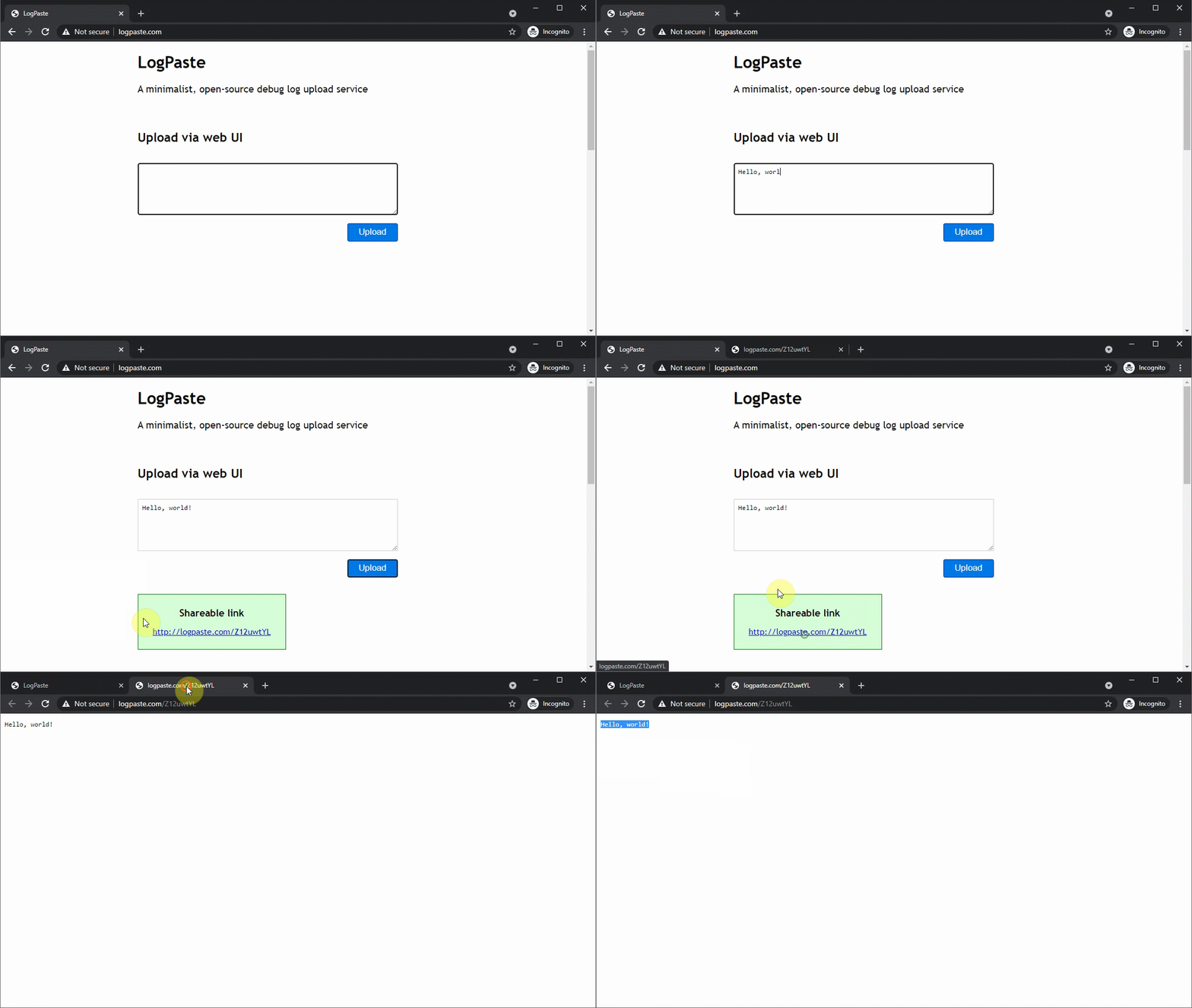
What is logpaste?
LogPaste lets you upload and share debug logs through a web interface, command line, or JavaScript. It runs as a single Docker container using SQLite for storage, and can automatically back up data to any S3-compatible service or Google Cloud Storage using Litestream. The interface text (title, subtitle, footer) can be customized without code changes. Rate limiting and max upload size are configurable. Deployment guides cover fly.io, Heroku, Google Cloud Run, and Amazon LightSail.
logpaste alternatives
 LogDeckSelf-hosted log viewer for Docker/Podman that stores history, sends alerts, edits container resources live — one Go binary with CLI and MCP server.CompareLogDeck with logpaste
 kubetailSelf-hosted, open-source Kubernetes logging tool that tails multiple pod logs in real-time via CLI or web dashboard, using your cluster's API directly.Comparekubetail with logpaste
 folderhostA self-hosted, open-source cloud platform offering file sharing, real-time collaboration, and user management in a ~19MB binary as a lightweight Nextcloud alternativeComparefolderhost with logpaste
 logtideOpen-source, self-hosted log management and SIEM unifying logs, traces and metrics on TimescaleDB, ClickHouse or MongoDB, an alternative to Datadog, Splunk and ELK.Comparelogtide with logpaste
 mainSelf-hosted pastebin alternative with browser encryption, VS Code–like editor, file sharing, whiteboard drawings, and peer connections.Comparemain with logpaste
 swiftwaveSwiftWave: self-hosted open source PaaS for deploying apps on any server. Alternative to Heroku/Netlify/Render with 1GB RAM min and integrated app store.Compareswiftwave with logpaste
 quickdropQuickDrop is an open-source, self-hosted file sharing app with pastebin and URL shortener. Chunked uploads, per-file encryption, expiring share links.Comparequickdrop with logpaste
 LitestreamOpen-source, self-hosted SQLite replication tool: streams database changes to S3, GCS, Azure or local files, restoring to the last replicated transaction.CompareLitestream with logpaste
Should you self-host logpaste?
logpaste scores 49/100 on selfhost.directory (how scoring works) and ranks #83 of 166 in Developer Tools. It has 341 GitHub stars.
It shipped 3 stable releases in the past year. The latest, 0.3.4, came out on 30 March 2026.
Setup is easy: most people get it running in one sitting. An official Docker image is available. It is MIT-licensed and written mostly in Go.
Its closest alternative on selfhost.directory is openhands (87/100, 92 252 stars). It scores higher overall, so compare the two before you pick. See logpaste vs openhands side by side.
Features
- Automatic data restore
- Configurable max upload size
- Customizable UI text
- Google Cloud Storage replication
- Log file upload via CLI
- Log file upload via JavaScript
- Rate Limiting
- S3-compatible cloud storage replication
- Single-Container Deployment
- Web UI for log uploads
More in Logging
 OpenSearchOpenSearch is a powerful open-source search and analytics suite. Apache 2.0 fork of Elasticsearch 7.10 with security, anomaly detection, alerting, vector DB, and ML.
 opentraceOpenTrace is a self-hosted, open-source observability server that lets AI coding assistants query production logs, errors, and database metrics directly via MCP.
 promtail-syslogSelf-hosted syslog server receiving logs on port 514 and forwarding to Grafana Loki via Promtail, built for network devices that can't run Promtail directly.
 rsyslogRsyslog is an open-source, high-performance syslog server that collects, transforms, and routes event data at scale with 100+ modules and 1M+ msgs/sec.
 RustrakRustrak is a self-hosted, open-source error tracker compatible with Sentry SDKs. Change one config line to send data to your own infrastructure.
 sentrySelf-hosted error tracking and APM platform for developers to detect, trace, and fix production issues. Open-source under Fair Source license.
 Syslog-ngsyslog-ng is a self-hosted, open-source log daemon that collects, parses, and forwards logs to files, databases, and big data platforms.
 zinalogA lightweight, open-source platform for collecting logs and checking service uptime, featuring a live dashboard, SQLite backend, and multi-channel alerting.
 CloudlogSelf-hosted open-source amateur radio logging app with web UI, LoTW/eQSL/QRZ/Club Log integration, CAT control, satellite support, and awards tracking.
 Grafana LokiGrafana Loki is a self-hosted, open-source log aggregation system that indexes metadata instead of full log text for cost-effective operation.
- kubetailSelf-hosted, open-source Kubernetes logging tool that tails multiple pod logs in real-time via CLI or web dashboard, using your cluster's API directly.
 logdy-coreLogdy is a self-hosted, open-source log viewer streaming terminal logs to a web UI in real time. Single binary, zero dependencies, TypeScript log parser.
0 comments