
Self-host logtide
v1.5.0Open-source observability & SIEM: logs, traces, metrics
helm install logtide logtide/logtide --namespace logtide --create-namespace --set timescaledb.auth.password=<your-db-password> --set redis.auth.password=<your-redis-password>- Stars
- 457
- Ports
- 3000 (Frontend dashboard), 8080 (Backend API)
- Requires
- PostgreSQL (TimescaleDB)
logtide/backend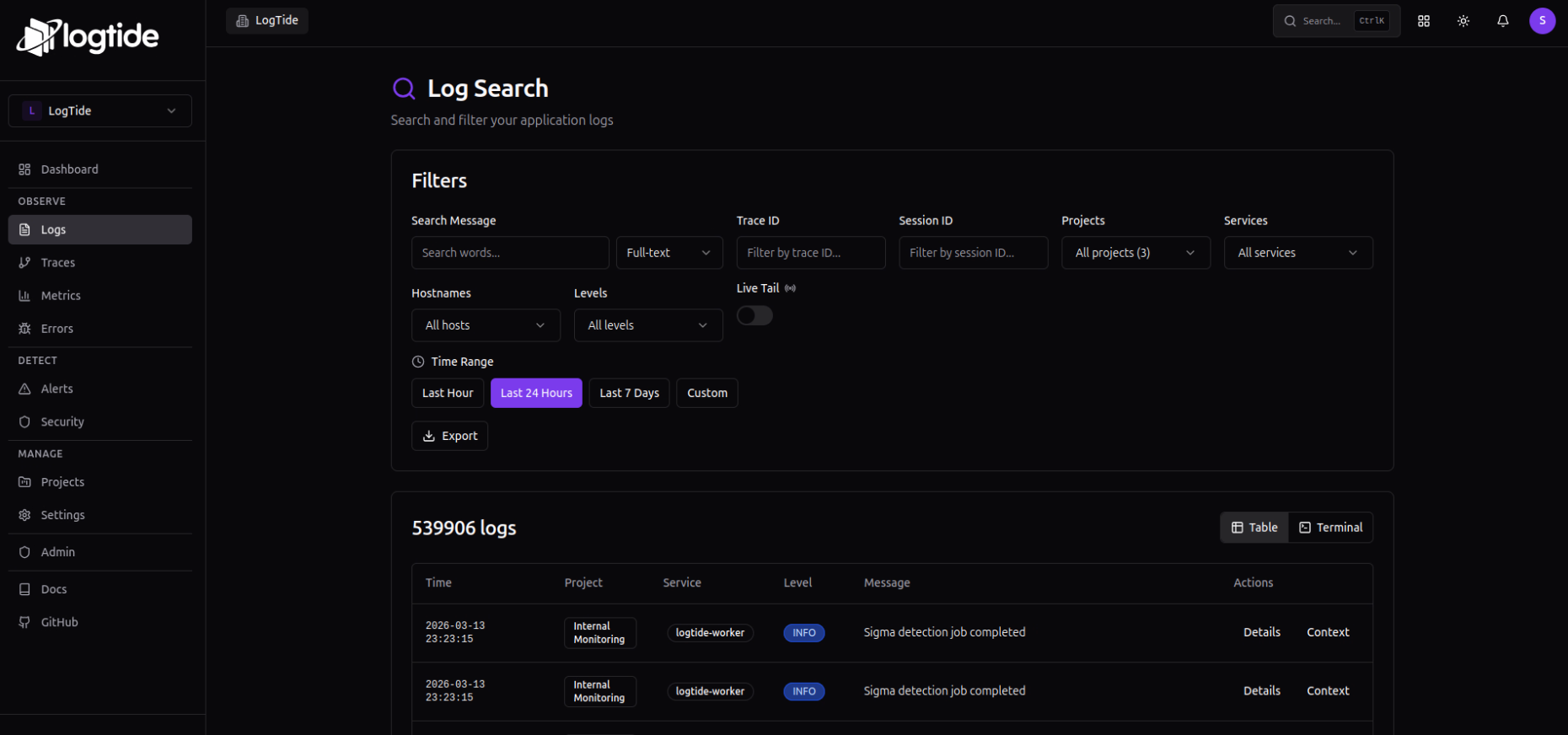
What is logtide?
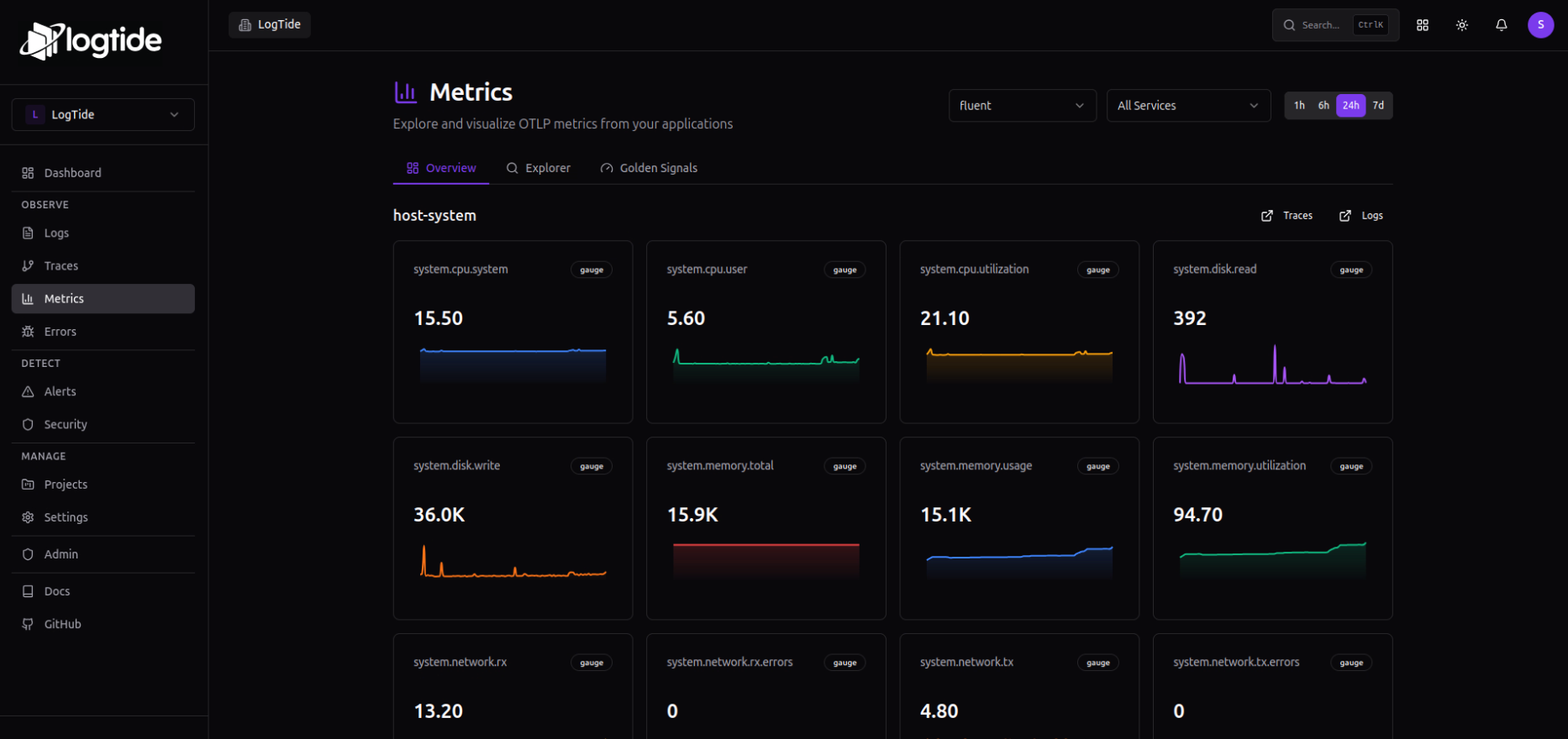
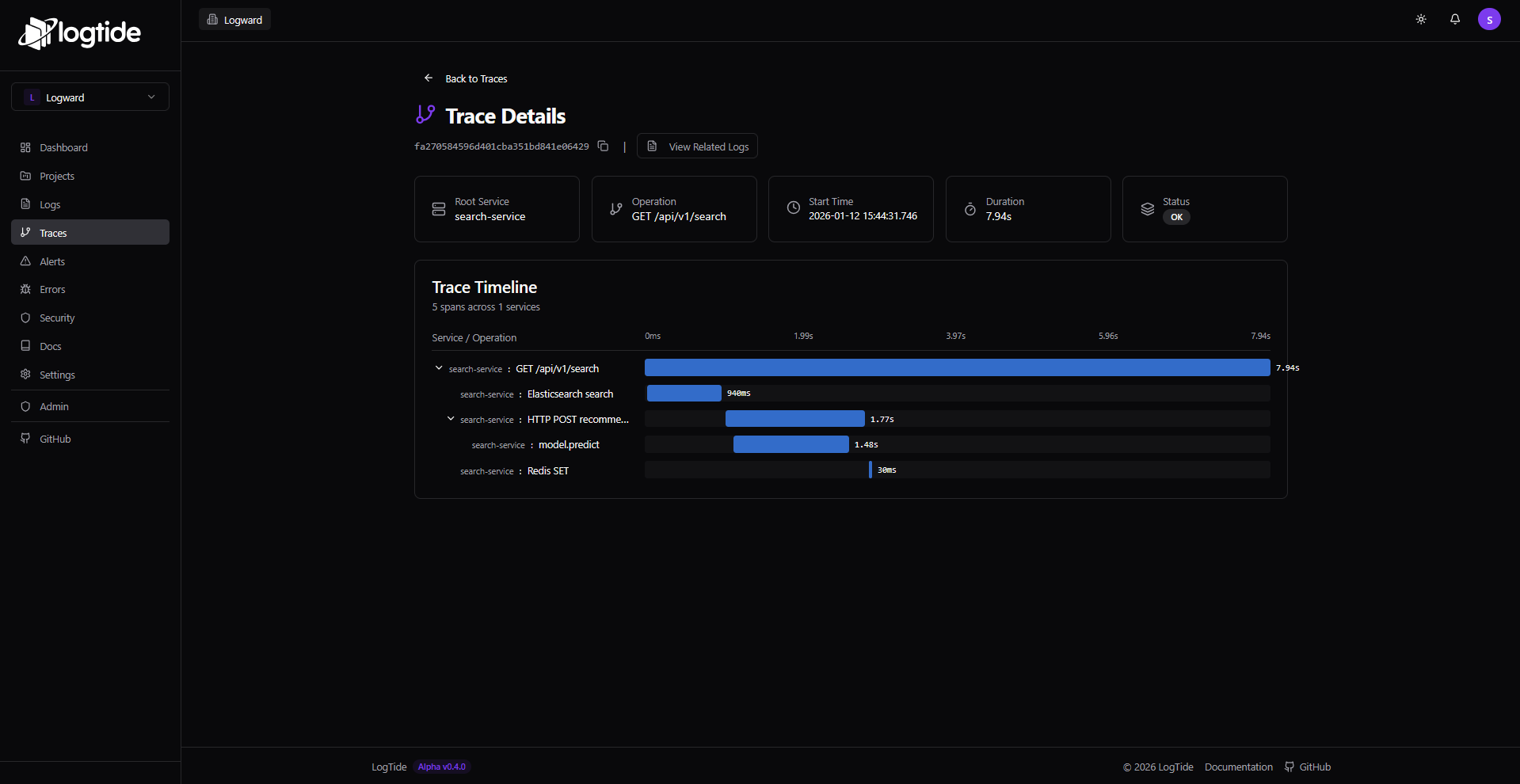
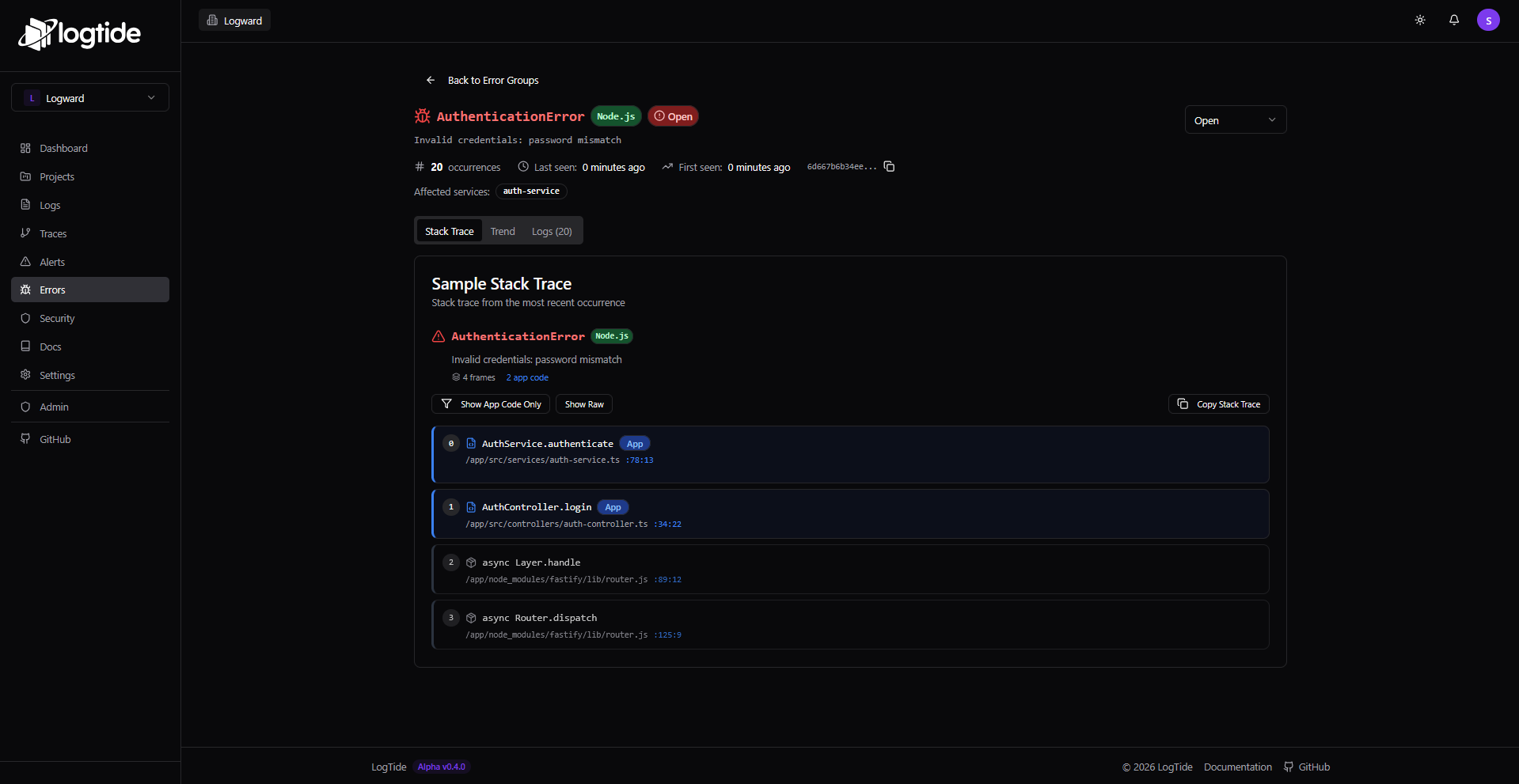
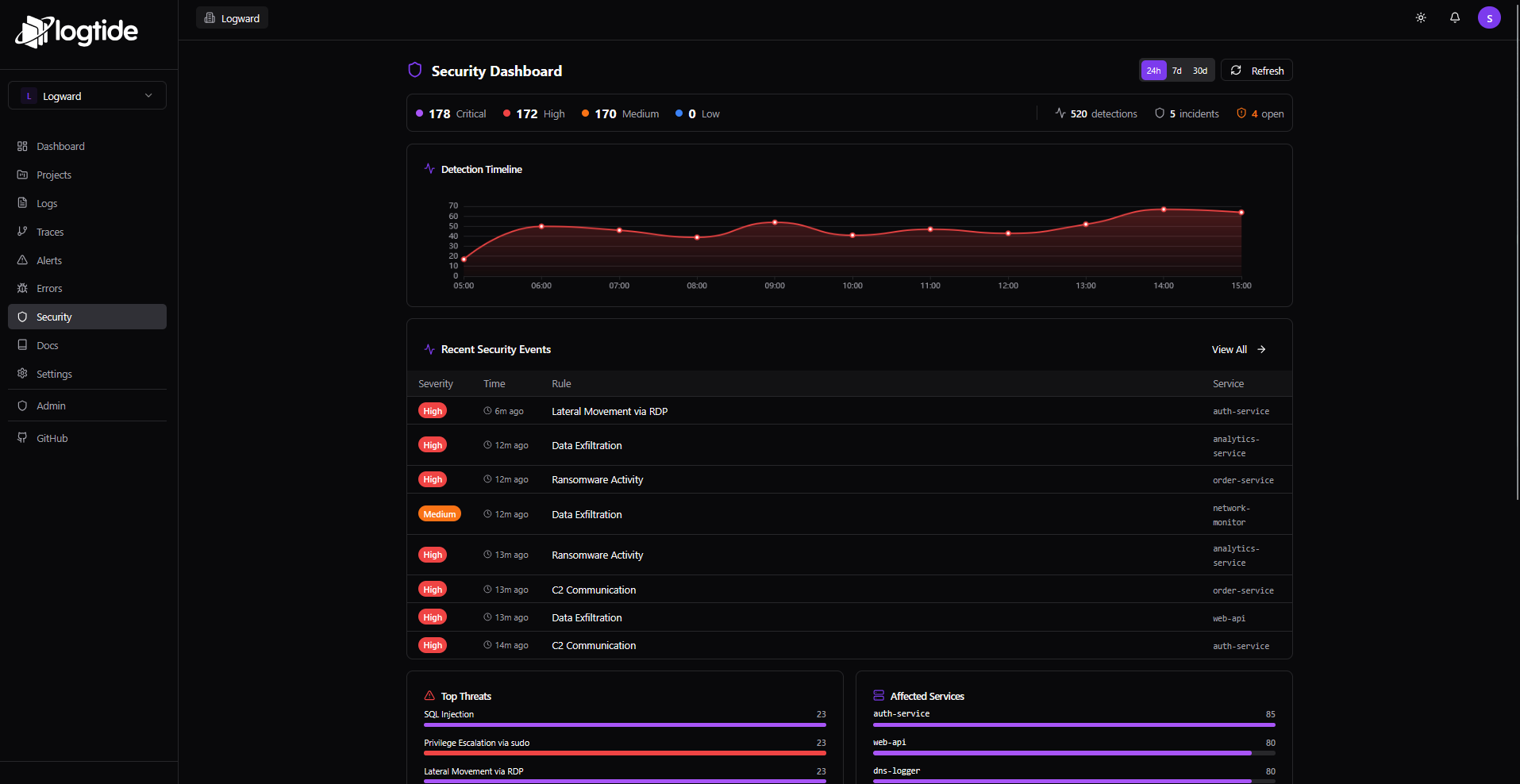
LogTide is an open-source observability and SIEM platform that brings logs, traces and metrics together in one interface, aimed at developers and smaller European companies that want to keep full ownership of their data without running ElasticSearch. A pluggable storage layer lets you pick TimescaleDB by default, ClickHouse for very large volumes, or MongoDB, and a native Sigma-rules engine with MITRE ATT&CK mapping turns the platform into a SIEM with collaborative incident workflows. Day-to-day tooling includes fast full-text and substring search with live tailing, drag-and-drop custom dashboards, uptime monitors with public status pages, parsing pipelines featuring grok patterns and GeoIP enrichment, PII masking, plus SOC2/GDPR-oriented audit logging. Applications stream data in via official SDKs for many languages, a plain HTTP ingest API, syslog through Fluent Bit, or native OTLP/OpenTelemetry endpoints, and alerts can be delivered through Email, Slack or Discord webhooks. To run it yourself you bring up a Compose stack made of a TimescaleDB database, backend and worker services, a SvelteKit frontend and an optional Redis, with a lighter three-container variant suited to Raspberry Pi homelabs, a Traefik overlay for scaling out, built-in OIDC and LDAP sign-in options, and an official Helm chart for Kubernetes. The same core also powers the managed LogTide Cloud, which has a free tier and paid plans; the self-hosted software itself is licensed under AGPLv3.
Should you self-host logtide?
logtide scores 48/100 on selfhost.directory (how scoring works) and ranks #9 of 13 in Log Management. It has 457 GitHub stars.
It shipped 15 stable releases in the past year. The latest, v1.5.0, came out on 20 October 2026. New versions land roughly every 6 days.
Setup is moderate: expect some configuration beyond a single command. An official Docker image is available. It is AGPL-3.0-licensed and written mostly in Typescript.
Its closest alternative on selfhost.directory is netdata (87/100, 81 200 stars). It scores higher overall, so compare the two before you pick. See logtide vs netdata side by side.
Features
- Alert notifications
- Audit Logs
- Browser Web Vitals & session tracking
- Custom dashboards
- Full-Text Search
- Golden signals metrics
- Live log tailing
- Log parsing pipelines
- Logs, traces & metrics in one UI
- OpenTelemetry OTLP ingestion
- PII Masking
- Pluggable storage engines
- SIEM with Sigma rules & incident management
- Trace-log event correlation
- Uptime monitoring & public status pages
logtide README
FAQ
Can I cancel at any time?
Yes, subscriptions can be cancelled whenever you like; EU consumers additionally have a statutory right of withdrawal.
Is the SIEM really included in every plan?
Yes — Sigma rules, incidents and MITRE ATT&CK mapping ship on every Cloud tier including Free, with no separate security add-on.
Is there per-user pricing?
No — any plan covers unlimited users, so teammates never increase the bill.
What about the Free plan?
The Cloud free tier has fixed quotas and never charges; move to Pro or Pro Plus if you need more volume or longer retention.
What happens when I reach my monthly quota?
The monthly quota covers logs, traces and metrics combined; paid plans get a 10% buffer plus a notice before ingestion pauses until the reset on the 1st, and overages are never billed.
More in Uptime Monitoring
 NezhaOpen-source, self-hosted server and website monitor: a dashboard plus agents track host metrics, HTTP/TCP/ping checks, SSL certs, alerts and a web terminal.
 peekapingOpen-source, self-hosted uptime monitor in Go and React: HTTP, TCP, ping, DNS and database checks, status pages, 20+ alert channels, 2FA and a REST API.
 phpservermonSelf-hosted, open-source uptime monitor that checks websites and TCP ports from your own PHP server, with cron jobs, graphs and email, SMS or Telegram alerts.
 Statping-ngA self-hosted, open-source status page and uptime monitor in Go. It checks HTTP, socket and gRPC endpoints, alerts via Slack, Discord or email, and supports oAuth logins.
 statusnookSelf-hosted status page with HTTP endpoint monitoring, incident timelines, and Slack/SMTP notifications.
 UpptimeOpen-source, self-hosted uptime monitor and status page that runs entirely on GitHub Actions, Issues and Pages, checking endpoints every 5 minutes with no server.
 upstatSelf-hosted open-source uptime monitor with HTTP(S) checks, latency charts, status pages, and alerts via Discord, Slack, email, webhooks. SQLite/PostgreSQL.
 UptimeFlareFree, open-source monitor and status page built on Cloudflare's Workers platform: geo-aware checks from 310+ cities, HTTP and TCP probing, plus incident history.
 ZoraxyOpen-source reverse proxy manager for self-hosted services, with a web UI, ACME TLS, TCP/UDP forwarding, an uptime monitor and a built-in SSH terminal.
 arewedownAre We Down? is a self-hosted, open-source uptime monitor with a web dashboard checking HTTP, SSH, Docker, and more, alerting via email and Slack.
 asuraSelf-hosted uptime monitor as one Go binary with SQLite. 19 check types, distributed probes, live dashboards, status pages, SLA tracking, 13 alert channels.
 Blackbox exporterSelf-hosted open-source Prometheus exporter that runs external checks of HTTP, DNS, TCP, ICMP and gRPC services, publishing probe success and latency metrics.
0 comments