
Self-host Kavita
v0.9.1.4Cross-platform reading server for manga, comics and ebooks
$ docker run --name kavita -p 5000:5000 -v /your/manga/directory:/manga -v /your/storage/directory/kavita:/kavita/config --restart unless-stopped -e TZ=Your/Timezone -d jvmilazz0/kavita:latest- Stars
- 12 138
- CPU
- CPU with SSE4.2 instruction set extensions (needed by the bundled NetVips image processing)
- Port
- 5000 (Kavita web UI and API server)
jvmilazz0/kavita
What is Kavita?
Kavita is a reading server you install on your own hardware to organize a collection of comics, manga, webtoons, ebooks and PDFs and share it with friends and family. It pairs format-specific built-in readers — webtoon scrolling, single and double-page spreads, virtual pages for EPUB — with metadata pulled from file names and ComicInfo.xml tags, giving you searchable, filterable libraries, collections, reading lists and smart filters bound to the dashboard or side nav. Index-backed full-text search, OPDS feeds and a comprehensive REST API let third-party reader apps and custom tools talk to your server. Several accounts can be managed through role-based permissions, age-rating restrictions and optional OpenID Connect sign-in, while the interface accepts custom themes, custom EPUB fonts and translations in 60+ languages that adapt to phones, tablets and desktops. Highlighting and note annotations on EPUBs can be shared with other users of your server or exported to Obsidian. Run it via the official jvmilazz0/kavita Docker image, its ghcr.io mirror, the LinuxServer.io image, or dependency-free self-contained binaries for Linux, macOS and Windows, all serving on port 5000. Development is active but the team labels the project beta until 1.0.0, warning that data loss is possible and could force a fresh start. Internet-facing extras such as automatic external metadata fetching, scrobbling to AniList/MAL/Hardcover/MangaBaka, recommendations and MAL stack imports sit behind the optional paid Kavita+ subscription; the base application stays free and open source under GPL-3.0.
Kavita alternatives
 mantiumSelf-hosted manga tracker monitoring MangaDex, MangaPlus, and custom sites with a web dashboard, Multimanga grouping, and chapter download integrations.Comparemantium with Kavita
 Calibre Web AutomatedSelf-hosted ebook library with automated ingest, conversion, metadata, and KOReader sync. Combines Calibre-Web UI with Calibre power.CompareCalibre Web Automated with Kavita
 CodexCodex is a self-hosted, open-source comic archive browser and reader supporting CBZ, CBR, CB7, CBT, PDF with OPDS, OIDC, and advanced library management.CompareCodex with Kavita
 BookHeaven.ServerSelf-hosted ebook library manager with modern responsive UI, OPDS support, KOReader sync, metadata handling, progress tracking, font management, and multiple profiles.CompareBookHeaven.Server with Kavita
 bunkoBunko is a self-hosted, open-source application for downloading manga and managing metadata, deployed via Docker with a web interface for adding and tracking manga.Comparebunko with Kavita
 koodo-readerOpen-source, cross-platform ebook manager and reader you can self-host with Docker; reads EPUB, PDF, MOBI and CBZ, with notes, OPDS and cloud sync.Comparekoodo-reader with Kavita
 librarrLibrarr is a self-hosted, open-source search and download manager for books, audiobooks, and manga. It searches multiple indexers and auto-imports into Calibre.Comparelibrarr with Kavita
 Suwayomi-ServerManga reader server running Tachiyomi/Mihon extensions with library management, automated updates, OPDS support, tracking via MyAnimeList, AniList, MangaUpdatesCompareSuwayomi-Server with Kavita
Should you self-host Kavita?
Kavita scores 74/100 on selfhost.directory (how scoring works) and ranks #1 of 14 in Comics. It has 12 138 GitHub stars, +289 in the last 30 days.
It shipped 8 stable releases in the past year. The latest, v0.9.1.4, came out on 2 September 2026. New versions land roughly every 3 weeks.
Setup is easy: most people get it running in one sitting. An official Docker image is available. It is GPL-3.0-licensed and written mostly in C#.
Its closest alternative on selfhost.directory is Stump (60/100, 2 785 stars). Kavita scores higher overall. See Kavita vs Stump side by side.
Features
- Annotations & highlights
- Built-in format-specific readers
- Collections and reading lists
- Comics, manga, webtoons and ebooks support
- Folder watching
- Full-Text Search
- Localization
- OPDS Support
- REST API
- Rich metadata with filteringExternal metadata fetching, ratings and reviews require the paid Kavita+ subscription.
- Role-based user management
- Send to device
- Smart filters & customizable dashboard
Kavita README

How to install Kavita
Install Kavita with Docker
docker run --name kavita -p 5000:5000 \
-v /your/manga/directory:/manga \
-v /your/storage/directory/kavita:/kavita/config \
--restart unless-stopped \
-e TZ=Your/Timezone \
-d jvmilazz0/kavita:latest
Official images on Docker Hub (jvmilazz0/kavita, armv7 supported) and GitHub Container Registry (ghcr.io/kareadita/kavita); a LinuxServer.io image (lscr.io/linuxserver/kavita) offers stable releases only, without armv7.
Install Kavita with Docker Compose
services:
    kavita:
        image: jvmilazz0/kavita:latest    # Using the stable branch from the official dockerhub repo.
        container_name: kavita
        volumes:
            - /your/path/to/manga:/manga
            - /your/path/to/comics:/comics
            - /your/path/to/books:/books
            - /your/path/to/saved/config:/kavita/config     # /kavita/config must not be changed
        environment:
            - TZ=Your/Timezone
        ports:
            - "5000:5000"
        restart: unless-stopped
Install Kavita with Windows
You have 2 options when it comes to running on Windows. You can either use Scoop or download the pre-built binaries from the GitHub releases page. Once you have scoop installed you can run the following commands to install Kavita.
scoop bucket add extras
scoop install kavita
Pre-built binaries (kavita-win-x64 / kavita-win-x86) from the releases page; service setup possible via shawl.
Install Kavita with macOS
Step 1
Go to https://github.com/Kareadita/Kavita/releases/latest and scroll down until you see the ‘assets’ section where there’s a list of files that you can download. The file you want is “kavita-osx-x64.tar.gz”.
Step 2
Unpack Kavita to your User Folder or folder of choice. For example, in Terminal:
cd ~
mv ~/Downloads/kavita-osx-x64.tar.gz ~
tar -xf kavita-osx-x64.tar.gz
Step 3
Make Kavita executable.
sudo chmod +x ~/Kavita/Kavita
Step 4
Disable Gatekeeper for Kavita’s folder so that Kavita and all .dll and .dylib files can be opened
xattr -r -d com.apple.quarantine ~/Kavita/
Instructions are user-suggested; start Kavita from within its folder and open http://localhost:5000/.
How to configure Kavita
TZContainer timezone (official Docker images and LinuxServer.io image)values: Any valid timezone, e.g. Etc/UTC
PUID=1000User ID the app runs as (LinuxServer.io image only)PGID=1000Group ID the app runs as (LinuxServer.io image only)
Kavita releases & version history
We had a few bugs and key regressions that I felt it was necessary to release a hotfix for. In addition, since Hardcover officially launched OAuth and Recommendations (Vibes) just as we released v0.9.1, we decided to wrap that in with this. Recommendations from Hardcover REQUIRES this version or later to work. v0.9.1 will not serve recommendations. Hardcover PATs will continue working, but switching to OAuth allows Kavita to refresh your key for you.
Added
- Added: (Kavita+) Added support for loading recommendations from Hardcover. These will be the books linked to the first book in the series.
- Added: (Kavita+) Added Hardcover OAuth support (PAT tokens will still work)
- Added: Added support for Mangabaka's new URL structure (released 8/31/2026)
Changed
- Changed: Opening a completed chapter while reading places you on the first page, but your reading progress won't reset unless you page forward.
Fixed
- Fixed: (Kavita+) Fixes chapter cover images sometimes being removed when Kavita+ writes a volume image
- Fixed: Fixed black & white lists not being available for non Kavita+ users
- Fixed: Fixed series age rating not being derived from tags on first scan and from updated tags in consecutive scans
- Fixed: Fixed chapter age rating not being derived from tags
- Fixed: Fixed settings not saving for some users
- Fixed: Fixed chapters with one page not saving progress while paging (Thanks @333fred)
- Fixed: Fixed a bug where users couldn't update reading profile from the reader due to Breakpoint enum values changing when we streamlined the breakpoint service in v0.9.1.
- Fixed: Fixed the fullscreen icon not updating when triggered from the Manga reader
- Fixed: Query parameters (?q=) from Mangabaka would break parsing out ids for Match modal
- Fixed: Version update modal title would render incorrectly on new Stable releases
- Fixed: Fixed an issue where rereading multiple single page chapters, the next chapter would set as unread.
- Fixed: Fixed search in the audit log being case sensitive
- Fixed: Fixed series with only chapters incorrectly being set to completed if upstream has a volume numbers
- Fixed: Fixed no results message showing an empty query for the default (series name) query
- Fixed: Fixed chapter sorting for some users under very specific circumstances
- Fixed: Fixed sent to device action item not rendering when Email is setup without Hostname
- Fixed: Fixed a bug where clients could get logged out on token refresh, when they shouldn't
- Fixed: Fixed up a regression for a unique filename pattern (c79x1) which was getting caught in the scene name regex.
v0.9.1 is here and it's a massive overhaul of Kavita+. I started Kavita+ 3 years ago with a split goal of bringing some of my initial vision of Kavita to fruition (metadata downloading) and setup a way for me to work full time on Kavita. While unfortunately I'm not there yet monetarily, over those last 3 years I have listened to the community and found a few ideas that could take the integration to the next level. That day has finally come and the Kavita+ in this release is a day and night difference to what we've known before.
Before we get into the Kavita+ features, I'd like to call out a few big items for all users.
Epub Variable Font Support
This was a user submitted feature that expanded Kavita's epub custom fonts to apply the bold/italic variants from the font family. While I was testing the code from the user, I also cleaned up the UX.

Cover Chooser UX
I finally got around to building the new Cover Chooser with @therobbiedavis's design made last year. The new experience separates the different entity covers into tabs, renders out titles for each, and makes the understanding of a locked cover front and center. For Kavita+ users, you can now use the Kavita+ tab to download and apply series/volume covers from Mangabaka and Hardcover. The covers will be grabbed against the Edition and Language if applicable.

Security
With AI on the rise, the amount of AI scanning and reporting issues against repositories is also on the rise. This round, we ended up fixing 10 security issues. All of these issues have a very low rate of exploit, but I would still urge you to keep up to date. All CVEs will be requested 1 week after this update.
Series Rename functionality 🎉
I don't use emoji's often, but I feel it's warranted here. I removed the ability to rename series in the UI a few years ago when I reworked the scanner. The code has been able to support it and user's have been asking for it, with the Kavita+ work, I finally got around to tackling it. If you're using Kavita+, it's even nicer as Kavita can update it for you with language fallbacks (customizable).
Kavita+ Overhaul
There is quite a bit of new stuff, with some documented below. One of the biggest improvements is the media support. Prior, books were left out, but now with Hardcover, we have full book support.
Kavita+ Features added:
- License Management - Ability to renew/cancel/view status about subscription, how much you've used it and some health status
- Accountability - Understand what Kavita+ is doing to your entities via an Audit log, make corrections quickly
- Controls - Expanded controls on what fields Kavita+ writes to and how it interprets data. Tightened matching logic to avoid bad matches.
- Rich Data - Expanded data sources (Hardcover, MangaBaka) for better coverage (books, LNs) and more fields (chapter/volume data, covers, etc)
- Sharability - Expanded scrobble providers: Hardcover, MangaBaka, MAL, and AniList using OAuth for easier token management
License Management
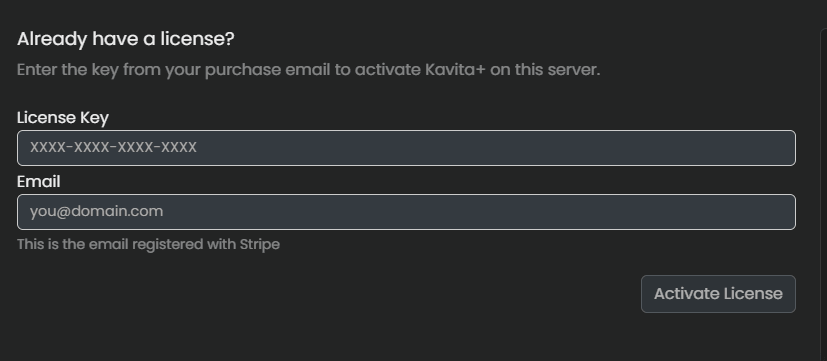
This is the core of the Kavita+ experience. You need to understand when your subscription is renewing, have the ability to change details like your email, cancel and renew the sub, and overall understand the value you're getting from the platform. I designed this new screen to reduce how often you need to reach out to me and provided functionalities for just about everything I've had to manually do over these last 3 years.
From this new dashboard, you can not only see your sub at a glance, but cancel/renew/change email/change billing (Stripe), see how much usage you've gotten from your Kavita+ sub, and health status of providers as well (since AniList API going down is almost a fact now). In addition, I did a TON of work on the Kavita+ layer to hammer out a lot of bugs, and ensure we send renewal email reminders for yearly plans.


Accountability
Another big pain point of the system was, Kavita has all these controls and matching flows, but it's hard to know WHAT is actually changing on the system and why. So we built a Audit log with dedicated screens for both Admins (All Activity) and regular users (My Activity). These provide rich insights into what Kavita/Kavita+ are doing, what fields are updated, etc. You can also view this from an individual series detail page.


Controls
Kavita has controls for both local metadata and Kavita+ metadata to allow remapping genres -> tags and vice versa or have genre/tags drive Age ratings. With this release, we've updated them with some of the new features, like overriding an provider's age rating (ie Mangabaka says Safe (G), you want safe as Everyone) or telling Kavita what languages to write to Series Name and Localized Name and what fallback to use per-field.

Rich Metadata
In this update of Kavita, we added the ability to write Series Name, Chapter/Volume covers and metadata. With the addition of Mangabaka and Hardcover, Kavita now has individual metadata available for Volumes as well as Series and thus can drastically improve metadata, whereas Volume level metadata for Manga was otherwise not possible. Comics already supported Issue-level metadata and just adds Cover updates into the mix. All cover operations use a system to detect if the incoming image is "better" before writing and respect the language on the series/library when applicable.

More Progress Scrobbling
Lastly, we've added way more scrobbling providers along with switching from token-based auth to OAuth, meaning Kavita can refresh your auth with these providers for you. As of v0.9.1, you can now scrobble your progress, ratings, and reviews to AniList, MAL, Mangabaka, and Hardcover.
In addition, we've added settings per-provider (with some library bindings) so that you can configure what you want to sync up, how you want reviews shared (private, friends, public), how you want series to be treated if you stop reading them for some time, etc. This should cover you in most scenarios (my personal favorite is the new drop rule).

What's next?
All in all, this has been a monumental release. Not only have we completely reworked Kavita+, we've also seen an uptick in contributions with a few that didn't make the cut, that will likely come next release (a lot of new stuff for the readers). Kavita also hit 100K active installs!, one of my goals for the year. Amelia and I are looking forward to continuing our work on Kavita.
As mentioned in the first release of the year, we have one more promised release which is v0.9.2 - Native Kobo Sync Support. After this, we will likely start working on the foundations for the official mobile app.
Added
- Added: (Parser) Added chapter marker support (ch) to Comic libraries
- Added: Added the ability to configure Metadata Settings for Kavita+ around what languages to prioritize for setting series name and localized name. You can configure Global settings and per-library and use multiple language codes, which act as a fallback. (ie en;ja-Latn. If english is not available, will try japanese (Romanji), else don't update. The selected language code will not be used for localized name)
- Added: Added support for {Native} and {Romaji} reserved tokens for the language to fill in the Native and Romaji titles respectively.
- Added: Kavita will now not allow any localized name changes that would orphan files. This means that if a localized name is used to merge a set of files into one series, you can't change it. (ie - dont toy with me v01.cbz and Ijiranaide, Nagatoro-san v2.cbz in one series, changing localized name from Ijiranaide, Nagatoro-san will be rejected as next scan would split these into 2 series)
- Added: Added collapse series relationships as an option for series filter. Overwriting your global preferences for that filter.
- Added: Added a button to rerun all metadata mappings without needing to force scan your library
- Added: Added collapse series relationships as an option for series filter. Overwriting your global preferences for that filter.
- Added: Brought back the ability to rename series' name in Kavita via the UI. When changing, Kavita will prompt you to align the SortName if it was previously locked. The name must be unique to the library+format.
- Added: Kavita+ can now write the series name. No more .hackxxxx, now .hack//xxxx (FR #2902, 9 upvotes)
- Added: Added the ability to upload/support fonts that have variable styles. This allows for richer font expression in the Epub reader. (Thanks @skulwicki)
- Added: Added a new OAuth flow to automatically link Scrobble accounts for supported providers (MAL, MangaBaka, AL)
- Added: Added a nightly job to automatically refresh tokens for supported providers (MAL, MangaBaka)
- Added: Added support for scrobbling to MAL
- Added: Hooked up the discord connect button on the license screen
- Added: Added new audit log events for when a Scrobble Provider is connected and when its token is refreshed (Success & Failure)
- Added: Added the ability to cancel directly from the Kavita instance, rather than using the Stripe portal.
- Added: Added the ability to renew your subscription from your Kavita instance, payment details still are done via Stripe. Nothing touches Kavita/Kavita+ logic. You can choose the appropriate plan as well.
- Added: Added the ability to change your registered email without contacting support. This is a multi-step process due to security provisioning.
- Added: MAL Stack Sync now has the original Stack url for Audit log
- Added: Kavita will now send total reads for a series to MangaBaka
- Added: Show the series matched against in the Audit log
- Added: Match modal will now show which metadata provider Kavita+ will match against and why (library type, format)
- Added: Added a Cameo series relationship since MangaBaka now provides it.
- Added: Recommendations will now show a badge in the card: Similar (based on tags, existing fall into this batch), User-based (based on other people reading habits), and Personalized (not used yet). User-based will win on duplicate with Similar (as it has more real weighting)
- Added: Added support for loading metadata from Hardcover
- Added: Added the ability to use shortcode:id (hardcover:1234, al:1234, etc) for direct lookup in the search field
- Added: Hardcover ratings are now visible from Series Detail page
- Added: Added more information in the match modal to help you pick the correct series
- Added: (Kavita+) Kavita can now write volume (and chapter) covers during the Match flow from MangaBaka/Hardcover (CBR already supported). You can configure these in Manage Metadata to enable them.
- Added: Added navigate to home/dashboard keybind
- Added: Kavita can now match to editions (Collections on MB) which are alternative versions and come with their own metadata (volume/chapter metadata) and covers.
- Added: Added the ability to have Chapter age rating inherit from Series when matching with Kavita+
- Added: Added the ability to rename a series from the UI (and allow Kavita+ to write titles from external metadata providers). Kavita will prompt you when sort name is locked to align it (against your library settings) for you or not.
- Added: Show an explicit message when SignalR event hub isn't connected
- Added: Added Mangabaka as scrobble provider
- Added: Added Hardcover as scrobble provider
- Added: Added per provider settings (library, age ratings, scrobble progress/ratings/reviews, etc)
- Added: Added inactive & on hold rules (Auto transition series/books from reading to on hold after x days)
- Added: Scrobble Providers can now show information, like username.
- Added: Added an upsell page that explains what Kavita+ is, so users are more informed, rather than linking to the wiki
- Added: Added a status page to services that Kavita+ relies on, to surface incidents (like AL going down and scrobbling not working)
- Added: Added stats about what Kavita+ is doing and how many calls your license has made (note: Not all data will be present, existing data is mixy)
- Added: Added 3 new screens that help users understand what Kavita+ is doing around their series, their scrobbling, and for admins, the whole behind the scenes logic.
- Added: (Kavita+) Cover chooser will now present cover image choices from Kavita+ (powered by Hardcover, MangaBaka, and ComicBookRoundup).
- Added: (Kavita+) Added the ability to take a raw string content rating from Mangabaka and map it to your own Age Rating. This will override the default mapping Kavita+ provides. Kavita will always take the highest age rating produced from the whole mapping process (so a tag mapping that produces a higher rating will be selected)
- Added: (Kavita+) Added the ability to filter out tag weightings (Mangabaka only) from above a weight. So if you select recurrent, incidental and unweighted will be removed. Does not affect remapped tags (ie tag generated from a genre mapping) or white listed tags.
- Added: (Kavita+) Added the ability to turn off Kavita writing age ratings
- Added: Added the ability to override the Metadata Provider on a Series-basic in the Match modal. This should help users with mixed content libraries (Thanks @StereotypicalCat)
- Added: Pasting a provider URL or header into the Match dialog's search box (hardcover.app, mangabaka.org, anilist.co, myanimelist.net, comicbookroundup.com, or a 'hardcover:'/'mb:'/'al:' style header) now switches the Series to that provider automatically before searching, instead of searching the wrong (Thanks @StereotypicalCat)
Changed
- Changed: Match modal now uses a rich url (pre-filtered) for Hardcover and Mangabaka
- Changed: Manage Metadata is now in accordions to make it easier to navigate
- Changed: Inverted the behavior of the last read filter field to be more intuitive.
- Changed: Switched to jemalloc as allocator for Docker images resulting is drastically better memory management (less memory)
- Changed: Lower log level for flavicon retry failures to reduce log spam.
- Changed: Black- and Whitelists will now be sorted alphabetically to help manage long lists.
- Changed: User defined OIDC scopes will no longer be filtered by the supported scope list from the discovery document. Please ensure your configured scopes are all supported.
- Changed: Kavita is now better at finding ISBNs in epubs
- Changed: Inverted the behavior of the last read filter field to be more intuitive.
- Changed: (UX) Updated the UX for the Font Manager and expanded the experience to visualize variable fonts
- Changed: Badges on the settings nav bar will now use compact numbers
- Changed: Disable password authentication (OIDC) now disabled it for everyone. In case of issues remove your OIDC config from appsettings.json
- Changed: Multi-file chapters will now only have one entry in OPDS feeds. Consumers can read and download everything from this entry
- Changed: The cover uploader will now automatically select the upload tab after uploading an image
- Changed: (Performance) Improved performance of the scanner when scanning large amounts of files in a single directory (Thanks @junoh-moon)
- Changed: Kavita will no longer send token almost expiring emails if the Scrobble Provider supports automatically refreshing its tokens (And a refresh token is present).
- Changed: (UX) Minor tweaks to confirm/alerts in the app to differentiate from the modals
- Changed: Discord id is no longer an option when registering your Kavita+ license, instead you can use the connect with discord button which will use OAuth for a much smoother experience (and get you access for most users that didn't read the tooltip)
- Changed: Kavita will no longer email users when tokens are about to expire since Kavita can now refresh for them.
- Changed: Reworked and simplified the button theming to drive consistency in Kavita. Reworked a few of the theme variables by collapsing into streamlined experiences. (I will no longer be maintaining the wiki for all css themes)
- Changed: Ensure that external ids from a match are only written to the Series when done via a manual match
- Changed: Reworked the match modal to make it more clear what the previous match was and what Kavita will search against for Kavita+ and why.
- Changed: Matched results title can now be clicked to view the metadata provider's page
- Changed: You can now use shortcodes for anilist (al) and mangabaka (mb) for match by id modal. ie) mb:1234
- Changed: Ratings now come from MangaBaka and include a MB rating (which will aggregate many sites)
- Changed: Automatic matching now requires exactly one match above 90%
- Changed: A library now has a metadata provider (Hardcover, MangaBaka, CBR) associated with it
- Changed: Scrobble events will no longer be created if the required id is missing. This will be logged in the audit log for visibility
- Changed: (Kavita+) Recommendations will stem only from MangaBaka now, AniList and MAL will no longer be used.
- Changed: (Kavita+) Kavita now allows non-admin's to view external recommendations. Kavita will calculate an age rating through the Metadata Settings (tag/genre mapping + derived age rating) and take the highest between what we get from MangaBaka and the server's rules.
- Changed: Scrobbling series with only specials (One-Shots) will now scrobble the amount of specials instead skipping the scrobble.
- Changed: Copied the (x/y) info from the tooltip down to the series detail page for ended series for better visibility
- Changed: Changed the default read more cutoff length to be longer for desktop view
- Changed: Changed Access tokens to 3 days (from 10). All users will have a one time reauth event.
- Changed: Update modals will now show the title from the PR (nightly releases)
- Changed: Prefer the series/library locale when grabbing covers (volume/chapter only)
- Changed: Retry Scrobble Provider token refresh once after 30 minutes when there is a failure.
- Changed: Ensure external series metadata is refreshed oldest to newest
- Changed: Be smarter about getting failed audit log badge
- Changed: Removed ImageSharp and use NetVips exclusively for metadata. ImageSharp's new licensing model increased friction for development.
- Changed: Match flow will use external metadata ids if there is no query text.
- Changed: (Parser) Slight change in how parenthesis are cleaned from Series name. Kavita will now check if there is text on each side of () and skip replacement in that case. This allows Kavita to see that 'Rent-a-(Really-Shy)-Girlfriend' is separate from 'Rent-a-Girlfriend')
- Changed: Massively improved the detect and report a series collision logic and try to give help to user on how to fix. This text is not localized and wont be.
- Changed: Match Series modal MangaBaka link will prefill the series name for you
- Changed: Tweaked all logic in the app when finding series to utilize external ids.
- Changed: Series Preview and Smart Collection drawers have resizers on them
- Changed: Improved AniList scrobble speed drastically
- Changed: Scrobble keybind now opens my activity instead
- Changed: Users can now run backfilling of history per provider as many times as they want. Kavita will slowly churn thru it all (note: Re-running multiple times will drastically inflate queue for no reason).
- Changed: (UX) Complete UX overhaul of Scrobble providers (now found under Kavita+ > Connections )
- Changed: Complete overhaul to the Kavita+ license page. New design have an upsell feel (from the main site) that explains what Kavita+ is.
- Changed: When editing the license, the email is auto-filled for you
- Changed: Kavita+ Audit will now track Metadata Sync trigger (Manual, on file Add, Background Sync)
- Changed: Massive UX refresh to the Match modal for Kavita+ to surface tips on how to search.
- Changed: Scrobbling screen is likely going to be replaced by the new screens
- Changed: OIDC validation no longer requires super safe urls.
- Changed: Redesigned Kavita's Cover Image chooser to use tabs for individual types of media (Current, Uploaded, Volume, Chapter, Kavita+). (Thanks @therobbiedavis for the great design)
- Changed: Moved the Reset cover image from a weird button into a dedicated button with clear labeling if the underlying cover was locked or not.
- Changed: (Kavita+) Tag weight filtering is only guarding the writing of tags now. Age Rating mapping will now run against all tags/genres (even before black/whitelisting) to ensure a string doesn't escape deriving an age rating.
- Changed: Tweaked some of the Kavita+ setting item language
- Changed: Parse external Ids for books too (weblinks are parsed from epubs)
- Changed: Moved the config/cache-long version files into their own subfolder.
- Changed: All Kavita+ features are now gated by External Ids being set. With the new matching logic working so well, we feel this is a valid change.
- Changed: Expose scrobble errors in audit log (with a button to clear/fix)
- Changed: Kavita+ match will never use weblinks anymore. Weblinks are already parsed for seeding External Ids.
- Changed: Improved K+ relationships and MAL Stack series matching
- Changed: Spread out Kavita+ License checks to reduce load on our servers
- Changed: Ensure we always log out the Support Id when Kavita+ experiences errors
Fixed
- Fixed: Webtoon pages now keep their original aspect ratio when Width Override changes live. (Thanks @archit-goyal)
- Fixed: (Parser) Fixed a case where a year followed by a volume marker, the year was captured as a chapter, like 'Blade Runner 2019 - Volume 1' (Thanks @StereotypicalCat)
- Fixed: Closing the book/manga reader now exits fullscreen properly (Thanks @JUMBUZI)
- Fixed: Background color for reading profile was missing a preview of the color
- Fixed: A lot of mobile touchups across the new Kavita+ screens, including missing loading indicators and no data messages
- Fixed: Fixed getting stuck on the resolution step while manually importing metadata settings
- Fixed: Fixed yes/no fields (Want to read & Collapse series relationships) always visually showing as checked when loading a smart filter
- Fixed: Fixed series with non numerical chapter positions always being sorted at the start.
- Fixed: Fixed an incorrect message when deleting bookmarks in bulk
- Fixed: Fixed a heap of missing access checks (low impact)
- Fixed: Fixed series with non numerical chapter positions always being sorted at the start.
- Fixed: Fixed a bug where selecting a font family that clashes with a Kavita font (Poppins) would override Kavita's webapp font globally.
- Fixed: Fixed a bug where a user font with the same name as a system font (poppins) would collide on the epub reader and cause webapp font issues.
- Fixed: Fixed a bug where a user font with the same name as a system font (poppins) would also not be selectable vs the system font.
- Fixed: Fixed the shortcuts modal not respecting the book theme in the book reader
- Fixed: Fixed the confirm prompt for deleting annotations not respecting the book theme in the book reader
- Fixed: Fixed annotations sometimes duplicating characters
- Fixed: Fixed Copy Settings From modal not opening on the manage library page
- Fixed: Fixed only one collection tag statement being taken into account in the series filter
- Fixed: Fixed the chapter title being displayed twice in the manga reader. And Vol. & Ch. numbers not being displayed
- Fixed: Fixed uploaded thumbnails not always respecting the configured cover image size (Thanks @KobraKid !)
- Fixed: Fixed several issues with multi-page chapters in our OPDS implementation. (Thanks @TipToe08 !)
- Fixed: Fixed no stale metadata being refresh at night when at least one series has none at all
- Fixed: Fixed side nav not updating after deleting a smart filter
- Fixed: Fixed KPlus ownership of metadata fields not always being removed causing it to sometimes overwrite fields that were changed and locked in the UI
- Fixed: Fixed Media Errors page not loading the errors
- Fixed: Fixed Media Errors filenames getting corrupted with a normalization (aka no /).
- Fixed: Fixed being unable to logout when using OIDC with a base url if your idp does not support logging out interactively
- Fixed: Fix MAL ValidUntilUtc not being set
- Fixed: Fixed MAL token sync always reporting invalid
- Fixed: Fixed year selection being ascending order for time pickers.
- Fixed: Fixed Scrobble Read progress using LastModified rather than Created for the first read time
- Fixed: When MAL Stack import page was accessed and there was no token, the spinner would load indefinitely.
- Fixed: Fixed K+ series metadata never being refreshed in the background in some cases
- Fixed: Fixed K+ metadata being fetched for series in libraries with metadata turned off
- Fixed: Fixed Writer/Artist people metadata not working for MangaBaka
- Fixed: Fixed a bug where Scrobbling wouldn't properly record a failure due to a capitalization difference from K+
- Fixed: Fixed a short circuit being executed when there was no existing external metadata row, which prevented background match from properly calling the full K+ series detail API for full metadata.
- Fixed: There was an edge case where a stale file reference cover could exist and cause a throw for finding the better image from an online source. Kavita will now properly catch and log a warning (not error). Chapter will now behave like other entities and accept a cover when there is no cover (data is better than nothing).
- Fixed: Fixed apiKey being a required parameter in the library controller
- Fixed: Fixed Plugin/parse-bulk throwing with duplicate input
- Fixed: Fixed K+ tasks sometimes not being registered when enabling your subscription again
- Fixed: Fixed read more not using the desktop amount on desktop. Also increased the max amount for a better experience
- Fixed: Fixed the side nav sometimes still showing text despite being closed
- Fixed: Fixed overflow in review cards for non Latin text
- Fixed: Fixed local reviews not being shown on the series page if you have no active K+ subscription
- Fixed: Fixed an issue where Kavita's refresh tokens TTL were less than access tokens and user's could be logged out unexpectedly
- Fixed: Fixed a bug where single page chapters would never create reading sessions or mark the chapter as completed
- Fixed: Fixed a bad title for day breakdown chart in stats
- Fixed: Fixed grouping when getting scrobbling events
- Fixed: Fixed scrobble events not logging chapter data
- Fixed: Fixed the string a hour ago -> an hour ago
- Fixed: Fixed some missing localization and colored text in the book reader
- Fixed: Guard bulk file size endpoint against requesting user (Thanks @5ud0er)
- Fixed: Fixed some missing access guards in reading list controller (Thanks @arpitjain099)
- Fixed: Fixed hardcover id not persisting to person table
- Fixed: Fixed manga reader showing chapter number with too many decimals
- Fixed: Fixed external metadata not being loaded correctly on the series detail page under specific circumstances
- Fixed: Fixed some theming and missing translations in the book reader
- Fixed: Improve the MAL Stack Sync series search logic to utilize external ids
- Fixed: Fixed up token expired warning showing too often
- Fixed: Fixed being unable to reset external ids
- Fixed: Fixed getting stuck in a loop if OIDC config is removed while previously being logged in with OIDC
- Fixed: Fixed scrobble events getting marked as processed when hitting the rate limit under some circumstances
- Fixed: Fixed a bug where Rereading a chapter then moving to the next wouldn't reset the page to 0
- Fixed: Fixed incorrect native/docker wiki links
- Fixed: Fixed incorrect setup link
- Fixed: Fixed CBL Upload restriction and reworked the hardening of how file upload validation checks are done. Ensure we log out when we reject and why.
- Fixed: Fixed up/down not responding to keypresses
- Fixed: Fixed a bug where marking a chapter as read wasn't triggering scrobbling.
- Fixed: Fixed a bug where MAL was never getting a proper response for token expiration in the Account Screen
- Fixed: Fixed a bug where series detail page could refresh the cover when a chapter cover update event triggered.
- Fixed: Fixed reading list detail tab not having tabs wired up.
- Fixed: Fixed series/chapter rating always returning 0 if you had rated it.
- Fixed: Fixed bookmarks not loading.
- Fixed: Fixed text & image bookmarks being switched.
- Fixed: Fixed long chapter names causing wrapping in activity overview.
- Fixed: Fixed epub bookmarks not loading.
- Fixed: Fixed text & image bookmarks being switched.
- Fixed: Fixed long chapter names causing wrapping in activity overview.
- Fixed: Fixed people not being removed from series if chapter metadata has none.
- Fixed: Fixed series not being added to a collection under some circumstances.
- Fixed: Fixed early reloading causing double K+ plus calls when matching on the series page.
- Fixed: Fixed annotations duplicating & swallowing text under some circumstances.
- Fixed: Fixed annotations not being shown under specific circumstances.
- Fixed: Fixed external links containing sometimes being scoped out of a book.
- Fixed: Fixed search being unreliable when searching with year metadata.
- Fixed: Fixed up a case where entity title service would avoid having Volume X in some cases
- Fixed: Fixed Chrome PWA not showing the install button (Thanks @Ansh2209 )
- Fixed: Fixed chapter summary not always being written by K+
- Fixed: Fixed artists not always being written for Hardcover metadata
- Fixed: Fixed fields not being locked after K+ writes to them
- Fixed: Fixed an issue where a manual sync of a CBL, where the CBL had issues removed, wouldn't remove them Kavita-side
- Fixed: Fix 01 & 1 not merging when parsed from ComicInfo
- Fixed: Fixed timezone skewing stat page
- Fixed: Fix metadata ids being reset when saving without opening the metadata tab
- Fixed: Fixed collections not showing collapsed series
- Fixed: Fixed an issue where Kavita series could get back into a Need Manual Match state over time
- Fixed: Attempted to fix relationships acting weird. We were unable to reproduce, but added extra guards.
- Fixed: Fixed users authenticating with auth keys having outdated roles under some conditions
- Fixed: Fixed prequel chapters (<1) sometimes being used for series metadata
API
- All enum values in request bodies will now be validated. Invalid values will return 400 Bad Request
- Reworked the cover chooser logic so that everything is streamlined via a file upload rather than base64 nonsense (bloated images). Base64 still exists for a non-breaking API, but Kavita will upload a file via upload/upload-by-file which scopes to a temp directory and returns a filename to pass going forward.
Theme
- Removed the --grid-breakpoints- css variables as they don't actually work in media queries, like I thought they did.
- Built out a theme page (/theme) for devs to work on the theme system. It covers most common components, not everything (nor do I want it).
All users are strongly advised to update immediately.
There has been a critical vulnerability discovered in Kavita. Please update your instances.
All versions prior to this release are impacted.
If you are holding out on an old release due to some change in Kavita, please raise a FR and I will work with you to help bridge that feature gap.
Details/CVE will be shared at a later date to give users time to update.
Edit: CVE Published: CVE-2026-47202
Changed
- Changed: OIDC validation no longer requires super safe urls.
Fixed
- Fixed: Fixed reading list detail tab not having tabs wired up.
- Fixed: Fixed series/chapter rating always returning 0 if you had rated it.
- Fixed: Fixed bookmarks not loading.
- Fixed: Fixed text & image bookmarks being switched.
- Fixed: Fixed long chapter names causing wrapping in activity overview.
- Fixed: Fixed epub bookmarks not loading.
- Fixed: Fixed text & image bookmarks being switched.
- Fixed: Fixed long chapter names causing wrapping in activity overview.
- Fixed: Fixed people not being removed from series if chapter metadata has none.
- Fixed: Fixed series not being added to a collection under some circumstances.
- Fixed: Fixed early reloading causing double K+ plus calls when matching on the series page.
- Fixed: Fixed annotations duplicating & swallowing text under some circumstances.
- Fixed: Fixed annotations not being shown under specific circumstances.
- Fixed: Fixed external links containing sometimes being scoped out of a book.
- Fixed: Fixed search being unreliable when searching with year metadata.
It seems almost like a hard rule that the 2nd release of the year is always a spring cleaning release and this time, we've really put the new knowledge we've built up back into Kavita to clean up old systems, rebuild foundations, and then deliver some massive improvements on top of it. This release is packed with nearly 200 change log items and overhauled 2 major UI systems that have already allowed some amazing enhancements.
Highlights
Performance and Security
This is first and foremost. Kavita had a few security issues brought against it and we've ensured that we fixed those issues (CVEs will be requested after the release) but also hardened more of the API to ensure no other issues. These issues are likely not going to be abused, but I would encourage everyone to update.
In addition, we fixed one oversight around how often Kavita was writing to the DB (noticeable on non-SSD setups) and fixed the database is locked error (mostly) by changing how transactions are created in Kavita and implementing some extra waiting when concurrent writes are occurring. For me, I was seeing them a lot in the webtoon reader (which also got some nice love) and now I don't.
Reading List


There is a lot to cover but the long story short is, I redesigned the screens to bring forward more information, I added the ability to filter against reading lists by a number of fields, I added tags which are user-defined (or can come from CBL v2 lists), and I made Smart Filters work with Reading Lists, so you can bind them to your Side Nav/Dashboard. You can also export them as CBL (v1/v2) if you want to apply some arbitrary sorting in another program then re-import them.
CBL Import Manager


This has been on my mind since I first saw the v2 CBL spec and that is an overhaul to the CBL Import flow. Here's what I did:
- Rewrote the matching logic with tons of fallbacks to always try to make the best match wiki
- Allow the importer to make decisions and save those decisions as Remap Rules for future imports (admin's can promote so all users get the benefit)
- Allow users to browse lists from the CBL Repo in Kavita and just import from there (or a file/url)
- Auto-update lists for the users
- And of course, v2 support (with tags)
Of course there is more to the story, but overall I feel like the Reading List and CBL Flow is in a great place.
Multi-download Support
This has been an item I've been wanting for 2 years now and I finally got to finish it off. You can now multi-select series, collections, chapters, volumes, whatever and Kavita will deconstruct down to the individual items, queue them up and process one by one. For me, a bit problem was FF on Android, I had to deal with a prompt on every download, but no more! The download manager is smart and remembers what you've downloaded and will show a mark on the card to let you know you've synced it to the device. We got retry and cancel support and just a ton of polish. I hope you'll enjoy this as much as me.

Misc
Mihon and Panels users rejoice, the reading session system now works with these apps out of the box. In addition, users that want to stay on older versions of Kavita can without the nagging version update modal popping up. I've overhauled the system to a) use a backoff system when you dismiss before it pops again and b) allow you to stay on an older version without Kavita pinging you again (but I don't recommend this due to security patches).
Lastly, the scanner got some bug fixes that might affect you:
- Whenever fields are cleared out in the underlying metadata file, Kavita used to ignore those changes. It will now clear those fields.
- Genres/Tags used to normalize and merge, but no longer. This may cause new genres to show up but should be better overall for users.
What's next
Next up, we will be focusing on Kavita+ and giving it it's own spring cleaning along with bringing some much needed provider changes (Hardcover, MangaBaka) and new features. While we don't have anything else planned, I'm sure something fun will come up for non-Kavita+ users.
I want to also extend a special thanks to @falo2k and @DieselTech from the CBL Group and @LegendaryLass for the massive amount of work designing and testing the Reading List Overhaul project.
Added
- Added: Kavita now has a dedicated queue for downloads with auto-processing, series will now deconstruct to individual items, and it's persistent between reloads.
- Added: Added ability to bulk download series/chapter/volumes via bulk operations bar
- Added: Added the ability to download Reading Lists and Collections from Kavita
- Added: Added a button to unlink your account from OIDC
- Added: Added the ability to export a reading list to CBL v1 or v2 support
- Added: Kavita now can store external metadata Ids for Series/Volume/Chapter entities for (AniList, MAL, MangaBaka, ComicVine, Metron, Hardcover).
- Added: Kavita will try to fill in External Metadata ids from ComicInfo Notes tags based on tagger signatures and from Kavita+ when applicable. Inherit weblink from first chapter libraries will bubble up the metadata to Series.
- Added: Series/Volumes/Chapters can now be marked as read, with the option to generate reading sessions (4 upvotes, FR #4400)
- Added: Added support for a limited set of Korean End markers ( 완결, 완, 完 in () or [] exclusively ) that can be parsed from the filename and provide an alternative to ComicInfo.Count property, since ComicInfo isn't well known in Korea. (Thanks @aha-hyeong for inspiration, @daydreamrabbit for filenames and explanation)
- Added: Added a dropdown to pick which AuthKey to use in your copy-able OPDS url. (FR #4555, 1 upvote)
- Added: Added extra information for KOReader progress logging to help debug issues. (FR #3889, 2 upvotes)
- Added: Added the ability to import a CBL File (v1/v2) via a URL, file, or Browse directly from the CBL Repo.
- Added: Added the ability to designate a correction as a remap rule locked to your account. It will be used in future CBL Import/Update to ensure the correct issue/series is matched. For example, if you have Issue 12.5 instead of 12 for some reason, you can correct a CBL Import and save a rule to say, in future, always map this series and issue to 12.5 without manual effort.
- Added: Emails can now be localized. By default, Kavita will use the target user's localization settings. Missing strings will fallback to English. Invite user will use the default admin's locale.
- Added: The search input closing is now hooked up to the Escape keybind
- Added: Added an activity tab to series page which displays your reading sessions for this series
- Added: Added a reading profile option to disable bookmark icons altogether in the Epub reader (FR #4270, 3 upvotes)
- Added: Added a loading indicator while Kavita checks if your OIDC authority is correct
- Added: CBL Lists created via the network are now syncable. Kavita will check Github or the Url and compare the hash to see if any work is needed to consume updates. Kavita processes the lists behind the scenes. You can always force a sync manually either thru the manager screen or re-import flow. Bad matches will be skipped. It is your responsibility to build your rematch rules ahead of time.
- Added: New background task (4am, daily) for the CBL Sync. Admins can customize on Tasks screen. Job processes lists every 3 days.
- Added: Reading Lists now have persistent cover images. Previously on-the-fly, a temp reading list merged cover would be created. Now, Kavita will generate once at least 3 issues with covers exist. This will bring colorscape functionality to the reading list detail page.
- Added: When importing CBLs from the reading list manager, Kavita will track the items the list SHOULD have vs how many you have and show you that on CBL Manager and Reading List design page. This does not include a migration, re-import your lists (you don't have to delete them) to get the field set.
- Added: When images fail to load in webtooon mode, Kavita will set the height to prevent continuous scroller from triggering, set a border to help indicate the failed page and then try to resolve it 3 times in a background thread. This will help when there is fallout when reading on plane wifi.
- Added: Added a client-side filter on reading list detail page when there is more than 10 items. It will sort against: title, series name, chapter number, volume number, issue's title, writer name, and penciller (first only).
- Added: Added the ability to filter reading lists by Title, Release Year, Item Count and Writer/Artist. You can sort by Title, Release Year Start/End, and Item Count.
- Added: Added a migration to ensure there are no readonly admin accounts
- Added 4 new keybinds to the readers: First/Last Page, Previous/Next Chapter. PDF does not support Previous/Next Chapter loading currently. (FR #4585, 1 upvote)
- Added: Added the ability to change your username on the server. An email will be sent to inform you if email is setup.
- Added: Added Shortcut modal to PDF and Epub readers
- Added: Added volume range support for a manga regex pattern
- Added: Added unread chapter count sort option for series
- Added: Added the ability to filter by libraries for Browse People page
- Added: Added Is Not Empty comparison for all fields that have Is Empty (FR #4616, 1 upvote)
- Added: You can now craft and save Smart Filters for Reading lists and bind them to your Side Nav/Dashboard as you would Series-based.
- Added: Added Provider Equal/NotEqual and Missing Item Count filter support for Reading Lists
- Added: Added an actionable menu to reading list on side nav to get to the manage cbl screen
- Added: Added actions to add smart filters to your Dashboard & Side Nav from the smart filter screen.
- Added: Added an action to regenerate reading list covers
Changed
- Changed: Manga reader menu now uses a cubic-bezier easing for its animation (Thanks @kindlyfire)
- Changed: Improved the UX of the Annotation drawer to allow large annotations to be fully viewable. (Thanks @Ark1369)
- Changed: Version update checking has been drastically streamlined and made less annoying. Backoff support is implemented, after 5 prompts, Kavita will stop pestering you to update.
- Changed: All tab titles in Kavita are now localizable and much cleaner
- Changed: Kavita now respects prefers-reduce-motion and will slow animations down. Disabled animations will still affect, but is now applied with no-animations class on body.
- Changed: Tweaked the card layout to try and squeeze more spacing out
- Changed: Slightly widened the gap on carousels to align with spacing of the card grid
- Changed: Properly ensure readonly users cannot trigger reorder on side nav
- Changed: Series downloads no longer create a big zip, but deconstruct into individual items and are queued up.
- Changed: While a download is in queue, the download indicator will show on the card.
- Changed: (Performance) Entity size is in the DB, change the size checks to avoid touching the underlying disk
- Changed: Updated dependencies, including security vulnerabilities
- Changed: Errored out smart filters can now be deleted from the smart filter page
- Changed: User preferences and keybinds will now be disabled for users with the Read Only role to avoid confusion (Thanks @IbrahimHamshari )
- Changed: Allow Kavita+ to match against a series during a manual match always regardless if the library has automatic metadata matching off.
- Changed: (Performance) Refactored UpdateUserAsActiveMiddleware to not write on every request and instead queue up and flush to the DB every 5 mins.
- Changed: Added an ellipses on Profile activity tab when a session contains more than 5 chapters
- Changed: Improved the UX of the Annotation drawer to allow large annotations to be fully viewable. (Thanks @Ark1369 )
- Changed: Importing a CBL only updates/inserts. You no longer need to delete and reimport.
- Changed: Drastically overhauled/improved the CBL matching logic.
- Changed: Opening the OnDeck filter will now sort by last read instead of last chapter added
- Changed: The reading session info popup will now show the closest time first as opposed to the last
- Changed: Opening a chapter which has missing files will not clearly show an error and navigate back instead of silently failing
- Changed: Kavita will prevent your device from going to sleep while downloading
- Changed: External sources no longer require an api-key to be provided
- Changed: The OIDC Authority check will now display more descriptive errors to help users debug
- Changed: Setting items will now be forced into edit mode and display errors if they're invalid
- Changed: The library page will now fully refresh after a scan has completed
- Changed: Send To Actions will now be hidden if email has not been set up
- Changed: Series names are now required to contain meaningful information (I.e. they cannot only be special characters). A media issue will be created if a file is ignored because of this
- Changed: A media issue will now be created when a file is fully skipped after parsing
- Changed: Improved security in a few APIs
- Changed: Kavita will prompt to confirm delete before removing read items from a reading list (FR #4530, 1 upvote)
- Changed: (UX) Reading List detail page will now use a list layout instead of cards. Based on feedback, reading list titles were much longer and thus the card was a poor experience (FR #4053, 3 upvotes)
- Changed: (UX) Changed the reading list item cards to bring more information forward and more responsive. (Thanks to whomever supplied the original design for inspiration)
- Changed: Removed the drag and drop ordering for reading list detail page. It didn't work well on mobile and was only used when < 100 items, but most reading lists are above that.
- Changed: Read-only rule warning will now show on invite modal to prevent users from using it without fully understanding the repercussions.
- Changed: Removed the forced sentence case for Tag/Genres. Kavita will still merge into the first for basic normalization.
- Changed: Read-only rule warning will now show on invite modal to prevent users from using it without fully understanding the repercussions.
- Changed: Webtoon Reader continuous reader now uses a pull to load (mobile) mechanism. When you get to the top or bottom, a small time out arms the component then the pulling will trigger a progress until the next/prev chapter loads. For PC users, it will be a scroll like normal. (FR #4590, 1 upvote)
- Changed: Don't send progress events when we are on the same page. This should help reduce database is locked issues when reading.
- Changed: Tab titles will now be Context (Kavita)
- Changed: Reading List and Collection pages now use an Uppercase sorting
- Changed: Changed the design of the Shortcut modal button
- Changed: (Performance) Slightly improved the Progress API to avoid an extra read
- Changed: (Performance) Webtoon reader no longer debounces but just sends unique page numbers
- Changed: Ensure we clear out metadata from ComicInfo even if it's now empty
- Changed: (Performance) Removed 2 joins on the scrobble code as it wasn't needed.
- Changed: Fixed how Kavita creates transactions with SQLite to reduce the 'database is locked' issue. From my testing, database is locked which was happening during reading (webtoon) and from some concurrent scans were eliminated.
- Changed: Kavita will now log when Hangfire (our task scheduling system) errors out and retain the stack trace
- Changed: More in Genre is now removed from default dashboards. If you really loved it, raise a Feature Request about it.
- Changed: All Smart Filters page now has a filter for the type of entity to display (Series/Reading List)
- Changed: A revamped UX for details screen
- Changed: Mihon will now generate reading sessions
- Changed: Tweaked the search query so that we require the year to match if present, instead of matching all in that year
- Changed: Allow reading overrides for logging levels for subsystems from appsettings.json
- Changed: Search results will prioritize showing the series title over the localized title more
Fixed
- Fixed: (Kavita+) Fixed a bug where the check license button only worked on the first load
- Fixed: Bulk Actions on customize side nav wasn't showing the bulk operations bar
- Fixed: Read only accounts were able to make changes to settings in the UI (Thanks @IbrahimHamshari)
- Fixed: Fixed a bug where comic readers (like Chunky or Kybook 3 for example) could not read recently-updated feed (or read only first page - in Kybook 3 case) (Thanks @ghostxwheel )
- Fixed: Fixed a bug where after adding a custom theme, the page was left in a half-broken state.
- Fixed: Fixed an issue with apple-mobile-web-app-status-bar-style on iOS where we were passing incorrect values. Now we send black or default based on if the theme is dark or not.
- Fixed: Fixed the spacing on the buttons on small screen in manga reader
- Fixed: Fixed a localization bug where locale number positioning for chapter/book/volume numbers weren't taking into effect. For example Korean Volume was showing as 권 1 when locale specified 1 권
- Fixed: Fixed a lot of endpoints missing access checks
- Fixed: Fixed users not being able to upload collection covers unless they're admin
- Fixed: Fixed schema in API docs for /api/Plugin/authkey-expires.
- Fixed: Fixed recommendations always showing as unread for users with an admin account
- Fixed: Fixed read progress not being included on the person page
- Fixed: Fixed being unable to update a reading lists name if it matches itself.
- Fixed: Fixed orphaned tags not being cleaned up
- Fixed: Fixed paging back in the image reading opening chapters at the start
- Fixed: Fixed the annotation drawer in the book reader hanging when a large amount of annotations are present
- Fixed: Fixed smart filters with no results being completely hidden on the smart filter page
- Fixed: Fixed reading sessions in which an epub chapter was finished not having a recorded word count
- Fixed: Fixed epub reader not saving the correct reading position under specific circumstances (Thanks @vipin2310 )
- Fixed: Fixed Known Issue parsing from Github using wrong header
- Fixed: Fixed Markdown parsing not working on sub-nested lists
- Fixed: Fixed an issue where specials weren't prioritizing title comicinfo
- Fixed: Fixed the No Transitions setting not properly applying to all animations in the site
- Fixed: Localization issues with Korean where chapter marker could still be in front of edge
- Fixed: Ensure comic libraries prioritize volume tab over specials tab when no issues
- Fixed: Fixed localization switching not updating the UI correctly
- Fixed: Fixed a bug where card actionable menu wasn't properly closing the submenu after highlighting off it.
- Fixed: The auth guard for the OPDS download endpoint was using the Download role instead of the policy. The original version was causing an error. (Thanks @jfenske89 )
- Fixed: Fixed an off-by-1 issue which caused duplicate characters at the end of an annotation
- Fixed: Fixed a migration failing to run if you had data during Daylight savings time jump.
- Fixed: Fixed related series not having progress
- Fixed: Fixed a few incorrect strings in emails (Auth Key expiring, Token expiring soon)
- Fixed: Fixed using escape to close the search input not losing focussed and closing full screen
- Fixed: Fixed reading session history (Activity tabs) being paginated weirdly
- Fixed: Fixed reading estimates being wrong for EPUBs
- Fixed: Fixed ToC in the book reader not displaying all chapters under some circumstances. (Thanks @DreamAvalon)
- Fixed: Fixed chapters sometimes not being full read while reading in webtoon mode
- Fixed: Fixed the scanner merging several series into one under specific circumstances
- Fixed: Fixed a missing localization in import MAL stacks
- Fixed: Fixed a bug where the manga reader could try and preload a chapter when we haven't resolved the next/prev chapter id yet.
- Fixed: Fixed jumpbars being broken on Collection and Reading List page
- Fixed: Ensure Weblinks from ComicInfo can be extracted when space separated
- Fixed: Fixed regex for Korean Volume being recognized as Episode word (화)
- Fixed: Fixed a few missed auth apis not returning auth keys correctly
- Fixed: Fixed reading direction changes not being saved to implicit profiles
- Fixed: Fixed fonts not being shown after uploading one
- Fixed: Fixed series metadata failing to update under specific circumstances
- Fixed: Fixed encode/decode errors for non-series entities
- Fixed: Fixed a case where a Korean volume marker could trigger the wrong regex and recognize as a chapter as well
- Fixed: Ensure annotation and bookmark uses the same selected text calculation method to ensure the full word is carried into the overlay form
- Fixed: Fixed an edge case where Never showed for last active
- Fixed: Fixed Volume progress tracking not working on Mihon (Thanks @Nedra1998 )
- Fixed: Fixed a fallback in epub writer parsing not being guarded when valid, 3.2 role refinement is used (
- Fixed: Fixed arrow keys not working without first clicking on the manga reader
- Fixed: Fixed not being able to use arrow keys to scroll on FF in manage reader
- Fixed: Fixed the cover image on detail pages being too large sometimes
- Fixed: Fixed panels not properly working with the new reading sessions
- Fixed: Fixed an edge case where ReadingHistory (table not used) could have an index exception
Theme
- --card-image-height, --card-image-width are now usable
- Converted the whole UI to use REM (except 2 cases where px is required)
- Added theme variables for download indicator: --card-download-indicator-size, --card-download-indicator-icon-size, --card-download-indicator-icon-color, --card-download-indicator-box-shadow, --card-download-indicator-active-color, --card-download-indicator-active-track-color, --card-download-indicator-completed-color, --card-download-indicator-queued-color
API
- Added: Added the ability for Kavita to expose how it parses information via plugin/parse and plugin/parse-bulk API.
- Unknown or inaccessible resources will now return 404 Not Found when trying to be accessed
- POST /volume/update is now available for updating metadata ids on the Volume itself
- Fixed the enums not rendering out the description field with Swagger and fixed up some of the auth information.
- Removed all Deprecated APIs (this was communicated last release, I reached out to the big app providers)
- filter/encode and filter/decode have been replaced by entity-flavored variants.
- Added a query parameter for reading sessions (generateSessions) for Mihon, defaults to true
We decided to issue a small hotfix, with minor fixes and some enhancements on a new endpoint related to Auth Keys, to ensure it's easy from the get-go for external app creators.
Changed
- Changed: The image reader will now always send a progress event for chapters with exactly one page.
Fixed
- Fixed: Fixed re-read prompt not being disabled when setting is 0
- Fixed: Fixed empty re-read setting breaking saving flow
- Fixed: Fixed theme being reset
- Fixed: Fixed some tables not loading in the statistics page for admins, breaking the page.
- Fixed: Fixed inconsistent behaviour with the /api/plugin/authkey-expires endpoint.
@ Every self-hosted release, weekly
One Monday email with the week's stable releases across the directory.
FAQ
How do I restore the DB?
Stop Kavita, copy the contents of a backup zip from config/backups into the config directory, and start Kavita again.
Can I use Kavita with a Google Drive mount?
Yes, via Plexdrive or rclone with a suitable local caching configuration, though this setup is not officially supported.
What is the NetVips dependency and what does it mean if I can’t run it?
Kavita uses NetVips for image processing, which needs a CPU with SSE4.2 support; on unsupported CPUs it may crash or render black-and-white covers, with documented workarounds.
Does Kavita collect any data on me?
By default Kavita sends anonymized installation stats after 24 hours; you can opt out anytime by turning off “Send Data” in the admin dashboard.
How exactly does Estimated Reading Time work?
For word-countable files like EPUBs Kavita uses 10,260 to 30,000 words per hour; for others it estimates 2.75 to 3.33 pages per minute, based on characters (5 per word).
Is there an app? I don’t want to use the website.
Kavita has no official mobile apps yet; you can add the website to your home screen for a fullscreen experience, or use third-party and OPDS-capable clients.
I’m running on macOS Monterey and I get error 403 when trying to load the web app.
On macOS Monterey the AirPlay service may occupy port 5000, so configure Kavita to listen on a different port.
Is there a way to use Kavita without Authentication?
No, login is always required, but refresh tokens keep you signed in and you can pass your apiKey in a URL to auto-login.
I really like Kavita, but can it mirror or just use my folder structure?
No. Kavita parses filenames and internal metadata rather than folder structure, and this is not planned to change; Ubooquity is suggested if you need that.
More in Comics
 Kindle Comic ConverterOpen-source, self-hosted comic and manga converter turning CBZ, PDF or image folders into margin-free MOBI, EPUB, KEPUB or PDF for Kindle, Kobo and reMarkable readers.
 KomfSelf-hosted open-source tool that enriches Komga/Kavita comic libraries with metadata and covers from multiple providers, plus browser extension for manual lookups.
 KomgaKomga is a self-hosted, open-source media server for comics, manga, and eBooks with responsive web UI, REST API, OPDS, Kobo/KOReader sync, and multi-user management.
- koodo-readerOpen-source, cross-platform ebook manager and reader you can self-host with Docker; reads EPUB, PDF, MOBI and CBZ, with notes, OPDS and cloud sync.
 MangoBangoMangoBango is a self-hosted, open-source manga server in PHP for organizing and reading manga collections via a web interface with SQLite storage.
 mango-goA manga server and web reader you host yourself, written in Go. Responsive UI with dark mode, plugin downloads, multi-user support, subscriptions, and progress tracking.
- mantiumSelf-hosted manga tracker monitoring MangaDex, MangaPlus, and custom sites with a web dashboard, Multimanga grouping, and chapter download integrations.
 Mylar3Mylar3 is a self-hosted, open-source comic book downloader that monitors watchlists, grabs issues via NZB/torrents, and organizes collections with metadata tagging.
 Mylar3Mylar3 is a self-hosted, open-source automated comic book downloader for NZB/torrents with watchlist monitoring, client integration, renaming and metatagging.
 StumpStump is a free, open-source, self-hosted comics, manga and ebook server with OPDS v1.2/v2.0, readers for EPUB, PDF, CBZ and CBR, and multi-user access control.
 AtsumeruAtsumeruManager is a cross-platform desktop app and web UI for managing your self-hosted Atsumeru manga server. Native binaries for Windows, Linux, macOS.
 bookorbitOpen-source, self-hosted reading hub: built-in readers for ebooks, comics and audiobooks, metadata enrichment, and two-way Kobo/KOReader sync across your devices.
0 comments