
Self-host Jitsi Meet
stable/jitsi-meet_11509Open-source WebRTC video conferencing you can run yourself
- Stars
- 30 244
- CPU
- 4 dedicated cores can be enough for a basic server
- RAM
- 8 GB suggested (4 GB for small meetings, 2 GB for tests)
- Storage
- 20 GB of a standard hard disk is enough unless you do heavy logging
- Ports
- 8000 (HTTP inside the web container (host mapping comes from HTTP_PORT, default 8000)), 8443 (HTTPS inside the web container (host mapping comes from HTTPS_PORT, default 8443); the web UI is reached at https://localhost:8443), 10000 (RTP media over UDP, served by the Jitsi Videobridge)
- Requires
- Jitsi Videobridge (SFU), Prosody (XMPP server)
ghcr.io/jitsi/web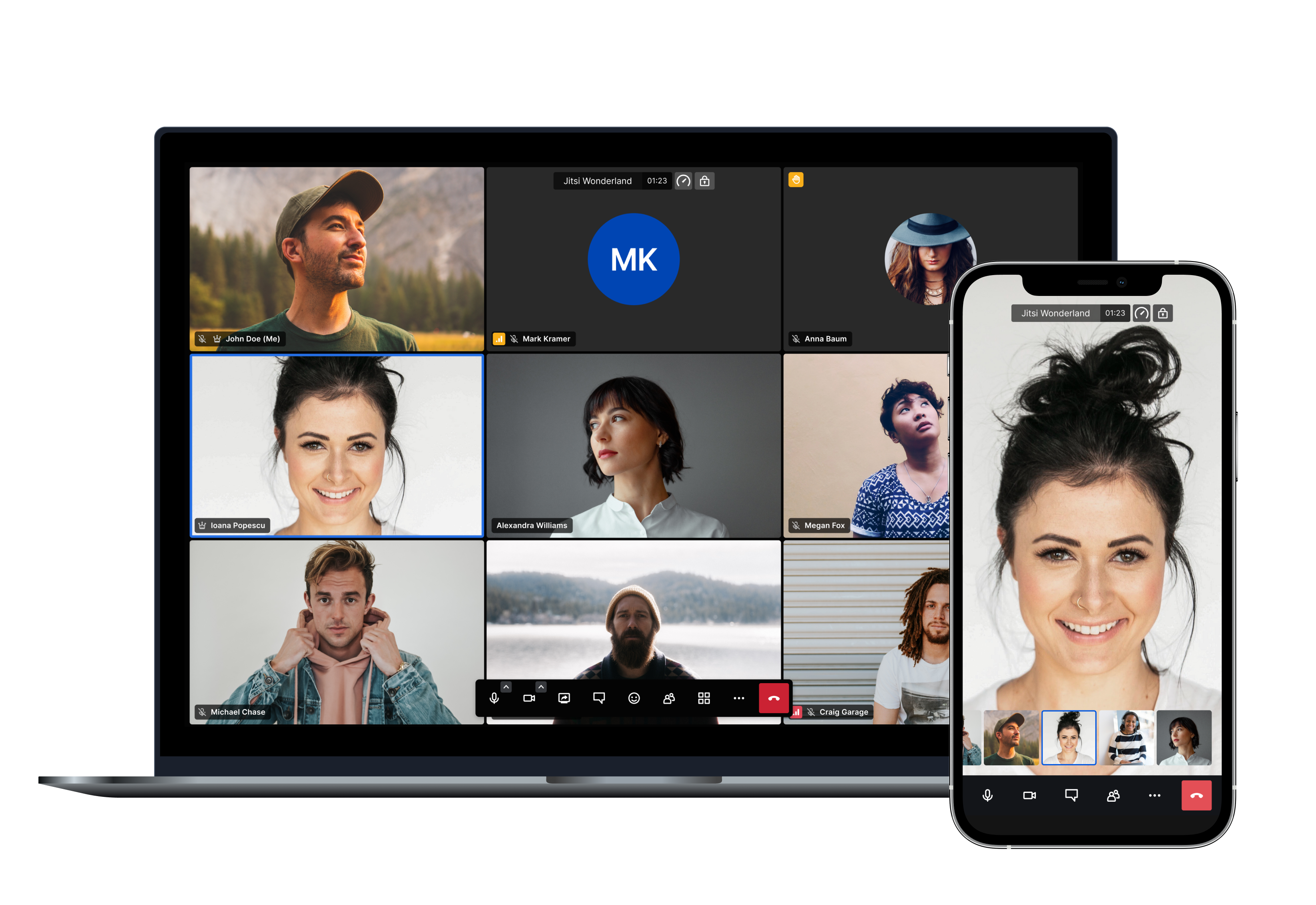
What is Jitsi Meet?
Jitsi Meet is a free, fully open-source video conferencing solution you use in the browser with no account needed, or deploy on your own hardware. Conferences run over WebRTC through a selective-forwarding design: a web frontend, an XMPP server for signaling, a conference focus component and a video router (Jitsi Videobridge), plus optional SIP gateway and recording/streaming components. Documented capabilities include HD audio and video, desktop and presentation sharing, raise-hand and reactions, private chat, polls, virtual backgrounds, breakout rooms, lobby and A/V moderation, recording, live streaming, transcription and a collaborative whiteboard; shared documents use Etherpad. A self-hosted instance can authenticate users internally (XMPP accounts), via JWT, LDAP or Matrix, and rooms can be locked with a password. Meetings can be embedded in your own site through the External API or the Android/iOS SDKs, and native apps exist for Android (Google Play and F-Droid) and iOS. Self-hosting is documented in the handbook with Debian/Ubuntu packages or a Docker Compose stack configured through a .env file, with built-in Let's Encrypt support; a proper TLS certificate and an open UDP media port are required. A hosted meet.jit.si service and the commercial 8x8 Jitsi as a Service offering exist for people who would rather not run infrastructure.
Jitsi Meet alternatives
 MiroTalk P2POpen-source, self-hosted WebRTC video conferencing with peer-to-peer calls, screen sharing, chat, whiteboard and recording for small groups.CompareMiroTalk P2P with Jitsi Meet
 La Suite - MeetLa Suite Meet (Visio) is an open-source video conferencing tool for sovereign secure meetings up to 150 participants, deployable via Docker Compose or Kubernetes.CompareLa Suite - Meet with Jitsi Meet
 MiroTalk C2CSelf-hosted WebRTC app for private one-on-one video calls with screen sharing and encryption, embeddable in websites.CompareMiroTalk C2C with Jitsi Meet
 mirotalkwebrtcMiroTalk WEB is a self-hosted WebRTC platform for scheduling video meetings with user dashboards and optional Stripe subscriptions.Comparemirotalkwebrtc with Jitsi Meet
 mirotalkbroMiroTalk BRO is a self-hosted, open-source WebRTC platform for one-to-many live streaming with P2P and SFU modes, built for webinars and events.Comparemirotalkbro with Jitsi Meet
 jangoutsOpen-source, self-hosted Hangouts-style conferencing app: browser video, voice, screen broadcast and typed chat across unlimited rooms, powered by Janus Gateway.Comparejangouts with Jitsi Meet
 call-meMiroTalk CME is an open-source, self-hosted WebRTC click-to-call tool adding instant video calls to websites for support and sales. Runs in-browser, no signup needed.Comparecall-me with Jitsi Meet
 Janus WebRTC ServerSelf-hosted open-source WebRTC media server in C: relays RTP/RTCP to browser PeerConnections while plugins add video rooms, streaming, audio bridges and SIP gatewaying.CompareJanus WebRTC Server with Jitsi Meet
Should you self-host Jitsi Meet?
Jitsi Meet scores 79/100 on selfhost.directory (how scoring works) and ranks #1 of 34 in Communication. It has 30 244 GitHub stars, +170 in the last 30 days.
It shipped 1 stable release in the past year. The latest, stable/jitsi-meet_11509, came out on 16 November 2026.
Setup is moderate: expect some configuration beyond a single command. An official Docker image is available. It is Apache-2.0-licensed and written mostly in Typescript.
Its closest alternative on selfhost.directory is element-web (74/100, 13 662 stars). Jitsi Meet scores higher overall. See Jitsi Meet vs element-web side by side.
Jitsi Meet README
FAQ
Can I mute and unmute other participants?
A moderator can mute everyone's microphone but cannot unmute participants, and restricting who becomes a moderator requires enabling a secure domain.
How can I protect my meetings with Jitsi?
Use a strong, unique room name, a different name per meeting, set a room password, and on your own instance enable the secure domain so starting rooms needs credentials.
Can I embed Jitsi Meet into my mobile app?
Yes, it can be compiled as an SDK and embedded into Android and iOS applications.
Can I embed a Jitsi Meet call into my website?
Yes, an External API lets you embed an existing instance into any webpage with a few lines of code, configurable and controllable via events and commands.
Can I call into a Jitsi conference with a telephone?
Yes, through a telephony interface for dial-in and dial-out; a self-hosted deployment needs Jigasi configured with a SIP provider.
Is Jitsi free?
Yes, the software is completely open source and free, and meet.jit.si is also run as a free hosted service.
What is Jitsi?
Jitsi is a collection of open-source projects for building and deploying secure video conferences; the team also hosts meet.jit.si, which anyone can use for free.
More in Communication
 Jitsi Meet on DockerJitsi Meet on Docker is a self-hosted, open-source video conferencing solution deployed via Docker Compose, offering encrypted meetings with no account required.
 Kiwi IRCKiwi IRC is a self-hosted, open-source web IRC client with multiple themes, plugin support, and responsive design for desktop and mobile browsers.
 lastsignalSelf-hosted dead man's switch that sends encrypted messages to recipients when you stop checking in via email. Zero-knowledge architecture with client-side encryption.
- LiberviaLibervia-web is a web-based interface for Libervia, a decentralized and federated communication platform based on XMPP. It provides features such as instant messaging, microblogging, file sharing, photo albums, events, and forums.
 Live Helper ChatLive Helper Chat - live support for your website. Featuring web and mobile apps, Voice & Video & ScreenShare. Supports Telegram, Twilio (whatsapp), Facebook messenger including building a bot.
 LurkerLurker is a self-hosted, open-source IRC bouncer and client with full history, search, reactions, replies, and native mobile apps.
 MaelstromOpen-source Rust Matrix homeserver that scales horizontally via stateless nodes, SurrealDB on TiKV, and UDP gossip clustering.
 MailpileSelf-hosted webmail with PGP encryption. Custom search organizes email using tags. Open-source alternative to commercial email.
 Matrix-Discord bridgeSelf-hosted open-source bridge connecting Matrix and Discord for using Matrix clients with Discord chats, featuring webhook relay and encryption.
 matrix-docker-ansible-deployOpen-source Ansible playbook automating a Matrix homeserver and services like Element Web, bridges, and admin tools via Docker on your Linux server.
 Matrix HookshotSelf-hosted, open-source Matrix appservice bridging rooms to GitHub, GitLab, JIRA and RSS/Atom feeds, with generic webhooks and no external database needed.
 Matrix Signal bridgeA Matrix-Signal puppeting bridge
0 comments