
Self-host mirotalkbro
1.4.67Open-source WebRTC live broadcasting platform
- Stars
- 212
- CPU
- Ubuntu 22.04 LTS recommended
- Ports
- 3016 (HTTP signaling and WebSocket server), 20000 (mediasoup RTC media port range start (UDP/TCP, SFU mode only)), 20099 (mediasoup RTC media port range end (UDP/TCP, SFU mode only))
mirotalk/bro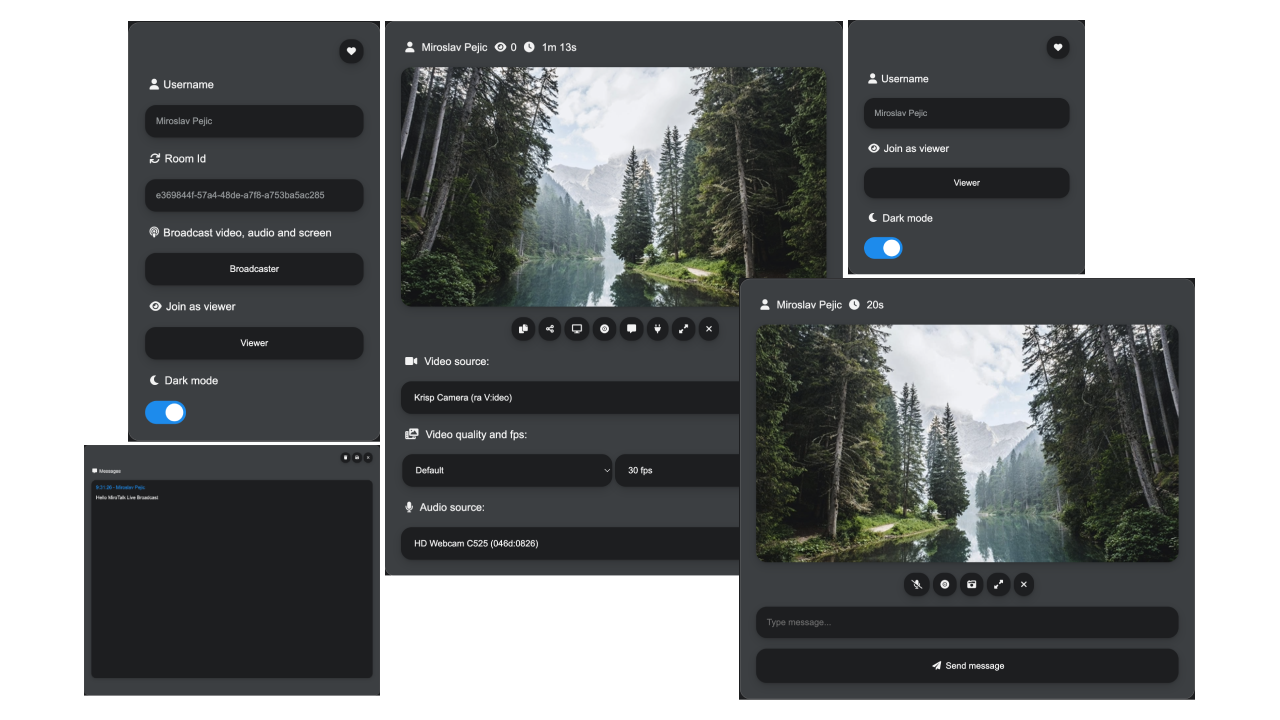
What is mirotalkbro?
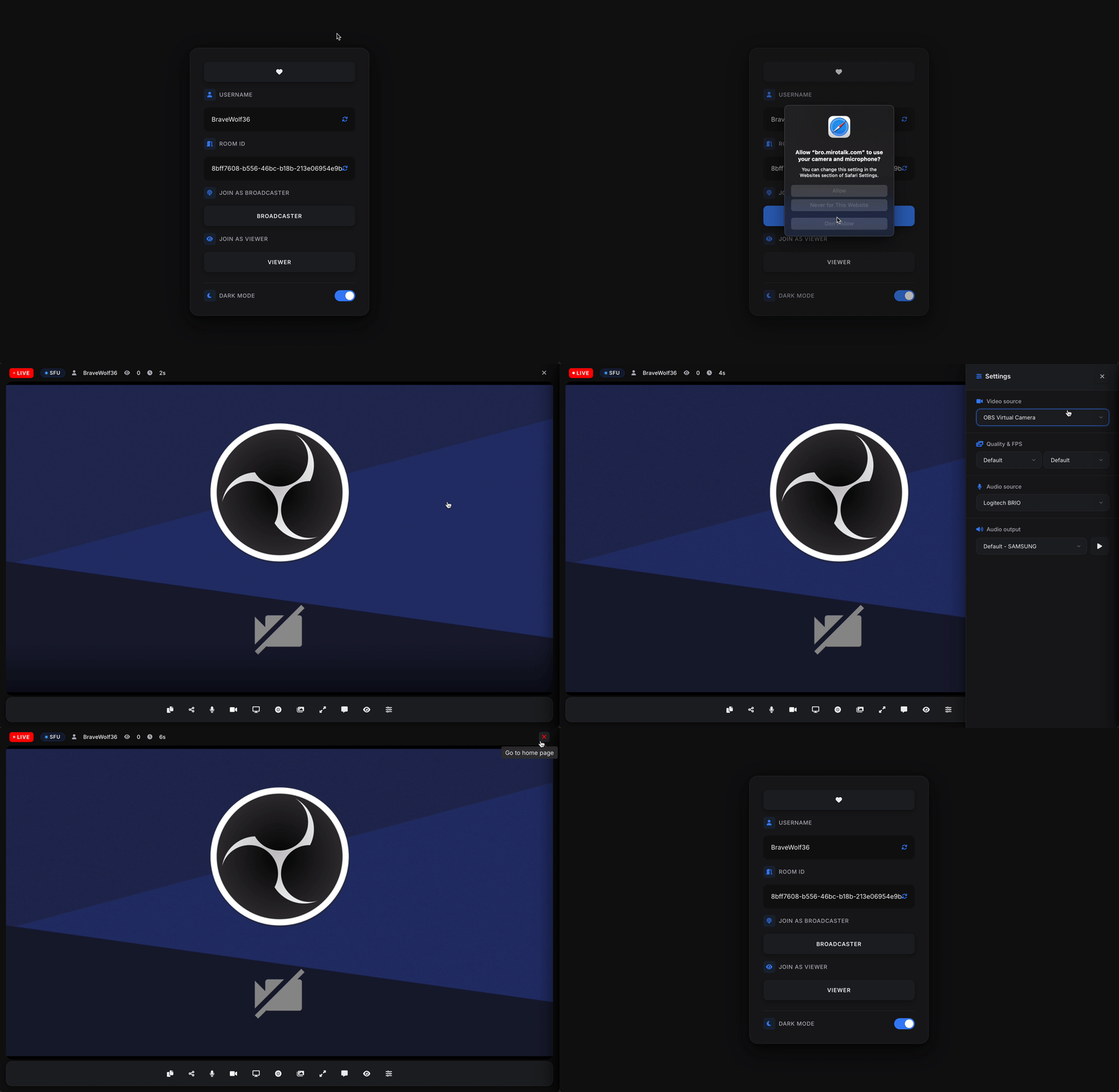
MiroTalk BRO is a self-hosted, open-source WebRTC live broadcasting platform for one-to-many streaming scenarios like webinars, live events, presentations, and announcements. It offers two broadcasting modes: P2P (mesh peer-to-peer) for small audiences and SFU (Selective Forwarding Unit via mediasoup) for larger broadcasts with 100+ viewers. Key capabilities include real-time video/audio/screen broadcasting, camera background effects (blur, image), recording, RTMP ingest from hardware encoders (OBS, Blackmagic ATEM), iframe embedding for website integration, and a REST API for programmatic room creation. The platform runs on Node.js and can be deployed via Docker Compose, bare Node.js with PM2, automated installation scripts on Ubuntu, or Cloudron. It uses AGPL-3.0 licensing with optional paid licenses for commercial closed-source use.
Should you self-host mirotalkbro?
mirotalkbro scores 50/100 on selfhost.directory (how scoring works) and ranks #19 of 36 in Video Streaming. It has 212 GitHub stars.
There was no stable release in the past 12 months, so check the repository's recent activity before you rely on it.
Setup is moderate: expect some configuration beyond a single command. An official Docker image is available. It is AGPL-3.0-licensed and written mostly in JavaScript.
Its closest alternative on selfhost.directory is Jitsi Videobridge (65/100, 3 107 stars). It scores higher overall, so compare the two before you pick. See mirotalkbro vs Jitsi Videobridge side by side.
Features
- Admin-only broadcasting
- Camera background effectsCapped at 1280x720 and 15 FPS when effects active
- Chat messaging
- iFrame Embedding
- OIDC AuthenticationOptional, disabled by default
- P2P broadcasting mode
- Recording
- REST API
- RTMP IngestRequires BROADCASTING=sfu, MediaMTX, and FFmpeg
- Screen sharing
- SFU broadcasting mode
- Simulcast
- STUN/TURN supportTURN recommended for production
- WebRTC live broadcasting
mirotalkbro README
FAQ
What licensing options are available?
MiroTalk BRO is free under AGPLv3 (open source, modifications must be shared). Paid Regular ($59) and Extended ($249) licenses allow private/commercial use with source code kept private.
Is there a REST API for programmatic access?
Yes, MiroTalk BRO exposes a REST API at /api/v1/join for creating direct broadcast join URLs, authenticated via API_KEY_SECRET header.
Can I embed MiroTalk BRO in my website?
Yes, MiroTalk BRO supports iframe embedding for both broadcaster and viewer roles with pre-set credentials, allowing integration into external websites.
Does MiroTalk BRO support RTMP streaming from hardware encoders?
Yes, in SFU mode MiroTalk BRO can ingest RTMP from hardware encoders like OBS, Blackmagic ATEM, and OSEE via MediaMTX and FFmpeg.
What are the server requirements for self-hosting?
Recommended OS is Ubuntu 22.04 LTS with Node.js LTS and npm. A domain with DNS A record pointing to the server's IPv4 is required. A TURN server (coturn) is recommended for production.
Can MiroTalk BRO handle large-scale broadcasts?
Yes, MiroTalk BRO supports both P2P and SFU modes. P2P works best for small audiences, while SFU (via mediasoup) handles 100+ viewers depending on server capacity.
More in Live Streaming
 OvenMediaEngineSelf-hosted, open-source live streaming server: sub-second WebRTC, LL-HLS, and SRT delivery with an embedded transcoder and ABR.
 OwncastOpen-source, self-hosted live streaming server: RTMP ingest, built-in chat with moderation, transcoding, Fediverse federation, plugins, webhooks and an admin dashboard.
 PeerTubeOpen-source, ActivityPub-federated video platform for self-hosted instances: WebRTC P2P streaming, live broadcasts, playlists and moderation tools.
 PiikFree, open-source screen sharing for private live streams with friends. Watch together in a browser or self-host Piik. 免费开源的私密屏幕共享,支持游戏直播、一起看电影与自部署。
 RestreamerOpen-source, self-hosted live video streaming server with a web UI: ingest via RTMP or SRT, restream to YouTube, Twitch and Vimeo, and embed a player.
 SRSOpen-source, self-hosted C++ media server for live video over RTMP, WebRTC, HLS, HTTP-FLV, SRT, DASH and GB28181, with Docker and Kubernetes deployment.
 VDO.NinjaOpen-source browser-based WebRTC tool that pipes remote guests, phone cameras, and screen shares into OBS and other live-production software, with director control rooms.
 asciinemaA self-hosted, open-source platform for hosting, sharing and live-streaming terminal session recordings, with full-text search, embeddable player and passwordless login.
 avideoSelf-hosted, open-source video platform for on-demand libraries and live broadcasts, with HLS delivery, an encoder, plugins, and paid monetization options.
 belabox-receiverSelf-hosted Docker receiver bundling srtla_rec, srt-live-server, and NOALBS to ingest SRT/SRTLA streams from BELABOX, Moblin, or IRL Pro for OBS/VLC playback.
 glimeshGlimesh.tv is a self-hosted, open-source live streaming platform built with Elixir and Phoenix that focuses on creator discoverability and community interaction.
 LineupLineup is a self-hosted, open-source .NET app that proxies HDHomeRun TV tuner streams and generates XMLTV guides for Jellyfin and Plex.
0 comments