
Self-host jellyfin-discord-music-bot
1.6.0Discord bot for streaming Jellyfin music to voice channels
- Stars
- 158
- Port
- 3000 (web server / health check)
- Requires
- Discord account and bot application, Jellyfin or Emby media server
ghcr.io/manuel-rw/jellyfin-discord-music-bot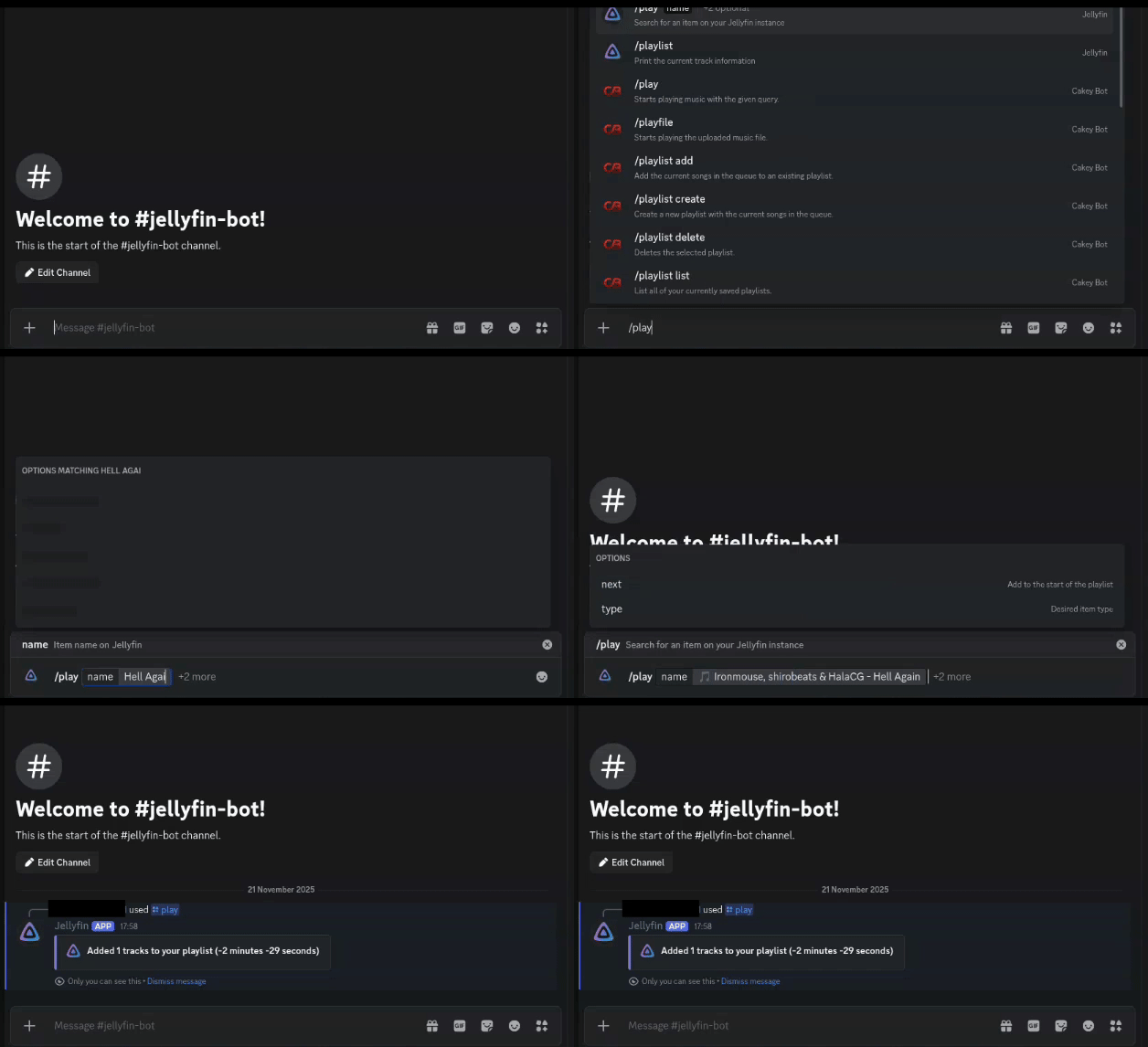
What is jellyfin-discord-music-bot?
Jellyfin Discord Bot is a self-hosted Discord bot written in TypeScript using NestJS that integrates with Jellyfin or Emby media servers to stream music to Discord voice channels. Users control playback through Discord slash commands like /play, /pause, /skip, /volume, and /playlist. The bot supports playlists, albums, shuffle, random playback, and scrobbling. It requires a Jellyfin/Emby server and a Discord bot application. Deployment options include Docker, Docker Compose, Kubernetes, or running from source with Node.js and pnpm. The bot does not support sharding, so it can only serve one Discord server at a time. Album art only displays for remote covers, and video streaming is not supported.
Should you self-host jellyfin-discord-music-bot?
jellyfin-discord-music-bot scores 46/100 on selfhost.directory (how scoring works) and ranks #28 of 59 in Music Streaming. It has 158 GitHub stars.
It shipped 9 stable releases in the past year. The latest, 1.6.0, came out on 14 October 2026. New versions land roughly every 5 weeks.
Setup is moderate: expect some configuration beyond a single command. An official Docker image is available. It is MIT-licensed and written mostly in Typescript.
Its closest alternative on selfhost.directory is koel (75/100, 17 320 stars). It scores higher overall, so compare the two before you pick. See jellyfin-discord-music-bot vs koel side by side.
Features
- Bot status display
- Discord slash commands
- Interactive playlist manager
- Liked songs playback
- Music streaming to voice channels
- Now playing display
- Playback control from Jellyfin
- Random playback
- Scrobbling / playback reporting
- Shuffle Mode
- Volume control
jellyfin-discord-music-bot README
More in Music Streaming
 jellyfin-rewindSelf-hosted, open-source web app generating a personalized year-in-review of your Jellyfin music listening, like Spotify Wrapped. Runs in-browser; no data leaves device.
 JUGNU MUSICJUGNU MUSIC is an open-source, self-hosted Discord music bot for YouTube, Spotify, SoundCloud with caching, playlists, lyrics, filters, 24/7 auto-resume.
 Karaoke EternalOpen-source karaoke system. Host your own karaoke parties where guests queue from phones via browser app. MP3+G/MP4 playback, dynamic queues, multiple rooms.
 KimaKima is a self-hosted, open-source music server for your own files, adding podcasts, audiobooks and vibe-based matching that maps your library in 3D.
 koelKoel is a self-hosted, open-source music streaming server that turns your own audio collection into a slick web player with playlists, podcasts, radio and a Subsonic API.
 leafplayerLeafplayer is a self-hosted, open-source music streaming server with mobile-friendly UI, night mode, invite-code accounts, and fast search. Run via Docker or Linux.
 lebkuchen-fmSelf-hosted multiplayer radio station streaming YouTube music with Discord control, synchronized playback, soundboard, and stats.
 Lightweight Music Server (LMS)Self-hosted music streaming server with web UI and Subsonic API. Supports MusicBrainz, ListenBrainz, transcoding, multi-library.
 LMSLightweight Music Server. Access your self-hosted music using a web interface.
 LuckyLucky is a self-hosted, open-source Discord music bot with Spotify-first search, smart autoplay, a React dashboard, and moderation tools. No paywall or premium tier.
 mediaMedia is a self-hosted PHP app on CakePHP 3 that indexes and streams movies, TV series, music, games, and software with TMDB metadata and web playback.
 MediaSageSelf-hosted AI playlist generator for Plex that only recommends music you own. Supports Gemini, Claude, OpenAI, and local LLMs via Ollama.
0 comments