
Self-host leafplayer
v1.3.0Minimalistic self-hosted music streaming server
- Stars
- 160
- Port
- 3000 (HTTP web interface)
paulschwoerer/leafplayer
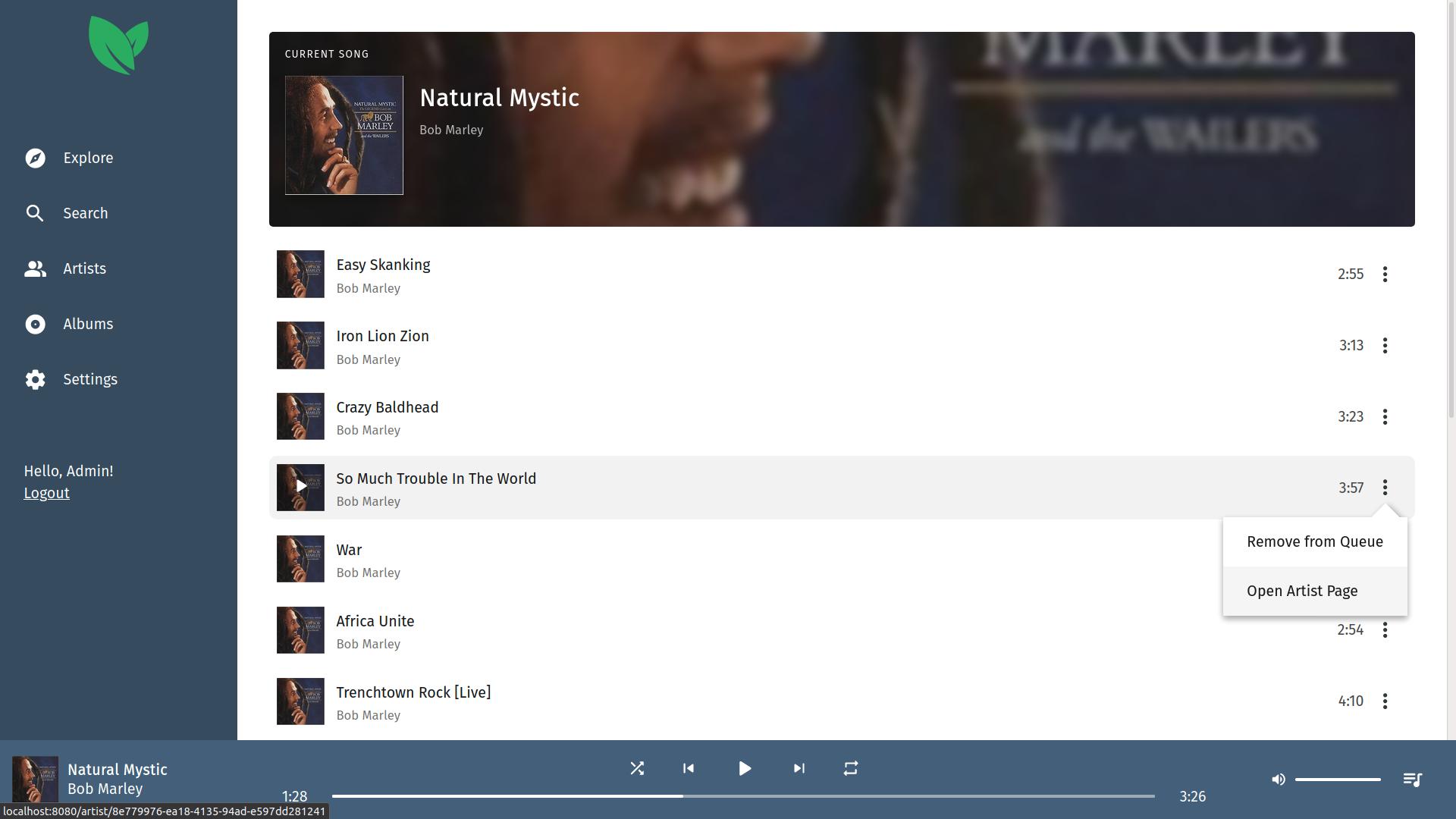


What is leafplayer?
This minimalistic music streaming server lets you self-host your private music collection with a clean, responsive web interface. It extracts artwork from media tags, supports multiple users who register via invite codes, and includes fast search plus a night mode theme. Deployment options include a Docker image or a manual Linux install using Node.js 14 or 16. The server stores data in /var/lib/leafplayer and listens on port 3000. Configuration uses environment variables like APP_SECRET for session security. Licensed under MIT, the latest release is v1.3.0 from February 2022.
Should you self-host leafplayer?
leafplayer scores 43/100 on selfhost.directory (how scoring works) and ranks #37 of 59 in Music Streaming. It has 160 GitHub stars.
There was no stable release in the past 12 months, so check the repository's recent activity before you rely on it.
Setup is moderate: expect some configuration beyond a single command. An official Docker image is available. It is MIT-licensed and written mostly in Typescript.
Its closest alternative on selfhost.directory is koel (75/100, 17 320 stars). It scores higher overall, so compare the two before you pick. See leafplayer vs koel side by side.
Features
- Artwork Extraction
- Fast search
- Library Management
- Multiple user accounts
- Music Streaming
- Native Media Controls
- Night mode
leafplayer README
More in Music Streaming
 lebkuchen-fmSelf-hosted multiplayer radio station streaming YouTube music with Discord control, synchronized playback, soundboard, and stats.
 Lightweight Music Server (LMS)Self-hosted music streaming server with web UI and Subsonic API. Supports MusicBrainz, ListenBrainz, transcoding, multi-library.
 LMSLightweight Music Server. Access your self-hosted music using a web interface.
 LuckyLucky is a self-hosted, open-source Discord music bot with Spotify-first search, smart autoplay, a React dashboard, and moderation tools. No paywall or premium tier.
 mediaMedia is a self-hosted PHP app on CakePHP 3 that indexes and streams movies, TV series, music, games, and software with TMDB metadata and web playback.
 MediaSageSelf-hosted AI playlist generator for Plex that only recommends music you own. Supports Gemini, Claude, OpenAI, and local LLMs via Ollama.
 Melodia FlowSelf-hosted music acquisition: searches Spotify/Deezer, downloads from YouTube/SoundCloud/Bandcamp, tags metadata, syncs to Navidrome. Multi-user, 2FA, plugins.
 miceMice is a self-hosted, open-source web client for Navidrome. It streams your music library with a modern UI, favorites, search, queue management, and Last.fm scrobbling.
 mixarrSelf-hosted music discovery for Lidarr connecting to Spotify, TIDAL, Last.fm and 9 more services with 56 subscription types, review queue, and AI recommendations.
 mixel-musicOpen-source, self-hosted music streaming app with Python (FastAPI) and SvelteKit. Uses SQLite, offers album browsing with artwork caching, runs on port 2843.
 MopidySelf-hosted, open-source music server in Python that plays local files and internet radio, adds Spotify and more via extensions, and works with any MPD or web client.
 mqp-servermqp-server is a self-hosted, open-source Node.js server for MusiqPad, enabling real-time music streaming and chat with YouTube/SoundCloud playback.
0 comments