selfhost.directory

The index of self-hostable projects — ranked, categorized and served with live updates.
Own your data and stop giving it to big tech.

GitHub
Kima logo

Self-host Kima

v1.11.0

Music, podcast and audiobook server with vibe matching

ReleaseOpen SourceGPL-3.0
docker run -d --name kima -p 3030:3030 -v /path/to/your/music:/music -v kima_data:/data chevron7locked/kima:latest
Updated2 weeks ago
LanguageTypescript
Setup difficultyEasy
MobilePWA
Stars
1 294
RAM
each audio analysis worker needs about 1 to 1.5 GB, up to 2 to 3 GB at peak; the example Compose file limits the container to 6 GB
Ports
3030 (Web app; the only port you publish (it passes /api requests to the API server)), 3006 (API server, inside the all-in-one image; published by the split stack)
Docker
chevron7locked/kima
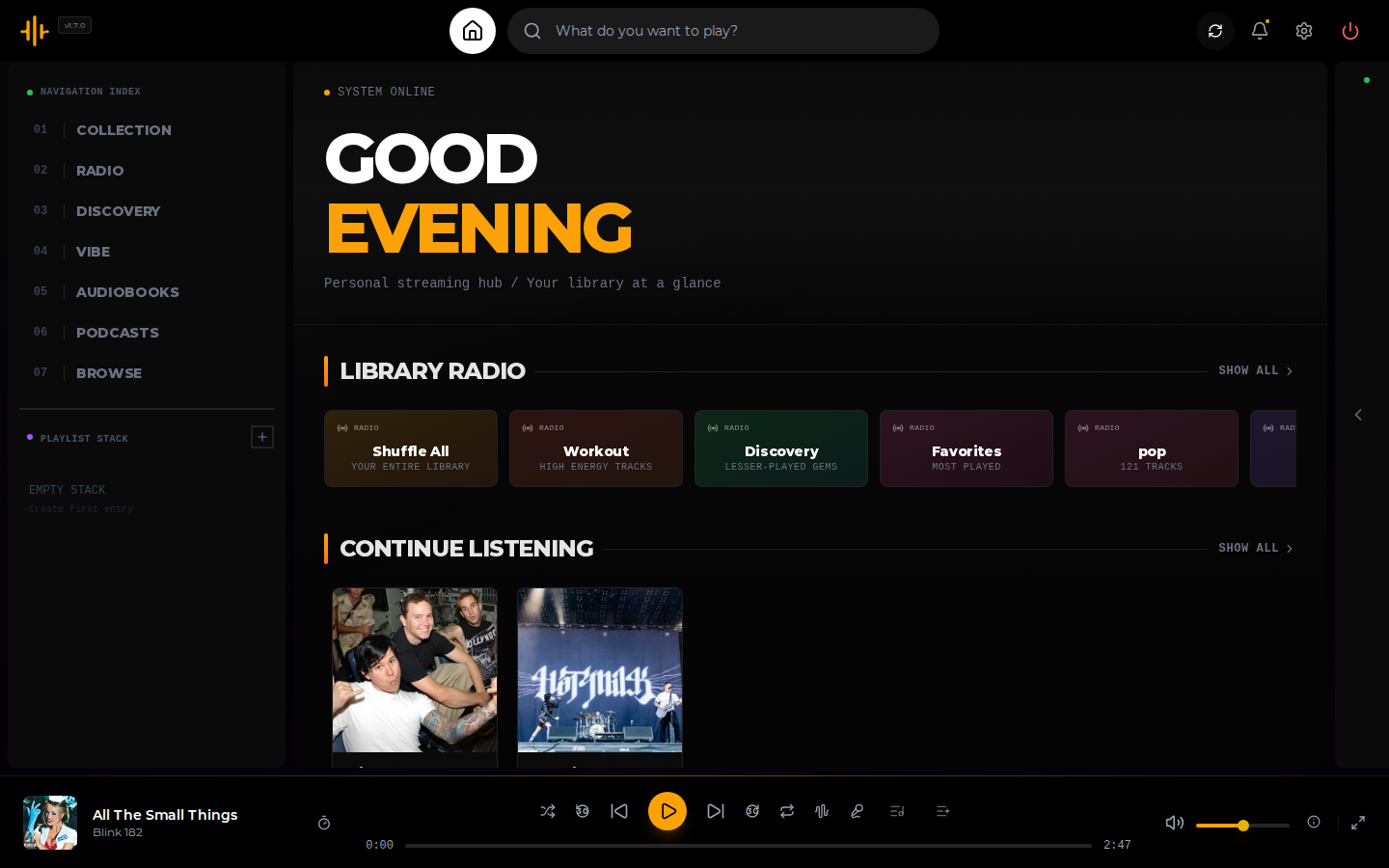
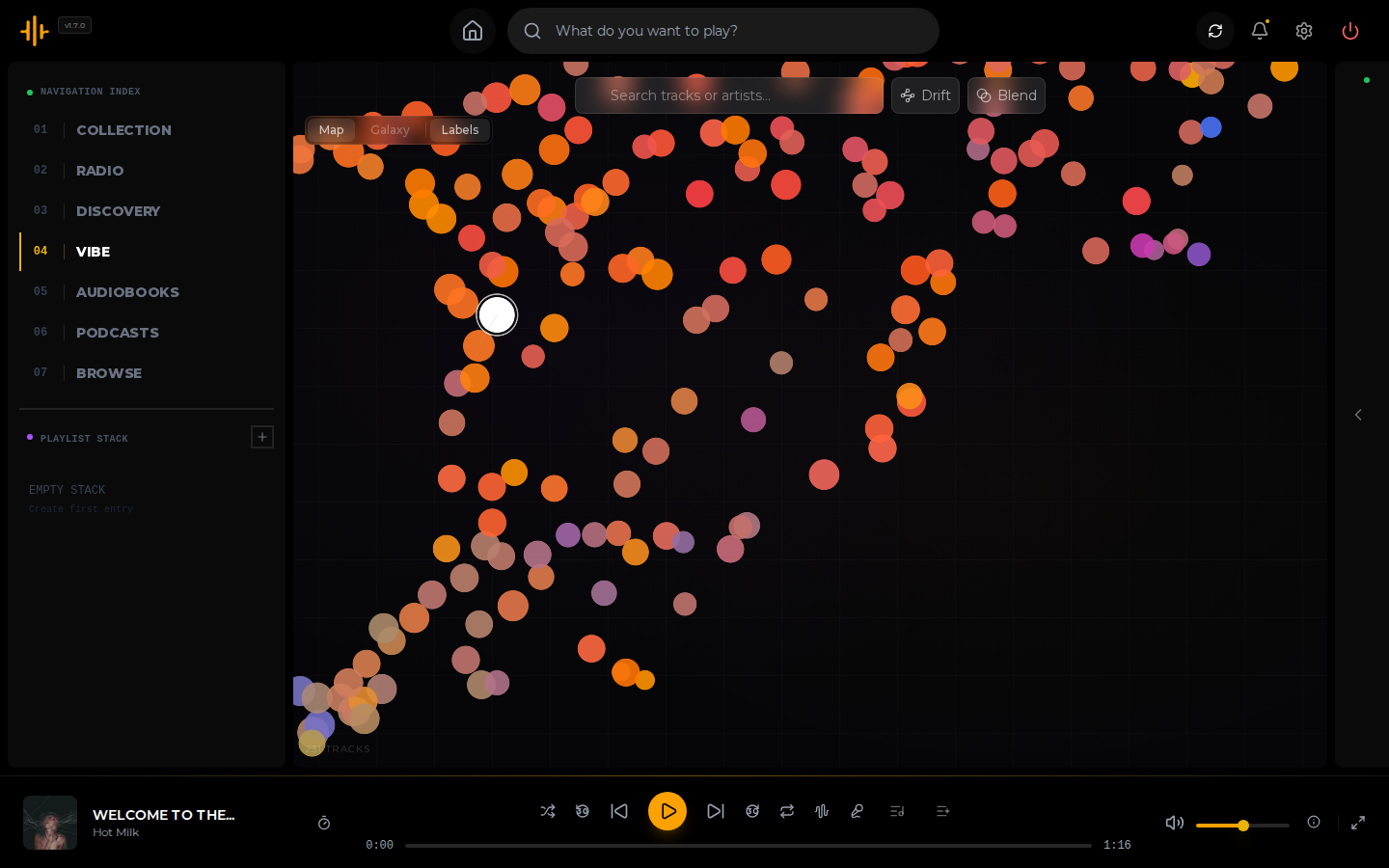
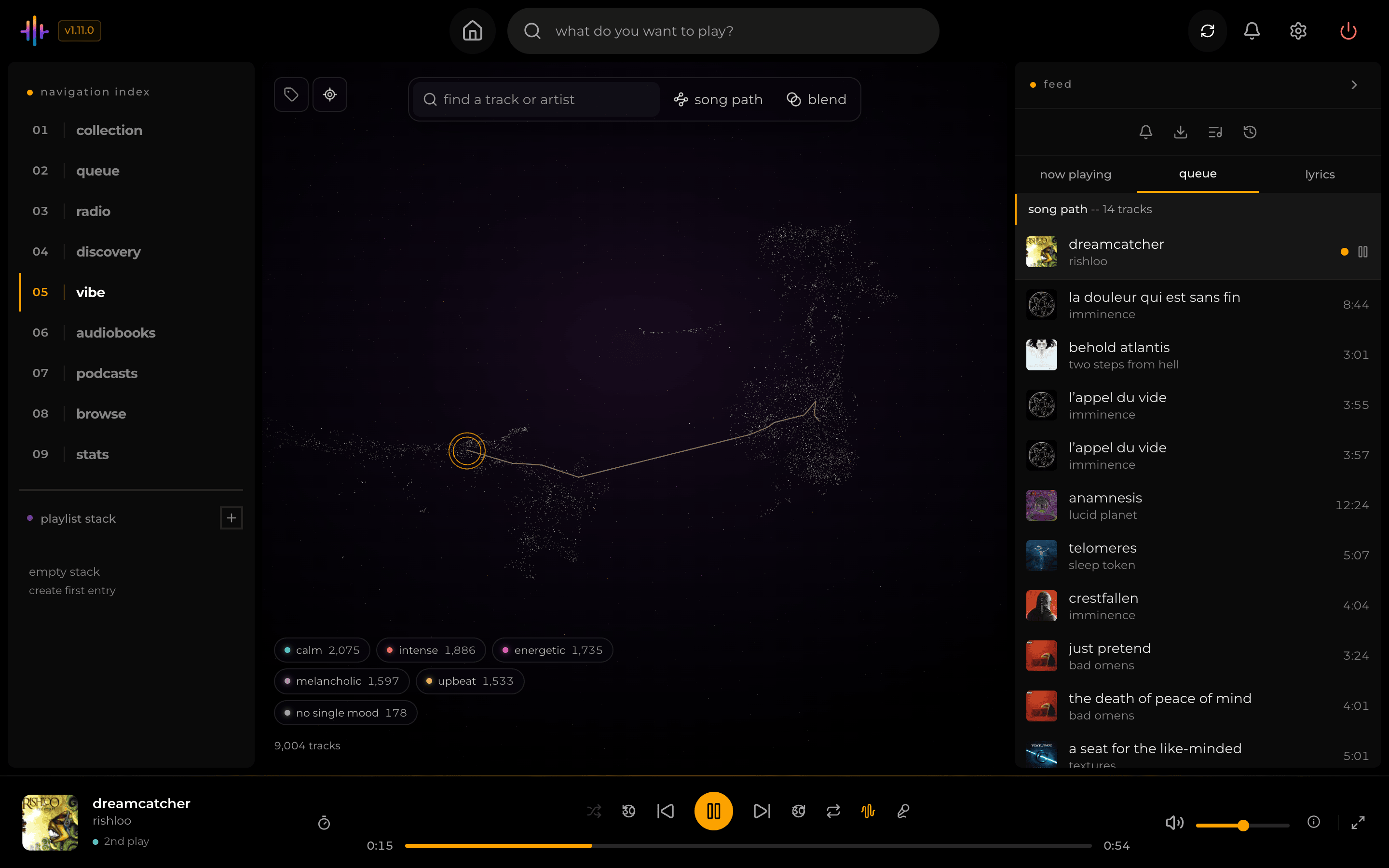
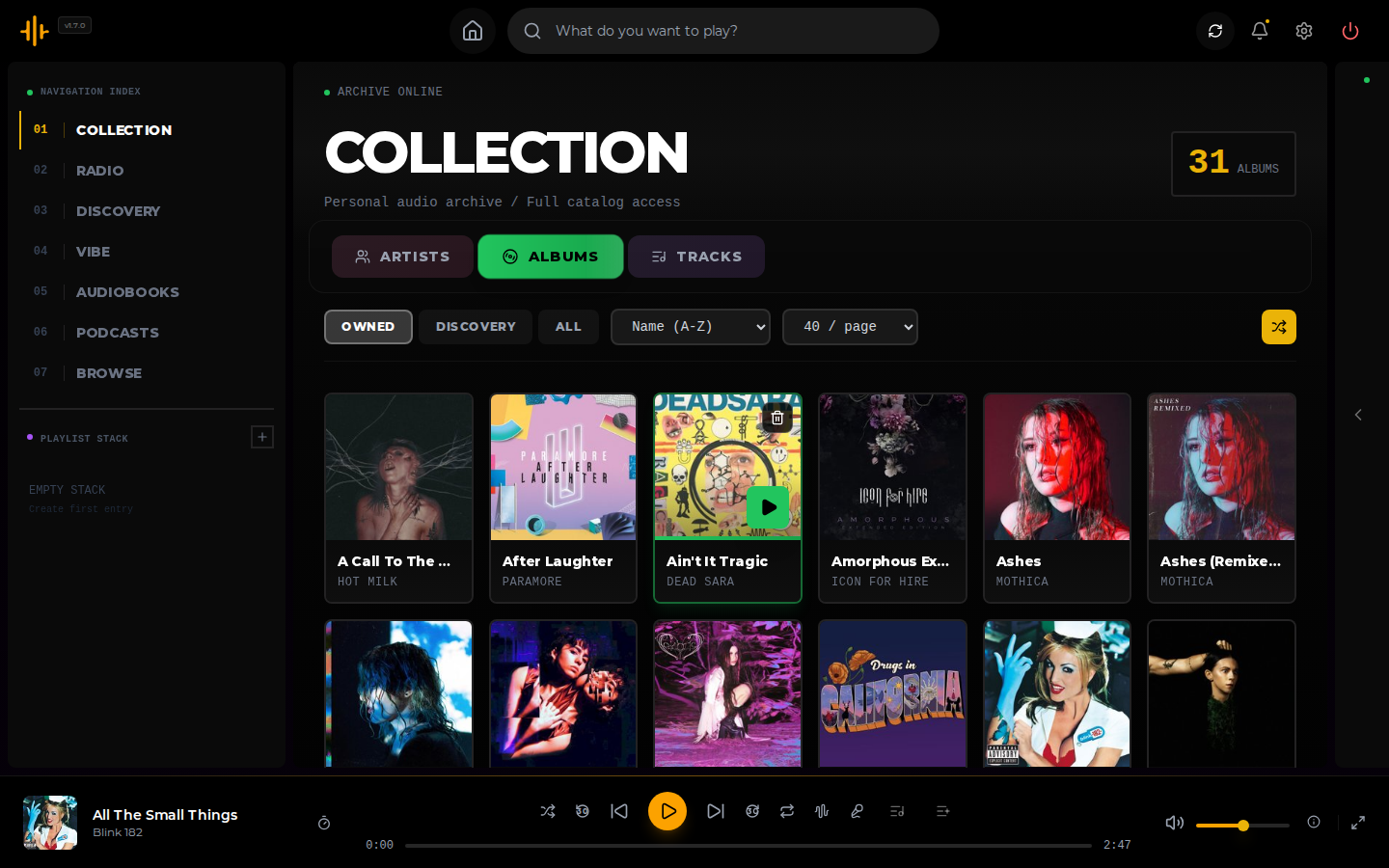
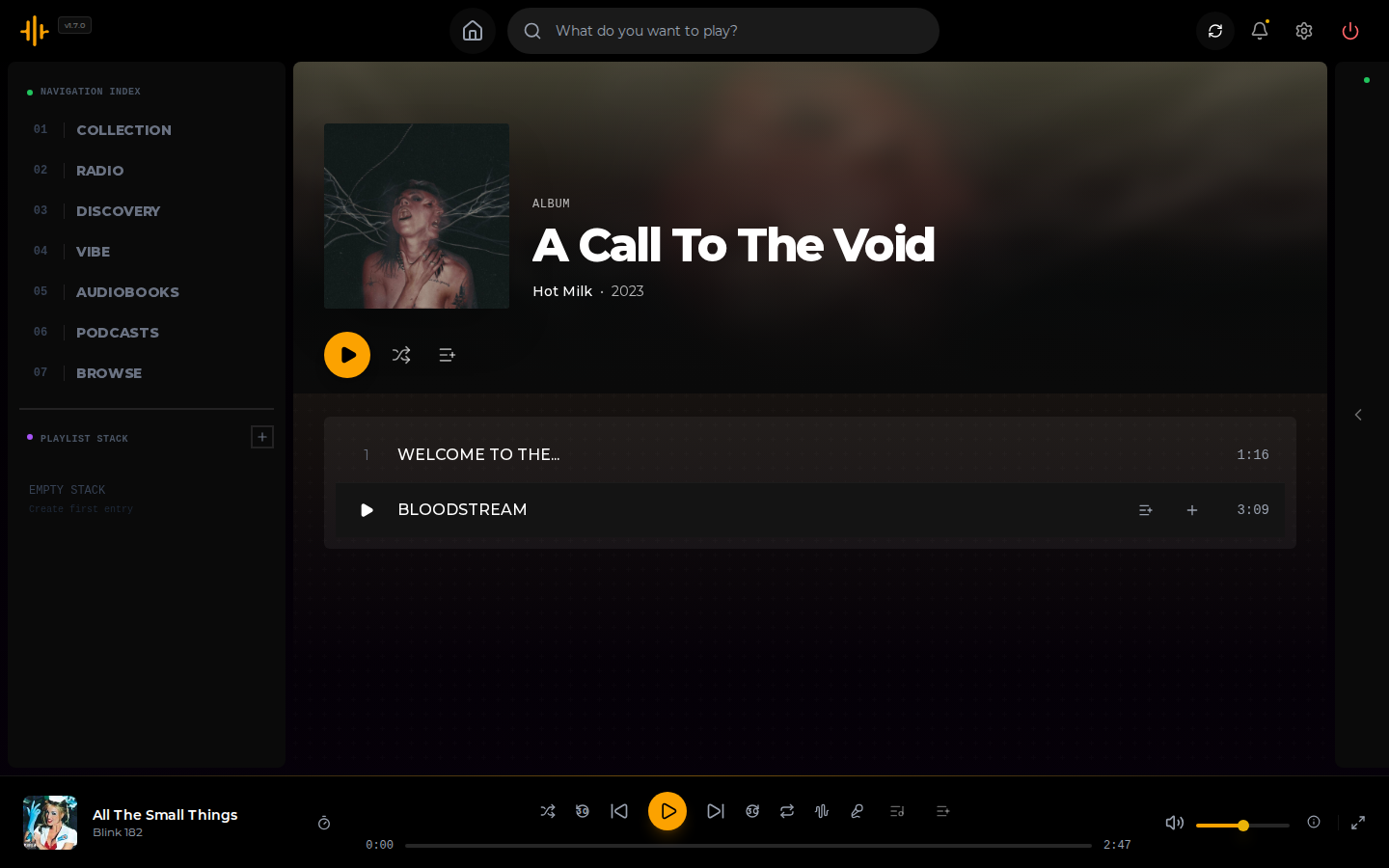
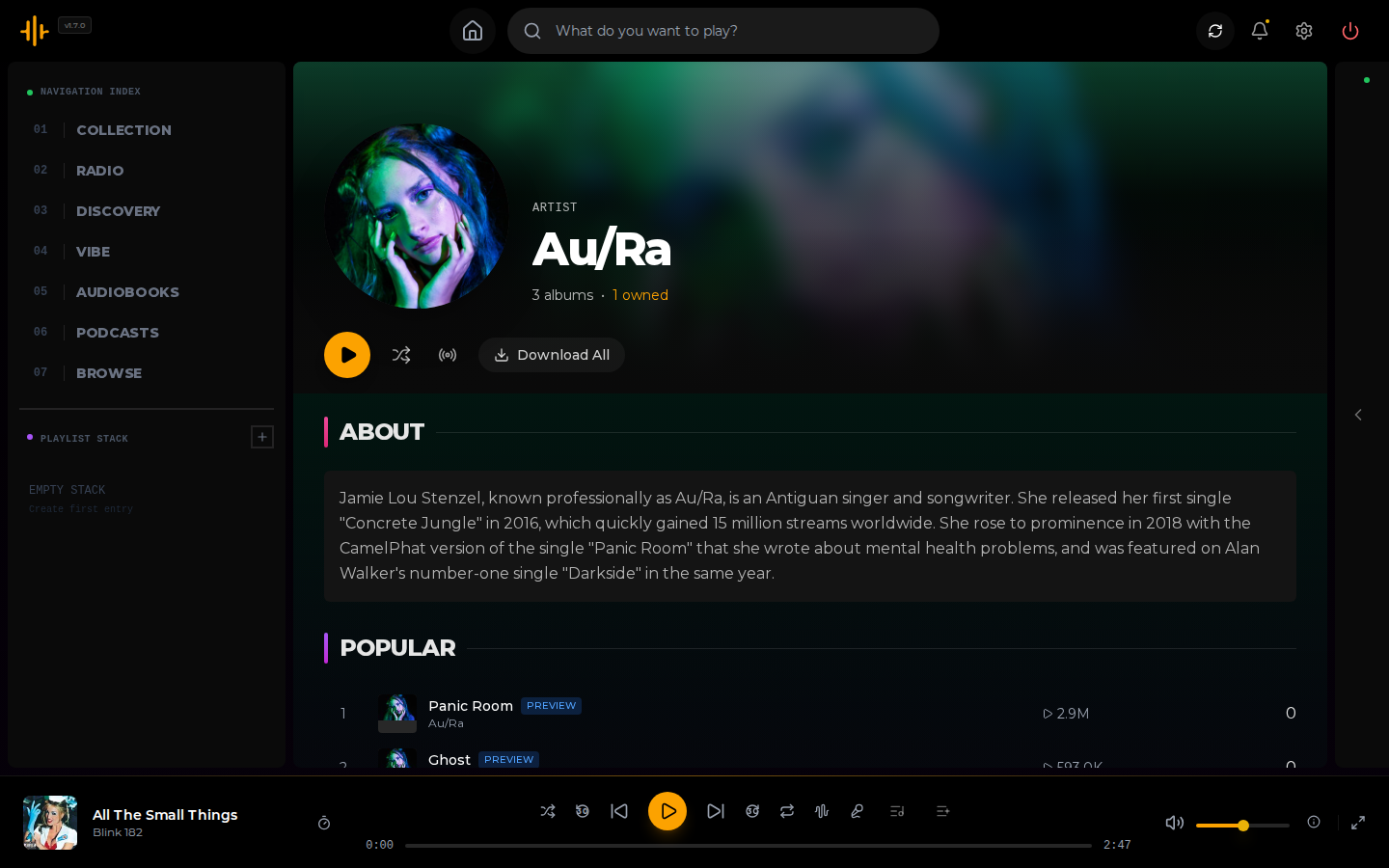
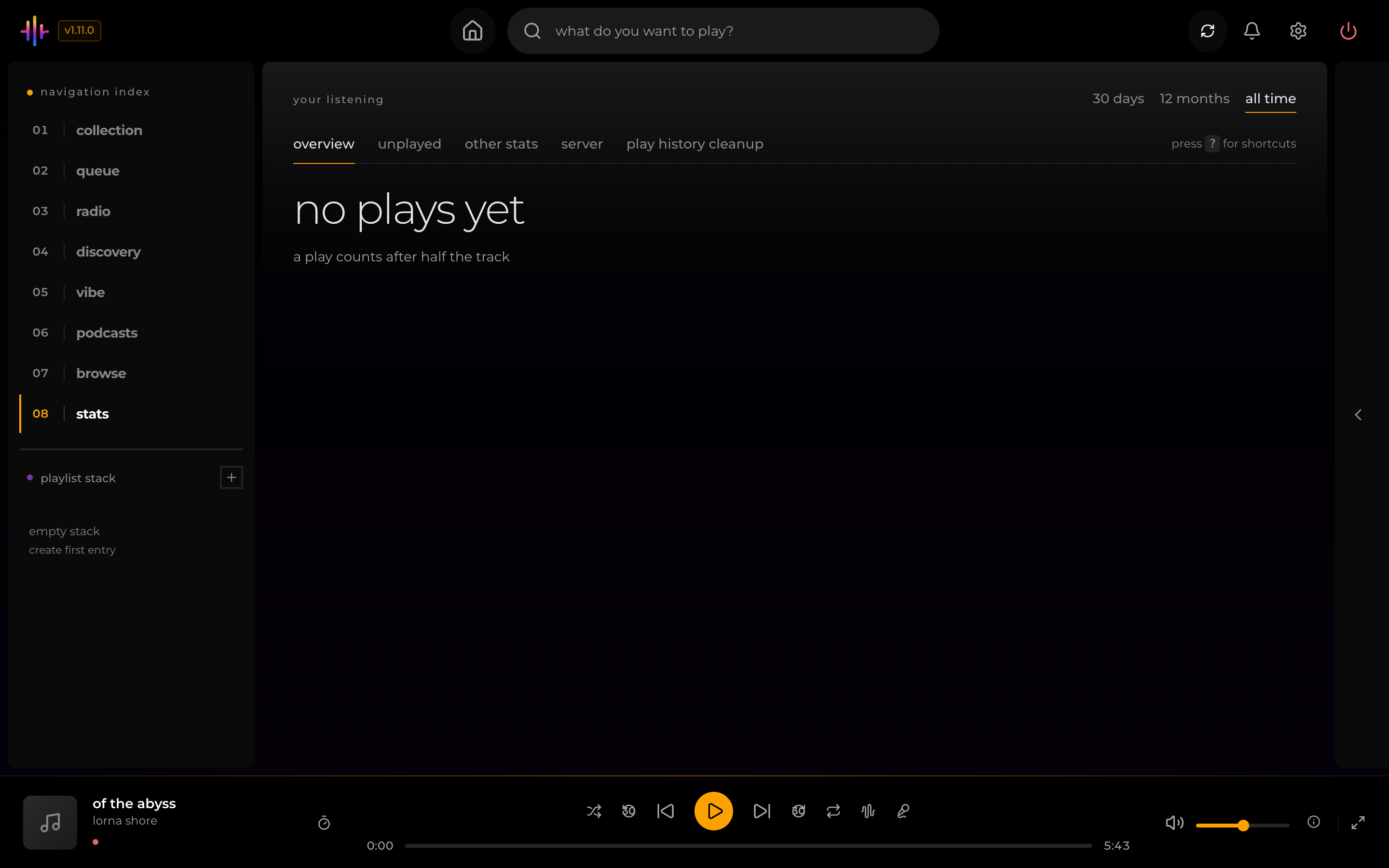
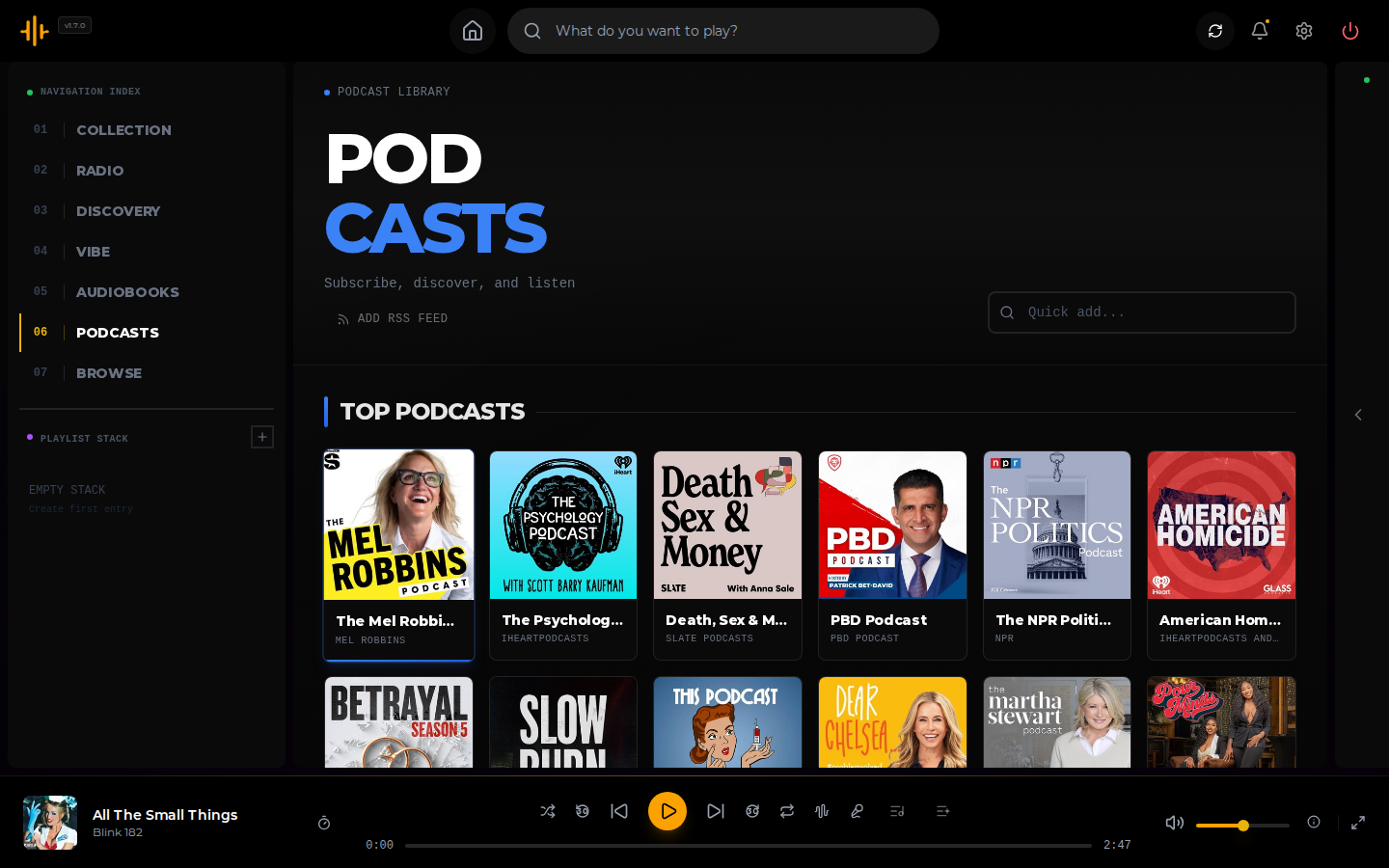
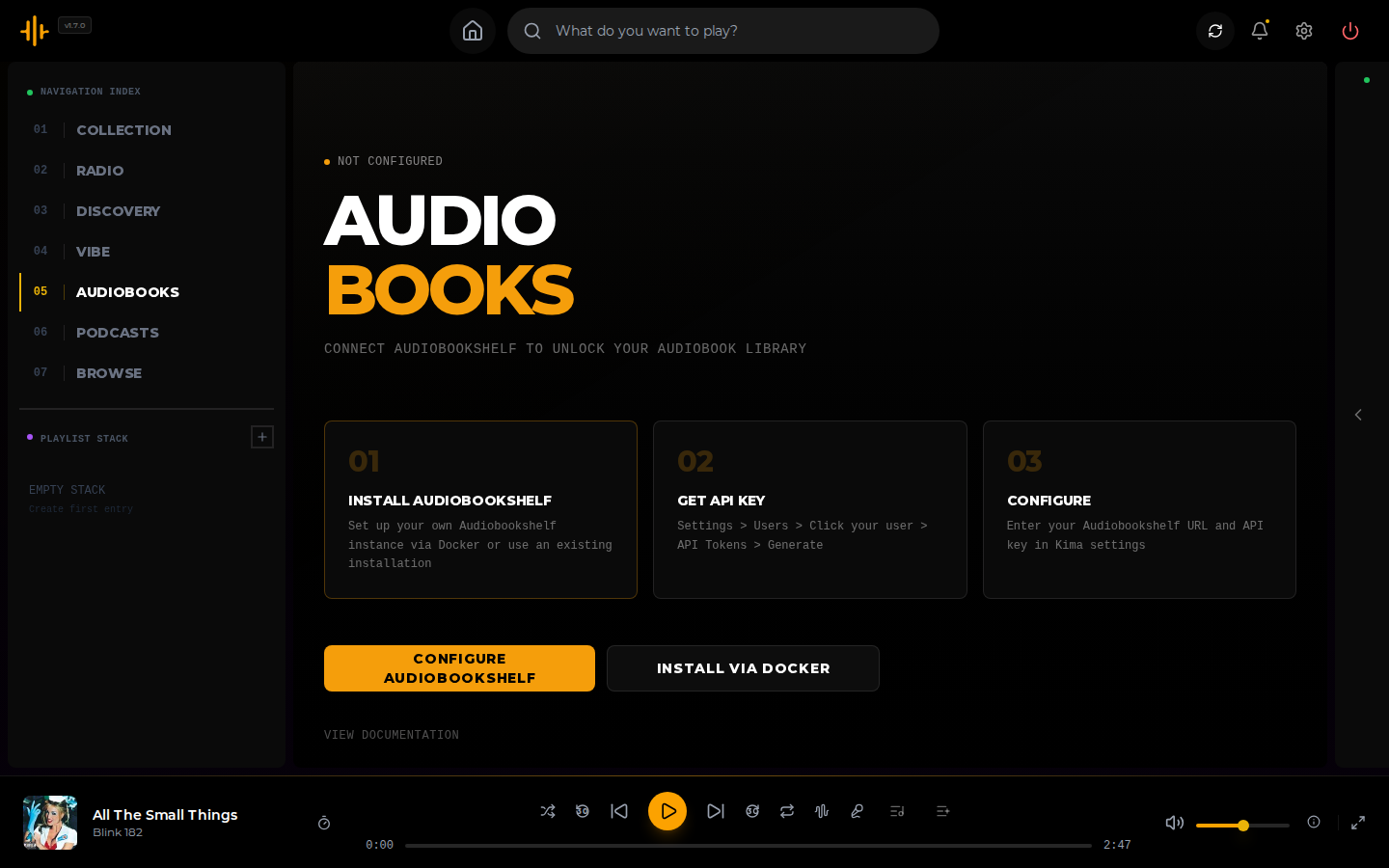
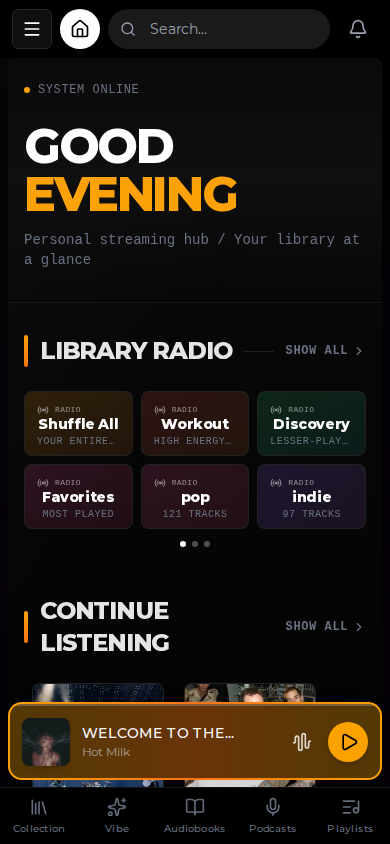
Home page on a computerThe vibe map, library drawn as stars in 3DSong Path from one song to anotherThe libraryAn album pageAn artist pageThe listening stats pagePodcastsAudiobooksThe home page on a phone

What is Kima?

Should you self-host Kima?

Kima scores 55/100 on selfhost.directory (how scoring works) and ranks #42 of 118 in Media Server. It has 1 294 GitHub stars.

It shipped 10 stable releases in the past year. The latest, v1.11.0, came out on 12 October 2026. New versions land roughly every 2 weeks.

Setup is easy: most people get it running in one sitting. An official Docker image is available. It is GPL-3.0-licensed and written mostly in Typescript.

Its closest alternative on selfhost.directory is Jellyfin (88/100, 58 744 stars). It scores higher overall, so compare the two before you pick. See Kima vs Jellyfin side by side.

Features

  • AI vibe-based matching
  • Audiobook support
  • ListenBrainz scrobbling
  • Listening statistics
  • Multi-user accounts
  • Music discovery and downloading
  • NVIDIA GPU acceleration
  • On-the-fly transcoding
  • OpenSubsonic API
  • Playlists with sharing and import
  • Podcast playback
  • Song Path and Blend playlists
  • TV layout
  • Vibe map of the library

Kima README

How to install Kima

Install Kima with Docker

docker run -d \
  --name kima \
  -p 3030:3030 \
  -v /path/to/your/music:/music \
  -v kima_data:/data \
  chevron7locked/kima:latest

How to configure Kima

  • ACOUSTID_CLIENT_KEYa shared keyYour own AcoustID key, if you want to lift the shared key's rate limit. Also settable in Settings under AI & Artwork.

    Your own AcoustID key, if you want to lift the shared key's rate limit. Also settable in Settings under AI & Artwork.

  • ADMIN_RESET_PASSWORDunsetSet it and restart to reset an administrator's password. Remove it afterwards, or the password resets again on every start. The reset signs that account out everywhere.

    Set it and restart to reset an administrator's password. Remove it afterwards, or the password resets again on every start. The reset signs that account out everywhere.

  • ALLOWED_ORIGINSunsetComma-separated list of origins allowed to call the API from a browser. Unset means any origin; login still protects the API. The split stack's Compose file sets it to `http://localhost:3000,http://localhost:3030` unless you override it.

    Comma-separated list of origins allowed to call the API from a browser. Unset means any origin; login still protects the API. The split stack's Compose file sets it to `http://localhost:3000,http://localhost:3030` unless you override it.

  • AUDIO_ANALYSIS_THREADS_PER_WORKER1Threads per analysis worker.

    Threads per analysis worker.

  • AUDIO_ANALYSIS_WORKERS2Audio analysis workers, until you set a number in Settings. Each needs about 1 to 1.5 GB of memory, up to 2 to 3 GB at peak.

    Audio analysis workers, until you set a number in Settings. Each needs about 1 to 1.5 GB of memory, up to 2 to 3 GB at peak.

  • AUDIO_BRPOP_TIMEOUT30Seconds the analyzer waits for work before checking again.

    Seconds the analyzer waits for work before checking again.

  • AUDIO_MODEL_IDLE_TIMEOUT300Seconds before an idle analyzer unloads its models. `0` keeps them loaded.

    Seconds before an idle analyzer unloads its models. `0` keeps them loaded.

  • CLAP_MODEL_IDLE_TIMEOUT300Seconds before an idle vibe analyzer unloads its model.

    Seconds before an idle vibe analyzer unloads its model.

  • CLAP_THREADS_PER_WORKER1Threads per vibe embedding worker.

    Threads per vibe embedding worker.

  • CLAP_WORKERS2Vibe embedding workers.

    Vibe embedding workers.

  • DATABASE_URLpostgresql://kima:kima@localhost:5455/kimaDatabase Configuration

    Database Configuration

  • DISABLE_CLAPCLAP Audio Analyzer (AI vibe/mood matching) Set to 'true' to disable the CLAP embedding analyzer on startup. Useful for low-memory deployments or when AI vibe matching is not needed. Only applies to the all-in-one container (docker-compose.prod.yml). For split containers (docker-compose.yml), simply don't start the audio-analyzer-clap service.

    CLAP Audio Analyzer (AI vibe/mood matching) Set to 'true' to disable the CLAP embedding analyzer on startup. Useful for low-memory deployments or when AI vibe matching is not needed. Only applies to the all-in-one container (docker-compose.prod.yml). For split containers (docker-compose.yml), simply don't start the audio-analyzer-clap service.

  • DOCKERHUB_USERNAMEchevron7lockedDockerHub username (for pulling images) Your DockerHub username (same as GitHub: chevron7locked)

    DockerHub username (for pulling images) Your DockerHub username (same as GitHub: chevron7locked)

  • KIMA_CALLBACK_URLThe address Lidarr uses to send download events to Kima. Lidarr resolves it, not Kima. Default: http://host.docker.internal:3030 (the all-in-one image's port). Saving the Lidarr settings sends a test event; if Lidarr cannot reach this address, admins get a "Lidarr cannot reach Kima" notification. Same Docker network as the split backend: http://backend:3006 Anything else: an address Lidarr can rea

    The address Lidarr uses to send download events to Kima. Lidarr resolves it, not Kima. Default: http://host.docker.internal:3030 (the all-in-one image's port). Saving the Lidarr settings sends a test event; if Lidarr cannot reach this address, admins get a "Lidarr cannot reach Kima" notification. Same Docker network as the split backend: http://backend:3006 Anything else: an address Lidarr can rea

  • KIMA_PUBLIC_VIBEServes one user's library map and live listening to an outside server at /api/public/vibe. Every request needs "Authorization: Bearer <token>".

    Serves one user's library map and live listening to an outside server at /api/public/vibe. Every request needs "Authorization: Bearer <token>".

  • KIMA_PUBLIC_VIBE_TOKEN
  • KIMA_PUBLIC_VIBE_USER
  • LOG_LEVELdebugLogging level (default: debug in development, warn in production) Options: debug, info, warn, error, silent

    Logging level (default: debug in development, warn in production) Options: debug, info, warn, error, silent

  • MUSICBRAINZ_BASE_URLCustom MusicBrainz API base URL (default: https://musicbrainz.org/ws/2) Useful for self-hosted MusicBrainz mirrors to avoid rate limiting

    Custom MusicBrainz API base URL (default: https://musicbrainz.org/ws/2) Useful for self-hosted MusicBrainz mirrors to avoid rate limiting

  • MUSIC_PATH/path/to/your/musicREQUIRED: Path to your music library

    REQUIRED: Path to your music library

  • NUM_WORKERSWorker counts are set in Settings (Library Enrichment) and saved in the database; NUM_WORKERS only applies before the first save (default: 2).

    Worker counts are set in Settings (Library Enrichment) and saved in the database; NUM_WORKERS only applies before the first save (default: 2).

  • PORT3030Port to access Kima (default: 3030)

    Port to access Kima (default: 3030)

  • REDIS_URLredis://localhost:6390Redis Configuration The dev Redis from docker-compose.dev.yml listens on 6390.

    Redis Configuration The dev Redis from docker-compose.dev.yml listens on 6390.

  • SECURE_COOKIESfalseSet to `true` when Kima is served over HTTPS, so the session cookie is only sent over HTTPS.

    Set to `true` when Kima is served over HTTPS, so the session cookie is only sent over HTTPS.

  • SESSION_SECRETSession secret (auto-generated if not set) Generate with: openssl rand -base64 32

    Session secret (auto-generated if not set) Generate with: openssl rand -base64 32

  • SETTINGS_ENCRYPTION_KEYEncryption key for sensitive data (API keys, passwords, 2FA secrets) CRITICAL: You MUST set this before starting Kima Generate with: openssl rand -base64 32

    Encryption key for sensitive data (API keys, passwords, 2FA secrets) CRITICAL: You MUST set this before starting Kima Generate with: openssl rand -base64 32

  • TRANSCODE_CACHE_MAX_GB10Size limit for cached transcoded audio.

    Size limit for cached transcoded audio.

  • VERSIONlatestVersion tag (use 'latest' or specific like 'v1.0.0')

    Version tag (use 'latest' or specific like 'v1.0.0')

Kima releases & version history

Rate this project

Click to rate — no account needed.

0 comments

Posting as guest
Loading comments…