
Self-host koel
v9.15.0Stream your own music library in the browser
- Stars
- 17 350
- Port
- 8000 (HTTP interface served by the standalone binary (also the address of Laravel's development server))



What is koel?
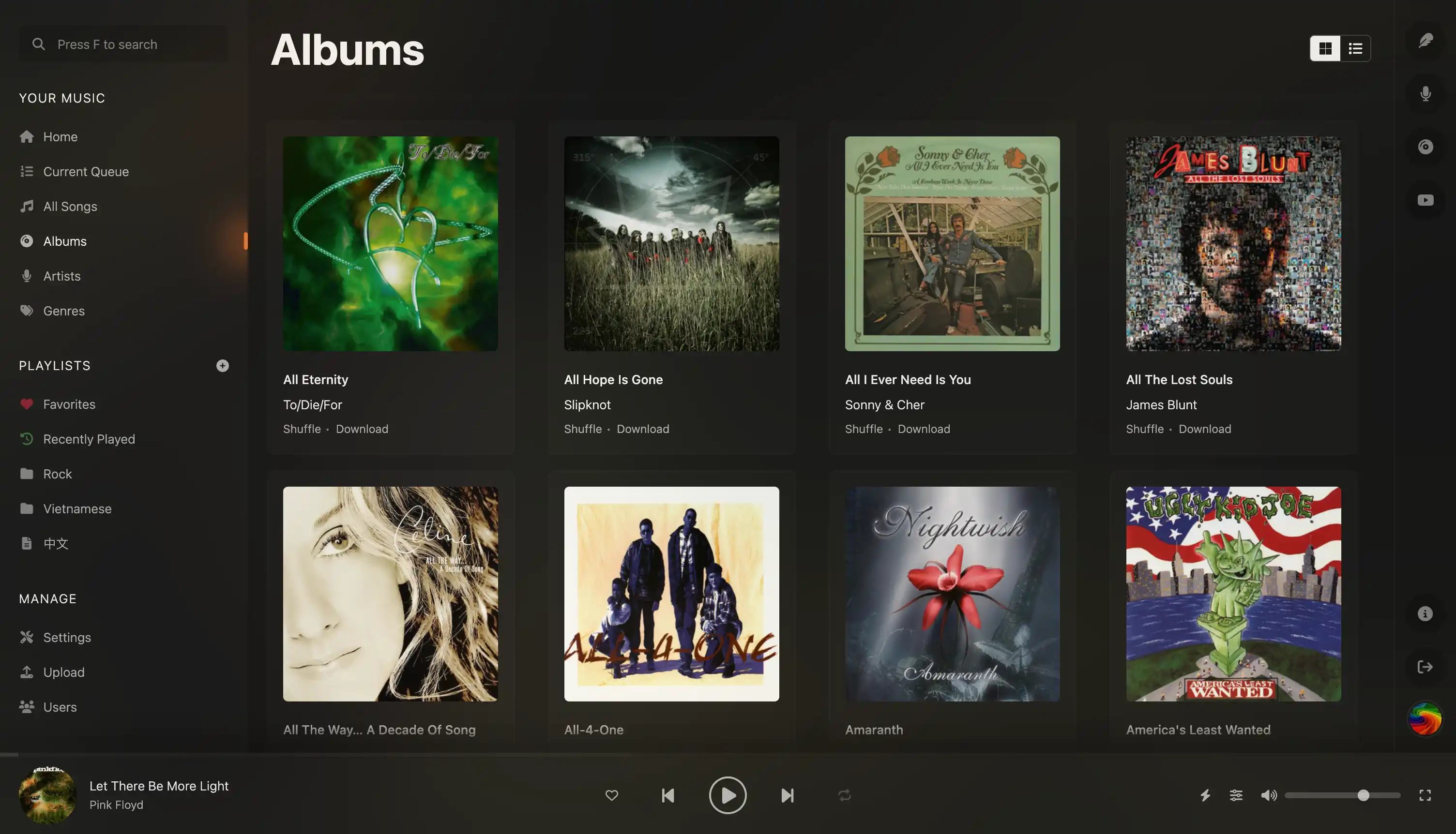
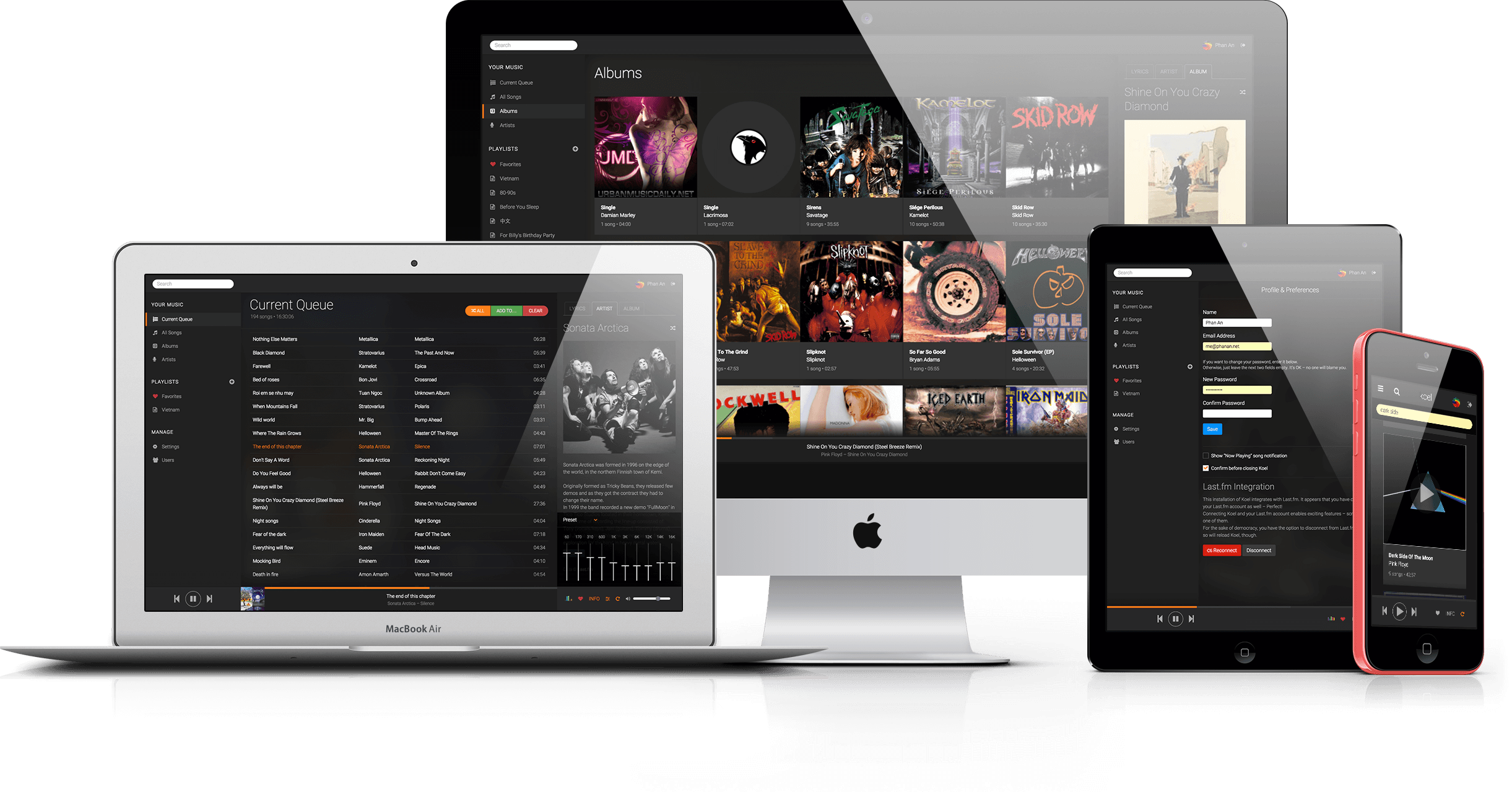
Koel is a self-hosted music streaming solution that scans your personal audio collection and serves it through a browser-based player, aimed at people who want a Spotify-like experience over their own files. It runs a Laravel API server with a Vue front end and covers playlists and smart playlists, favorites, an equalizer, visualizers, podcasts, internet radio, lossless playback and playback state synced across devices. Artist and album details, artwork and related videos can be pulled in automatically from outside metadata services, including scrobbling of listens, and the library is also exposed through the Subsonic and OpenSubsonic APIs so third-party clients can use it. People sign in with email and password, may enable two-factor authentication, and admins manage multiple users; the interface ships with several themes. Koel needs MySQL, MariaDB, PostgreSQL or SQLite behind any PHP-capable web server, and installs from a single-archive standalone build, a pre-compiled release archive with Composer, or the official Docker image. The community edition stays free and MIT-licensed, while the paid Koel Plus one-time purchase adds per-user libraries, collaboration, cloud storage drivers, SSO, proxy authentication, a media browser, white labeling, custom themes and the AI assistant.
koel alternatives
 gonicSelf-hosted, open-source Subsonic server API implementation in Go for streaming your own music: transcoding, podcasts, multi-user, Last.fm and ListenBrainz scrobbling.Comparegonic with koel
 MeeloSelf-hosted Music Server. Focused on metadata integration & UICompareMeelo with koel
 aurralOpen-source self-hosted music discovery with personalized recommendations, rotating playlist flows, and library management. Works standalone or with Lidarr.Compareaurral with koel
 KoitoSelf-hosted, open-source ListenBrainz scrobbler with imports from Spotify, LastFM, Maloja, and relay support.CompareKoito with koel
 airsonic-advancedSelf-hosted, open-source web media streamer forked from Airsonic: faster scanning, websocket UI updates, Sonos, Chromecast and ListenBrainz support.Compareairsonic-advanced with koel
 K7A personal media server you host yourself for movies, shows, and music, with transcoding, federation, and native apps on every platform.CompareK7 with koel
 PolarisSelf-hosted, open-source music streaming server aimed at collections of 100,000+ songs, with a web player, multi-user playlists, FLAC/MP3/Opus support and mobile apps.ComparePolaris with koel
 MusicseerrSelf-hosted music request app replacing Lidarr by driving slskd/Usenet, verifying via AcoustID, serving via OpenSubsonic/Jellyfin APIs.CompareMusicseerr with koel
Should you self-host koel?
koel scores 74/100 on selfhost.directory (how scoring works) and ranks #1 of 59 in Music Streaming. It has 17 350 GitHub stars, +73 in the last 30 days.
It shipped 22 stable releases in the past year. The latest, v9.15.0, came out on 28 September 2026. New versions land roughly every 4 days.
Setup is moderate: expect some configuration beyond a single command. It is MIT-licensed and written mostly in PHP.
Its closest alternative on selfhost.directory is Navidrome Music Server (80/100, 24 768 stars). It scores higher overall, so compare the two before you pick. See koel vs Navidrome Music Server side by side.
Features
- AI AssistantKoel Plus (paid edition) feature.
- Audio Visualizer
- Cross-device playback synchronization
- Equalizer
- Favorites
- Internet Radio
- Lossless audio support
- Metadata Editing
- Music Streaming
- Playlists
- Podcast Support
- Scrobbling
- Smart Playlists
- Subsonic API
- ThemesCustom themes require the paid Koel Plus edition.
koel README

More in Music Streaming
 leafplayerLeafplayer is a self-hosted, open-source music streaming server with mobile-friendly UI, night mode, invite-code accounts, and fast search. Run via Docker or Linux.
 lebkuchen-fmSelf-hosted multiplayer radio station streaming YouTube music with Discord control, synchronized playback, soundboard, and stats.
 Lightweight Music Server (LMS)Self-hosted music streaming server with web UI and Subsonic API. Supports MusicBrainz, ListenBrainz, transcoding, multi-library.
 LMSLightweight Music Server. Access your self-hosted music using a web interface.
 LuckyLucky is a self-hosted, open-source Discord music bot with Spotify-first search, smart autoplay, a React dashboard, and moderation tools. No paywall or premium tier.
 mediaMedia is a self-hosted PHP app on CakePHP 3 that indexes and streams movies, TV series, music, games, and software with TMDB metadata and web playback.
 MediaSageSelf-hosted AI playlist generator for Plex that only recommends music you own. Supports Gemini, Claude, OpenAI, and local LLMs via Ollama.
 Melodia FlowSelf-hosted music acquisition: searches Spotify/Deezer, downloads from YouTube/SoundCloud/Bandcamp, tags metadata, syncs to Navidrome. Multi-user, 2FA, plugins.
 miceMice is a self-hosted, open-source web client for Navidrome. It streams your music library with a modern UI, favorites, search, queue management, and Last.fm scrobbling.
 mixarrSelf-hosted music discovery for Lidarr connecting to Spotify, TIDAL, Last.fm and 9 more services with 56 subscription types, review queue, and AI recommendations.
 mixel-musicOpen-source, self-hosted music streaming app with Python (FastAPI) and SvelteKit. Uses SQLite, offers album browsing with artwork caching, runs on port 2843.
 MopidySelf-hosted, open-source music server in Python that plays local files and internet radio, adds Spotify and more via extensions, and works with any MPD or web client.
0 comments