
Self-host hotio/plex
release-1.43.4.10903-e5521bd8cDocker image for Plex Media Server with hardware transcoding
- Stars
- 40
- Port
- 32400 (Plex Media Server web UI and API)
ghcr.io/hotio/plex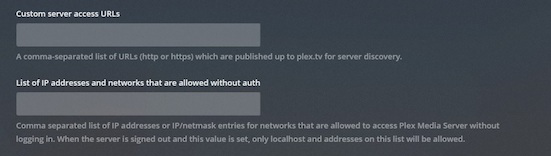
What is hotio/plex?
hotio/plex is a Docker image that packages Plex Media Server for easy self-hosting. It includes support for hardware-accelerated transcoding (Intel QuickSync, NVIDIA, AMD), WireGuard VPN integration with multiple providers (Generic, ProtonVPN, PIA), automatic Plex Pass beta updates, and a claim token workflow for initial server setup. The image runs as a non-root user with configurable PUID/PGID and uses standard Plex port 32400. Configuration is done via environment variables for paths, networking, and optional VPN. The project is maintained by the hotio organization which provides a suite of media-related Docker images.
Should you self-host hotio/plex?
hotio/plex scores 46/100 on selfhost.directory (how scoring works) and ranks #78 of 118 in Media Server. It has 40 GitHub stars.
There was no stable release in the past 12 months, so check the repository's recent activity before you rely on it.
Setup is moderate: expect some configuration beyond a single command. An official Docker image is available. It is GPL-3.0-licensed and written mostly in Dockerfile.
Its closest alternative on selfhost.directory is Jellyfin (88/100, 58 740 stars). It scores higher overall, so compare the two before you pick. See hotio/plex vs Jellyfin side by side.
Features
- Claim Token Setup
- Hardware Transcoding
- Non-root user
- Plex Pass Beta Updates
- Token Generation Helper
- WireGuard VPN support
How to install hotio/plex
Install hotio/plex with Docker Compose
PUID, PGID, UMASK, TZ, WEBUI_PORTS, PLEX_CLAIM_TOKEN, PLEX_ADVERTISE_URL, PLEX_NO_AUTH_NETWORKS, PLEX_BETA_INSTALL, PLEX_PURGE_CODECSservices: plex: container_name: plex image: ghcr.io/hotio/plex ports: - "32400:32400" environment: - PUID=1000 - PGID=1000 - UMASK=002 - TZ=Etc/UTC - WEBUI_PORTS=32400/tcp - PLEX_CLAIM_TOKEN - PLEX_ADVERTISE_URL - PLEX_NO_AUTH_NETWORKS - PLEX_BETA_INSTALL=false - PLEX_PURGE_CODECS=false volumes: - /<host_folder_config>:/config - /<host_folder_data>:/data
Deploy with docker-compose
More in Media Streaming
 HRCloud2HRCloud2 is an open-source, self-hosted cloud storage platform with file conversion, OCR, media streaming, virus scanning, and a voice-enabled personal assistant.
- Icecast 2Icecast is a free server software for streaming multimedia, supporting Ogg (Vorbis and Theora), Opus, WebM, and MP3 streams. It can be used to create an Internet radio station or a privately running jukebox.
 infra-homeSelf-hosted stack restoring Philips Ambilight+Hue sync, syncing TV colors to PC LEDs, debloating Fire TV, and blocking ads with Pi-hole from one Home Assistant dashboard.
 InvidiousOpen-source AGPL front-end for YouTube: watch without ads, tracking or JavaScript, with own subscriptions, playlists and a REST API; runs via Docker and PostgreSQL.
 iptv-proxyA self-hosted IPTV reverse proxy that rewrites M3U and Xtream Codes streams to your own address with custom login, plus HDHomeRun emulation for media servers.
 iSponsorBlockTVSelf-hosted SponsorBlock client that skips sponsors and mutes ads on YouTube TV apps for Android TV, Apple TV, Samsung, LG, Roku, Fire TV, and consoles.
 jcorp-nomadOpen-source offline media server on an ESP32-S3: self-hosted browser streaming of movies, music, books, DLNA, offline Wikipedia, maps and games.
 JellyswarrmJellyswarrm is a self-hosted, open-source reverse proxy that merges multiple Jellyfin servers into one unified interface for browsing and playback.
 K7A personal media server you host yourself for movies, shows, and music, with transcoding, federation, and native apps on every platform.
 lightNVRSelf-hosted, open-source NVR in C for low-memory devices. WebRTC/HLS streaming, visual detection zones, themes, external object detection.
 LinuxServer PlexSelf-hosted Docker container packaging Plex Media Server, maintained by LinuxServer.io with multi-arch support, hardware transcoding, and easy user mapping.
 LiquidsoapSelf-hosted, open-source scripting language for building audio and video streams, used by internet radios and web TVs worldwide.
0 comments