
Self-host homelab-monitor
v0.37.0Homelab dashboard with GPU, AI VRAM, Docker and energy costs
- Stars
- 227
- Ports
- 9800 (Dashboard HTTP), 9810 (MCP server HTTP)
sikamikaniko123/homelab-monitor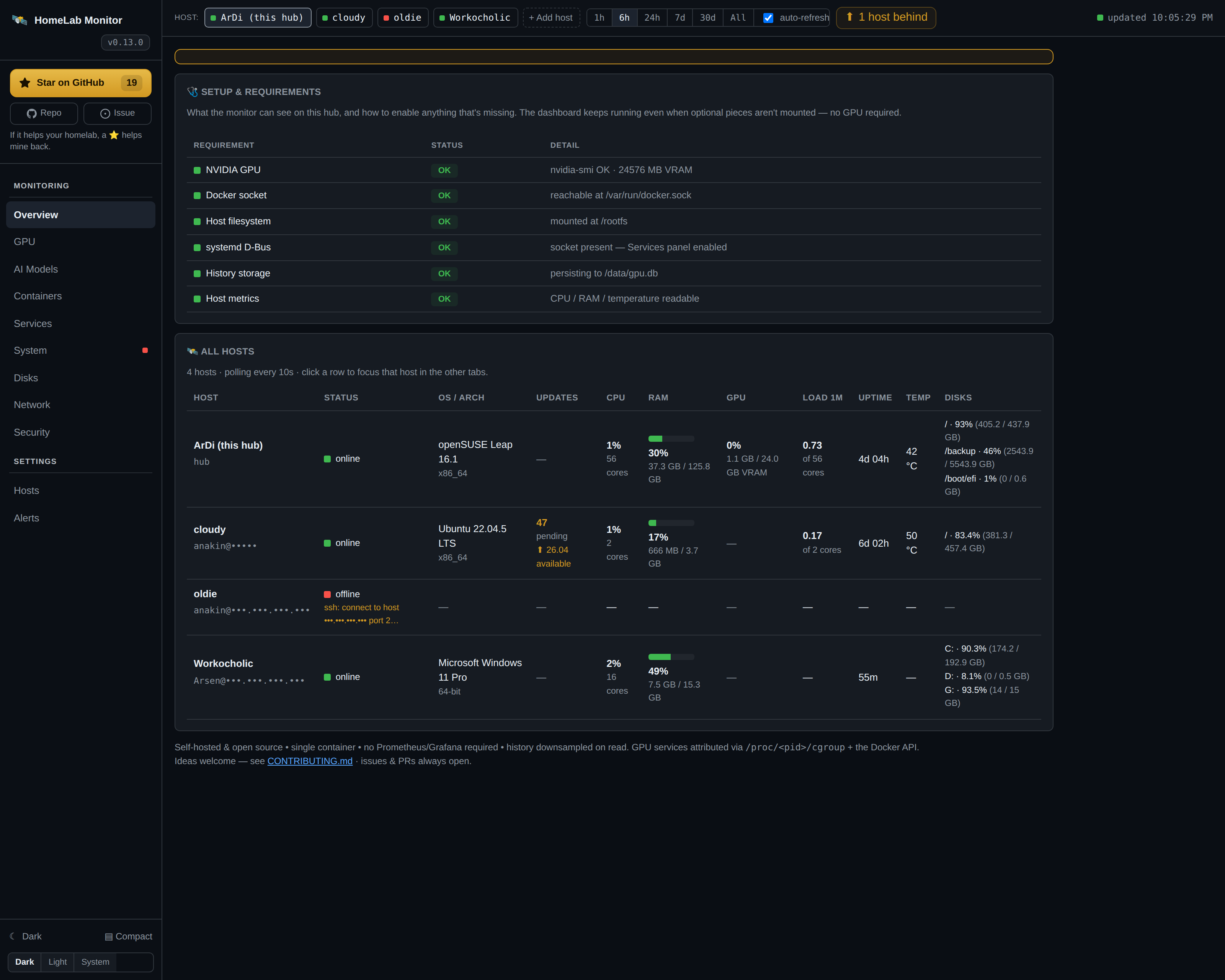
What is homelab-monitor?
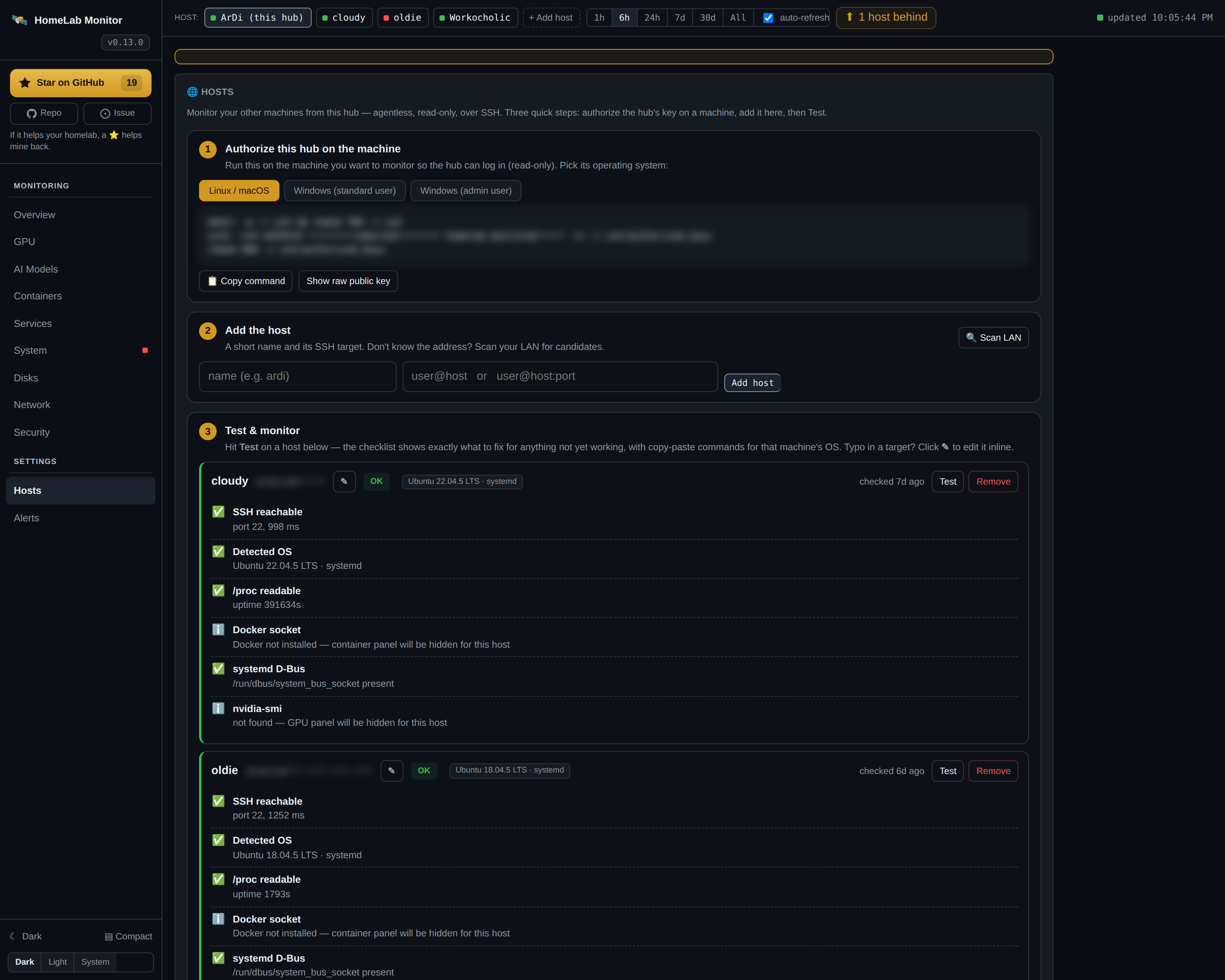
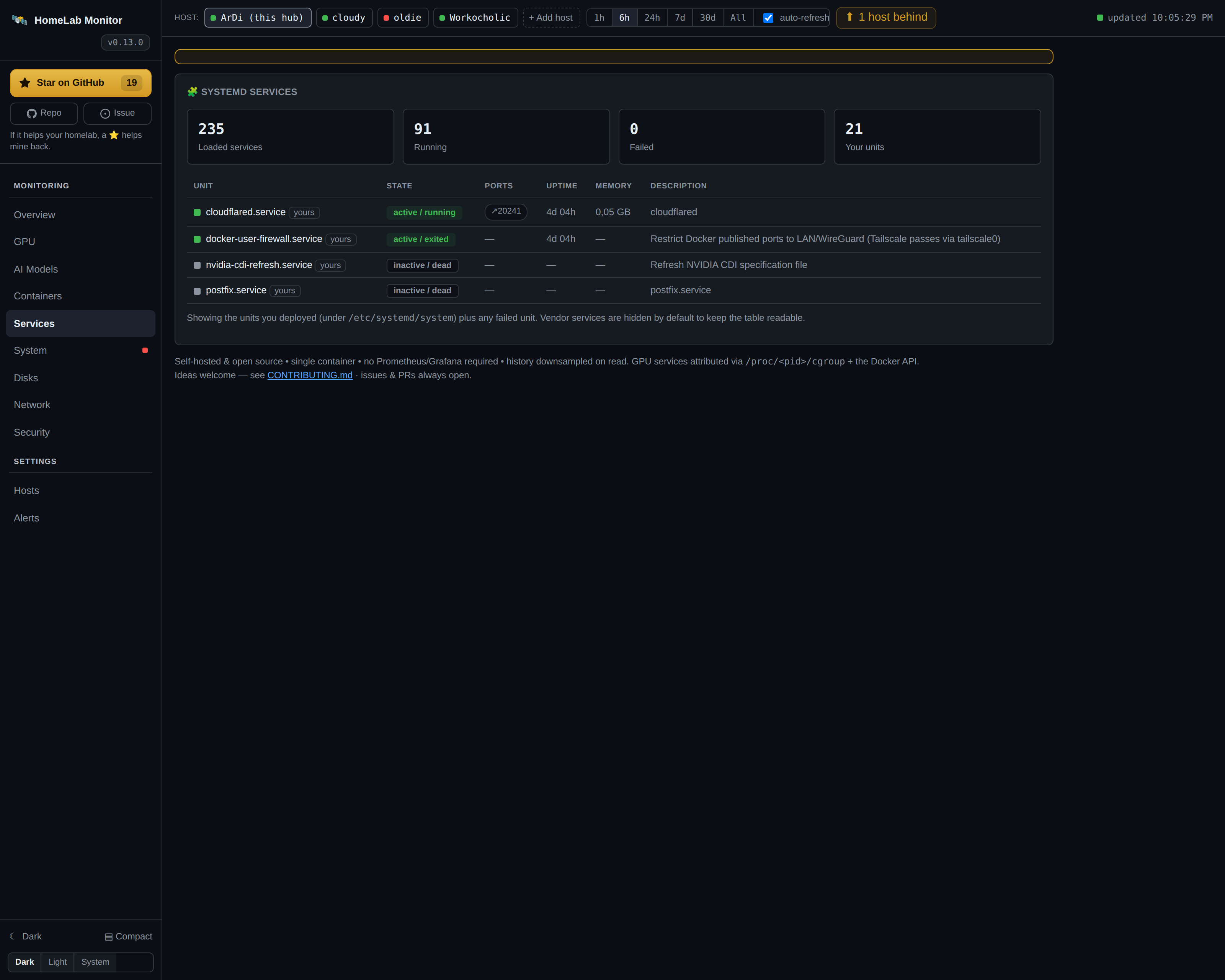
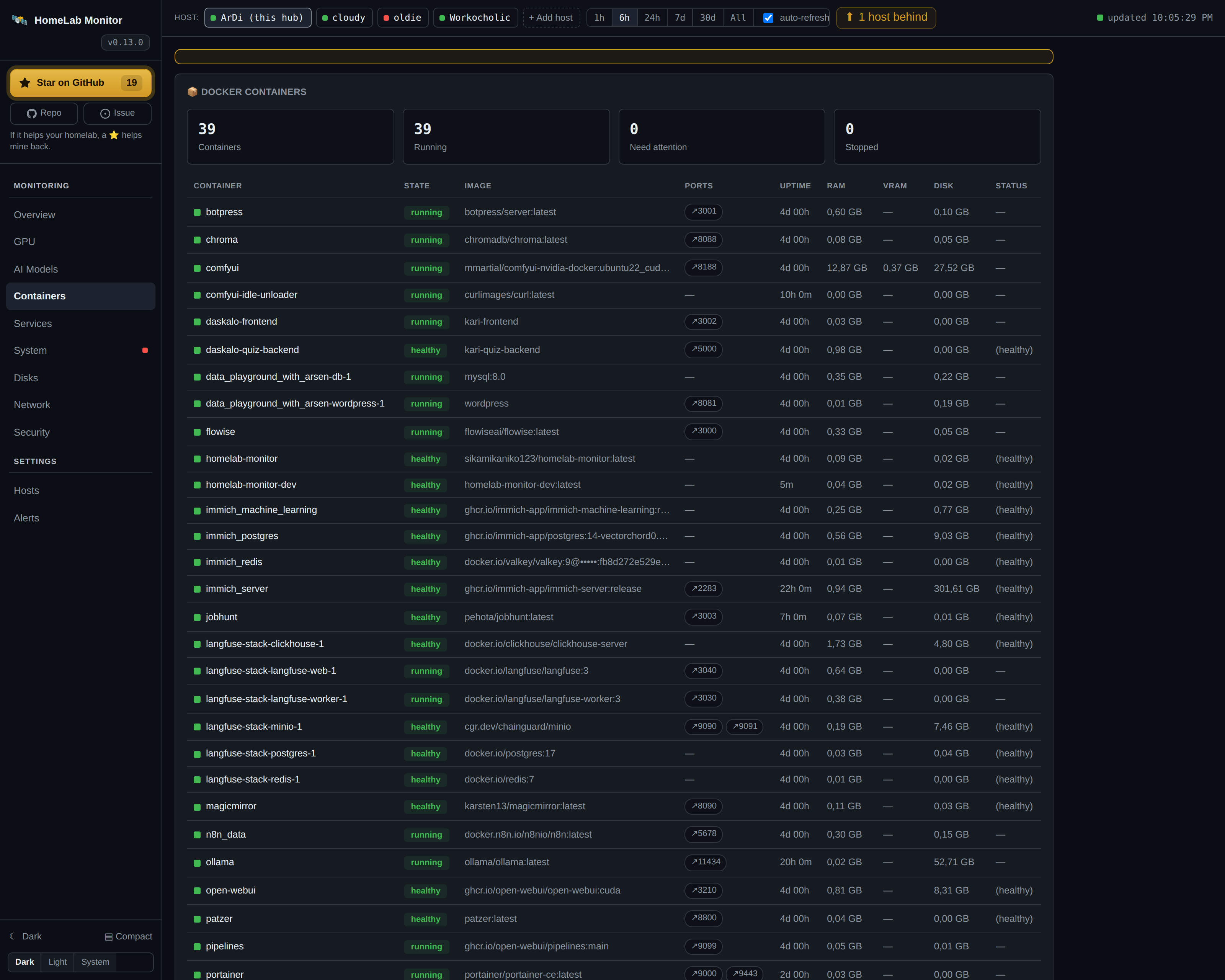
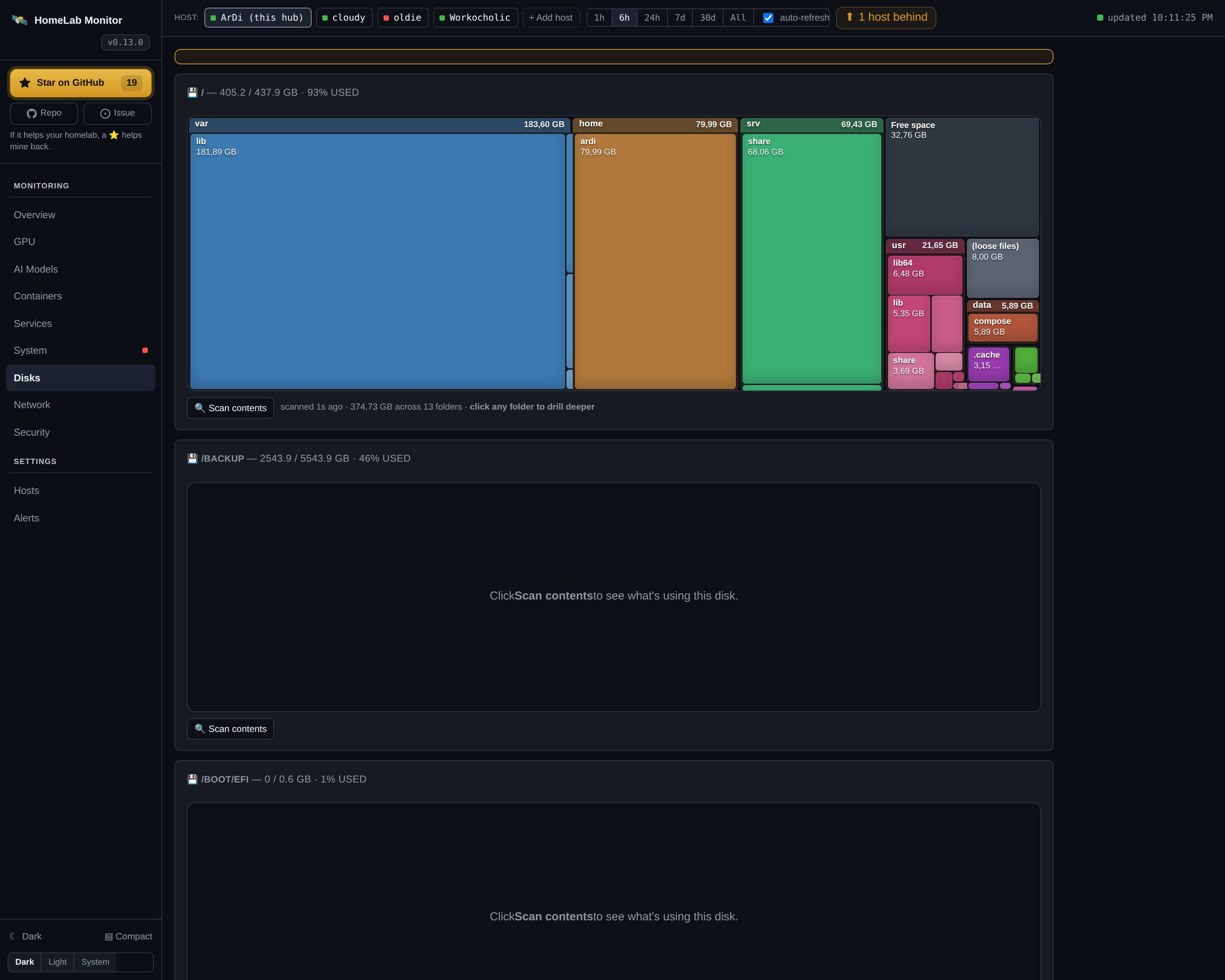
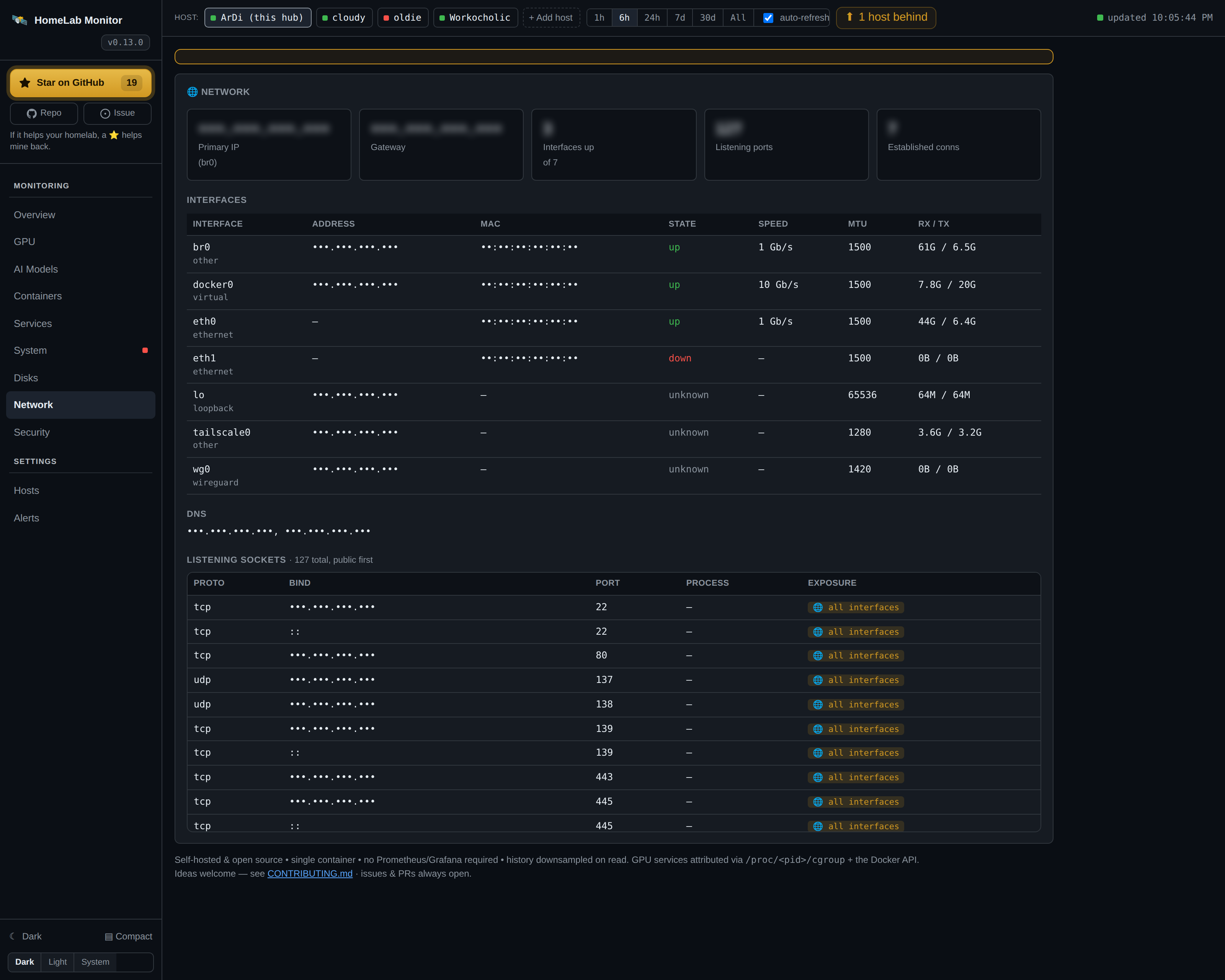
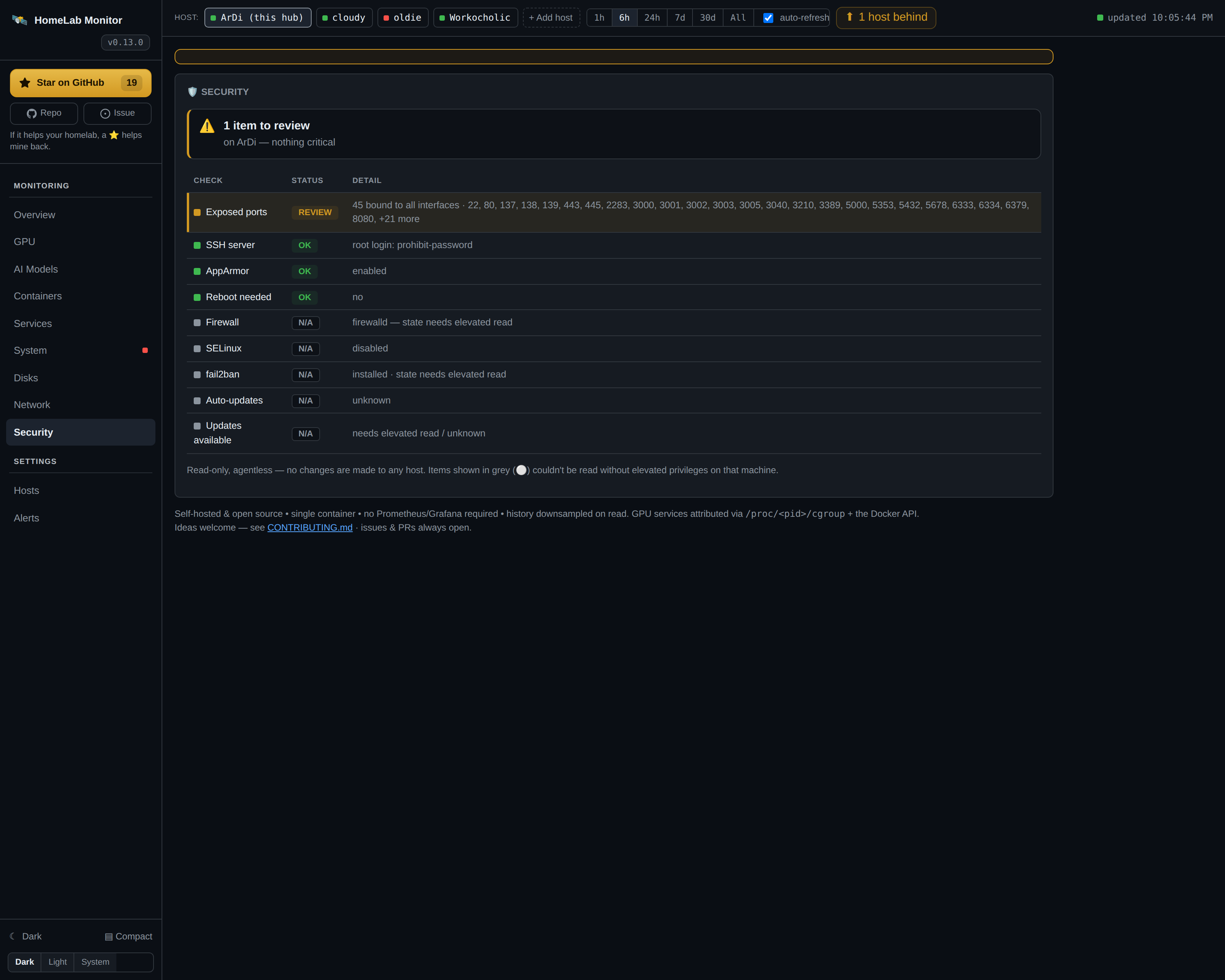
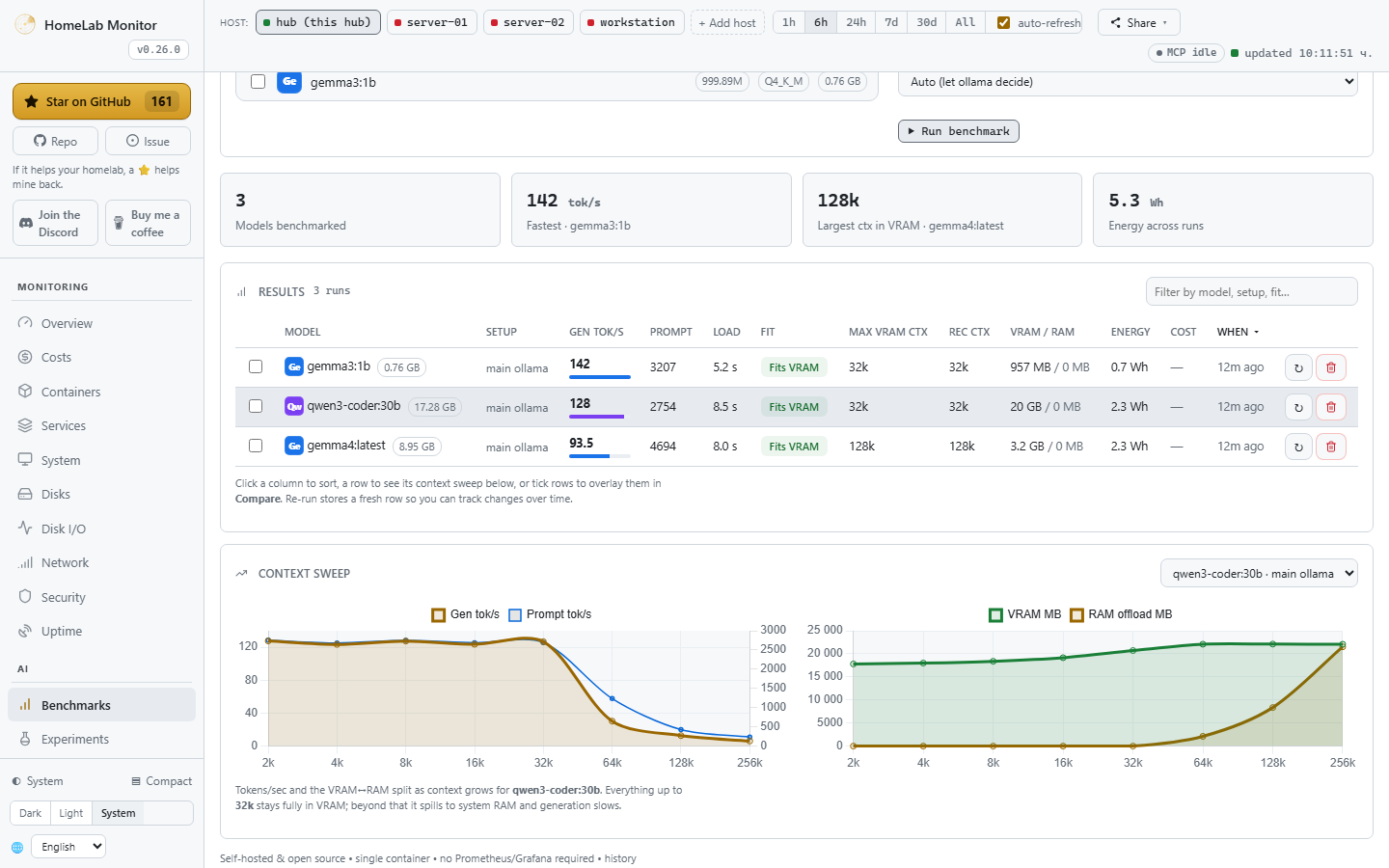
HomeLab Monitor is a single-container, self-hosted dashboard that puts your entire home lab and AI rig on one page. It shows live GPU utilisation, VRAM, power draw, temperature and identifies which container or process is using each GPU — supporting NVIDIA, AMD and Intel GPUs on Linux and Windows. It tracks Docker container health with separate RAM and VRAM columns, systemd services, interactive disk treemaps, network interfaces and listening sockets, plus a read-only security posture check covering firewall, SSH, SELinux/AppArmor and fail2ban. Power consumption is measured per component and per process, container or model, with day/night tariffs and a weekly busy-hours heatmap. A Benchmark Lab sweeps local Ollama models across context sizes to find the largest context fitting in VRAM. Multi-machine monitoring works agentless over SSH — just add the hub's key to each remote (Linux, Raspberry Pi, or Windows). A built-in read-only MCP server on port 9810 lets AI agents explore the homelab through 19 tools. Alerts go to Discord, ntfy.sh, Telegram, Email, Slack or generic webhooks. Runs without a separate metrics stack or cloud dependency, no login required — meant for a trusted LAN/VPN. History persists in SQLite (./data/gpu.db).
Should you self-host homelab-monitor?
homelab-monitor scores 52/100 on selfhost.directory (how scoring works) and ranks #19 of 51 in Monitoring & observability. It has 227 GitHub stars.
It shipped 23 stable releases in the past year. The latest, v0.37.0, came out on 23 September 2026. New versions land roughly every 2 days.
Setup is moderate: expect some configuration beyond a single command. An official Docker image is available. It is MIT-licensed and written mostly in Python.
Its closest alternative on selfhost.directory is GoAccess (75/100, 21 091 stars). It scores higher overall, so compare the two before you pick. See homelab-monitor vs GoAccess side by side.
Features
- AI model awareness
- Alerts
- Benchmark Lab
- Container MonitoringControls can be disabled with ENABLE_CONTROLS=0
- Disk treemaps
- Experiment tracking
- GPU Monitoring
- MCP server (read-only)Can be disabled with ENABLE_MCP=0
- Multi-host over SSHContainers tab remains local-only for now
- Network Monitoring
- Power and cost tracking
- Prometheus metrics export
- Security posture checkRead-only, no remediation
- Systemd service monitoringControls can be disabled with ENABLE_CONTROLS=0; remote Windows via PowerShell
- Uptime Monitoring
homelab-monitor README
More in Homelab
 HomelabOSOpen-source Ansible toolkit for a self-hosted homelab: deploys 100+ Docker services behind Traefik with Let's Encrypt HTTPS, Tor access, and nightly restic backups.
 HomerA self-hosted, open-source static dashboard that lists your services from one YAML file, with fuzzy search, themes, and smart cards polling Pi-hole, Proxmox and more.
 IPMI-Fan-ControllerSelf-hosted web interface to manually control Dell server fan speeds through IPMI, replacing loud automatic fan curves with quiet manual control for homelab servers.
 jcorp-nomadOpen-source offline media server on an ESP32-S3: self-hosted browser streaming of movies, music, books, DLNA, offline Wikipedia, maps and games.
 JoulenapSelf-hosted scheduler that wakes Proxmox Backup Servers, runs backups, applies retention and GC, then powers them down — keeping servers asleep 23 hours a day.
 knockerKnocker is a self-hosted, open-source SPA gateway for homelabs that opens services on-demand via authenticated knock requests, integrating with Caddy or Firewalld.
 LabTetherSelf-hosted homelab control plane that unifies Proxmox, TrueNAS, Docker, and Home Assistant management with AI agent gateway via MCP.
 LAN-OrangutanSelf-hosted, open-source network scanner that discovers LAN devices, lets you label and group them persistently, supports multiple networks and Tailscale.
 LazytainerLazytainer is a self-hosted, open-source tool that monitors Docker container network traffic and automatically stops or pauses idle containers to save resources.
 miner-sentinelSelf-hosted, open-source dashboard unifying Bitaxe, Avalon, NMAxe and NerdNOS miners into one fleet view with metrics, alerts, controls and solo-pool tracking.
 MuximuxOpen-source self-hosted homelab dashboard in Go whose built-in embedding proxy rewrites headers and paths so stubborn apps work inside iframes.
 NetProbe_PythonA containerized network monitor that checks connectivity, DNS response times, and bandwidth, then shows results in a dark-themed web dashboard with historical graphs.
0 comments