
Self-host gawkbot
v0.240.1AI agent manager unifying coding agents in your Mac notch
- Stars
- 1 524
- Port
- 7891 (web UI)
What is gawkbot?
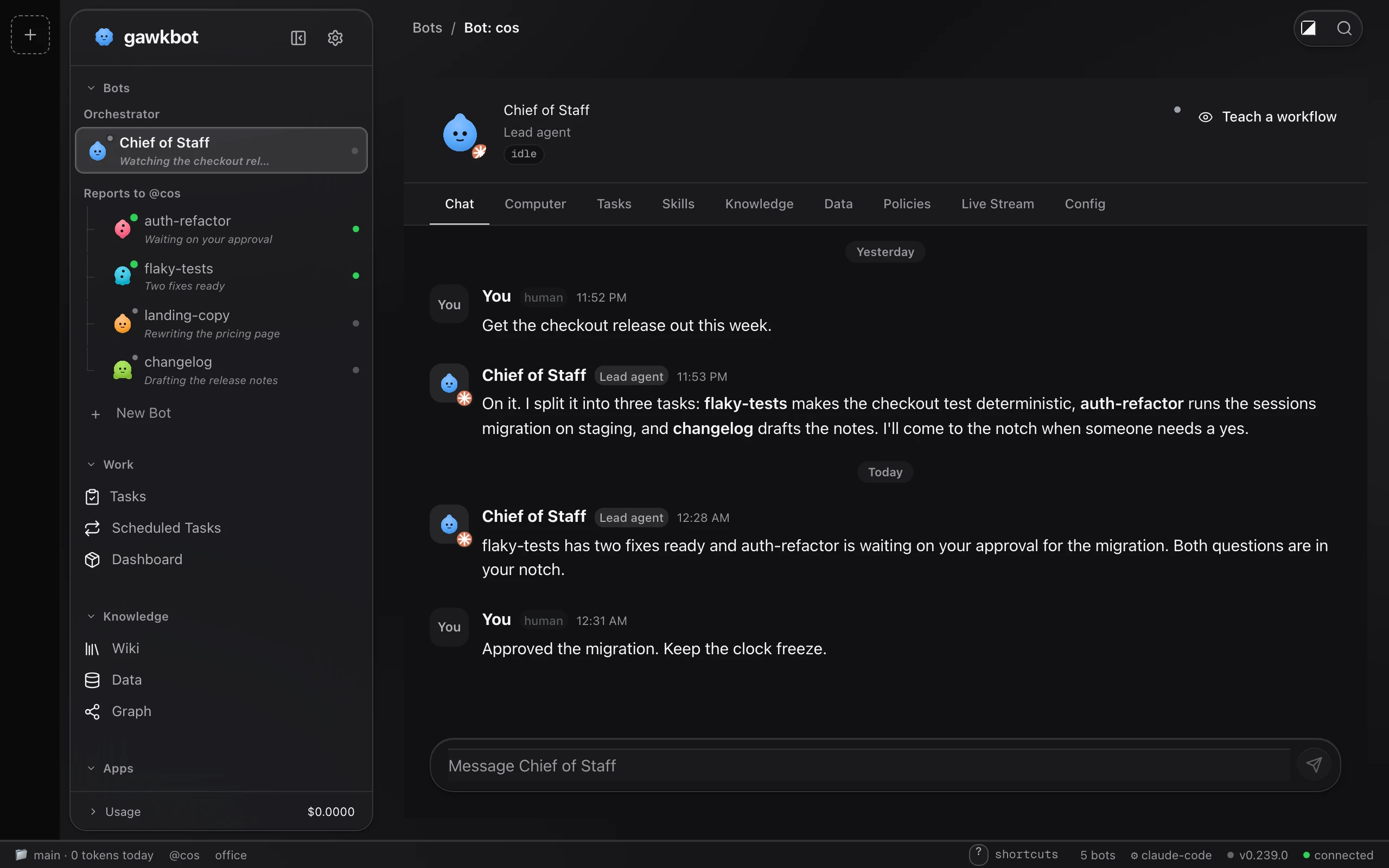
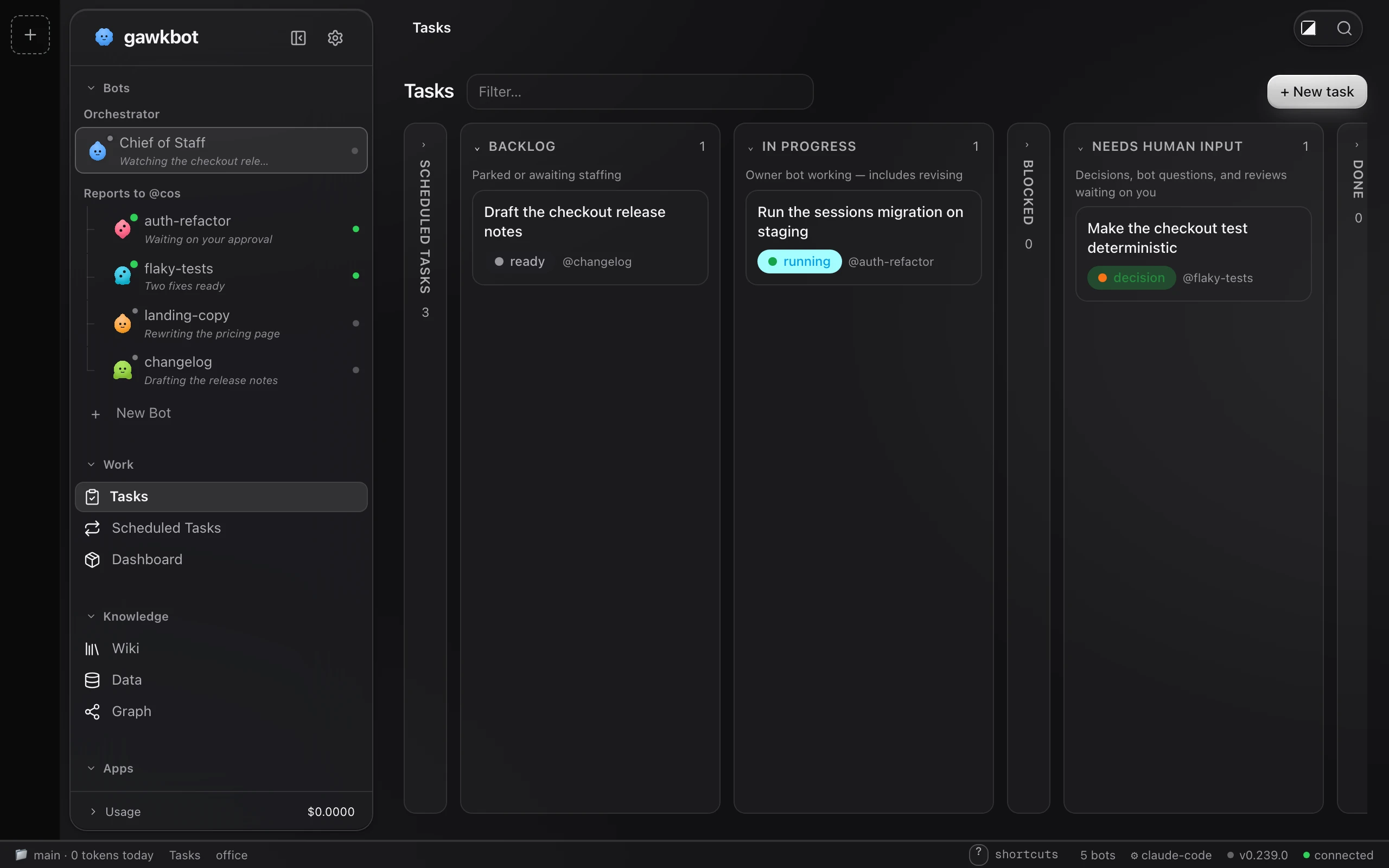
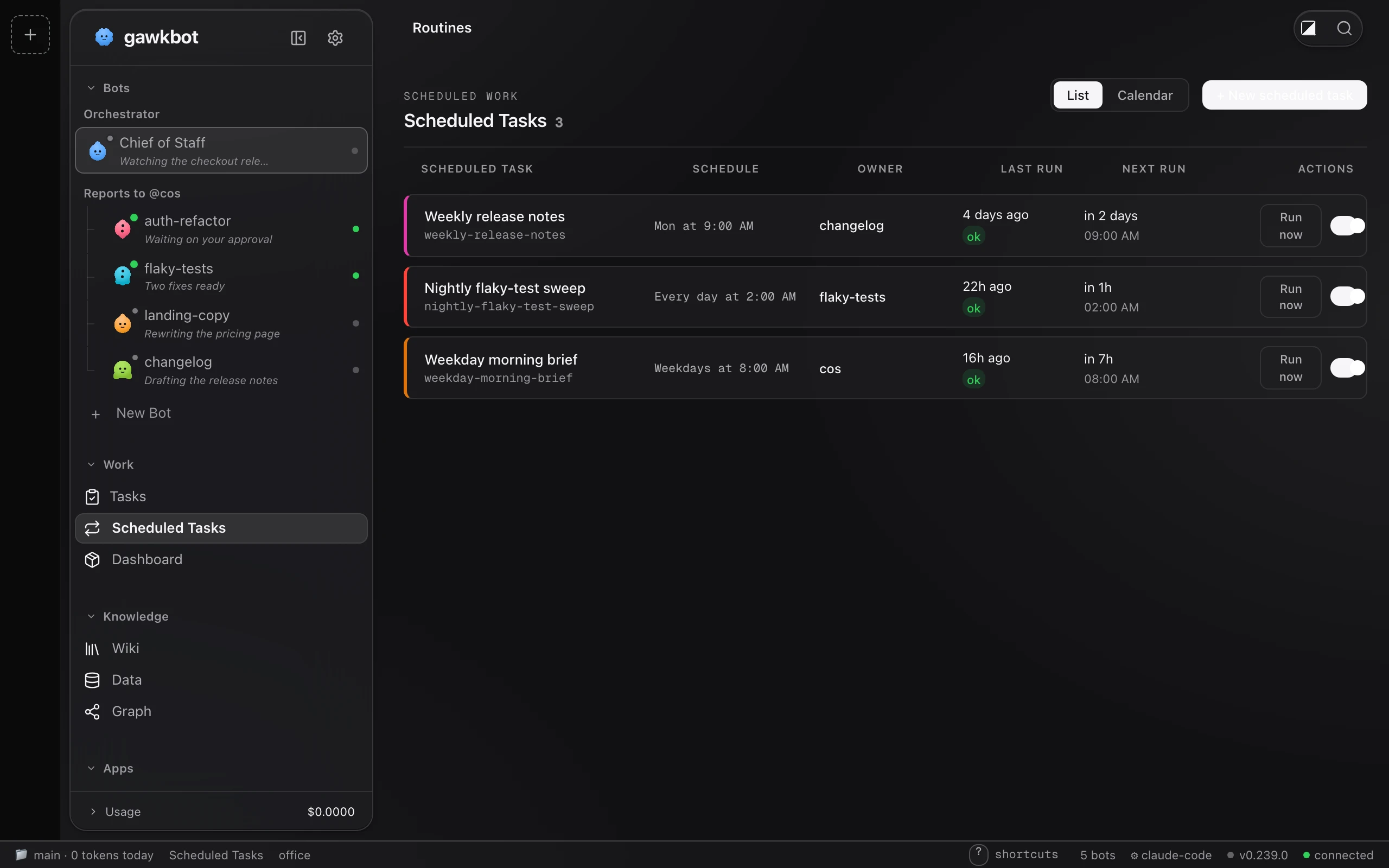
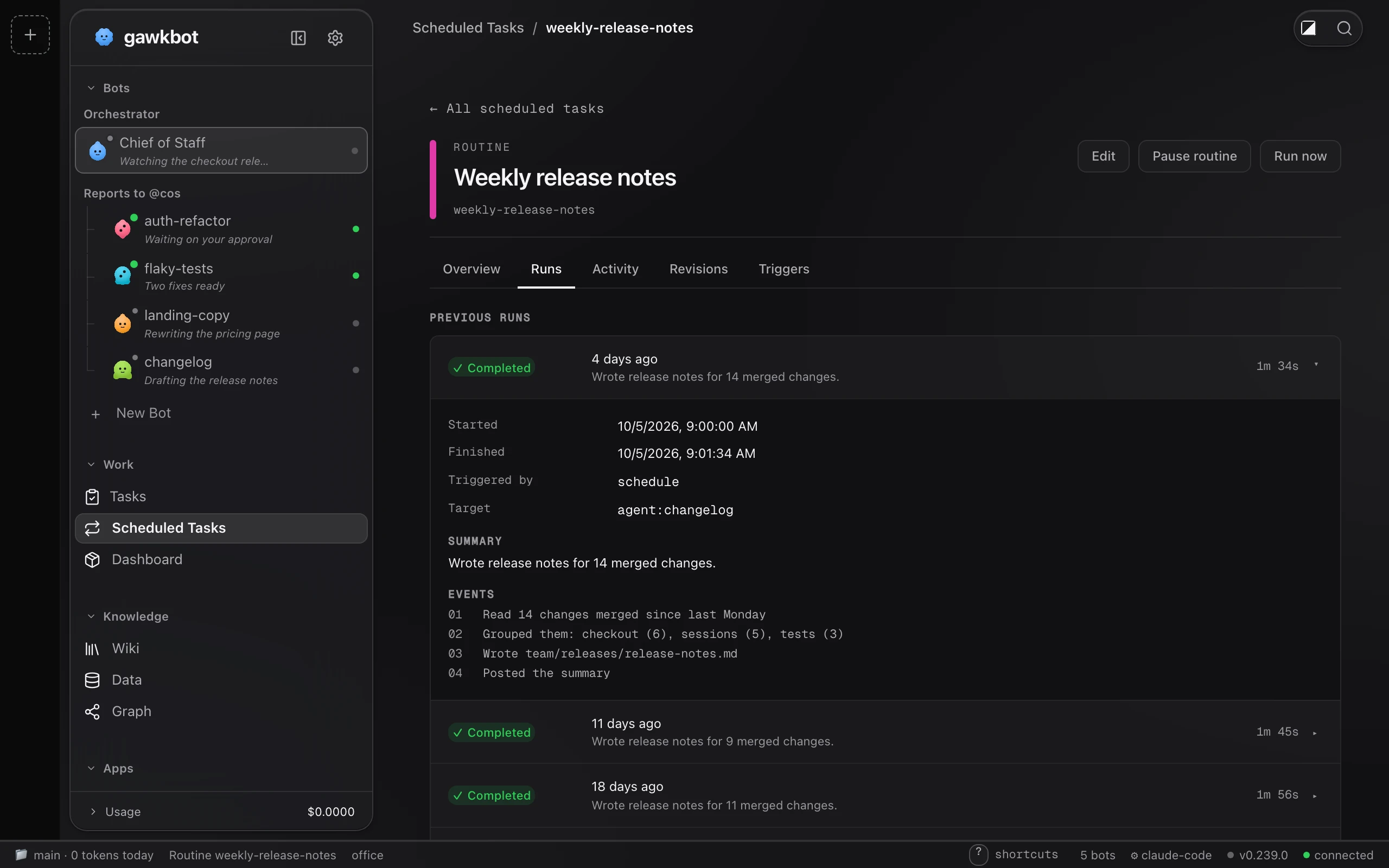
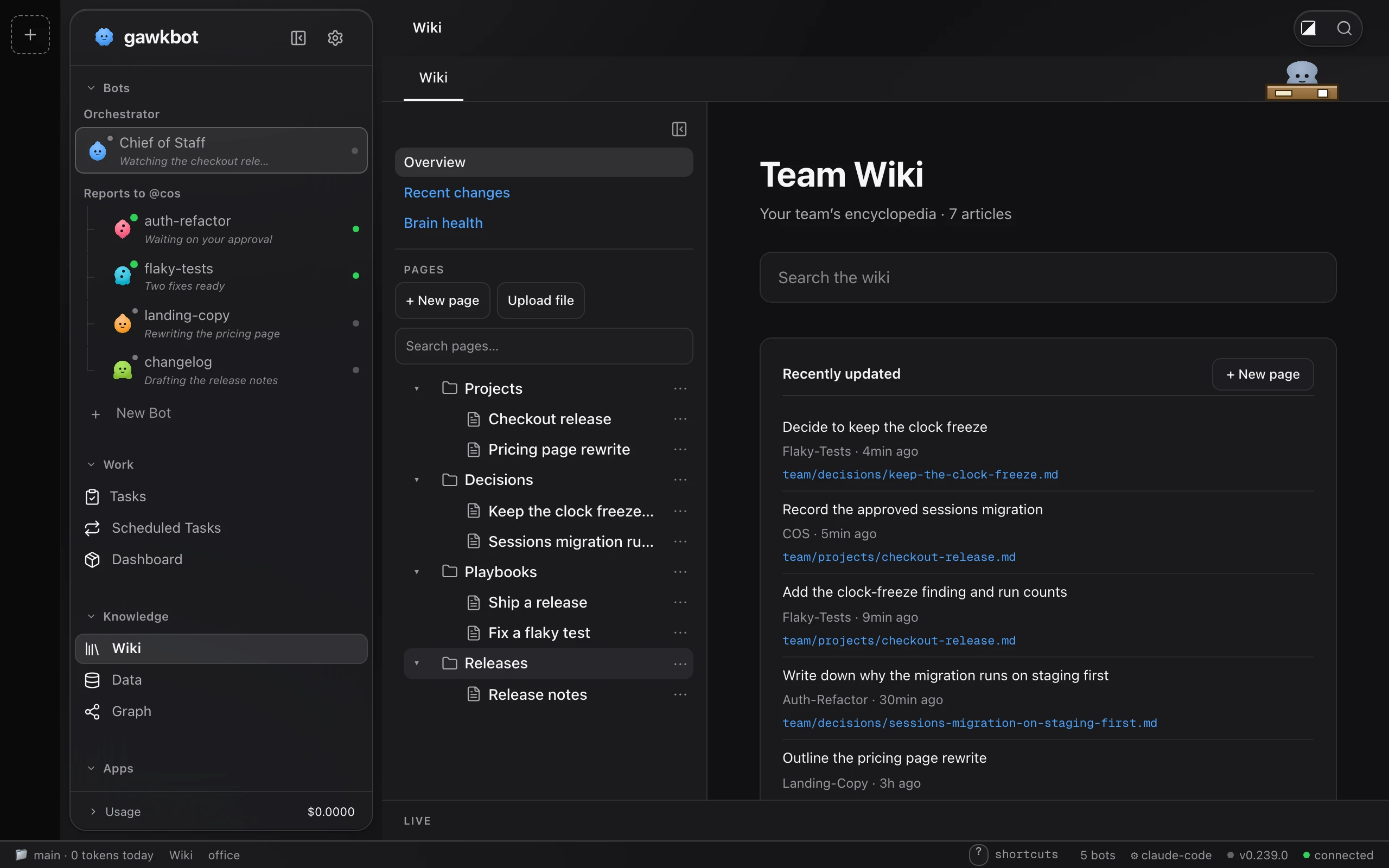
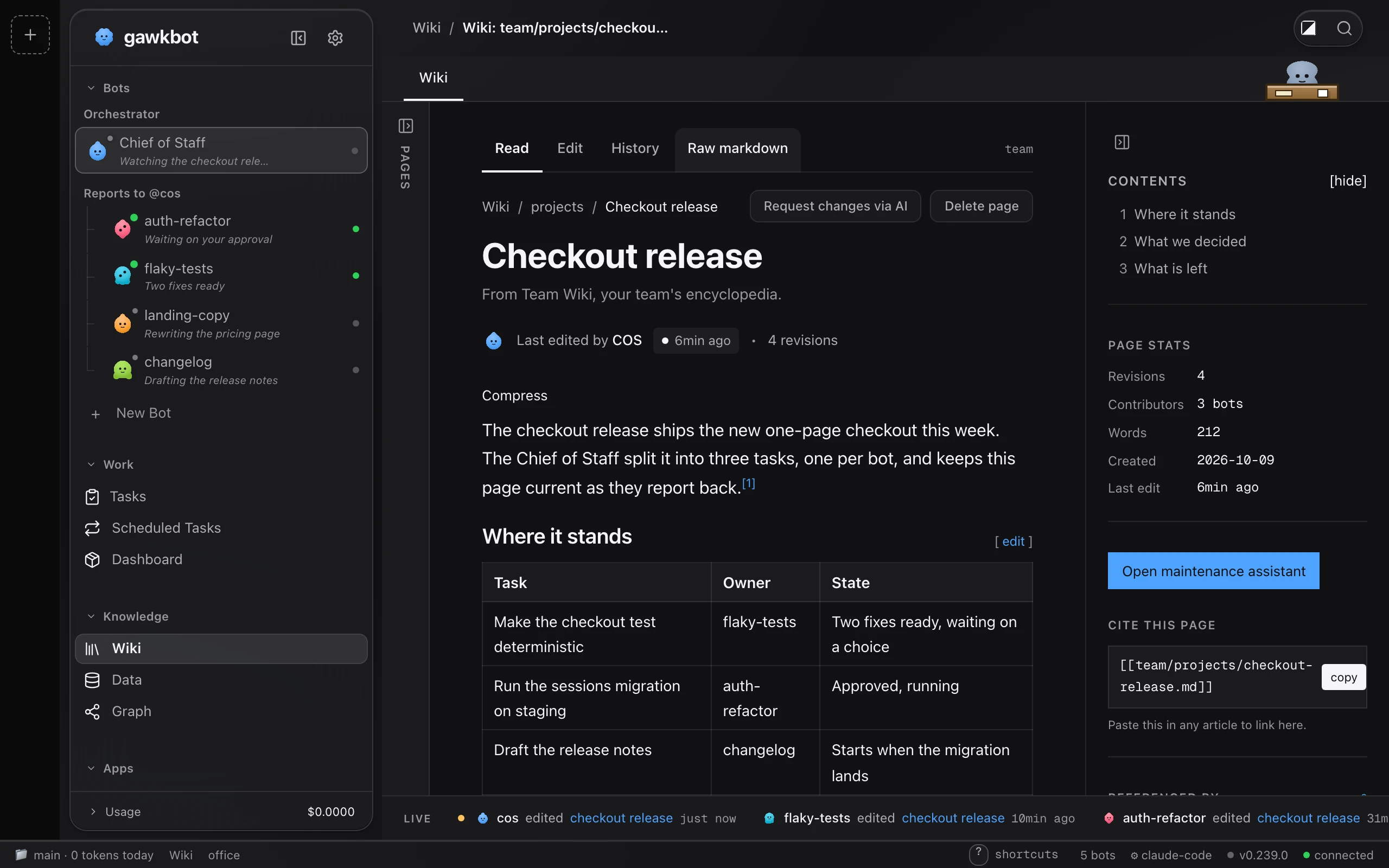
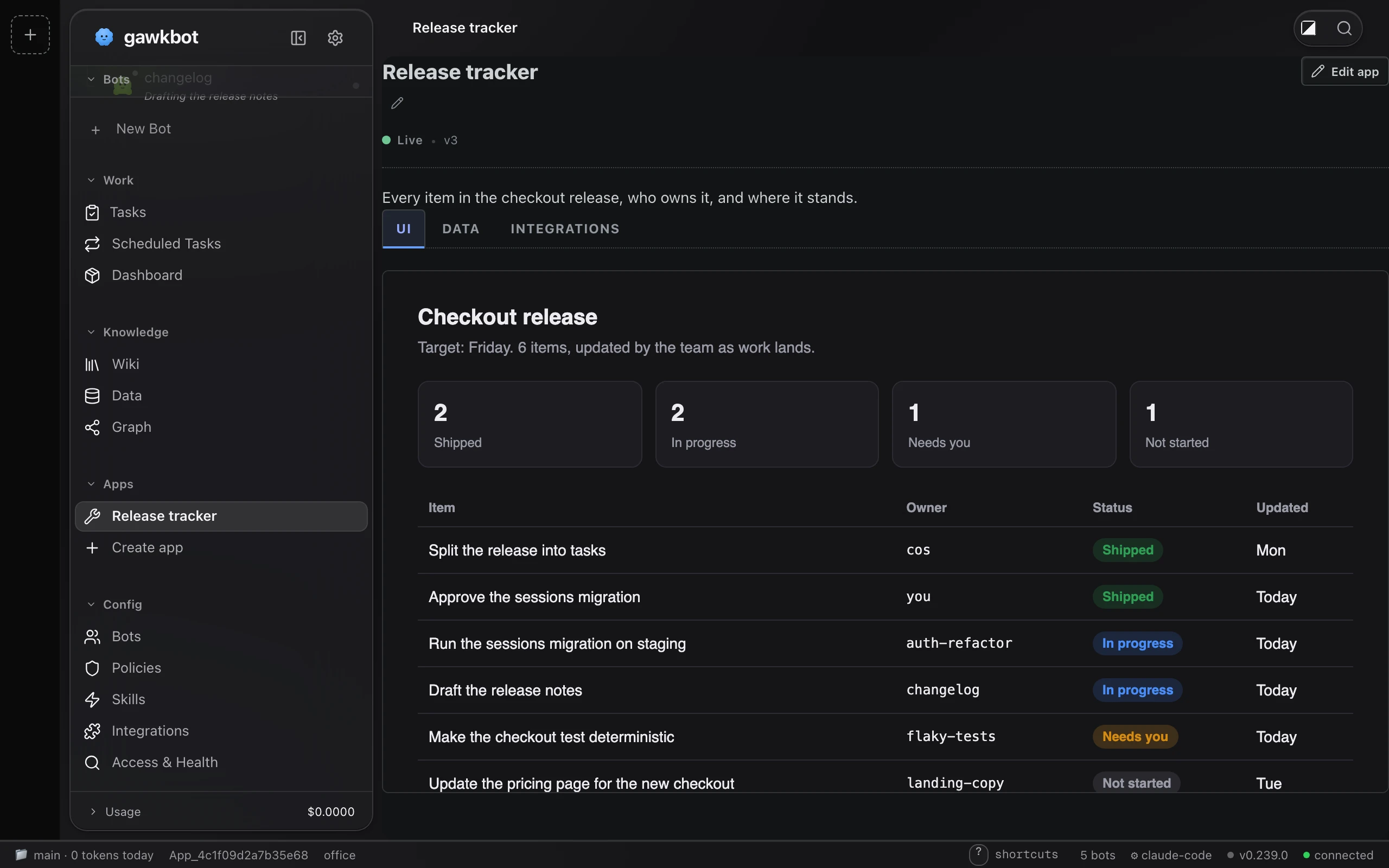
gawkbot is a desktop application for macOS and Windows that detects and adopts AI coding agents already running on your machine — including Claude Code, Codex, Opencode, and many others — and organizes them into a team led by an AI Chief of Staff. Each agent becomes a managed bot with its own screen, scheduled routines, self-authored tools, a knowledge wiki with citations, typed data tables, and access to 1200+ integrations via Composio. The Chief of Staff breaks down workflows, assigns tasks, and routes every external action through an approval gate that waits for your click in the Mac notch or on the iPhone companion app. The Mac app lives in the camera notch (or a pill on notch-less Macs) with keyboard shortcuts, voice input, and per-event sounds. The iPhone app mirrors the inbox with hold-to-talk replies. All workspace data stays in local files under ~/.wuphf/ with no required database. The web UI runs on port 7891 by default. Licensed under the Sustainable Use License (source-available, free for self-hosting and non-commercial use).
Should you self-host gawkbot?
gawkbot scores 50/100 on selfhost.directory (how scoring works) and ranks #97 of 209 in AI Agents. It has 1 524 GitHub stars.
It shipped 9 stable releases in the past year. The latest, v0.240.1, came out on 10 October 2026. New versions land roughly every 2 days.
Setup is moderate: expect some configuration beyond a single command. It is Other-licensed and written mostly in Go.
Its closest alternative on selfhost.directory is Orca (91/100, 108 739 stars). It scores higher overall, so compare the two before you pick. See gawkbot vs Orca side by side.
Features
- AI Agent Team Management
- Approval Gate
- Chief of Staff
- Cost Tracking
- Custom Microapps
- Knowledge Wiki
- Local-first execution
- Mac Notch Integration
- Multi-workspace support
- Public Tunnel SharingRequires cloudflared on PATH
- Routines (Scheduled Tasks)
- Team Sharing via Tailscale/WireGuard
- Voice Replies
gawkbot README
FAQ
Does it work on Windows or Linux?
gawkbot is a Mac app with an iPhone companion. The notch, shortcuts, and sounds are Mac-only. The web app without the notch has a Windows installer. Linux has no installer but the source is public so anyone can build the web app from source and run it there.
How does voice work?
Hold V and talk. On Mac, speech recognition uses Apple's framework (on-device when supported); on iPhone it's the same. You see the transcript first, and nothing is sent until you press Return.
Can an agent do something external without asking me?
Not through connected accounts. Reads are free, but any action through a connected account (email, post, CRM write) waits in the notch for approval, one at a time, unless you choose always-allow for that action. Agents working in local repos use the tool's own permissions.
Where does my data go?
gawkbot runs on your machine and workspace data stays in local files you can read. Release builds include optional anonymous product analytics (counts and shapes, never content) and session replay that masks typed text; both can be turned off in onboarding or Settings. A source build has no analytics key and sends no analytics.
Is there an iPhone app?
Yes, it lives in the repo under apps/ios and you build it with Xcode; it is not on the App Store. Pair once by scanning the code in Access & Health with the phone on a network that can reach your Mac (Wi-Fi or Tailscale). Push notifications are not implemented yet.
Do I need a MacBook with a notch?
No. On Macs without a notch, the same strip appears as a pill at the top center of the screen with the same panel, shortcuts, and sounds.
Which agents does it work with?
Claude Code, Codex, Opencode, Gemini CLI, Cursor CLI, Aider, Goose, Amp, Qwen Code, Copilot CLI, Crush, Factory Droid, Ollama, OpenClaw, and Hermes. Each is tagged with the tool and whether it runs locally or in the cloud.
Is gawkbot free?
Yes, there is no subscription, seat count, trial, or usage fee. You bring your own agents and API keys. The source is under the Sustainable Use License, free to self-host for internal business and non-commercial use.
More in Productivity
 ghostboardGhostboard is a self-hosted, open-source tool for real-time text sharing between devices via web UI or CLI, with multi-board support, dark mode, and Markdown rendering.
 golinksgolinks is a self-hosted, open-source web app that turns your browser's search bar into a command line for smart bookmarks and search aliases.
 gosukiGoSuki is a self-hosted, open-source bookmark manager running as a single binary. It monitors browser bookmarks in real-time and provides web UI, TUI, and CLI access.
 Heimdall Application DashboardAn Application dashboard and launcher
 Hermes-WorkspaceHermes Workspace is a self-hosted, open-source web UI command center for AI agents — combining chat, terminal, memory, skills, and multi-agent orchestration.
 inboxzeroSelf-hosted, open-source AI email assistant for Gmail and Outlook that sorts mail, drafts replies, bulk unsubscribes, and ships its own email app.
 IT ToolsSelf-hosted, open-source collection of web tools for developers: hashing and encryption, format converters, QR codes, subnet math, cron and regex helpers.
 JKinco Listen (Open Edition)Self-hosted, open-source AI meeting minutes workbench running offline with FunASR and Ollama, producing formatted DOCX/PDF minutes.
 JoplinJoplin is a self-hosted, open-source note-taking app with end-to-end encryption syncing across Windows, macOS, Linux, Android, and iOS. Supports Markdown and to-dos.
 journiv-appJourniv - Self hosted private journaling app
 KeKeIO TabSelf-hosted, local-first new tab extension for Chromium with shortcuts, wallpapers, and optional Go/SQLite backend sync via Docker and Cloudflare Tunnel.
 KeptA local-first desktop app that saves conversations from major AI providers as searchable Markdown files, adding a knowledge graph and MCP server for agent access.
0 comments