
Self-host FruitNanny
DIY Raspberry Pi baby monitor with WebRTC streaming
- Stars
- 147
- CPU
- Raspberry Pi 3 or newer
- Storage
- micro SD card (8GB+ recommended)
- Port
- 7000 (Node.js application)
- Requires
- GStreamer, Janus WebRTC Gateway, Nginx, Node.js, Python
ivadim/fruitnanny-app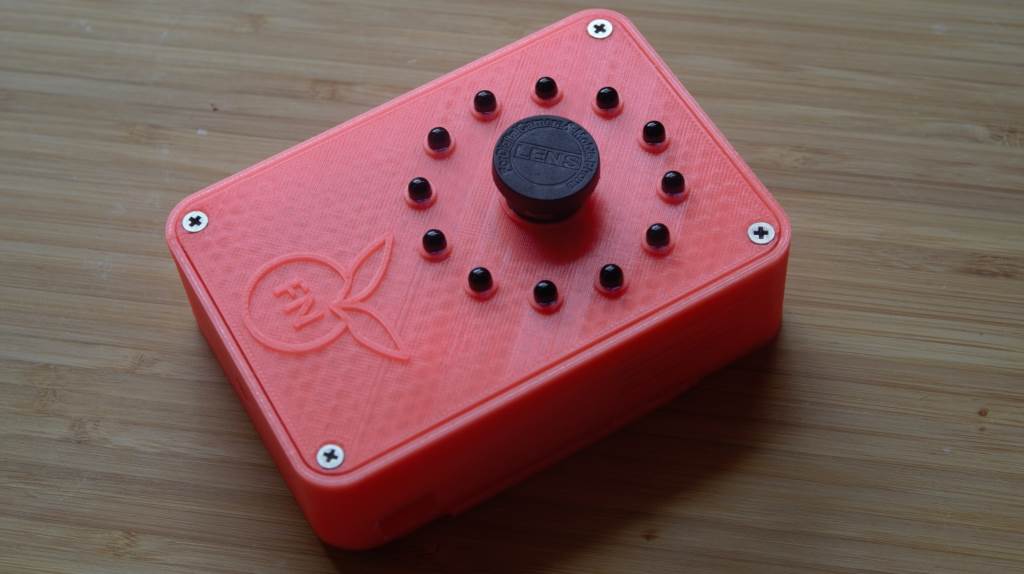

What is FruitNanny?
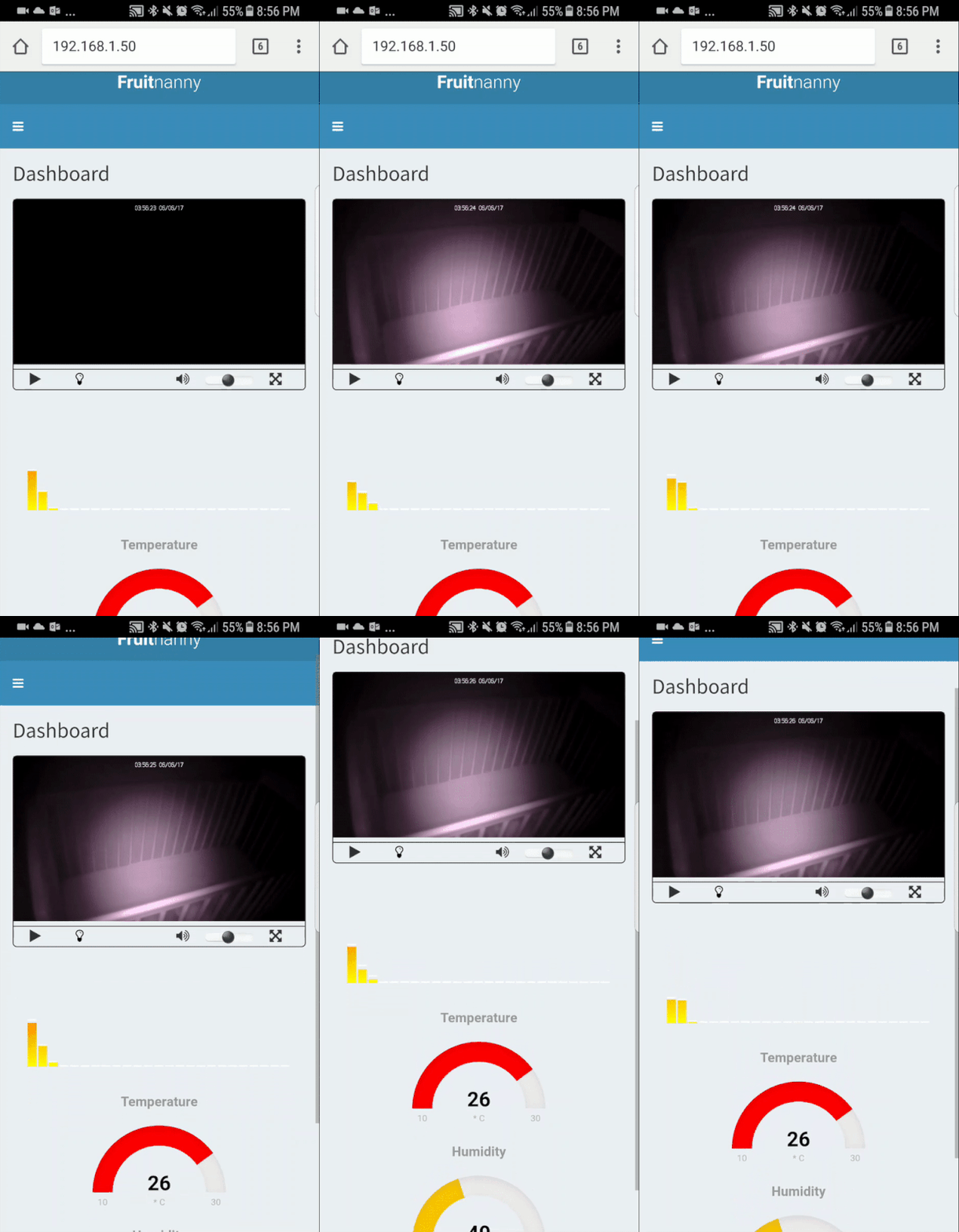
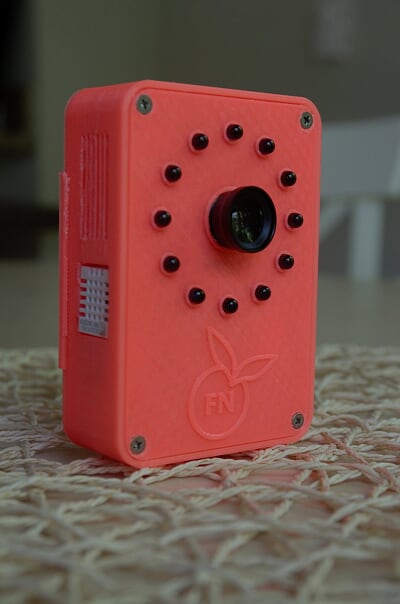
Fruitnanny is a DIY baby monitor project that runs on a Raspberry Pi with a NoIR camera module, infrared LEDs, and a DHT22 temperature/humidity sensor. It uses Janus WebRTC Gateway, GStreamer pipelines, and a Node.js web UI served through Nginx to deliver real-time audio and video to any modern browser on Windows, Linux, macOS, Android, or iOS. The system can be deployed via Docker Compose or a detailed manual installation on Raspbian. It includes basic HTTP authentication, optional Pushbullet notifications for temperature and motion alerts, and 3D-printable case designs. The project is feature-complete but has not had a formal release since 2021.
FruitNanny alternatives
 yuzukamYuzukam is a self-hosted, open-source baby monitor running entirely on your local network with no cloud, no recording, and no accounts needed.Compareyuzukam with FruitNanny
 Agent DVRSelf-hosted NVR for IP cameras with motion detection, AI object recognition, and zero-config remote access. Free for local use; paid tier unlocks cloud features.CompareAgent DVR with FruitNanny
 ScryptedSelf-hosted video integration platform providing smart detections and NVR recording. Streams camera feeds to HomeKit, Google Home, Alexa, and Home Assistant.CompareScrypted with FruitNanny
 pi-dashboardSelf-hosted, open-source monitoring dashboard for Raspberry Pi and Linux with live metrics, Docker, WireGuard, REST API, and MCP server for AI assistants.Comparepi-dashboard with FruitNanny
 smart-sec-camSelf-hosted, open-source security camera system for USB or Raspberry Pi cameras with motion detection, video recording, and a web UI — all encrypted with integrated auth.Comparesmart-sec-cam with FruitNanny
 FrigateFrigate NVR is a self-hosted, open-source NVR with real-time local AI object detection for IP cameras, featuring Home Assistant integration and AI accelerator support.CompareFrigate with FruitNanny
 WebThings GatewayAn open-source, self-hosted Web of Things smart home hub: control Zigbee and Z-Wave devices from one web UI, automate with drag-and-drop rules, and chart sensor logs.CompareWebThings Gateway with FruitNanny
 lightNVRSelf-hosted, open-source NVR in C for low-memory devices. WebRTC/HLS streaming, visual detection zones, themes, external object detection.ComparelightNVR with FruitNanny
Should you self-host FruitNanny?
FruitNanny scores 38/100 on selfhost.directory (how scoring works) and ranks #90 of 104 in Home Automation. It has 147 GitHub stars.
There was no stable release in the past 12 months, so check the repository's recent activity before you rely on it.
Setup is advanced: plan for several services and some ongoing maintenance. An official Docker image is available. It is written mostly in JavaScript.
Its closest alternative on selfhost.directory is Home Assistant (91/100, 91 854 stars). It scores higher overall, so compare the two before you pick. See FruitNanny vs Home Assistant side by side.
Features
- 3D-printable enclosure
- Basic HTTP Authentication
- Cross-platform browser support
- Infrared Night Vision
- Temperature and humidity monitoring
- WebRTC audio streaming
- WebRTC video streaming
FruitNanny README

More in IoT
 fuglerammeSelf-hosted bird detection frame using BirdNET-Go for real-time audio ID and hand-cut 1800s illustrations on e-ink, TVs, or any screen.
 gateway-gogateway-go is a self-hosted, open-source LAN gateway that pairs with OpenIoTHub client via QR code to expose local ports over NAT traversal and P2P tunnels.
 GenmonSelf-hosted, open-source generator monitoring for Generac and other controllers on Raspberry Pi with web dashboard, alerts, MQTT, and remote control.
 Govee2MQTTSelf-hosted open-source bridge connecting Govee devices to Home Assistant via MQTT with LAN, cloud, and AWS IoT control paths.
 gtsdbGTSDB is a self-hosted, open-source time-series database in Go using WAL-first architecture for sub-millisecond reads and 233x faster writes than InfluxDB.
 GumCPGumCP is a self-hosted, open-source Raspberry Pi web control panel with system monitoring, GPIO control, and command buttons with an HTTP API.
 ha-bridgeha-bridge is a self-hosted, open-source Java app that emulates the Philips Hue Bridge API, letting Alexa and Google Home control non-Hue devices.
 hass-otbr-dockerSelf-hosted Docker container running a stand-alone OpenThread Border Router for Home Assistant Thread/Matter support without Yellow or HassOS.
 HiveMQ Community EditionHiveMQ Community Edition is an open-source Java MQTT broker with full MQTT 3.x and MQTT 5 support, TLS and WebSocket listeners, a Java extension SDK and an embedded mode.
 Home AssistantSelf-hosted open-source home automation platform with 1500+ integrations, powerful automations, customizable dashboards, and a built-in voice assistant.
 home-assistant-matter-hubSelf-hosted open-source Matter bridge that publishes Home Assistant entities to Apple Home, Alexa, Google Home, SmartThings and Aqara Home, configured through a web UI.
 HomeBridgeSelf-hosted, open-source HomeKit bridge: a Node.js server that emulates the HomeKit Accessory Protocol so 2,000+ community plugins expose non-HomeKit devices to Siri.
0 comments