
Self-host fugleramme
v0.29.0Bird detection frame with hand-cut 1800s illustrations
- Stars
- 3 951
- CPU
- Raspberry Pi 5 (2 GB RAM) for full build; any 40-pin Pi (Pi 4, Pi Zero 2 W) for frame-only
- RAM
- 2 GB for full build (BirdNET-Go + frame); 1 GB for frame-only
- Storage
- 32 GB microSD for full build; 16 GB for frame-only
- Port
- 8080 (web interface (kiosk and admin))
- Requires
- BirdNET-Go
ghcr.io/arnegiacomo/fugleramme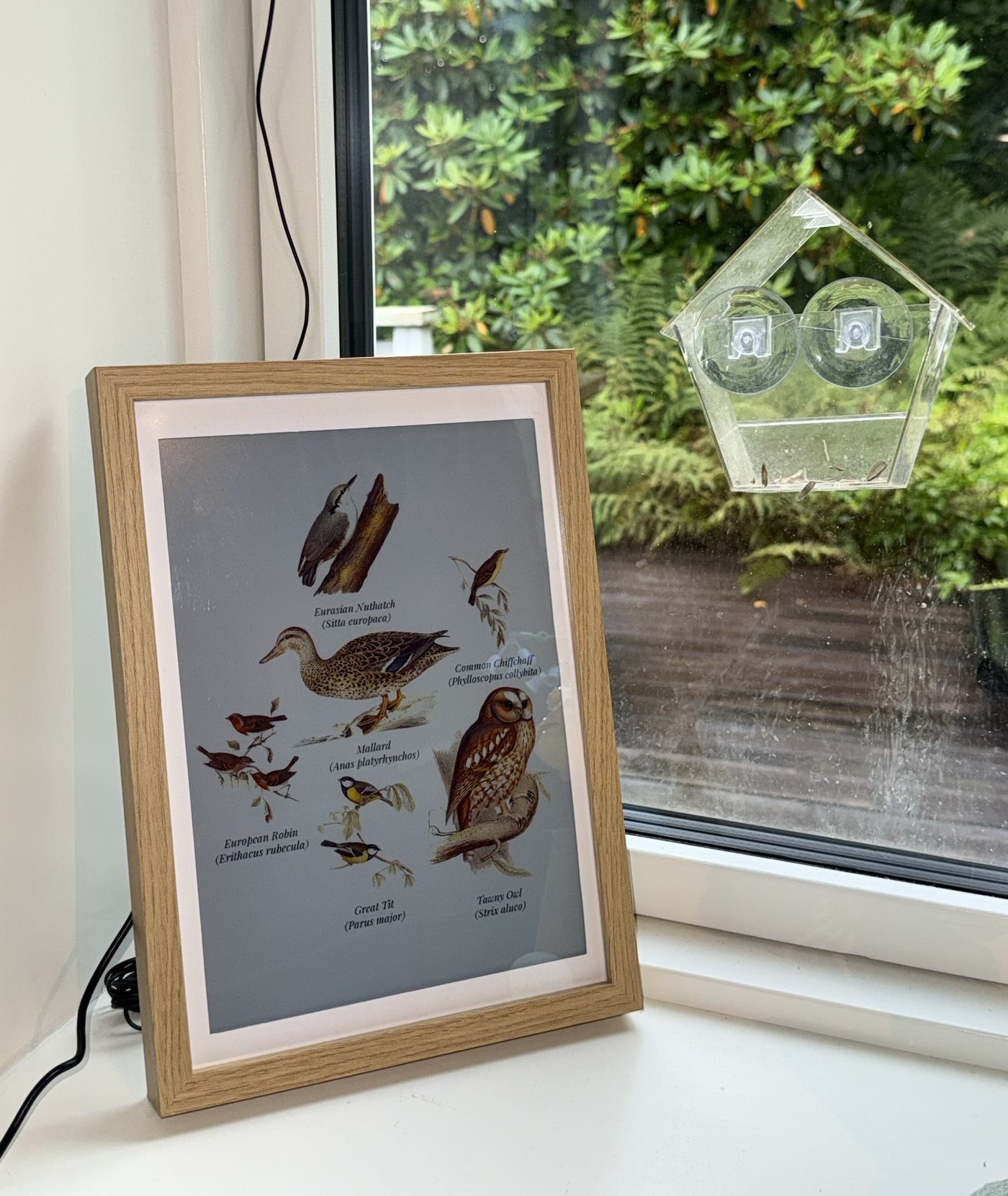

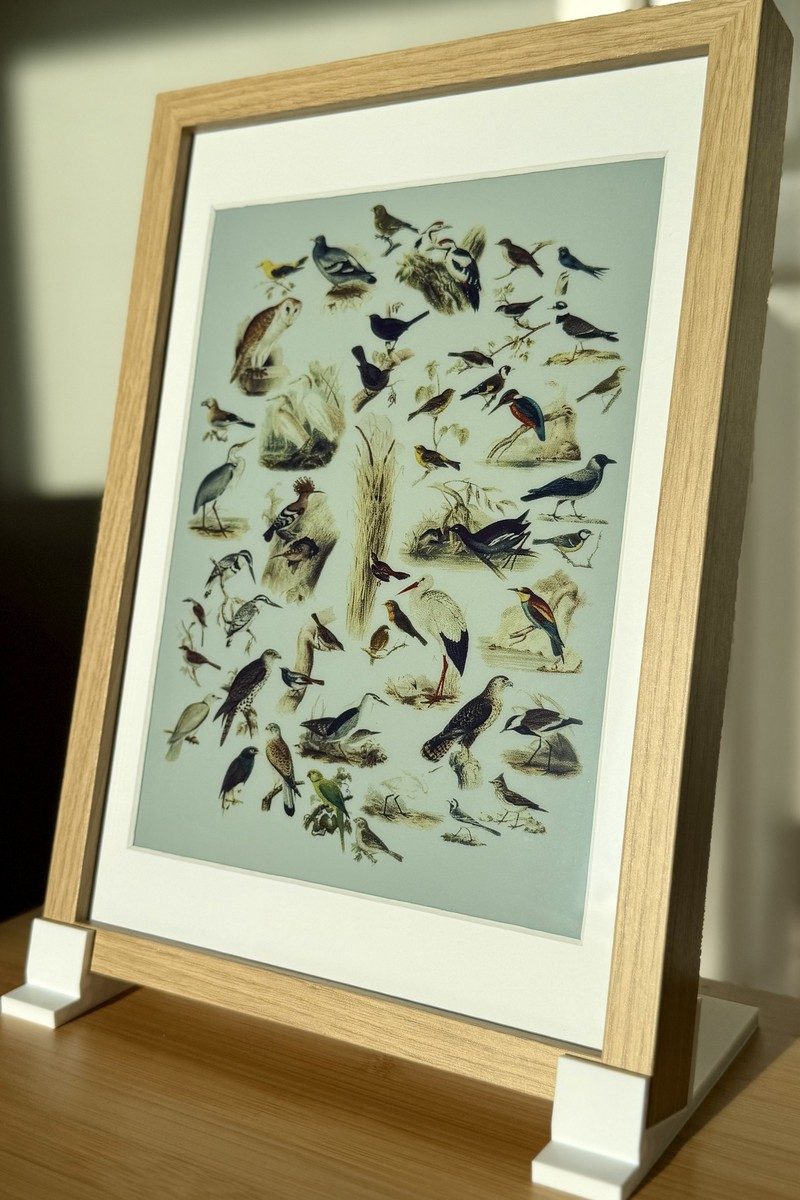
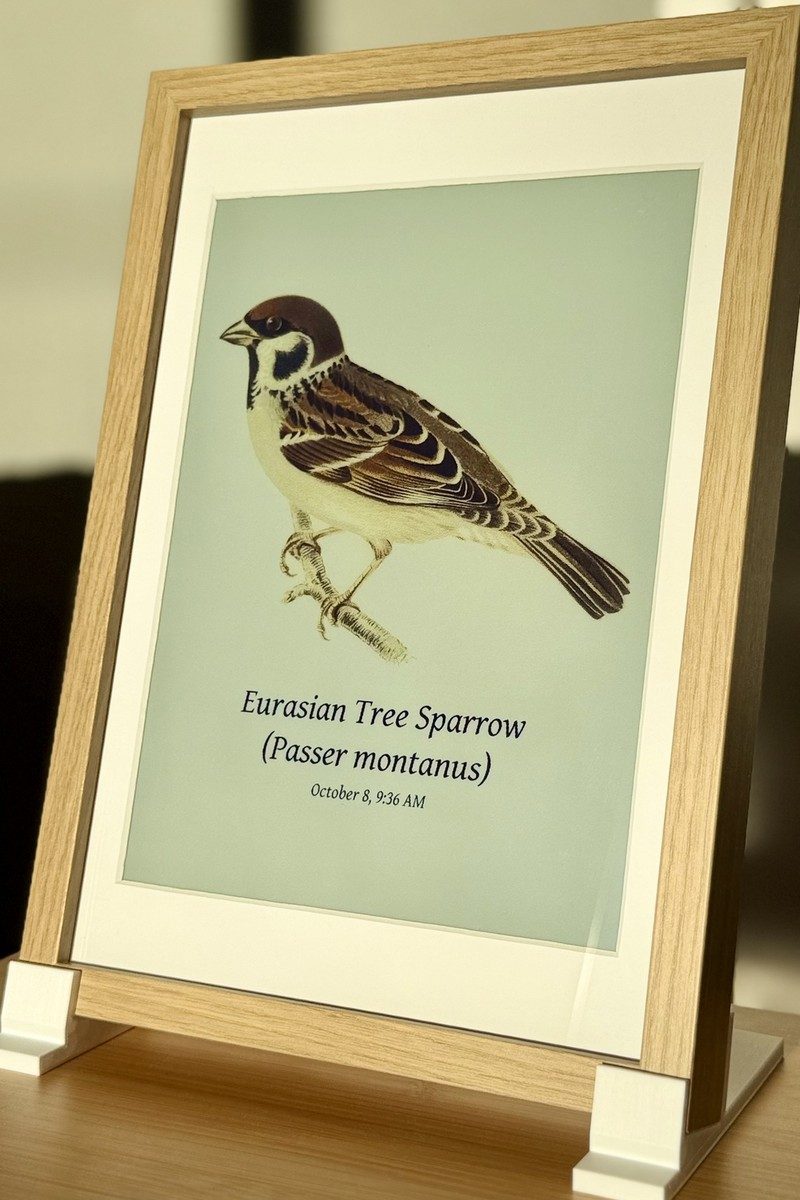
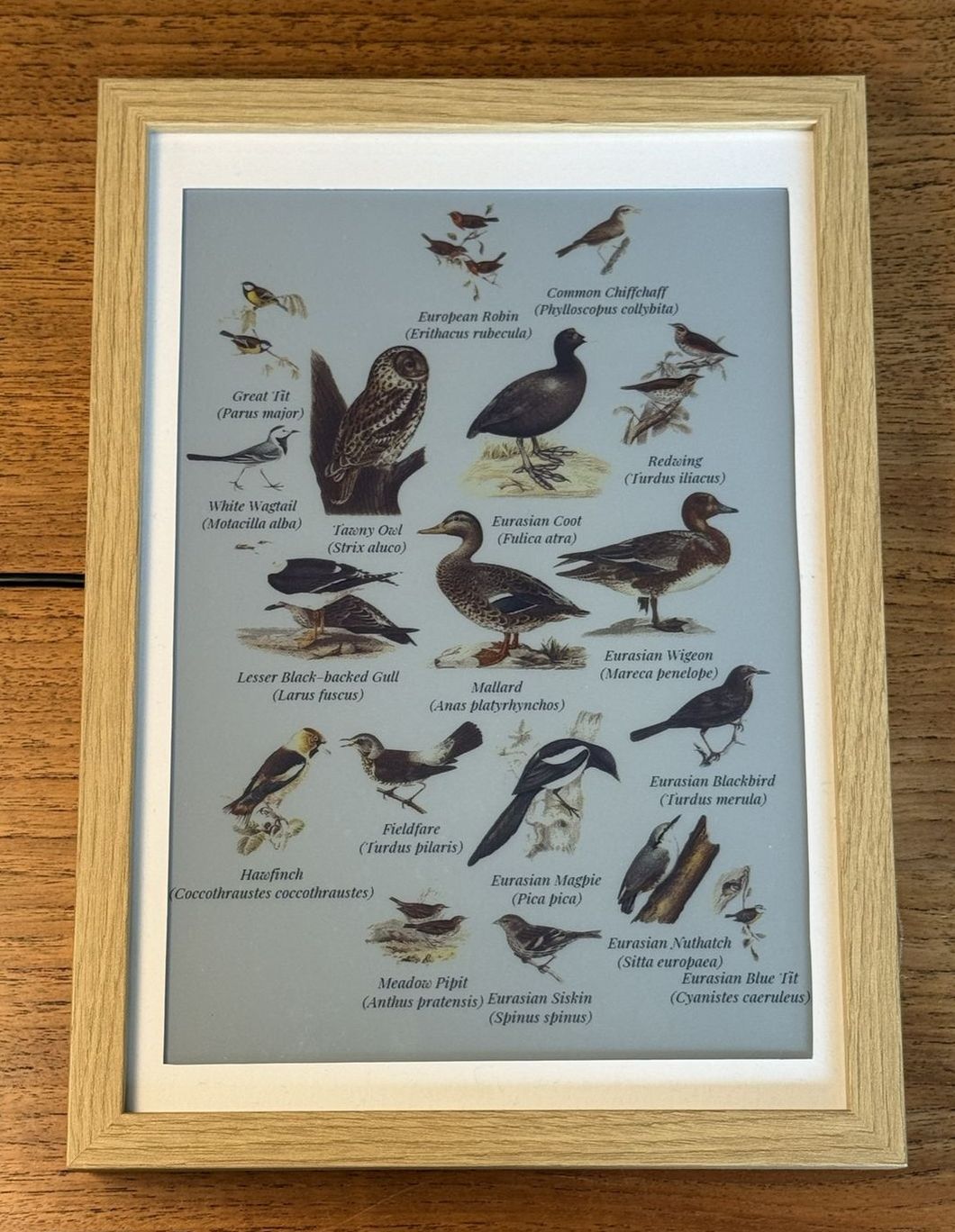
What is fugleramme?
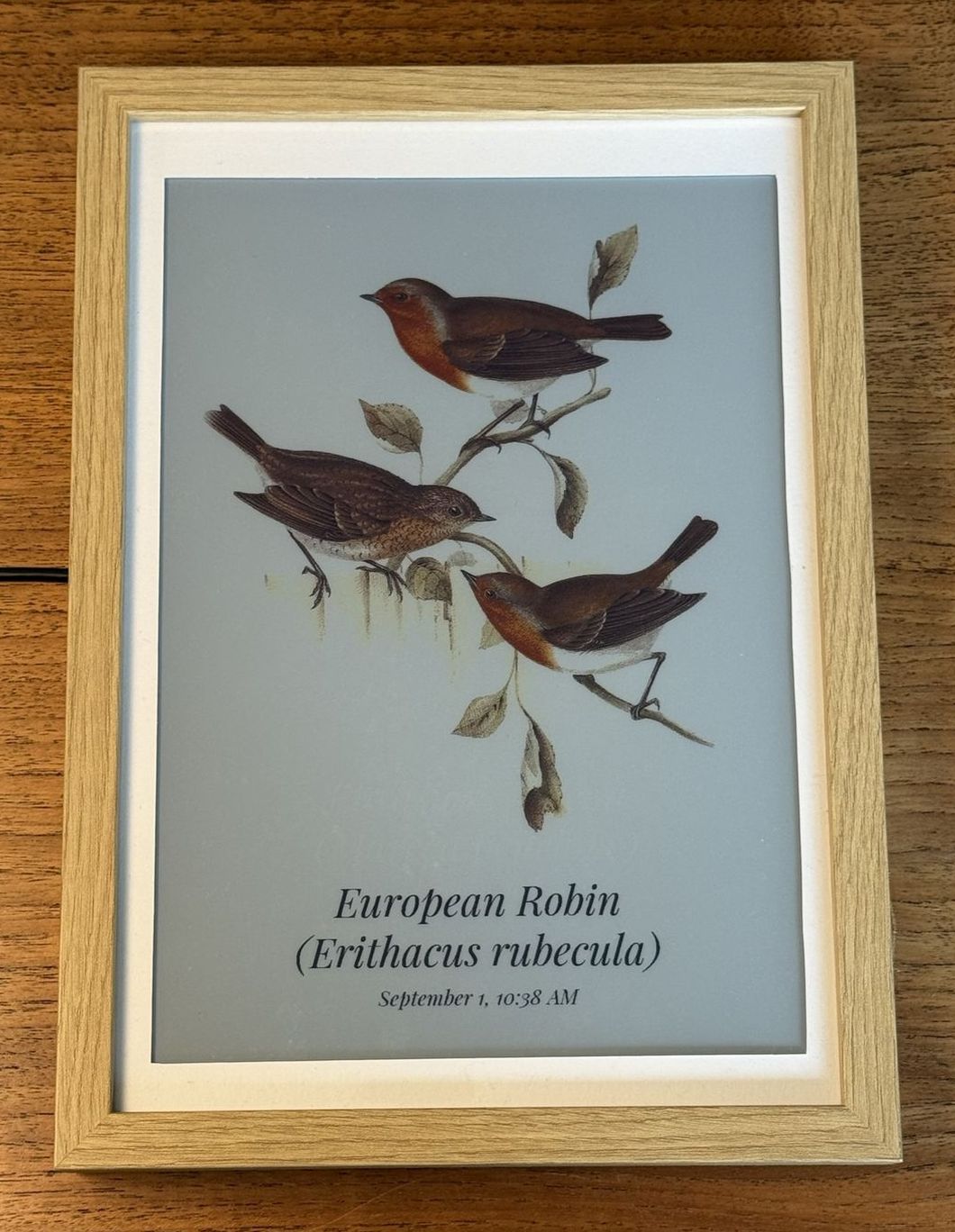
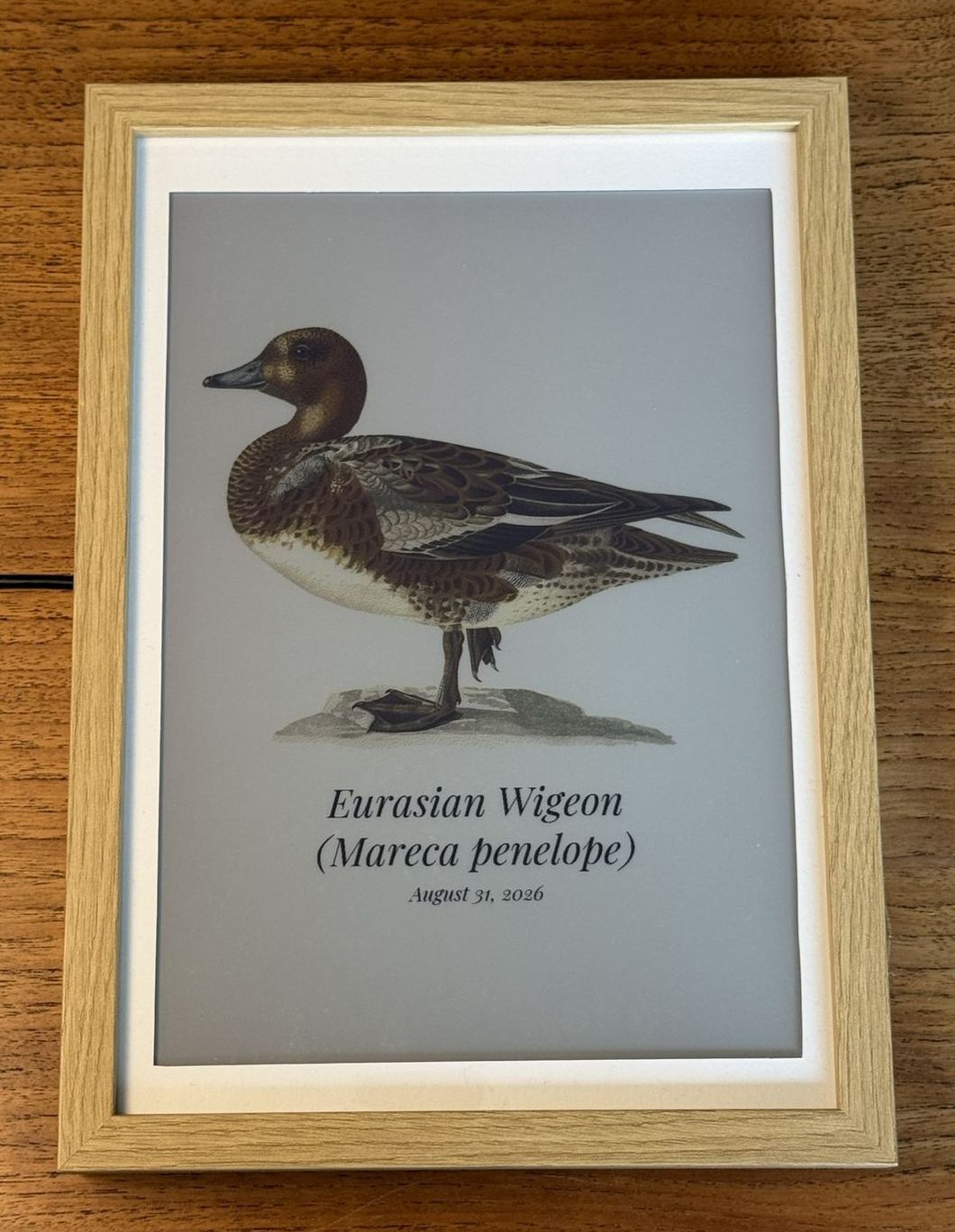
Fugleramme is a self-hosted bird detection frame that listens to audio via a microphone, uses BirdNET-Go running locally to identify bird species in real-time, and renders the detected birds as a collage of hand-cut public-domain natural history illustrations from the 1800s. It can run on a Raspberry Pi with an Inky Impression e-ink panel, or as a container on any Linux machine, NAS, or homelab server. The frame delivers the collage over HTTP so it can display on e-ink panels, HDMI screens, TVs, Samsung Frame TVs, or as a desktop wallpaper. It includes an admin interface for configuration, supports 40+ languages for species names, and the artwork covers 650+ species with nearly 1200 hand-curated illustrations.
Should you self-host fugleramme?
fugleramme scores 63/100 on selfhost.directory (how scoring works) and ranks #19 of 104 in Home Automation. It has 3 951 GitHub stars.
It shipped 10 stable releases in the past year. The latest, v0.29.0, came out on 22 October 2026. New versions land roughly every 2 days.
Setup is moderate: expect some configuration beyond a single command. An official Docker image is available. It is MIT-licensed and written mostly in Python.
Its closest alternative on selfhost.directory is Home Assistant (91/100, 91 795 stars). It scores higher overall, so compare the two before you pick. See fugleramme vs Home Assistant side by side.
Features
- Admin configuration page
- Admin page authentication
- Custom artwork support
- E-ink panel support (Inky Impression)
- External e-ink panel support
- Hand-cut 1800s bird illustrations
- Multi-language species names
- Multiple display modes
- Web kiosk interface
fugleramme README
FAQ
Can I use my own images?
Yes. Drop them in assets/artwork/custom/ on your own frame and they are picked up, named for the scientific name BirdNET-Go uses.
Is any of the included art AI-generated?
No. Every bird is cut from a plate drawn by a real person and retouched with conventional tools. A generative model may at most patch a small spot of damage.
Where are the settings?
On the admin page at http://<host>.local:8080/admin. The root path is the kiosk view which is deliberately just the picture.
Can I point it at a BirdNET-Go I already run?
Yes. It can be on the same machine or anywhere on your network. Set it during install, later in settings, or with an environment variable in the container.
Why isn't a bird I heard showing on the page?
Three possibilities: no artwork exists for that species (shown as 'no art' on admin page), it wasn't a bird (bats/frogs/squirrels are filtered out), or BirdNET-Go never recorded it (check its dashboard on port 8090).
Does it support my language?
Species names come in 40+ languages via BirdNET-Go. The Fugleramme UI itself currently only supports English.
Will it work where I live?
BirdNET works basically everywhere. The artwork coverage is best across Europe and northern Asia, good in North America, and thinner in the tropics and southern hemisphere but growing.
What does it cost to build?
Full 13.3" build with Pi 5: €380-450 / $420-500. Cheaper build with Pi 4 and 7.3" panel: €170-220 / $190-240. Frame-only reading external BirdNET-Go: €110-270 / $120-300 depending on panel.
Can I use a smaller or different Inky panel?
Yes, other Inky Impressions work and the resolution is read automatically. Below 13.3" the birds get small quickly, so you may want to limit how many species appear on the page.
Which Raspberry Pi should I use?
A Pi 5 for the full build with BirdNET-Go running locally. For a frame-only setup reading from an external BirdNET-Go, any 40-pin Pi works including Pi 4 and Pi Zero 2 W.
Do I need the e-ink panel?
No. Fugleramme serves the same page over HTTP either way, displaying on a TV, HDMI display, any device on the network, or as a desktop wallpaper.
Do I need a Raspberry Pi?
Only for the e-ink panel which plugs directly into a Pi's GPIO pins. Everything else runs wherever Python or Docker does - a NAS, homelab, or old laptop.
More in IoT
 gateway-gogateway-go is a self-hosted, open-source LAN gateway that pairs with OpenIoTHub client via QR code to expose local ports over NAT traversal and P2P tunnels.
 GenmonSelf-hosted, open-source generator monitoring for Generac and other controllers on Raspberry Pi with web dashboard, alerts, MQTT, and remote control.
 Govee2MQTTSelf-hosted open-source bridge connecting Govee devices to Home Assistant via MQTT with LAN, cloud, and AWS IoT control paths.
 gtsdbGTSDB is a self-hosted, open-source time-series database in Go using WAL-first architecture for sub-millisecond reads and 233x faster writes than InfluxDB.
 GumCPGumCP is a self-hosted, open-source Raspberry Pi web control panel with system monitoring, GPIO control, and command buttons with an HTTP API.
 ha-bridgeha-bridge is a self-hosted, open-source Java app that emulates the Philips Hue Bridge API, letting Alexa and Google Home control non-Hue devices.
 hass-otbr-dockerSelf-hosted Docker container running a stand-alone OpenThread Border Router for Home Assistant Thread/Matter support without Yellow or HassOS.
 HiveMQ Community EditionHiveMQ Community Edition is an open-source Java MQTT broker with full MQTT 3.x and MQTT 5 support, TLS and WebSocket listeners, a Java extension SDK and an embedded mode.
 Home AssistantSelf-hosted open-source home automation platform with 1500+ integrations, powerful automations, customizable dashboards, and a built-in voice assistant.
 home-assistant-matter-hubSelf-hosted open-source Matter bridge that publishes Home Assistant entities to Apple Home, Alexa, Google Home, SmartThings and Aqara Home, configured through a web UI.
 HomeBridgeSelf-hosted, open-source HomeKit bridge: a Node.js server that emulates the HomeKit Accessory Protocol so 2,000+ community plugins expose non-HomeKit devices to Siri.
 HomeGenieSelf-hosted, open-source home automation server for Windows, Linux, macOS and Raspberry Pi, adding local LLM agents, AI vision, voice control and scriptable automations.
0 comments