
Self-host Firefiles
v1.3.0Open-source Dropbox alternative with bring-your-own cloud
- Stars
- 370
- Requires
- MySQL, SendGrid
What is Firefiles?
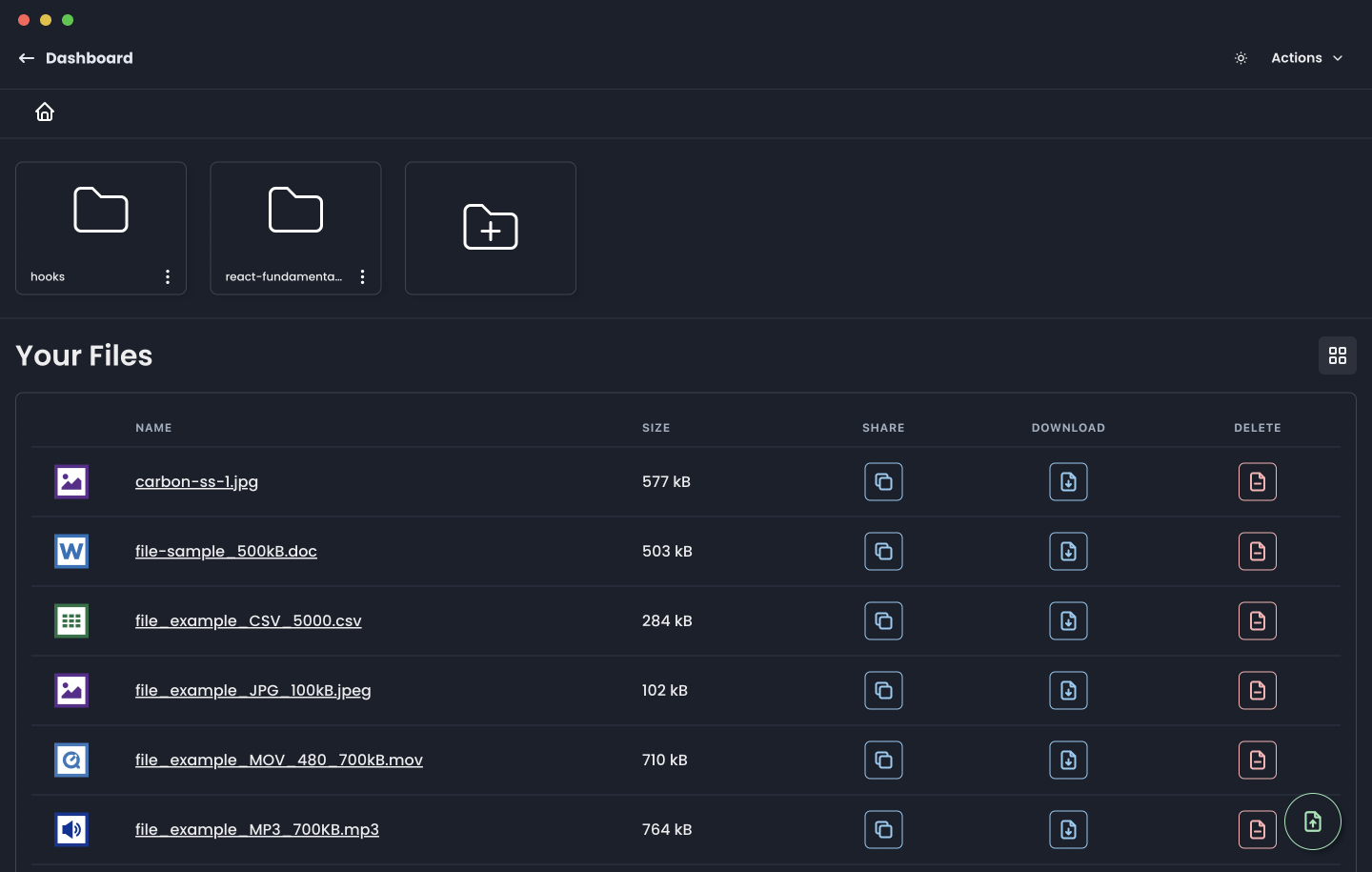
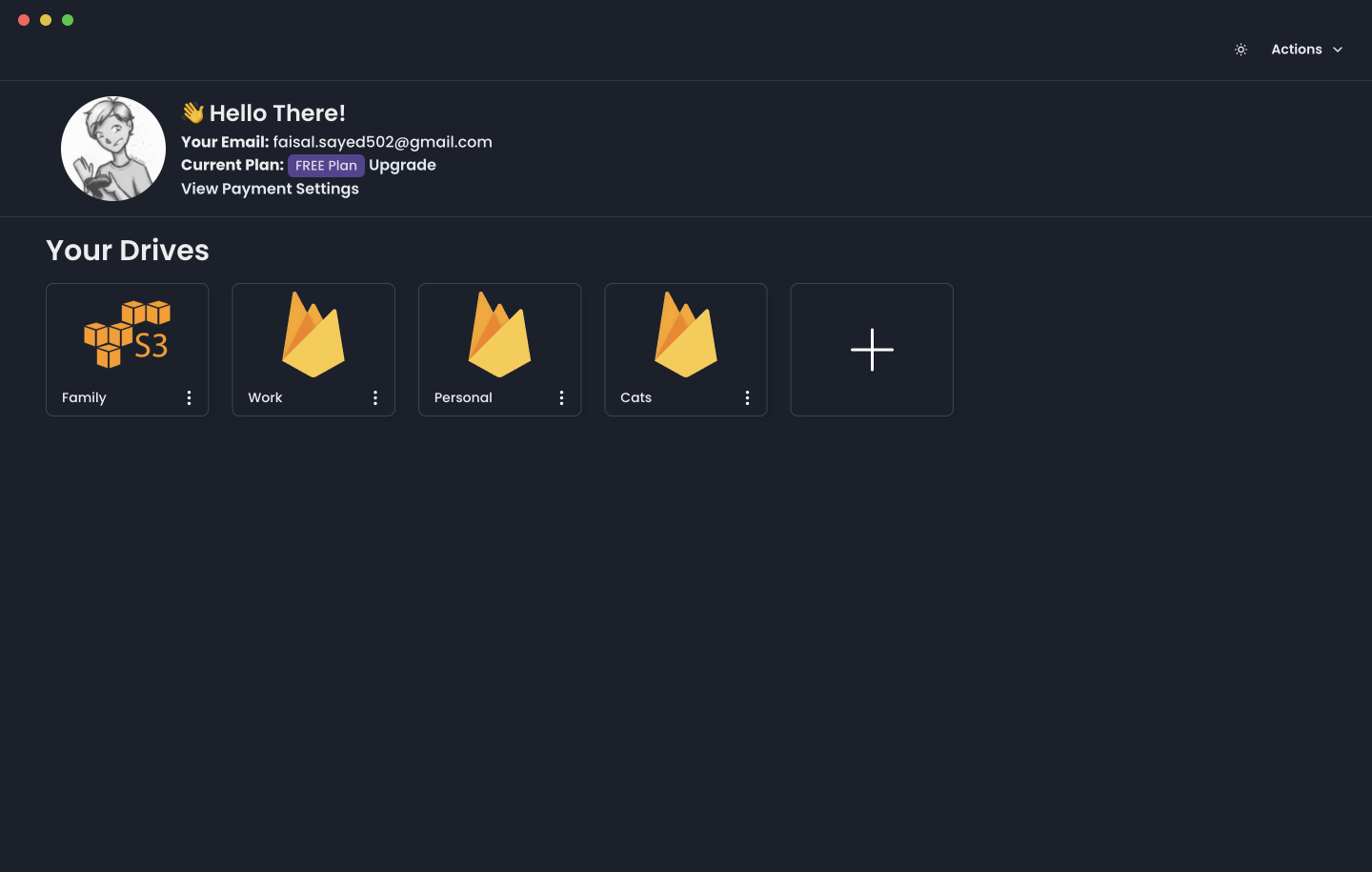
Firefiles gives you a web-based file manager for your personal cloud storage buckets. You connect the storage backends you already use — Firebase, AWS S3, DigitalOcean Spaces, Backblaze B2, Wasabi, Scaleway, Cloudinary, Azure Blob, Supabase, or Deta — and Firefiles presents a single interface to browse, upload, download, preview, and tag files across all of them. The UI supports light and dark themes. For self-hosting, you deploy the Next.js application on any compatible platform (Vercel is the documented option) and provide a MySQL database (PlanetScale or Railway suggested) plus a SendGrid account for passwordless email sign-in. The project is licensed under AGPL-3.0-or-later.
Should you self-host Firefiles?
Firefiles scores 47/100 on selfhost.directory (how scoring works) and ranks #24 of 34 in File Management. It has 370 GitHub stars.
There was no stable release in the past 12 months, so check the repository's recent activity before you rely on it.
Setup is advanced: plan for several services and some ongoing maintenance. It is AGPL-3.0-licensed and written mostly in Typescript.
Its closest alternative on selfhost.directory is Ente (81/100, 29 693 stars). It scores higher overall, so compare the two before you pick. See Firefiles vs Ente side by side.
Features
- AES-256 credential encryption
- Client-side file operations
- Drag-and-drop upload/download
- File Previews
- File tagging and filteringS3 limited to 10 tags per object.
- Multi-provider cloud storage management
- Passwordless email authentication
Firefiles README
FAQ
How does file tagging and filtering work?
Tagging uses Firebase custom metadata or AWS S3 object tagging (max 10 tags per object). Tags are key-value pairs with unique keys per file.
Do you have plans for a Desktop / Mobile app?
Yes, desktop and mobile apps are planned but no timeframe is provided yet.
What makes this different from Dropbox or Google Drive?
Firefiles doesn't provide cloud storage; it gives you a file system interface for your own cloud providers. Cloud providers offer flexible pay-as-you-go pricing versus fixed plans from Dropbox/Google Drive.
What about pricing? Who is paying for my files?
Your chosen cloud provider bills you directly for storage and bandwidth usage.
Where are the files stored? Do you have access to my files?
Files are stored in your chosen cloud provider (Firebase, AWS, DigitalOcean, etc.). Firefiles does not store files and they never reach Firefiles servers.
Who is this for?
People and developers who value privacy and want secure file storage, businesses needing private document storage, and anyone wanting to fully own and control their cloud storage.
How does it work?
You provide credentials for each cloud provider. Firefiles connects to them client-side in the browser to fetch and manage files. Files never go through the Firefiles server, and credentials are encrypted with AES-256 in the database.
Is this a file hosting service?
No. Firefiles does not host your files; the cloud providers (AWS, DigitalOcean, etc.) do. Firefiles only provides a file system interface for those providers.
What is it?
Firefiles is an open-source alternative to Dropbox that lets you bring your own cloud provider and manage files across all providers seamlessly.
More in Cloud Storage
 folderhostA self-hosted, open-source cloud platform offering file sharing, real-time collaboration, and user management in a ~19MB binary as a lightweight Nextcloud alternative
 garageOpen-source, self-hosted S3-compatible object store in Rust for small geo-distributed clusters, shipped as a single dependency-free binary needing no external service.
 GokapiAn open-source, self-hosted Firefox Send alternative: expiring download links, end-to-end encryption, user roles, file requests and optional S3-compatible storage.
 GoSƐSelf-hosted, open-source web file uploader that stores everything in S3-compatible object storage, with chunk de-duplication, resumable uploads and no database.
 hoodikSelf-hosted cloud storage with end-to-end encryption in the browser. Single Docker container, SQLite/PostgreSQL, S3 support, encrypted notes, secure search, TOTP 2FA.
 HRCloud2HRCloud2 is an open-source, self-hosted cloud storage platform with file conversion, OCR, media streaming, virus scanning, and a voice-enabled personal assistant.
 icloudOpen-source, self-hosted Docker iCloud client that keeps a local copy of iCloud Drive and Photos, with scheduled sync, 2FA re-auth and an optional web dashboard.
 icloud-dockerSelf-hosted Docker iCloud client that keeps a local copy of your Drive files and Photos up to date; open-source, with filters, alerts and an optional web dashboard.
 JmalCloudSelf-hosted, open-source personal cloud drive: online Office editing, previews, WebDAV mounting, resumable big uploads and full-text search, shipped as a Docker image.
 juicefsSelf-hosted, open-source JuiceFS is a POSIX file system: blocks go to object storage, metadata to Redis, MySQL or SQLite, plus S3, WebDAV and HDFS access.
 kodboxkodbox is a self-hosted, open-source PHP file manager and private cloud drive: multi-storage mounting, fine-grained permissions, sharing, and online preview/edit.
 kopiaSelf-hosted, open-source backup tool for Windows, macOS and Linux that takes incremental, end-to-end-encrypted, deduplicated snapshots to any cloud or local storage.
0 comments