
Self-host juicefs
v1.4.2Distributed POSIX file system on object storage plus Redis
docker run --privileged --name myjfs juicedata/mount:ce-v1.1.2 juicefs mount rediss://user:[email protected]:6379/1 /mnt- Stars
- 14 699
- Port
- 9000 (Listen address of the built-in S3 Gateway (juicefs gateway), which also serves its browser management interface there.)
- Requires
- Metadata engine (database), Object storage for data blocks, WinFsp
juicedata/mount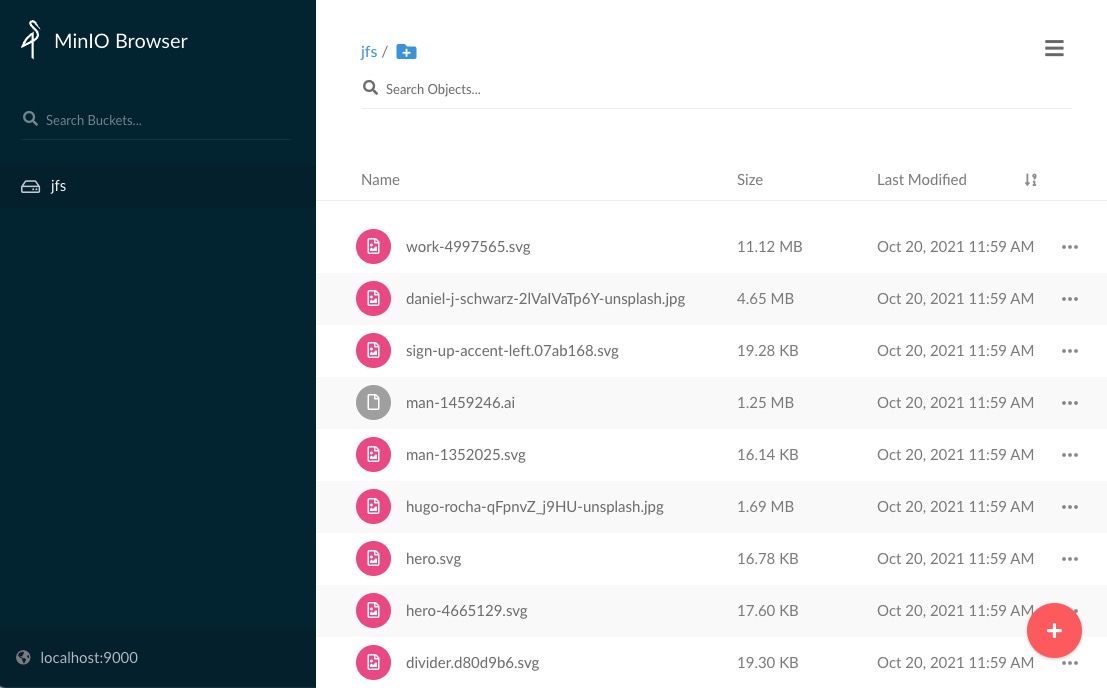
What is juicefs?
JuiceFS is an Apache-2.0-licensed distributed POSIX file system aimed at big data, machine learning and cloud-native workloads: file contents are chopped into fixed-size blocks and kept in object storage (a local directory, a WebDAV endpoint or HDFS also work), while names, permissions and directory structure live in a metadata engine you pick, such as Redis, MySQL, PostgreSQL, TiKV or SQLite. Because those two halves are separate, the same volume can be mounted by many clients at once with close-to-open consistency, atomic renames, mmap, extended attributes, BSD and POSIX locks, optional LZ4 or Zstandard compression, and cryptographic protection for data both stored and on the wire. Besides the FUSE mount it speaks HDFS through a Hadoop Java SDK, exposes an S3-compatible gateway, can serve WebDAV, and ships a Kubernetes CSI driver, a Docker volume plugin and a sync tool for importing existing buckets. Self-hosting means installing the single juicefs binary (one-click script, distro packages, tarballs or the juicedata/mount image), running juicefs format against your storage and metadata URL and then juicefs mount; a fully local standalone volume with SQLite plus a local directory needs nothing else. Note that objects already sitting in a bucket cannot simply be read in place, distributed caching across clients is an Enterprise-edition capability, snapshots and resumable sync are still on the roadmap, and the vendor also sells a managed cloud service.
juicefs alternatives
 SeaweedFSSelf-hosted, open-source distributed storage: S3 objects, POSIX files, Iceberg tables and WebDAV/SFTP from one weed binary, with O(1) disk reads.CompareSeaweedFS with juicefs
 leilfsLeilFS is a self-hosted, open-source distributed POSIX file system with high availability, erasure coding, and linear scalability for media, AI, backup, and HPC.Compareleilfs with juicefs
 RustFSRustFS is an open-source, S3-compatible high-performance object storage system supporting migration and coexistence with other S3-compatible platforms such as MinIO and Ceph.CompareRustFS with juicefs
 moosefsSelf-hosted, open-source MooseFS is a petabyte-scale distributed POSIX filesystem and block device with replication, erasure coding, snapshots and quotas.Comparemoosefs with juicefs
 drivebaseDrivebase is a self-hosted, open-source file manager unifying Google Drive, S3, Dropbox, and local files into a desktop-like web UI with real-time transfers.Comparedrivebase with juicefs
 glusterfsGlusterFS is an open-source scale-out network filesystem pooling disks across Linux servers into one namespace, with replication, erasure coding and geo-replication.Compareglusterfs with juicefs
 filestashSelf-hosted, open-source web file manager that puts S3, SFTP, WebDAV, SMB, FTP and around 20 more storage protocols behind one Dropbox-style interface.Comparefilestash with juicefs
 cephSelf-hosted, open-source distributed storage cluster offering S3-compatible object, RBD block and CephFS POSIX file services from commodity hardware.Compareceph with juicefs
Should you self-host juicefs?
juicefs scores 75/100 on selfhost.directory (how scoring works) and ranks #1 of 15 in File Storage. It has 14 699 GitHub stars, +205 in the last 30 days.
It shipped 11 stable releases in the past year. The latest, v1.4.2, came out on 22 October 2026.
Setup is moderate: expect some configuration beyond a single command. An official Docker image is available. It is Apache-2.0-licensed and written mostly in Go.
Its closest alternative on selfhost.directory is perkeep (61/100, 7 259 stars). juicefs scores higher overall. See juicefs vs perkeep side by side.
Features
- Client-Side CachingDistributed cache across clients is an Enterprise-edition capability.
- Data compression (LZ4 / Zstandard)
- Data encryption at rest and in transit
- Docker volume plugin
- Extended attributes (xattr)
- Global file locks
- Hadoop / HDFS-compatible client
- Kubernetes CSI driver
- Mmap support
- POSIX-compatible mount (FUSE)
- S3-compatible gateway
- Shared access by many clients
- Strong Consistency
- Trash and garbage collection
- WebDAV Server
juicefs README

JuiceFS is a high-performance POSIX file system released under Apache License 2.0, particularly designed for the cloud-native environment. The data, stored via JuiceFS, will be persisted in Object Storage (e.g. Amazon S3), and the corresponding metadata can be persisted in various compatible database engines such as Redis, MySQL, and TiKV based on the scenarios and requirements.
FAQ
Does JuiceFS support random read/write? How?
Yes, including mmap-based random access; random writes upload new blocks and mark old metadata stale, and disabling compression improves random-read performance.
How is the performance of JuiceFS?
Metadata costs one to two round trips (typically 1-3 ms) and first-byte latency follows the underlying object storage (roughly 20-100 ms); sequential throughput ranges widely and caching brings hot data close to local-disk speed.
Is it possible to bind multiple different object storages to a single file system?
No, but a single file system can be spread across several buckets of the same storage service using the --shards option.
Does JuiceFS support accessing data that already exists in object storage?
No, as of JuiceFS 1.0 accessing pre-existing object-storage data directly is not supported.
Does JuiceFS support using a directory in object storage as the value of the --bucket option?
As of JuiceFS 1.0 that is not supported; the bucket must be a bucket, not a directory inside one.
How Does JuiceFS Asynchronous Deletion Work?
Deleted files are either queued as pending-deletion blocks or moved into hourly trash directories, and background jobs later drop chunks and unreferenced slices from object storage.
Why do I delete files at the mount point, but there is no change or very little change in object storage footprint?
Because the trash (enabled by default) keeps deleted files, and because data removal from object storage happens asynchronously; the juicefs gc command forces cleanup.
Why doesn't JuiceFS support XXX object storage?
JuiceFS already supports a long list of object storages; anything compatible with S3 can simply be configured as S3, otherwise you can open an issue.
Does support Redis in Sentinel or Cluster-mode as the metadata engine for JuiceFS?
Yes, both Redis Sentinel and Redis Cluster are supported as metadata engines, with a Redis best-practices document for reference.
How can I combine multiple servers into a single JuiceFS file system for use?
No. JuiceFS uses underlying disks or SFTP as storage without managing their logical structure, so you would first build an object-storage cluster (e.g. MinIO or Ceph) and create a JuiceFS volume on top.
Where is the JuiceFS log?
Log location differs by client type; the "Fault Diagnosis and Analysis" document explains where each kind of client writes its logs.
How to upgrade JuiceFS client?
Unmount the volume first, then mount it again using a newer version of the client.
More in File Storage
 kurpodKURPOD is a self-hosted, open-source encrypted file storage system with dual-volume plausible deniability, hiding files in innocuously named blobs.
 KurrierKurrier is an open-source, self-hosted workspace unifying email, calendars, contacts, and file storage via IMAP/SMTP, CalDAV, CardDAV, and WebDAV/S3 with OIDC/SSO auth.
- leilfsLeilFS is a self-hosted, open-source distributed POSIX file system with high availability, erasure coding, and linear scalability for media, AI, backup, and HPC.
 leofsLeoFS is a self-hosted, open-source distributed object storage with S3 API compatibility, multi-datacenter replication, and REST/NFS support for large-scale data lakes.
 lufinLufin is an open-source, self-hosted file sharing service with client-side encryption, password protection, and support for multiple databases and S3 storage.
 nhostOpen-source Firebase alternative and Backend-as-a-Service: Postgres, Hasura GraphQL APIs, auth, file storage and serverless functions, self-hosted with Docker Compose.
 OpenAFSOpenAFS is a self-hosted, open-source distributed filesystem providing location-independent file sharing across Linux, UNIX, macOS, and Windows with Kerberos auth.
 ottrboxOttrBox is a self-hosted, open-source file sharing platform for sending files via secure links with expiration, passwords, and visitor limits — a WeTransfer alternative.
 perkeepPerkeep is an open-source, self-hosted personal storage system for keeping, syncing and sharing content, with search, a web UI, FUSE mounts and cloud blob backends.
 pingvin-share-xOpen-source self-hosted file sharing platform and WeTransfer alternative with link sharing, expiration, passwords, ClamAV scanning, S3 support, and OIDC/LDAP auth.
 PlikSelf-hosted temporary file sharing platform with multiple storage backends, end-to-end encryption, and both CLI and web interfaces for easy file transfers.
- Psono FileserverSelf-hosted, open-source file storage component of the Psono password manager: stores files as encrypted chunks on local disks or S3, Azure, GCS, SFTP and other backends.
0 comments