
Self-host excalidraw-collaboration
v0.18.1-fork-b3Collaborative Excalidraw whiteboard stack for Docker Compose
- Stars
- 633
- Port
- 80 (Excalidraw frontend web app (host mapping 80:80))
What is excalidraw-collaboration?
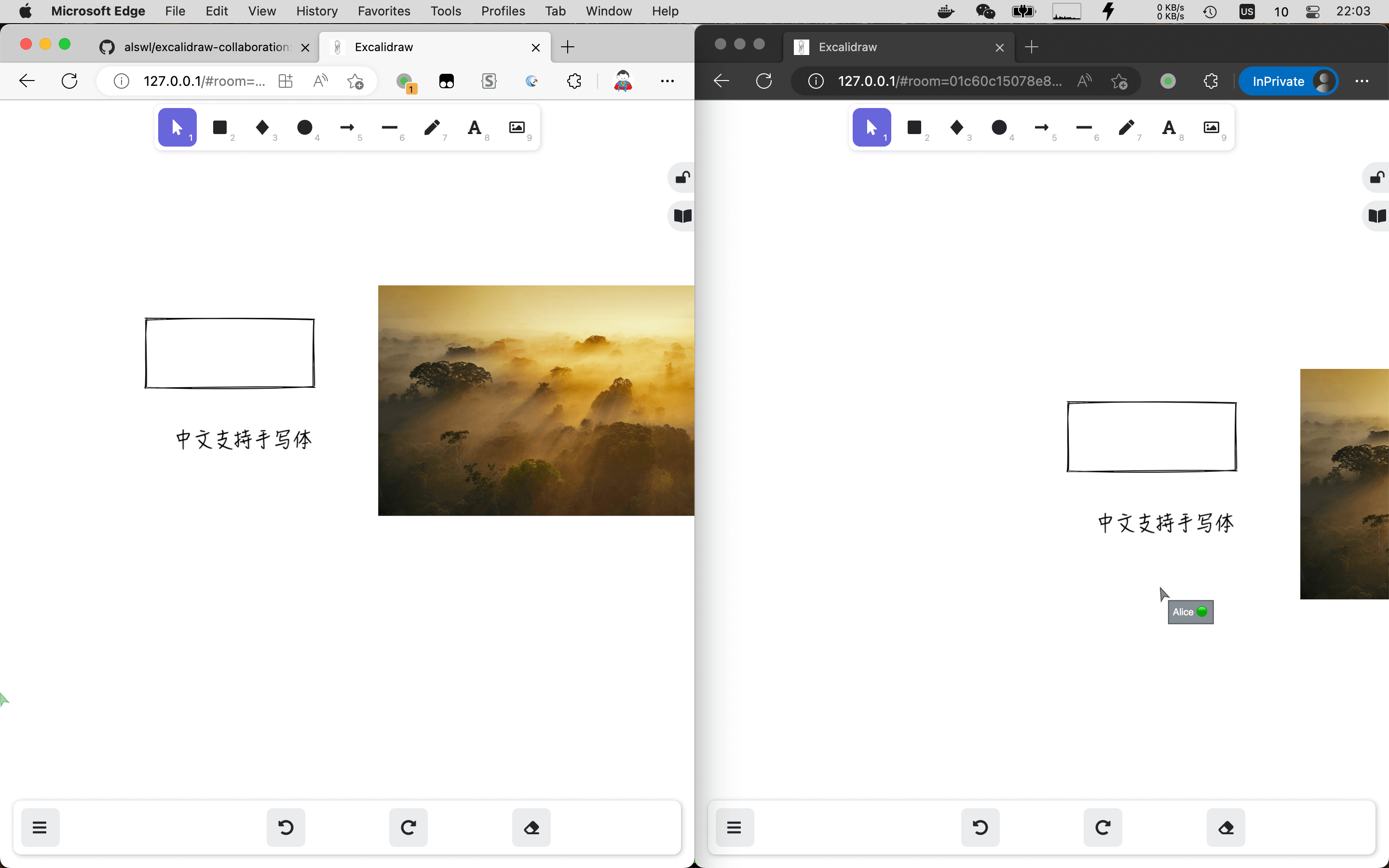
Excalidraw Collaboration packages Excalidraw for running on your own hardware: an Excalidraw frontend image configured through runtime environment variables, an HTTP storage backend that keeps scenes and files, and a Go Socket.IO room service that powers live collaborative drawing. It ships two Compose examples — a basic one exposing the three services on separate local ports, and a production one that puts everything behind Nginx and TLS on a single domain, with MongoDB for scene persistence. Collaboration depends on browser cryptography APIs, so a public instance needs HTTPS (or localhost) to work. A verified Railway one-click template is published as an alternative to manual deployment. S3 storage, SSO and Helm charts are still open roadmap items.
Should you self-host excalidraw-collaboration?
excalidraw-collaboration scores 46/100 on selfhost.directory (how scoring works) and ranks #10 of 12 in Diagramming. It has 633 GitHub stars.
It shipped 3 stable releases in the past year. The latest, v0.18.1-fork-b3, came out on 8 August 2026. New versions land roughly every 6 weeks.
Setup is moderate: expect some configuration beyond a single command. It is MIT-licensed.
Its closest alternative on selfhost.directory is drawdb (80/100, 40 154 stars). It scores higher overall, so compare the two before you pick. See excalidraw-collaboration vs drawdb side by side.
Features
- HTTPS reverse-proxy deployment example
- Real-Time Collaboration
- Runtime environment configuration
- Scene and file storage backend
excalidraw-collaboration README
FAQ
Why does collaboration fail with generateKey errors?
Excalidraw relies on browser cryptography APIs for collaboration, which are unavailable on plain HTTP; serve the site over HTTPS or use http://localhost while developing.
How do I deploy with separate public endpoints?
Point VITE_APP_HTTP_STORAGE_BACKEND_URL at the storage endpoint and VITE_APP_WS_SERVER_URL at the WebSocket endpoint, and give both endpoints their own TLS.
More in Diagramming
 flowchart.funEasily generate flowcharts and diagrams from text ⿻
 FossFLOWFossFLOW is a self-hosted, open-source PWA for creating isometric infrastructure diagrams with drag-and-drop editing, connector routing, and JSON import/export.
 krokiOpen-source, self-hosted diagram API that turns text into images using 30+ engines such as PlantUML, Mermaid, GraphViz and D2, deployed with Docker or Kubernetes.
 mermaid-live-editorSelf-hosted, open-source web editor for Mermaid diagrams with live preview, SVG and PNG export, and shareable view or edit links.
 next-ai-draw-ioOpen-source, self-hosted draw.io canvas where an AI turns chat prompts into diagrams you can edit, version and export, across 25 model providers.
 The-One-FileSelf-hosted offline-first network topology editor in a single HTML file with optional Docker collaboration.
 astradrawAstraDraw is a self-hosted, open-source whiteboard forked from Excalidraw with workspaces, role-based access, real-time collaboration, and video walkthroughs.
 ChartDBOpen-source database diagram editor that visualizes schemas with a single query, supports major databases, exports SQL, and self-hosts via Docker.
 DigimindmapOpen-source, self-hosted mind-mapping web app by La Digitale: shared maps guarded by a secret question, item notes, PNG and .dgm export, QR and embed sharing.
 DigiwordsOpen-source, self-hosted word cloud maker from La Digitale for in-person and remote classes: per-word weight, colour and font, PNG export, QR link, view counter.
 drawdbSelf-hosted, open-source tool for drawing database schemas as ER diagrams; it imports DDL, exports DBML plus SQL in seven dialects, and needs no account.
 draw.iodraw.io is a JavaScript, client-side editor for general diagramming.
0 comments