
Self-host FossFLOW
v1.0.5Open-source isometric diagramming PWA for infrastructure
- Stars
- 226
- Ports
- 80 (nginx frontend serving the PWA), 3001 (Node.js backend API for persistent storage)
abrar74774/fossflow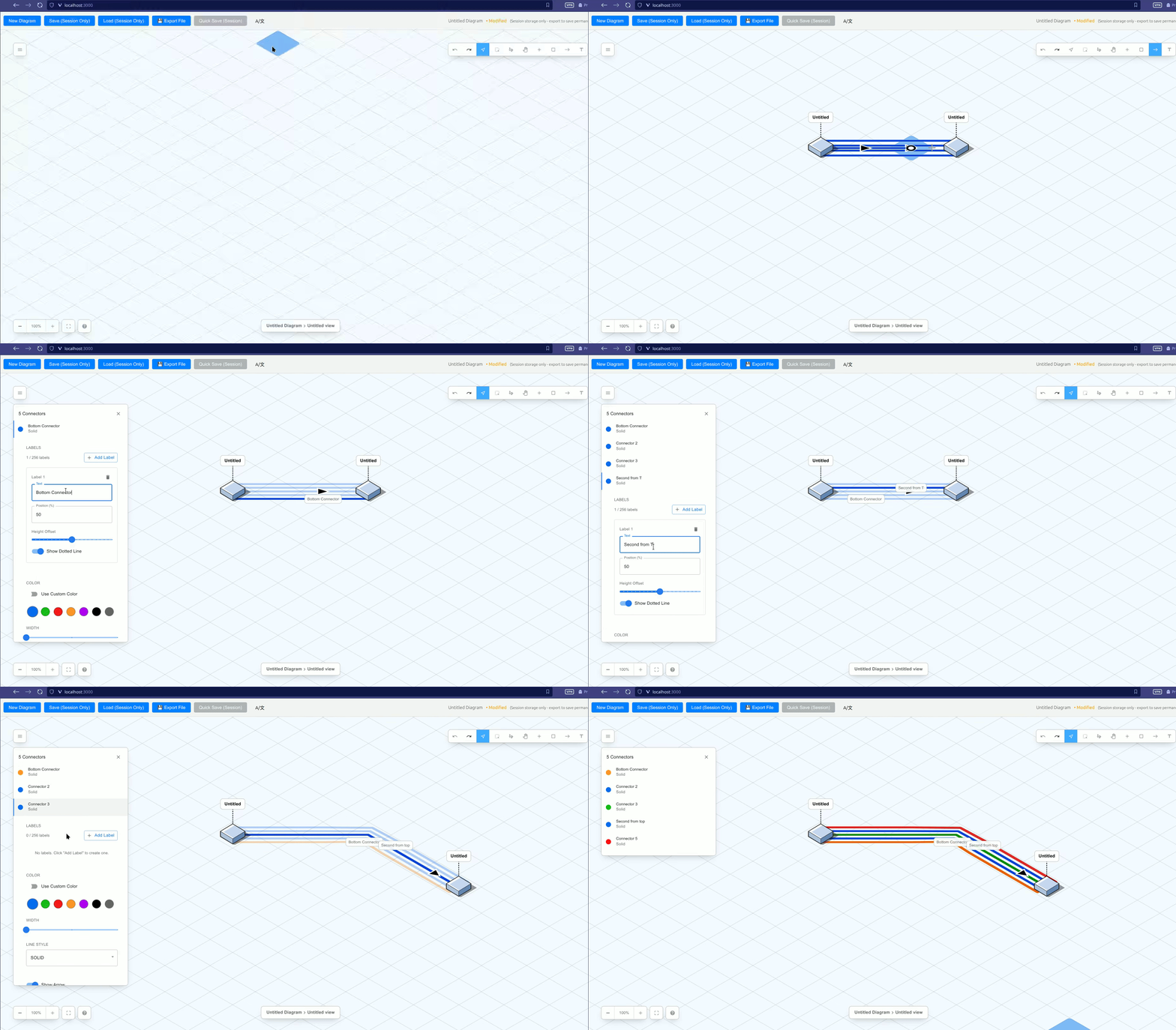
What is FossFLOW?
FossFLOW is a browser-based isometric diagramming tool for creating infrastructure and network diagrams. Built as a Progressive Web App with React, it runs entirely in the browser with offline support and can be self-hosted via Docker. The app provides a drag-and-drop canvas with a library of isometric icons, connector tools with click and drag modes, multiple label support on connectors, lasso and freehand selection tools, auto-save to session storage, and JSON import/export for permanent backups. A Node.js/Express backend can be enabled in Docker for persistent server-side storage with optional Git versioning. The UI supports English and Chinese, configurable hotkey profiles (QWERTY/SMNRCT), and pan/zoom settings. HTTP Basic Authentication is available via nginx. The project is a continuation of the original stan-smith/FossFLOW (itself a fork of markmanx/isoflow).
Should you self-host FossFLOW?
FossFLOW scores 47/100 on selfhost.directory (how scoring works) and ranks #9 of 12 in Diagramming. It has 226 GitHub stars.
It shipped 6 stable releases in the past year. The latest, v1.0.5, came out on 7 October 2026. New versions land roughly every 5 weeks.
Setup is easy: most people get it running in one sitting. An official Docker image is available. It is MIT-licensed and written mostly in Typescript.
Its closest alternative on selfhost.directory is drawdb (80/100, 40 154 stars). It scores higher overall, so compare the two before you pick. See FossFLOW vs drawdb side by side.
Features
- Auto-save
- Configurable hotkeys
- Connector routing
- Custom icon import
- Diagram export to PNG
- Git backupDisabled by default; enable with ENABLE_GIT_BACKUP=true
- HTTP Basic AuthenticationBoth HTTP_AUTH_USER and HTTP_AUTH_PASSWORD must be set
- Isometric diagramming
- JSON Import/Export
- Lasso selection
- Multi-language Support
- Multiple connector labels
- Progressive Web App
- Server-side persistent storageEnabled by default in Docker; can be disabled with ENABLE_SERVER_STORAGE=false
- Undo/RedoImplemented but has known issues under investigation
FossFLOW README
More in Diagramming
 krokiOpen-source, self-hosted diagram API that turns text into images using 30+ engines such as PlantUML, Mermaid, GraphViz and D2, deployed with Docker or Kubernetes.
 mermaid-live-editorSelf-hosted, open-source web editor for Mermaid diagrams with live preview, SVG and PNG export, and shareable view or edit links.
 next-ai-draw-ioOpen-source, self-hosted draw.io canvas where an AI turns chat prompts into diagrams you can edit, version and export, across 25 model providers.
 The-One-FileSelf-hosted offline-first network topology editor in a single HTML file with optional Docker collaboration.
 astradrawAstraDraw is a self-hosted, open-source whiteboard forked from Excalidraw with workspaces, role-based access, real-time collaboration, and video walkthroughs.
 ChartDBOpen-source database diagram editor that visualizes schemas with a single query, supports major databases, exports SQL, and self-hosts via Docker.
 DigimindmapOpen-source, self-hosted mind-mapping web app by La Digitale: shared maps guarded by a secret question, item notes, PNG and .dgm export, QR and embed sharing.
 DigiwordsOpen-source, self-hosted word cloud maker from La Digitale for in-person and remote classes: per-word weight, colour and font, PNG export, QR link, view counter.
 drawdbSelf-hosted, open-source tool for drawing database schemas as ER diagrams; it imports DDL, exports DBML plus SQL in seven dialects, and needs no account.
 draw.iodraw.io is a JavaScript, client-side editor for general diagramming.
 DrawnixSelf-hosted, open-source all-in-one whiteboard with mind maps, flowcharts and freehand drawing, built on the Plait framework.
 ExcaliDashExcaliDash is a self-hosted, open-source Excalidraw workspace adding collections, real-time collaboration, version history, and backups with local or OIDC auth.
0 comments