
Self-host DumbPad
v1.0.4Simple collaborative notepad with markdown preview
- Stars
- 473
- Port
- 3000 (HTTP web interface)
dumbwareio/dumbpad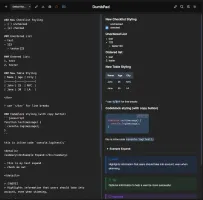
What is DumbPad?
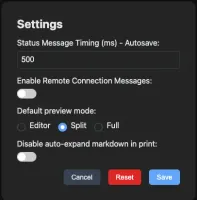
DumbPad is a lightweight, self-hosted notepad application designed for simplicity and collaboration. It provides a clean interface with auto-saving notes, dark/light mode toggle, and optional PIN protection (4-10 digits) for basic access control. The app supports enhanced markdown formatting including GitHub-style alert blocks, extended tables, collapsible details, and code syntax highlighting via highlight.js. Multiple notepads can be created and managed with fuzzy search across filenames and contents. Real-time collaborative editing works over WebSockets, and shareable URLs allow direct linking to specific notepads. It runs as a Node.js/Express backend with a vanilla JavaScript frontend, storing data in a file-based structure (JSON index plus individual .txt files). Deployment options include Docker (single command), Docker Compose with configurable environment variables, or local Node.js development. The Docker image runs as non-root user (UID 1000) for security. No external database or cache is required. PWA support enables offline-capable mobile usage with automatic cache updates.
Should you self-host DumbPad?
DumbPad scores 49/100 on selfhost.directory (how scoring works) and ranks #41 of 81 in Notes & Editors. It has 473 GitHub stars.
There was no stable release in the past 12 months, so check the repository's recent activity before you rely on it.
Setup is easy: most people get it running in one sitting. An official Docker image is available. It is GPL-3.0-licensed and written mostly in JavaScript.
Its closest alternative on selfhost.directory is Memos (86/100, 64 139 stars). It scores higher overall, so compare the two before you pick. See DumbPad vs Memos side by side.
Features
- Auto-save
- Code syntax highlighting
- CORS Configuration
- Dark/light mode
- File import/export
- Fuzzy Search
- GitHub-style alert blocks
- Markdown preview
- Multiple notepads
- PIN protection
- Print with auto-expand
- Real-Time Collaboration
- Shareable URLs
DumbPad README
More in Productivity
 EidosSelf-hosted single-file relational spreadsheet using standard SQLite for structured data. Open-source Notion alternative with optional sync and publishing services.
 ever-teamsSelf-hosted, open-source work and project management platform with time tracking, productivity metrics, team management, and integrations for GitHub, GitLab, Jira.
 FabricFabric is a self-hosted, open-source AI augmentation framework with crowdsourced prompt patterns, CLI, REST API, and web UI.
 flowchart.funEasily generate flowcharts and diagrams from text ⿻
 FluidCalendarFluidCalendar is a self-hosted, open-source Motion alternative for intelligent task scheduling with Google Calendar, Outlook, and CalDAV sync.
 focus-compass-sync-serverSelf-hosted Node.js sync server for Focus Compass using Hocuspocus/Yjs with SQLite, bearer tokens, admin UI, backups, and optional MCP for AI clients.
 FramadateFramadate is an online service for planning appointments or making decisions quickly and easily. It is a community free/libre software alternative to Doodle.
 gaiaOpen-source personal AI assistant that proactively manages email, calendar, tasks, and workflows across 50+ integrations with self-hosting support via Docker Compose.
 gawkbotSelf-hosted desktop app that unifies terminal AI agents into a coordinated team with an AI lead, delivering questions to your Mac notch or iPhone.
 ghostboardGhostboard is a self-hosted, open-source tool for real-time text sharing between devices via web UI or CLI, with multi-board support, dark mode, and Markdown rendering.
 golinksgolinks is a self-hosted, open-source web app that turns your browser's search bar into a command line for smart bookmarks and search aliases.
 gosukiGoSuki is a self-hosted, open-source bookmark manager running as a single binary. It monitors browser bookmarks in real-time and provides web UI, TUI, and CLI access.
0 comments