
Self-host DumbBudget
PIN-protected budgeting app for personal finance
- Stars
- 343
- Port
- 3000 (HTTP server)
dumbwareio/dumbbudget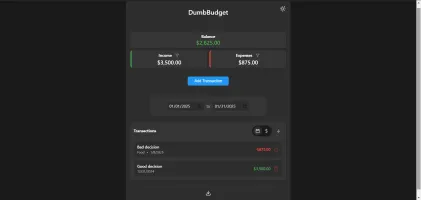
What is DumbBudget?
DumbBudget is a simple, secure personal budgeting application designed for self-hosting. It provides PIN-protected access to track income and expenses with real-time balance calculations, transaction categorization, date range filtering, and sorting by date or amount. The app supports over 25 currencies, exports data to CSV, and works as a Progressive Web App with responsive design and light/dark themes. It runs as a Node.js application in a Docker container, storing transaction data in a mounted volume. Configuration is done via environment variables including a required PIN code, optional currency, base URL, and site title. The project is licensed under GPL-3.0 and accepts donations via Buy Me A Coffee.
Should you self-host DumbBudget?
DumbBudget scores 46/100 on selfhost.directory (how scoring works) and ranks #34 of 62 in Personal Finance. It has 343 GitHub stars.
There was no stable release in the past 12 months, so check the repository's recent activity before you rely on it.
Setup is easy: most people get it running in one sitting. An official Docker image is available. It is GPL-3.0-licensed and written mostly in JavaScript.
Its closest alternative on selfhost.directory is Firefly III (82/100, 25 023 stars). It scores higher overall, so compare the two before you pick. See DumbBudget vs Firefly III side by side.
Features
- CSV Export
- Date range filtering
- Income and expense tracking
- Multi-currency Support
- PIN-protected access
- Progressive Web App
- Rate limiting on PIN attempts
- Real-time balance calculations
- Secure session handling
- Sorting by date or amount
- Temporary lockout after failed attempts
- Transaction Categorization
- Transaction type filtering
DumbBudget README
More in Personal Finance
 EconumoSelf-hosted, open-source budgeting app for personal and family finances with multi-currency, shared accounts, and flexible budgets.
 ExpenseOwlExpenseOwl is an open-source, self-hosted expense tracker with monthly pie-chart visualizations, cashflow tracking, recurring transactions, and PWA support.
 ezbookkeepingSelf-hosted, open-source personal finance app for recording transactions, importing CSV/OFX/QIF statements and charting spending; starts with one Docker command.
 factoSelf-hosted, open-source family accounting tool tracking transactions, internal debts, and cash flow. Runs on Java 11 with MariaDB/MySQL.
 family-vaultFamily Vault is a self-hosted, source-available digital vault for families to securely manage IDs, insurance, and documents with client-side AES-256 encryption.
 FavaSelf-hosted web UI for the Beancount double-entry accounting tool: edit entries in your browser, browse reports and charts, and run Beancount queries.
 Firefly IIISelf-hosted, open-source personal finance manager with double-entry bookkeeping, budgets, rules, recurring transactions, multi-currency, 2FA, reports and a REST API.
 Firefly III ImporterOpen-source, self-hosted app that imports bank transactions from files and third-party providers into Firefly III personal finance manager.
 Firefly-PicoSelf-hosted, open-source mobile web app that works with Firefly III for expense tracking with PWA, dark mode, and AI assistant.
 firela-botSelf-hosted open-source AI advisor for FIRE planning that pulls bank data from Plaid, Gmail, and GoCardless into Beancount, running on Cloudflare Workers free tier.
 GhostfolioSelf-hosted, open-source dashboard for personal wealth: track stocks, ETFs, crypto and multiple accounts with portfolio performance and analysis.
 hisabiOpen-source, self-hosted personal finance tracker that turns bank SMS alerts into transactions, with budgeting, dashboards and AI-powered spending insights.
0 comments