
Self-host Ghostfolio
3.100.0Open-source wealth management dashboard
- Stars
- 9 716
- Port
- 3333 (Ghostfolio web UI and API (compose maps 3333:3333))
- Requires
- PostgreSQL
ghostfolio/ghostfolio
What is Ghostfolio?
Ghostfolio is an open-source wealth management web application that lets private investors track stocks, ETFs, bonds, cryptocurrencies and other holdings without giving up their data. Transactions can be created, updated, deleted and imported in bulk, spread across many accounts and platforms, and the app turns them into portfolio performance figures (return on average investment including dividends for today, week, month, year, 5 years and all time), allocation breakdowns, charts, a static risk analysis, a watchlist, dividend tracking, liabilities and a FIRE calculator. You self-host it with Docker Compose from an official image on Docker Hub alongside PostgreSQL and Redis; the first account created becomes the administrator, and optional OpenID Connect sign-in and an experimental MCP endpoint for AI clients are available through environment variables. A public REST API covers health checks, portfolio import/export and asset-profile updates. The software is free and AGPL-3.0 licensed; the optional Ghostfolio Premium subscription adds the managed cloud offering and the professional data provider, and the self-hosted version has no app-store mobile app but works as a progressive web app.
Ghostfolio alternatives
 AurumSelf-hosted personal finance OS tracking cash flow, net worth, budgets, crypto, and recurring payments with mobile-first UI and backup/restore.CompareAurum with Ghostfolio
 docvaultA self-hosted finance workspace that tracks assets across brokers, crypto, metals, and property, parses tax PDFs with AI, and adds health data and quant signals.Comparedocvault with Ghostfolio
 MoneyMatterMoneyMatter is a self-hosted, open-source personal finance app for tracking accounts, budgets, investments, and net worth with bank sync and AI.CompareMoneyMatter with Ghostfolio
 blissBliss is a self-hosted, open-source personal finance platform for multi-currency accounts, investments, and expenses with AI classification and portfolio tracking.Comparebliss with Ghostfolio
 家庭账房 · Family LedgerSelf-hosted family finance app with monthly snapshots, true returns (XIRR/TWR), fund look-through, and AI portfolio diagnostics — all on your server.Compare家庭账房 · Family Ledger with Ghostfolio
 OcularOcular is an open-source, self-hosted budgeting app for tracking personal finances across multiple years with dashboards, dark mode, PWA, and Google Sheets import.CompareOcular with Ghostfolio
 investbrainSelf-hosted investment tracker with AI chat on your holdings, multi-provider market data with fallback, and Docker Compose deployment.Compareinvestbrain with Ghostfolio
 whisper-moneySelf-hosted personal finance app for tracking spending, categorizing transactions, and understanding finances with privacy-first approach and optional local AI.Comparewhisper-money with Ghostfolio
Should you self-host Ghostfolio?
Ghostfolio scores 74/100 on selfhost.directory (how scoring works) and ranks #4 of 63 in Personal Finance. It has 9 716 GitHub stars, +270 in the last 30 days.
It shipped 110 stable releases in the past year. The latest, 3.100.0, came out on 15 November 2026. New versions land roughly every 1 days.
Setup is moderate: expect some configuration beyond a single command. An official Docker image is available. It is AGPL-3.0-licensed and written mostly in Typescript.
Its closest alternative on selfhost.directory is Sure (86/100, 16 050 stars). It scores higher overall, so compare the two before you pick. See Ghostfolio vs Sure side by side.
Features
- Data Import and Export
- Dividend tracking
- FIRE calculator
- Liabilities and wealth items tracking
- MCP server for AI clientsExperimental, disabled by default (ENABLE_FEATURE_MCP).
- Multi-account Management
- Multi-language UI
- Performance benchmarks
- Portfolio allocation analysis
- Portfolio performance metrics
- REST API
- Static portfolio analysis
- Transaction tracking
- WatchlistListed on the features page next to a Ghostfolio Premium marker.
- Zen Mode
Ghostfolio README

Open Source Wealth Management Software
Ghostfol.io | Live Demo | Ghostfolio Premium | FAQ | Blog | LinkedIn | Slack | X
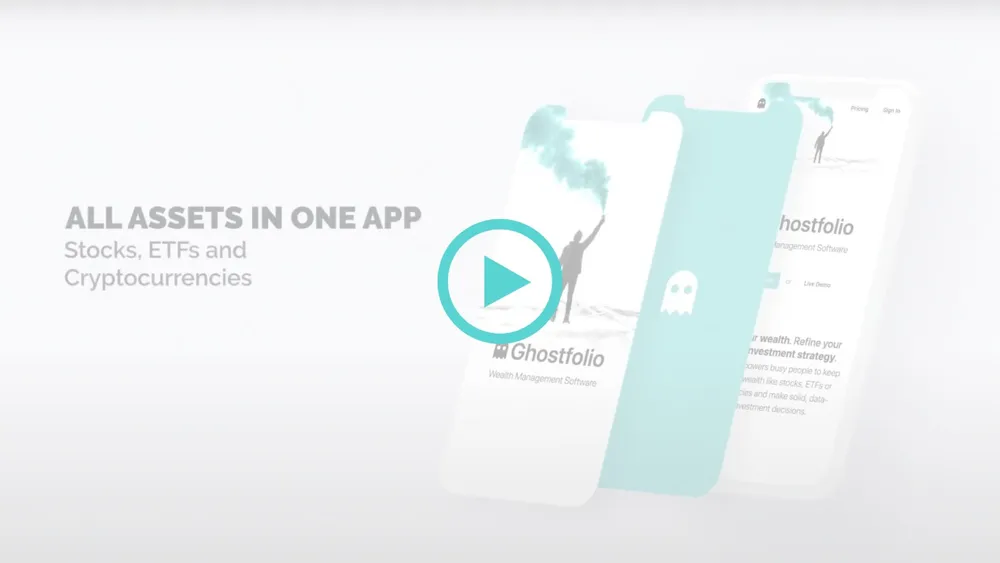
Ghostfolio is an open source wealth management software built with web technology. The application empowers busy people to keep track of stocks, ETFs or cryptocurrencies and make solid, data-driven investment decisions. The software is designed for personal use in continuous operation.
FAQ
Is there a mobile app for the self-hosting version of Ghostfolio available in the app store?
No, the self-hosted version has no app-store app, but you can add the web app to your home screen for the same experience.
Which devices are supported?
Ghostfolio runs in any modern web browser on smartphones, tablets and desktop computers.
How do I set up Markets?
Also done in Market Data by ticking Include in Benchmark / Markets for an asset profile; because data is cached, changes can take a few minutes to show up.
How do I add a custom asset?
Create an asset profile manually with a unique symbol in Market Data, edit it, and then add activities by searching for that symbol.
How do I set up a benchmark?
In the Admin Control panel under Market Data, pick an asset profile and tick the Include in Benchmark / Markets box.
Will you add data provider X?
There are no plans to extend the core data providers, but you can usually pull data from a chosen website via the MANUAL data source with a scraper configuration.
Can I get access to a professional data provider?
Yes, a Ghostfolio Premium subscription includes access to the professional data provider through an API key.
Which data providers are supported?
CoinGecko, Ghostfolio, Manual and Yahoo are officially supported; every other data provider counts as experimental.
How do I add a new tag?
Open the Admin Control panel, go to the Settings section and click the Add Tag button.
How do I add a new platform?
Open the Admin Control panel, go to the Settings section and click the Add Platform button.
What is the concept of platforms?
Platforms group several accounts, such as a savings and a trading account at the same bank, giving a unified icon and platform-specific risk insights.
How do I resolve No exchange rate has been found errors?
You are responsible for historical exchange rates: in the Admin Control panel's Market Data section, find the currency pair and gather its historical market data (for derived currencies, gather the parent currency).
How do I add a new currency?
Currencies are managed automatically from recorded activities; an extra one can be entered manually in the Admin Control panel under Market Data.
Which home server systems is Ghostfolio available on?
Community packages exist for CasaOS, Easypanel, Home Assistant, Runtipi, TrueCharts, Umbrel and Unraid.
How do I start?
Run Ghostfolio on your own infrastructure using the source code and the self-hosting instructions in the GitHub repository.
More in Personal Finance
 hisabiOpen-source, self-hosted personal finance tracker that turns bank SMS alerts into transactions, with budgeting, dashboards and AI-powered spending insights.
 homehubOpen-source, self-hosted family dashboard: shared notes, shopping lists, chores, calendar, expenses and a media downloader in one no-login Docker PWA.
 ignidashIgnidash is a self-hosted, open-source retirement planner with Monte Carlo simulations, backtests, US tax estimation, and AI chat as a ProjectionLab alternative.
 IHateMoneySelf-hosted, open-source shared budget app tracking who paid what and settling group bills, with REST API, multi-currency support, Docker image and pip install.
 incomexSelf-hosted personal finance tracker with multiple wallets, categories, statistics, and CSV export. Built with Laravel Filament.
- investbrainSelf-hosted investment tracker with AI chat on your holdings, multi-provider market data with fallback, and Docker Compose deployment.
 InvoiceShelfSelf-hosted invoicing app for freelancers and small businesses: open-source (AGPL-3.0) invoices, estimates, recurring billing, expenses, reports and a customer portal.
 listing-labListing Lab is a self-hosted, open-source property tracker built on Odoo with a Realtor.com scraper. Save listings, add notes and photos.
- LootOpen-source, self-hosted web app to track community contributions and share their rewards through contributive budgets, with email notices and a read-only API.
 LubeLoggerSelf-hosted, open-source web app for vehicle maintenance records, fuel economy, reminders, multi-user logins, CSV import, an API and OIDC SSO.
 maySelf-hosted, open-source vehicle management app for tracking fuel, expenses, maintenance with multi-user support and PWA.
 monetrSelf-hosted budgeting app for recurring expenses and paycheck planning with Plaid sync, OFX import, and financial forecasting.
0 comments