
Self-host hisabi
v2.0.0Personal finance tracker that parses bank SMS transactions
- Stars
- 460
- Port
- 80 (Web app (Apache) served on http://localhost)
- Requires
- MySQL
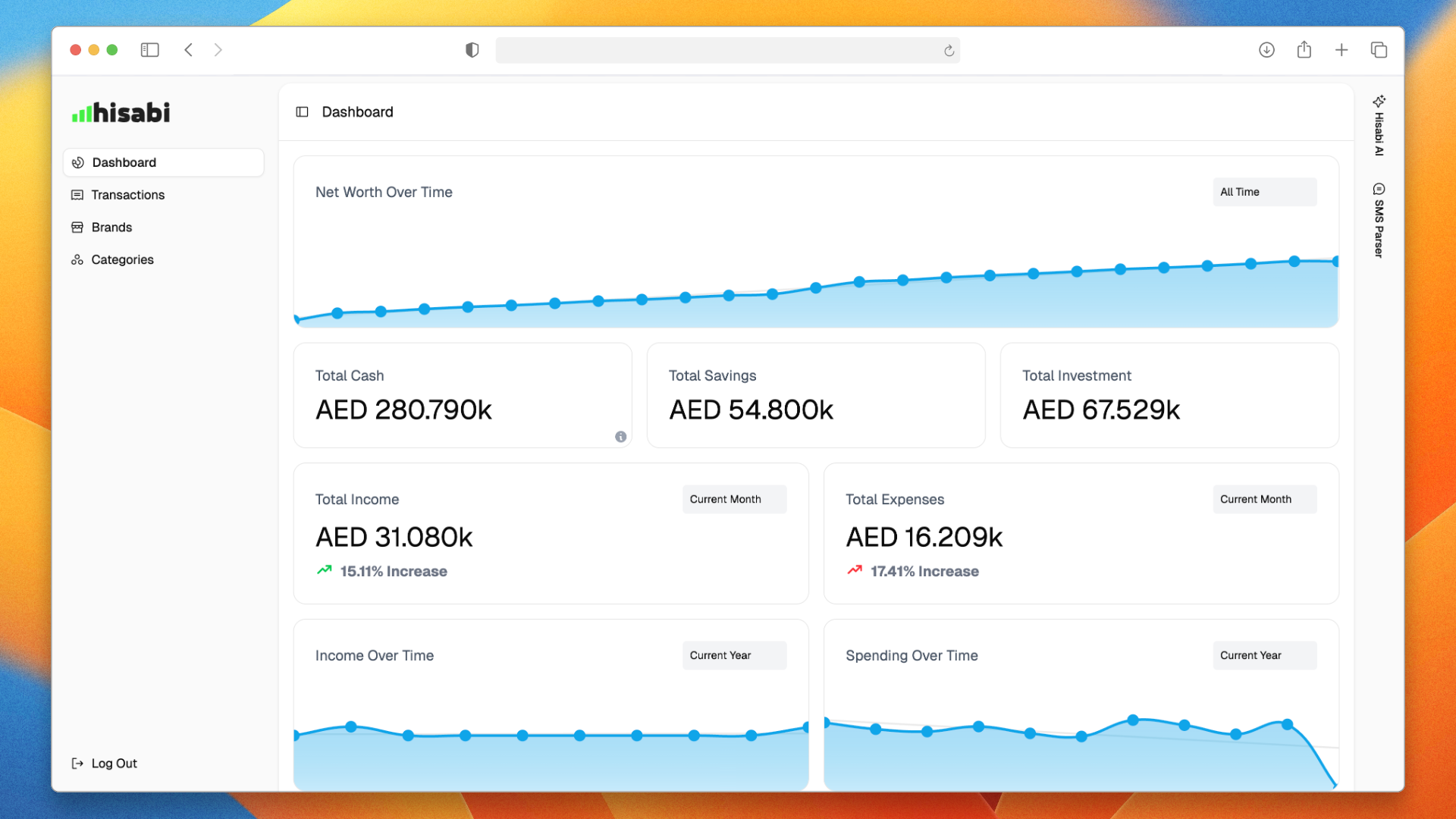
What is hisabi?
Hisabi is a self-hosted web application for tracking personal finances, built around an SMS parser that turns your bank's transaction text messages into logged expenses automatically. Alongside the parser it offers dashboards and charts for visualizing spending, category budgets with progress tracking, AI-powered insights about your habits, and encryption of your financial data. The project is a Laravel/PHP application: you clone the repository, build its Docker image with make build, start the stack (app plus MySQL 8.0) with make run, and finish first-time setup with make install, then open the app on http://localhost. It is MIT-licensed, but several capabilities such as multiple accounts, an API and data export are still marked coming soon, and the marketing site currently pushes a waitlist rather than a released product, so treat it as an early-stage tool.
Should you self-host hisabi?
hisabi scores 40/100 on selfhost.directory (how scoring works) and ranks #49 of 62 in Personal Finance. It has 460 GitHub stars.
There was no stable release in the past 12 months, so check the repository's recent activity before you rely on it.
Setup is moderate: expect some configuration beyond a single command. It is MIT-licensed and written mostly in PHP.
Its closest alternative on selfhost.directory is Firefly III (82/100, 25 022 stars). It scores higher overall, so compare the two before you pick. See hisabi vs Firefly III side by side.
hisabi README
More in Data Visualization
 JSON CrackSelf-hosted, open-source JSON, YAML, XML and CSV viewer that turns data into interactive graphs, converts formats, validates and exports images.
 Life K-LineLife K-Line is a self-hosted, open-source web app combining Chinese BaZi astrology with AI to visualize life fortune as interactive K-line charts.
 lightdashLightdash is an open-source, self-hosted BI platform with a governed metrics layer, AI agents, dashboards, and data apps for modern data teams.
 mallaSelf-hosted open-source Meshtastic network analyzer capturing MQTT data into SQLite with dashboard, packet browser, map, and network graph.
 Market Research CockpitSelf-hosted open-source market dashboard for A-shares, HK, US stocks, commodities, treasuries, sector heat, money flow, news, industry chains, and AI token tracking.
 mempoolOpen-source Bitcoin block explorer and mempool visualizer with fee estimates, mining and Lightning dashboards; self-host it via Docker or one-click node distros.
 MetabaseSelf-hosted, open-source BI tool with dashboards, a no-code query builder, a SQL editor, Metabot AI answers and embedding; run it in Docker or as a Java JAR.
 open-dronelogFree, open-source, self-hosted DJI/Litchi flight log analyzer with 3D replay, telemetry charts, battery health, and PDF reports — local-first privacy.
 PersesSelf-hosted, open-source dashboards for observability signals: Prometheus, Tempo, Loki and Pyroscope in one tool, with RBAC, OIDC login and Dashboard-as-Code SDKs.
 Pluto.jlSelf-hosted open-source reactive notebooks for Julia: no hidden state, per-notebook package environments, @bind widgets, and export to HTML or PDF.
 quickchartAn open-source, self-hosted chart image API: render any Chart.js config or QR code as an image from a URL, standing in for the retired Google Image Charts service.
 RAWGraphsSelf-hosted, open-source web app that turns tabular data (CSV, TSV, JSON or pasted text) into nearly 30 SVG-based charts you can refine in vector editors.
0 comments