
Self-host facto
v4.32Family accounting tool for expenses and internal debts
- Stars
- 372
- Port
- 9000 (HTTP web interface)
- Requires
- Java, MariaDB/MySQL
nymanjens/facto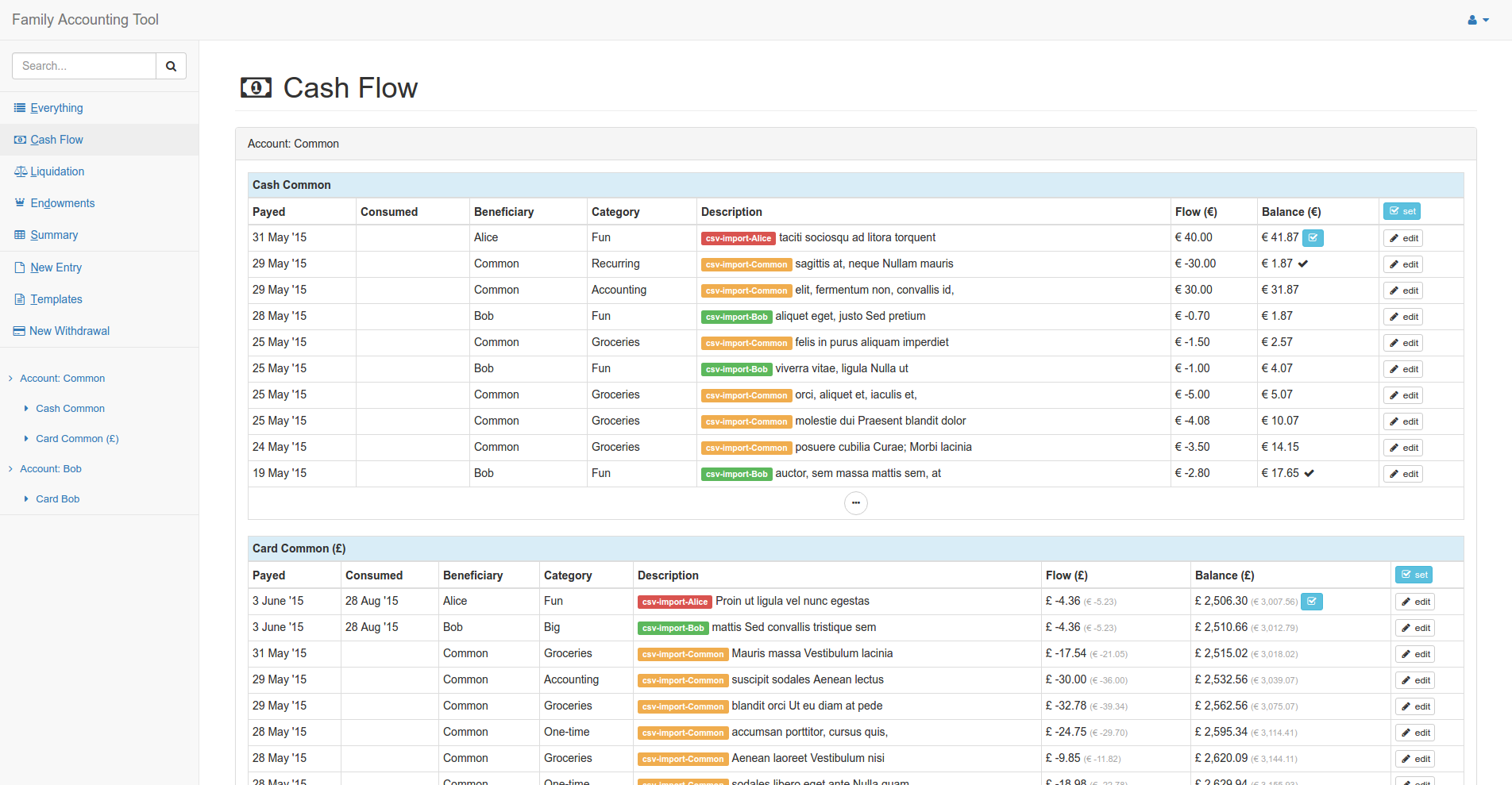
What is facto?
Family Accounting Tool (facto) is a self-hosted web application for families to track every transaction, extract spending statistics by category, calculate who owes whom for shared expenses, and monitor cash flow to catch unaccounted spending. It supports multiple users with separate accounts and a common family account, using categories like 'endowment' for transfers to the shared pot. The application runs on Java 11 (JDK 11) with a MariaDB or MySQL database, and can be installed either from pre-built release binaries or via Docker Compose (though the latter is discouraged for production). A default admin user is created on first run. The project is maintained by a single developer (Jens) and licensed under Apache-2.0.
Should you self-host facto?
facto scores 44/100 on selfhost.directory (how scoring works) and ranks #7 of 11 in Accounting. It has 372 GitHub stars.
It shipped 9 stable releases in the past year. The latest, v4.32, came out on 26 October 2026. New versions land roughly every 2 weeks.
Setup is advanced: plan for several services and some ongoing maintenance. An official Docker image is available. It is Other-licensed and written mostly in Scala.
Its closest alternative on selfhost.directory is akaunting (67/100, 10 241 stars). It scores higher overall, so compare the two before you pick. See facto vs akaunting side by side.
Features
- Accounting categories
- Cash flow overview
- Category-based statistics
- Exchange rates and inflation correctionDescribed as hidden/advanced features
- Internal debt calculation
- Multi-user with admin
- Transaction tracking
facto README
More in Accounting
 FacturaScriptsSelf-hosted open-source ERP and accounting software for SMBs with invoicing, inventory, CRM, and a plugin system for extensibility.
 FavaSelf-hosted web UI for the Beancount double-entry accounting tool: edit entries in your browser, browse reports and charts, and run Beancount queries.
 Firefly IIISelf-hosted, open-source personal finance manager with double-entry bookkeeping, budgets, rules, recurring transactions, multi-currency, 2FA, reports and a REST API.
 firela-botSelf-hosted open-source AI advisor for FIRE planning that pulls bank data from Plaid, Gmail, and GoCardless into Beancount, running on Cloudflare Workers free tier.
 formanceFormance Stack is a self-hosted, open-source financial platform with a programmable double-entry ledger, unified payments API, and Numscript DSL.
 Invoice BuilderOpen-source, offline-first invoicing and quoting app for freelancers and small businesses, with PDF export, e-invoices, and a self-hosted Docker web mode.
 InvoicePlaneSelf-hosted, open-source invoicing app covering quotes, invoices, clients and payments, with EU e-invoice XML, customizable PDF templates and Stripe/PayPal checkout.
 InvoicerrSelf-hosted open-source invoicing for freelancers with quotes, invoices, payments, e-invoicing compliance, client portals, and legal archiving.
 InvoiceShelfSelf-hosted invoicing app for freelancers and small businesses: open-source (AGPL-3.0) invoices, estimates, recurring billing, expenses, reports and a customer portal.
 LedgerSMBSelf-hosted open-source ERP with double-entry accounting, invoicing, inventory management, multi-currency support, and REST API for small and medium businesses.
 middayOpen-source, self-hosted business assistant for freelancers: invoicing, bank transactions, time tracking, receipt matching and accountant-ready CSV exports.
 OdooSelf-hosted, open-source ERP: one app suite with CRM, accounting, inventory, POS, eCommerce and HR modules, run via Docker or Windows/Linux installers on PostgreSQL.
0 comments