
Self-host ezbookkeeping
v2.1.1Lightweight personal finance app with charts and AI import
- Stars
- 6 042
- RAM
- around 40 MiB (Linux/amd64, single user)
- Port
- 8080 (Built-in web server for the desktop and mobile UI and the HTTP API)
mayswind/ezbookkeeping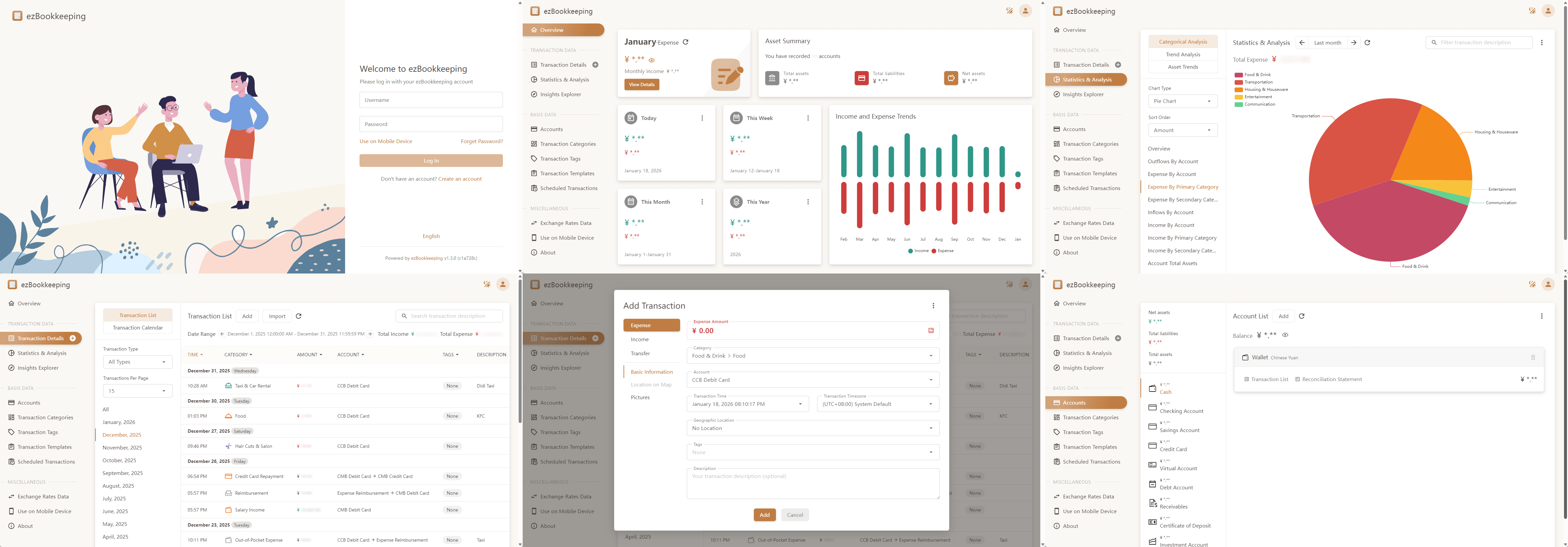
What is ezbookkeeping?
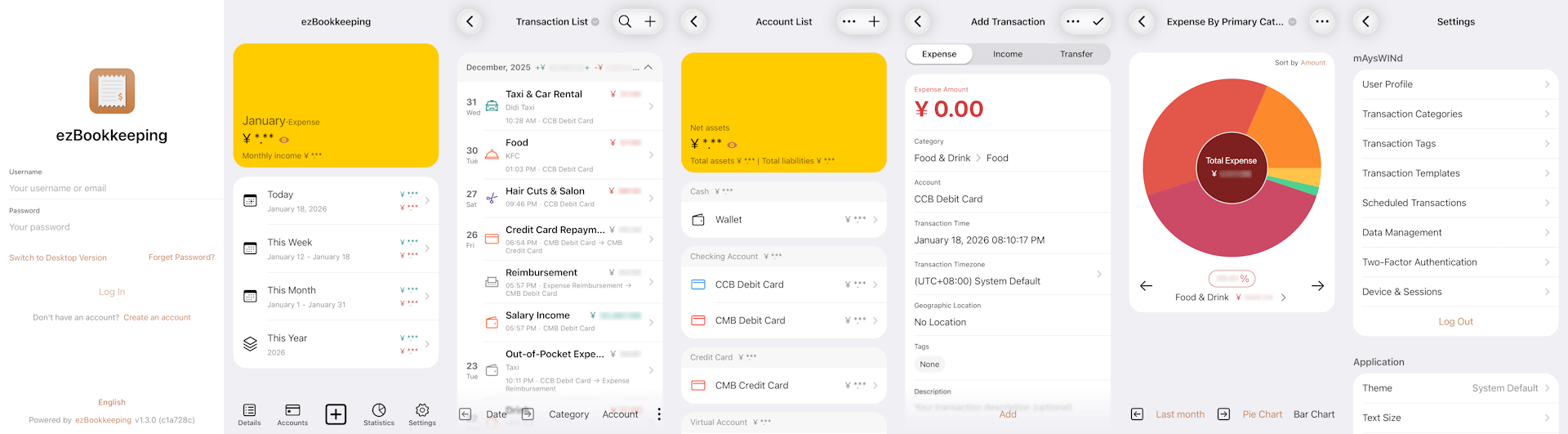
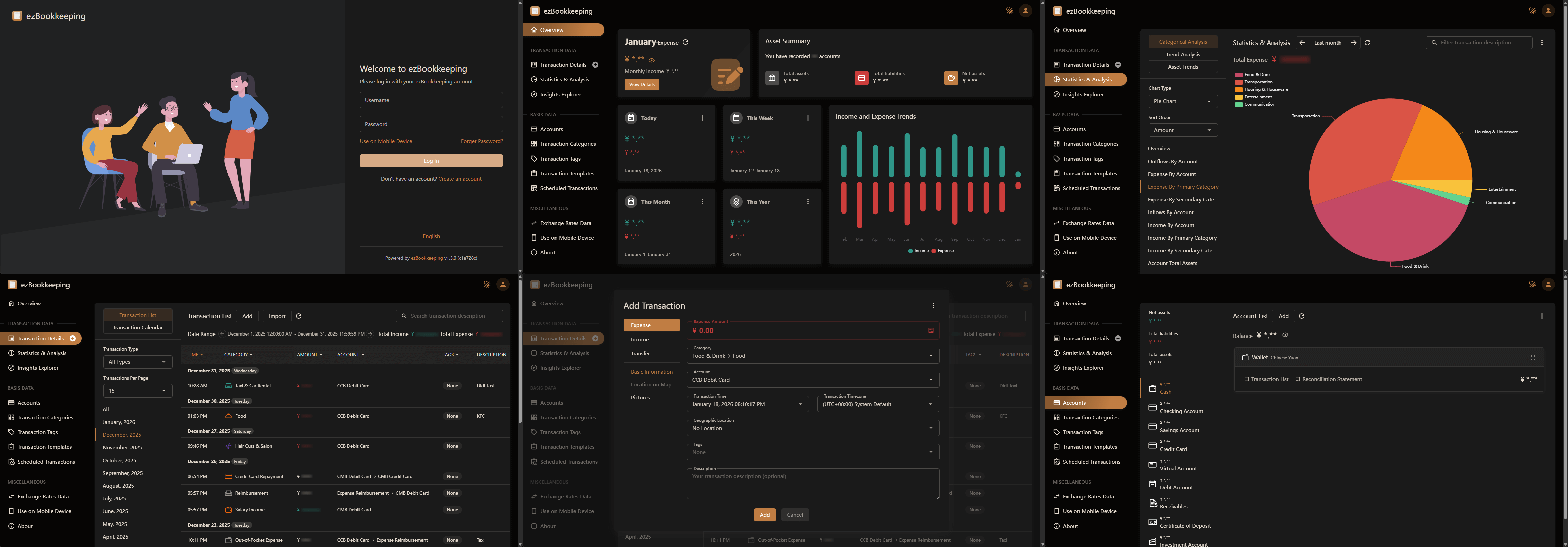
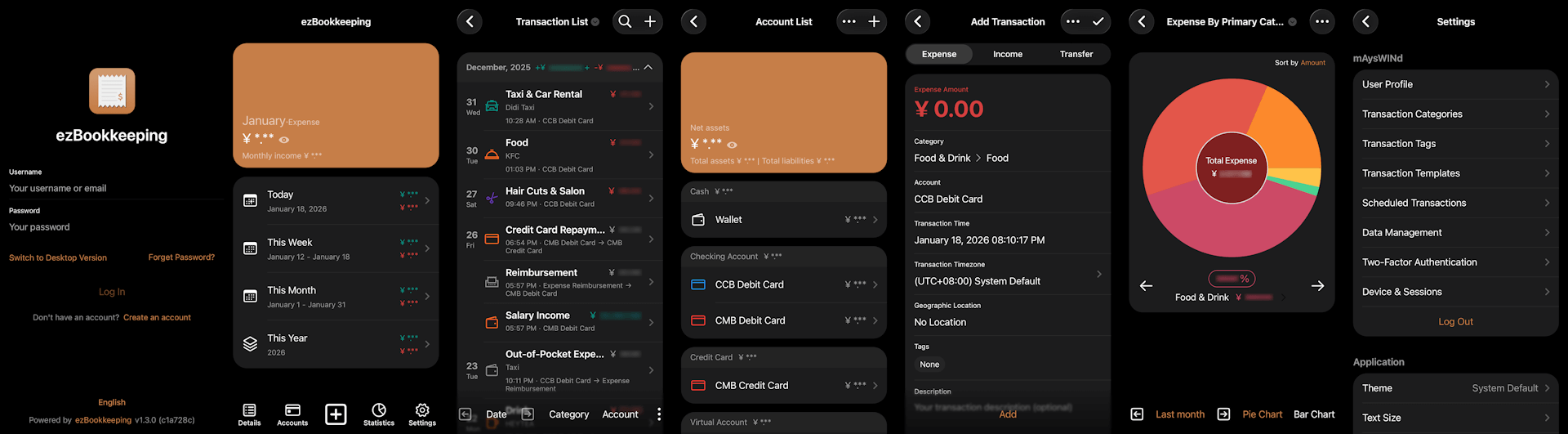
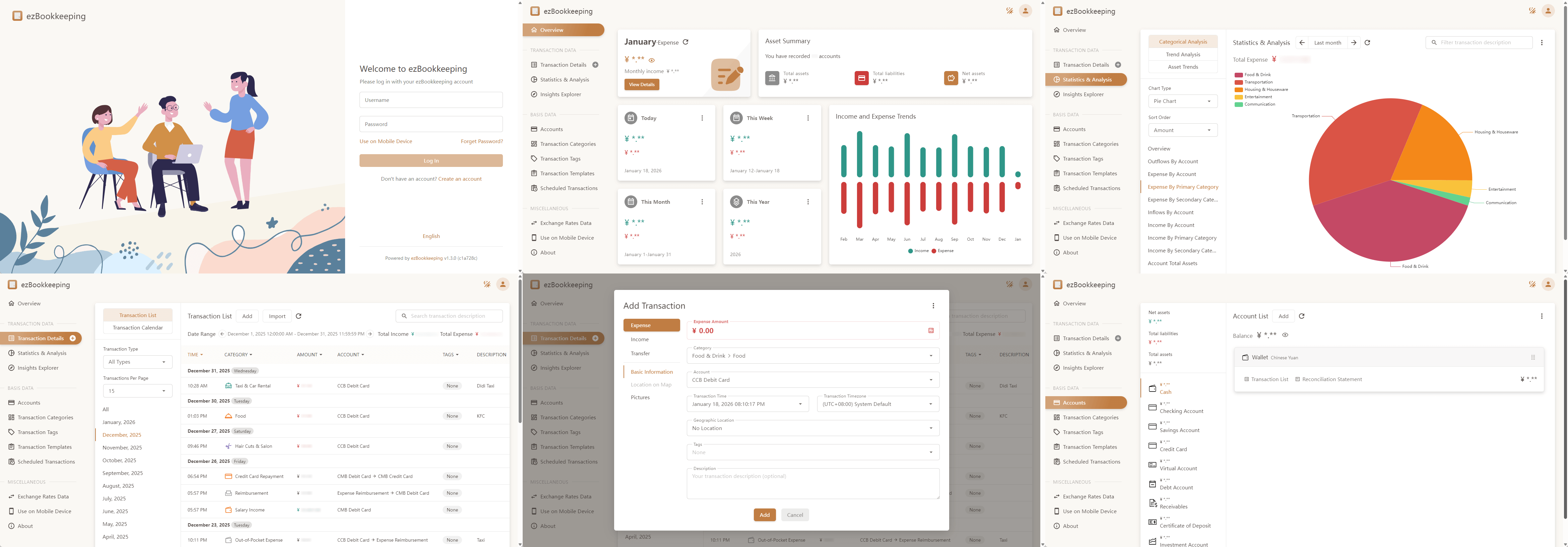
ezBookkeeping is a personal bookkeeping and finance manager you run on your own server, aimed at people who want their spending, income and transfer records kept locally. Money is organised in two-level accounts and categories, and entries can carry pictures, a map location, recurring scheduling or be created from saved templates. Insights Explorer builds advanced multi-condition queries and renders them as many chart types, with results exportable to CSV, TSV, Markdown or Mermaid. Bank and payment records can be brought in from spreadsheets and delimited exports, the OFX/QFX/QIF/IIF family, SWIFT MT940 and Camt.052/053 files, plus data from GnuCash, Firefly III and Beancount, with configurable column mapping, rules and scripts. Optional AI features create entries from pasted text or receipt photos, generate custom chart code, and expose an MCP server and HTTP API to LLM clients; they are off unless you configure a model provider. Deployment is a single Docker image, Compose or Kubernetes manifests, or the Go binary listening on port 8080, backed by SQLite, MySQL or PostgreSQL and local, S3, MinIO or WebDAV storage — the docs recommend SQLite only for testing. It is MIT licensed, free, without paid tiers or a hosted service.
ezbookkeeping alternatives
 myfinSelf-hosted, open-source personal finance manager for budgeting, expense tracking, and investment monitoring with multi-language support and dark theme.Comparemyfin with ezbookkeeping
 WealthfolioOpen-source, local-first investment tracker for holdings, net worth and spending, with free desktop, mobile and self-hosted Docker editions.CompareWealthfolio with ezbookkeeping
 BigcapitalOpen-source accounting and inventory suite for small businesses: double-entry bookkeeping, invoicing, multi-currency and financial reports, self-hosted via Docker.CompareBigcapital with ezbookkeeping
 SecuroSelf-hosted, open-source personal finance app: bank sync, transaction rules, budgets, asset tracking and net-worth reports, plus OIDC, passkeys and AI agents.CompareSecuro with ezbookkeeping
 dockerSelf-hosted accounting software for small businesses with invoicing, expenses, and a modular app store. Runs via Docker or manual install on Laravel/Vue.js.Comparedocker with ezbookkeeping
 factoSelf-hosted, open-source family accounting tool tracking transactions, internal debts, and cash flow. Runs on Java 11 with MariaDB/MySQL.Comparefacto with ezbookkeeping
 SureSelf-hosted open-source personal finance app forked from Maybe Finance: track bank, stock and crypto accounts in any currency, budget, and query an AI assistant.CompareSure with ezbookkeeping
 AurumSelf-hosted personal finance OS tracking cash flow, net worth, budgets, crypto, and recurring payments with mobile-first UI and backup/restore.CompareAurum with ezbookkeeping
Should you self-host ezbookkeeping?
ezbookkeeping scores 73/100 on selfhost.directory (how scoring works) and ranks #6 of 63 in Personal Finance. It has 6 042 GitHub stars, +327 in the last 30 days.
It shipped 13 stable releases in the past year. The latest, v2.1.1, came out on 23 October 2026. New versions land roughly every 3 weeks.
Setup is easy: most people get it running in one sitting. An official Docker image is available. It is MIT-licensed and written mostly in Go.
Its closest alternative on selfhost.directory is Firefly III (83/100, 25 180 stars). It scores higher overall, so compare the two before you pick. See ezbookkeeping vs Firefly III side by side.
Features
- AI text and receipt recognition
- Budgeting
- Charts and statistics
- Command Line Interface
- Data Export
- Insights Explorer advanced queries
- MCP Server
- Multi-currency with exchange rates
- Multi-language interface
- REST API
- Scheduled Transactions
- Statement import
- Transaction attachments and location
- Transaction templates
- Two-level accounts and categories
ezbookkeeping README

ezBookkeeping is an open source, powerful, self-hosted personal finance app that is easy to use. It helps you record daily transactions, import data from various sources, and quickly search and filter your bills. You can analyze historical data using built-in charts or perform custom queries with your own chart dimensions to better understand spending patterns and financial trends. ezBookkeeping is easy to deploy, and you can start it with just one single Docker command. Designed to be resource-efficient, it runs smoothly on devices such as home servers, NAS and Raspberry Pi.
FAQ
What third-party services does ezBookkeeping use, and does it access my personal data?
Optional features may call exchange-rate providers, an avatar provider, map providers or your LLM provider; the project itself collects no user data and these features can be disabled in configuration.
Why isn't a record removed from the database after deleting a transaction?
Deletions are logical, so transactions, accounts, categories and tags are only marked deleted, and picture files stay in object storage, to allow recovery.
How are assets and liabilities calculated in ezBookkeeping?
Account categories decide it: cash, checking, savings, virtual, receivables, certificate of deposit and investment accounts count as assets, while credit card and debt accounts count as liabilities.
What is the default user in ezBookkeeping?
There is none: on first start the database is empty and you register the first user yourself.
Does ezBookkeeping provide a desktop or mobile app?
No standalone apps are offered; it is used through a browser, with tailored mobile and desktop interfaces and a home-screen PWA that feels native.
How do I upgrade ezBookkeeping?
The schema is forward- and backward-compatible, so you replace the binary (or pull a new image) and restart; backing up the database first is recommended.
How do I migrate ezBookkeeping data?
With MySQL or PostgreSQL plus remote object storage the server itself is stateless; otherwise copy the SQLite file and storage directory, or move data with third-party database tools.
Where does ezBookkeeping store its files?
Most data lives in the database (data/ezbookkeeping.db for SQLite), while avatars and transaction pictures go to the configured object storage directory or service.
What configuration settings are required for ezBookkeeping?
It runs out of the box, but for production you should set security secret_key, the server domain, root_url when using a reverse proxy, and the database and object storage settings.
Why doesn't double-clicking ezbookkeeping.exe on Windows launch the application?
ezBookkeeping is a self-hosted server program, not a desktop app; you start the server and then open it in a web browser.
How much system resources does ezBookkeeping use?
The binary plus its static files take about 80 MiB of disk, and around 40 MiB of memory is typically needed on Linux/amd64 with one user.
Is ezBookkeeping right for me?
It does not cover every possible need, so the docs suggest reviewing the Feature List and the Feature Comparison with similar software.
Is ezBookkeeping free?
Yes: it is MIT-licensed free software with no paid features and no official hosted service, and the project does not accept donations or sponsorships.
More in Personal Finance
- factoSelf-hosted, open-source family accounting tool tracking transactions, internal debts, and cash flow. Runs on Java 11 with MariaDB/MySQL.
 family-vaultFamily Vault is a self-hosted, source-available digital vault for families to securely manage IDs, insurance, and documents with client-side AES-256 encryption.
 FavaSelf-hosted web UI for the Beancount double-entry accounting tool: edit entries in your browser, browse reports and charts, and run Beancount queries.
 Firefly IIISelf-hosted, open-source personal finance manager with double-entry bookkeeping, budgets, rules, recurring transactions, multi-currency, 2FA, reports and a REST API.
 Firefly III ImporterOpen-source, self-hosted app that imports bank transactions from files and third-party providers into Firefly III personal finance manager.
 Firefly-PicoSelf-hosted, open-source mobile web app that works with Firefly III for expense tracking with PWA, dark mode, and AI assistant.
 firela-botSelf-hosted open-source AI advisor for FIRE planning that pulls bank data from Plaid, Gmail, and GoCardless into Beancount, running on Cloudflare Workers free tier.
 GhostfolioSelf-hosted, open-source dashboard for personal wealth: track stocks, ETFs, crypto and multiple accounts with portfolio performance and analysis.
 hisabiOpen-source, self-hosted personal finance tracker that turns bank SMS alerts into transactions, with budgeting, dashboards and AI-powered spending insights.
 homehubOpen-source, self-hosted family dashboard: shared notes, shopping lists, chores, calendar, expenses and a media downloader in one no-login Docker PWA.
 ignidashIgnidash is a self-hosted, open-source retirement planner with Monte Carlo simulations, backtests, US tax estimation, and AI chat as a ProjectionLab alternative.
 IHateMoneySelf-hosted, open-source shared budget app tracking who paid what and settling group bills, with REST API, multi-currency support, Docker image and pip install.
0 comments