
Self-host dollardollar
v4.4Personal finance tracker with bill splitting and portfolios
docker-compose up -d- Stars
- 325
- Port
- 5001 (HTTP web interface)
- Requires
- PostgreSQL
harung43/dollardollar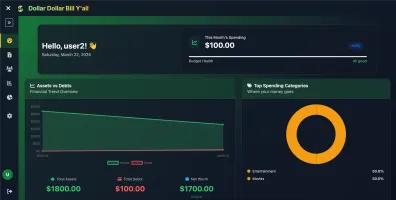
What is dollardollar?
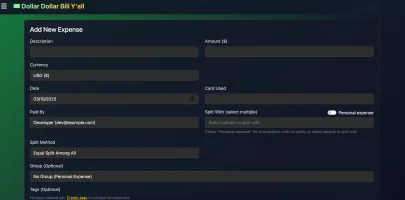
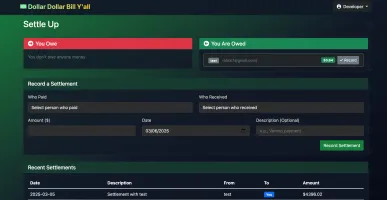
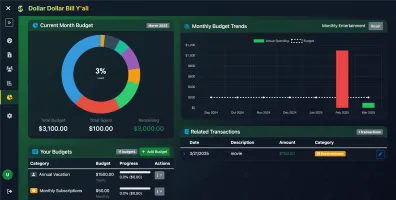
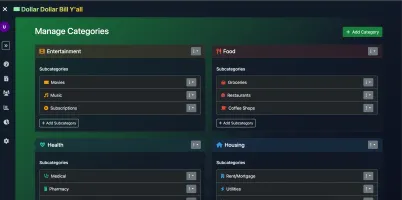
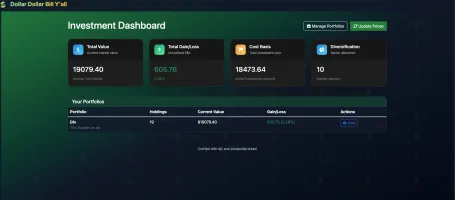
DollarDollar Bill Y'all is a self-hosted money management application built with Flask and PostgreSQL that helps individuals and groups track expenses, split bills, manage budgets, and monitor investment portfolios. It supports multi-currency transactions with automatic conversion, recurring transactions, auto-categorization, CSV and SimpleFin import for bank synchronization, and flexible bill splitting with equal, custom amount, or percentage methods. The platform includes budgeting with notifications, category hierarchies, portfolio tracking with automatic price updates, and enterprise-ready authentication via local accounts or any OIDC provider. It runs via Docker Compose with a PostgreSQL database and exposes a web interface on port 5001 (mapped to 5006 by default). The project is licensed under AGPL-3.0 and has evolved into FinPal under the PalStack ecosystem, though this repository remains available for self-hosting.
Should you self-host dollardollar?
dollardollar scores 44/100 on selfhost.directory (how scoring works) and ranks #42 of 62 in Personal Finance. It has 325 GitHub stars.
There was no stable release in the past 12 months, so check the repository's recent activity before you rely on it.
Setup is moderate: expect some configuration beyond a single command. An official Docker image is available. It is AGPL-3.0-licensed and written mostly in JavaScript.
Its closest alternative on selfhost.directory is Firefly III (82/100, 25 022 stars). It scores higher overall, so compare the two before you pick. See dollardollar vs Firefly III side by side.
Features
- Bill Splitting
- Budgeting & Analytics
- Category Management
- Email notifications
- Expense Tracking
- Multi-currency Support
- OIDC Authentication
- Portfolio Management
- SimpleFin integration
dollardollar README
More in Personal Finance
 DumbBudgetDumbBudget is a self-hosted, open-source budgeting app with PIN protection, multi-currency support, CSV export, and a responsive PWA with light/dark themes.
 EconumoSelf-hosted, open-source budgeting app for personal and family finances with multi-currency, shared accounts, and flexible budgets.
 ExpenseOwlExpenseOwl is an open-source, self-hosted expense tracker with monthly pie-chart visualizations, cashflow tracking, recurring transactions, and PWA support.
 ezbookkeepingSelf-hosted, open-source personal finance app for recording transactions, importing CSV/OFX/QIF statements and charting spending; starts with one Docker command.
 factoSelf-hosted, open-source family accounting tool tracking transactions, internal debts, and cash flow. Runs on Java 11 with MariaDB/MySQL.
 family-vaultFamily Vault is a self-hosted, source-available digital vault for families to securely manage IDs, insurance, and documents with client-side AES-256 encryption.
 FavaSelf-hosted web UI for the Beancount double-entry accounting tool: edit entries in your browser, browse reports and charts, and run Beancount queries.
 Firefly IIISelf-hosted, open-source personal finance manager with double-entry bookkeeping, budgets, rules, recurring transactions, multi-currency, 2FA, reports and a REST API.
 Firefly III ImporterOpen-source, self-hosted app that imports bank transactions from files and third-party providers into Firefly III personal finance manager.
 Firefly-PicoSelf-hosted, open-source mobile web app that works with Firefly III for expense tracking with PWA, dark mode, and AI assistant.
 firela-botSelf-hosted open-source AI advisor for FIRE planning that pulls bank data from Plaid, Gmail, and GoCardless into Beancount, running on Cloudflare Workers free tier.
 GhostfolioSelf-hosted, open-source dashboard for personal wealth: track stocks, ETFs, crypto and multiple accounts with portfolio performance and analysis.
0 comments