
Self-host Borgitory
v3.0.0Web UI for BorgBackup with scheduling and cloud sync
- Stars
- 194
- Ports
- 8000 (HTTP web interface), 5678 (Debug port (debug mode only))
- Requires
- BorgBackup
mlapaglia/borgitory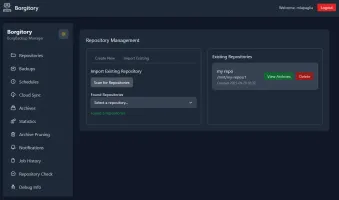
What is Borgitory?
Borgitory adds a web dashboard on top of BorgBackup so you can manage repositories, watch backups run live, schedule them with cron, browse archive contents through FUSE, and push copies to S3-compatible clouds via Rclone. The stack is FastAPI with an HTMX/Alpine.js/Tailwind front end. Deploy with Docker (image bundles BorgBackup and Rclone) or pip install on Python 3.14+. First visit creates an admin account. Pushover can notify you when jobs finish.
Should you self-host Borgitory?
Borgitory scores 46/100 on selfhost.directory (how scoring works) and ranks #8 of 15 in Backup Management. It has 194 GitHub stars.
It shipped 3 stable releases in the past year. The latest, v3.0.0, came out on 16 October 2026. New versions land roughly every 4 months.
Setup is moderate: expect some configuration beyond a single command. An official Docker image is available. It is MIT-licensed and written mostly in Python.
Its closest alternative on selfhost.directory is fogproject (63/100, 1 689 stars). It scores higher overall, so compare the two before you pick. See Borgitory vs fogproject side by side.
Features
- Archive Browser
- Automated scheduling
- Cloud Synchronization
- Push Notifications
- Real-time monitoring
- Repository Management
- REST API
Borgitory README
More in Backup Management
 borg-uiSelf-hosted web UI for Borg Backup that replaces terminal commands with a modern interface for creating, scheduling, and restoring backups.
 borgwarehouseBorgWarehouse is a self-hosted, open-source web UI to provision and monitor BorgBackup repositories, handle SSH access and quotas, and send backup alerts.
 burpBurp is a self-hosted, open-source network backup program with client-server model, delta differencing, Windows VSS, SSL encryption, and flexible retention.
 chatvaultSelf-hosted, open-source WhatsApp backup tool with directory import, automated email backup, and a chat-like frontend for browsing messages and attachments.
 Duplicati_MonitorSelf-hosted PHP web app that collects and visualizes Duplicati backup reports from multiple computers with dashboard charts and searchable history.
 ElkarBackupElkarBackup is a self-hosted, open-source backup solution centralizing Linux and Windows backups via web UI, built on rsync/rsnapshot with instant recovery.
 EneruSelf-hosted UPS monitor that manages orderly shutdown of virtual machines, containers, and remote servers when power fails, with a web dashboard, terminal UI, and API.
 fogprojectFOG is a free, self-hosted computer cloning and imaging solution that deploys Windows, Linux, and macOS over PXE with a web-based management interface.
 FTPGrabFTPGrab is a self-hosted, open-source CLI tool that pulls files from FTP/SFTP servers on a schedule with filtering, deduplication, and notifications.
 GitSaveGitSave is a self-hosted, open-source app for scheduled Git repository backups from GitHub, GitLab, and other platforms with a responsive web UI.
 HoardSelf-hosted, open-source game save backup/sync with full version history and SHA-256 verification. Auto-detects 20,000+ games. Runs on Windows, macOS, Linux, Steam Deck.
 JoulenapSelf-hosted scheduler that wakes Proxmox Backup Servers, runs backups, applies retention and GC, then powers them down — keeping servers asleep 23 hours a day.
0 comments