
Self-host ble-scale-sync
v1.37.0BLE smart scale bridge for body composition sync
- Stars
- 207
- Requires
- Bluetooth adapter (BlueZ on Linux), Node.js v22+
ghcr.io/kristianp26/ble-scale-sync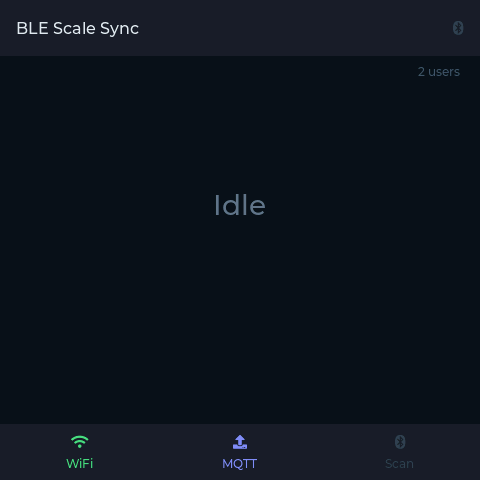
What is ble-scale-sync?
This self-hosted command-line program reads weight and body impedance from over 25 Bluetooth Low Energy smart scales and sends the measurements to 13 different services. It works with many common scale brands and can push data to fitness platforms like Garmin Connect and Strava, training tools such as Intervals.icu and Runalyze, self-hosted options including MQTT for Home Assistant, InfluxDB, and local files, plus notification services like Ntfy and Telegram. The software runs on Linux, macOS, and Windows, either directly with Node.js 22+ or through Docker, and offers a Home Assistant add-on for easy setup. It automatically identifies different household members by weight range, can replay historical readings stored on the scale, includes a guided setup wizard, and supports using an ESP32 or ESPHome device as a remote Bluetooth radio. All processing happens locally with no cloud dependency. Licensed under GPL-3.0.
Should you self-host ble-scale-sync?
ble-scale-sync scores 55/100 on selfhost.directory (how scoring works) and ranks #7 of 31 in Health & Fitness. It has 207 GitHub stars.
It shipped 20 stable releases in the past year. The latest, v1.37.0, came out on 25 October 2026. New versions land roughly every 1 days.
Setup is moderate: expect some configuration beyond a single command. An official Docker image is available. It is GPL-3.0-licensed and written mostly in Typescript.
Its closest alternative on selfhost.directory is wger (73/100, 7 200 stars). It scores higher overall, so compare the two before you pick. See ble-scale-sync vs wger side by side.
Features
- 13 Export Targets
- BLE Diagnostic Tool
- BLE Smart Scale Support
- Body Composition Metrics
- Cross-platform
- ESP32 BLE Proxy
- ESPHome Bluetooth Proxy
- Historical Sync
- Interactive setup wizard
- Linux Stability Hardening
- Multi-user support
- Private & Self-Hosted
- Update check
ble-scale-sync README

FAQ
How do I update?
It depends on the deployment target. The Auto Updates guide has full recipes for the HA Add-on Supervisor toggle, Watchtower on Docker, and a systemd timer for Raspberry Pi source deploys.
Can I run this in Kubernetes?
Yes, but BLE is the tricky part. Two paths work: a DaemonSet pinned to a node that has a Bluetooth radio with NET_ADMIN and NET_RAW capabilities and the host D-Bus socket mounted in, or any plain Deployment combined with an ESP32 proxy or ESPHome proxy so the cluster needs no radio at all. The proxy approach is simpler to operate and is the recommended route for clusters.
Which Raspberry Pi should I use?
Pi Zero 2W is the sweet spot: ARMv7, built-in Bluetooth, roughly 15 euros, about 0.4 W idle. Pi 3, 4, and 5 all work fine as well. The original Pi Zero W is not supported because esbuild has no ARMv6 binaries and npm install fails with a SIGILL error.
Does it work with Apple Health, Google Fit, or Fitbit?
Not directly. A native exporter for these is on the roadmap. In the meantime, the Webhook exporter plus a bridge (iOS Shortcuts posting into HealthKit, a small script posting to the Fitbit API, Google Fit REST API via a custom endpoint) covers most cases.
Can each household member sync to a different Garmin account?
Yes. Define exporters at the user level. They are added to global_exporters for that user, and a user's own Garmin replaces a global Garmin for them. Each user can have their own Garmin, Strava, MQTT, and File exporters independently.
Does Garmin Connect 2FA or MFA work?
Yes. During the first login, setup-garmin prompts for the 2FA code. Tokens are cached and reused for around twelve months, so the code is only needed once per cycle.
Is my scale supported?
Check the supported scales page for the full list of 41 adapters. Coverage includes Xiaomi, Renpho (Elis 1, FITINDEX, Sencor, QN Scale), Eufy, Yunmai, Beurer (incl. BF720/BF105/BF500/BF788/BF950), Sanitas, Medisana, Soehnle, and many unbranded Asian scales that reuse the Renpho or QN protocol. Auto-detect matches most devices without any MAC pinning.
Can I disable the update check?
Yes. Set update_check: false in config.yaml (in the Home Assistant add-on, turn off the update_check option), or run with CI=true in the environment.
Where does my data go?
Only to the exporters you configure in config.yaml. Enable Garmin and readings go to Garmin Connect; enable only File and data stays on disk. There is no vendor cloud in the middle, no account, and no telemetry beyond the optional anonymous update check.
What hardware do I need?
Any device with a BLE radio running Node.js 22+ or Docker. Recommended: Raspberry Pi Zero 2W for about 15 euros, with built-in Bluetooth and roughly 0.4 W idle power draw. The original Pi Zero W (first-gen, ARMv6) is not supported.
Does it work offline, without WiFi?
BLE read and body composition calculation are fully offline. Local exporters (File CSV/JSONL, a local MQTT broker, a local InfluxDB) work with no internet at all. Cloud exporters (Garmin Connect, Strava, public Ntfy) need internet only at the moment of export.
Do I need Home Assistant?
No. The Home Assistant Add-on is one deployment target out of several. You can also run on plain Docker, as a standalone Node.js process, or behind an ESP32 proxy. Any of those three speak MQTT auto-discovery, so the sensors can still appear in HA if you want them to.
Do I need a smartphone?
No. The whole point of BLE Scale Sync is going phone-free. Measurements happen entirely on your server (Raspberry Pi, NAS, PC, Home Assistant host, or Docker host). Once the service is running, stepping on the scale is the only user action involved.
More in Health & Fitness
 cleanslateSelf-hosted, open-source calorie tracker for binge eating recovery with daily resets, calorie/protein tracking, and free curriculum.
 docvaultA self-hosted finance workspace that tracks assets across brokers, crypto, metals, and property, parses tax PDFs with AI, and adds health data and quant signals.
 EndurainSelf-hosted, open-source training log for workouts, equipment and wellness data; a privacy-focused Strava alternative with Garmin sync, GPX/TCX/FIT imports, MFA and SSO.
 ExerciseDiaryExercise Diary is a self-hosted, open-source workout tracker with GitHub-style heatmap, body weight charts, statistics, and Bootswatch themes. Run via Docker or binary.
 exerciseminimilismA self-hosted, single-file HTML exercise tracker storing workout data in browser local storage. Tracks 7 daily exercise sets with previous weight history and a rest timer
 Fitbit Health DashboardSelf-hosted open-source tool that pulls health metrics from Fitbit or Google Health APIs, stores them in InfluxDB, and visualizes with pre-built Grafana dashboards.
 FitTrackeeSelf-hosted, open-source web app for tracking outdoor activities via GPX/FIT/TCX/KML uploads. Runs on your server with PostgreSQL/PostGIS, dashboard, maps, OAuth2 API.
 free-sleepOpen-source, self-hosted server that runs on jailbroken Eight Sleep pods for local web control of temperature, schedules, alarms and sleep biometrics.
 Garmin GrafanaSelf-hosted, open-source tool that syncs Garmin Connect health metrics to InfluxDB for customizable Grafana dashboards.
 getbasedgetbased is an open-source, self-hosted personal health dashboard for lab reports, DNA, wearables, light exposure, and lifestyle data with optional AI analysis.
 GlycemicGPTSelf-hosted diabetes manager with live glucose tracking, AI summaries, chat assistant, and caregiver alerts. Works with Dexcom, Tandem, Medtronic pumps and Nightscout.
 habitsyncHabitSync is a self-hosted, open-source habit tracker with social features, OIDC/SSO auth, Apprise notifications, PWA, and Android app. Runs via Docker.
0 comments