
Self-host agentlogs
server-v0.1.4Team observability for AI coding agent sessions
- Stars
- 212
- Port
- 3000 (HTTP server)
- Requires
- GitHub OAuth App, SQLite
ghcr.io/agentlogs/agentlogs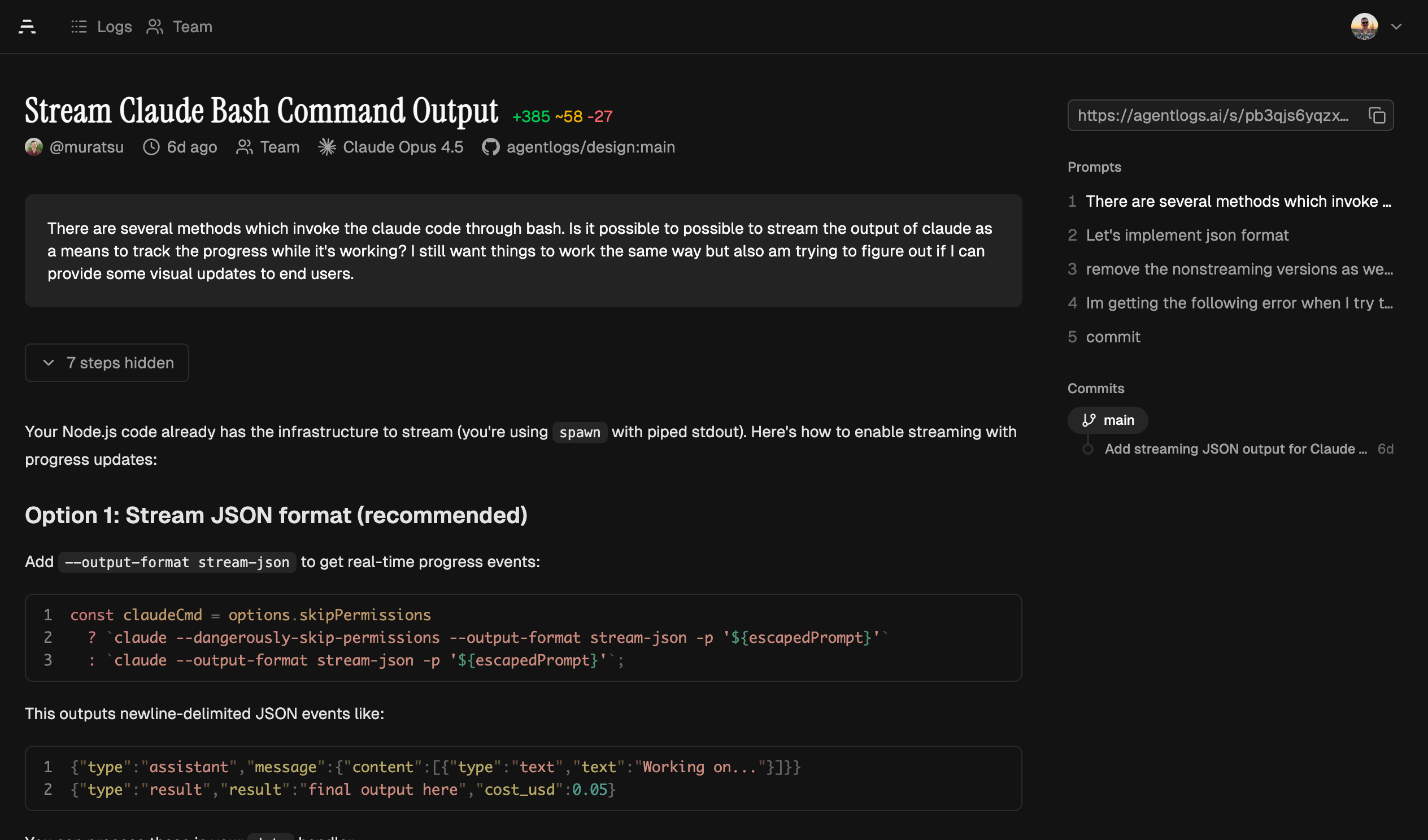
What is agentlogs?
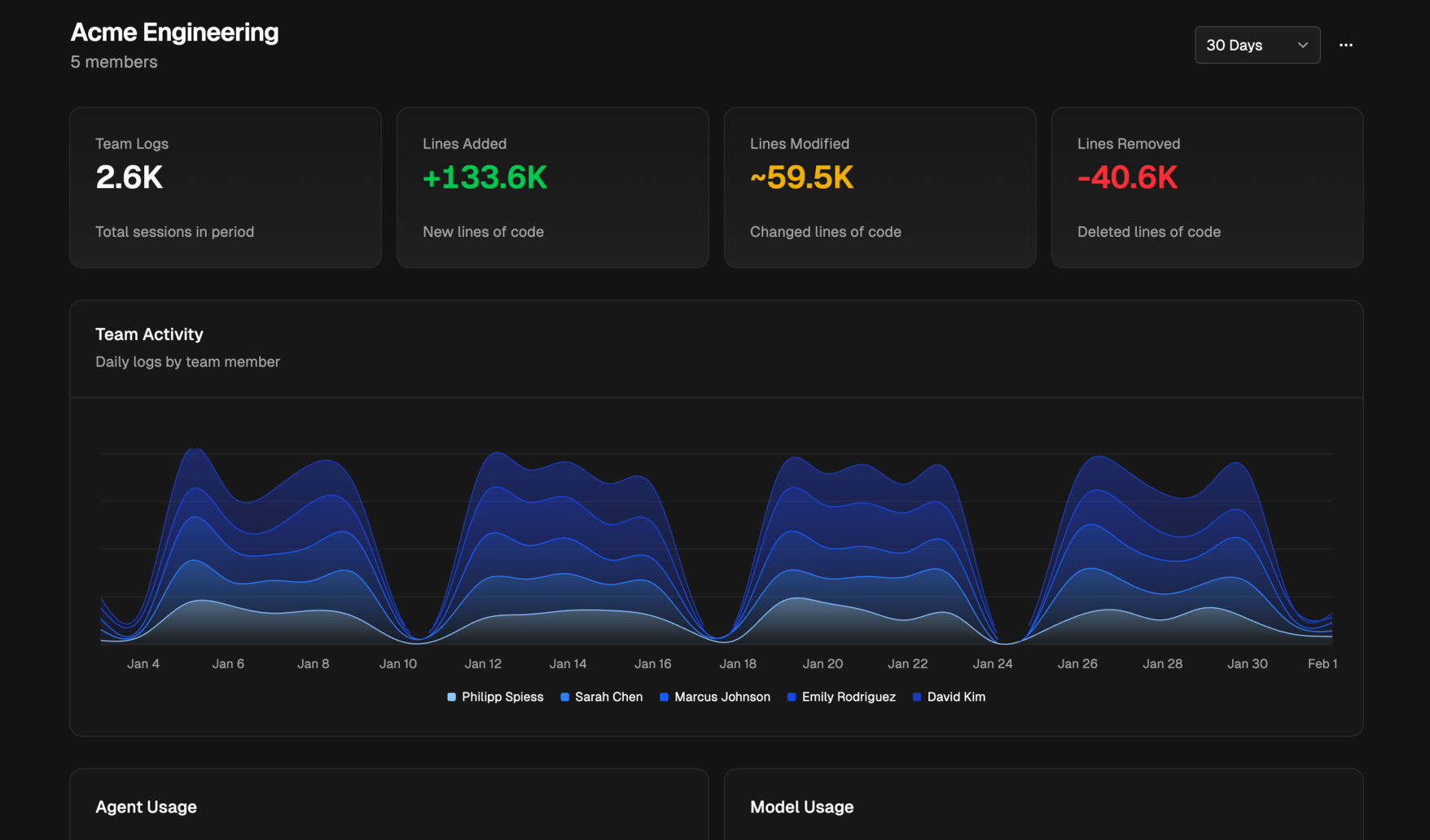
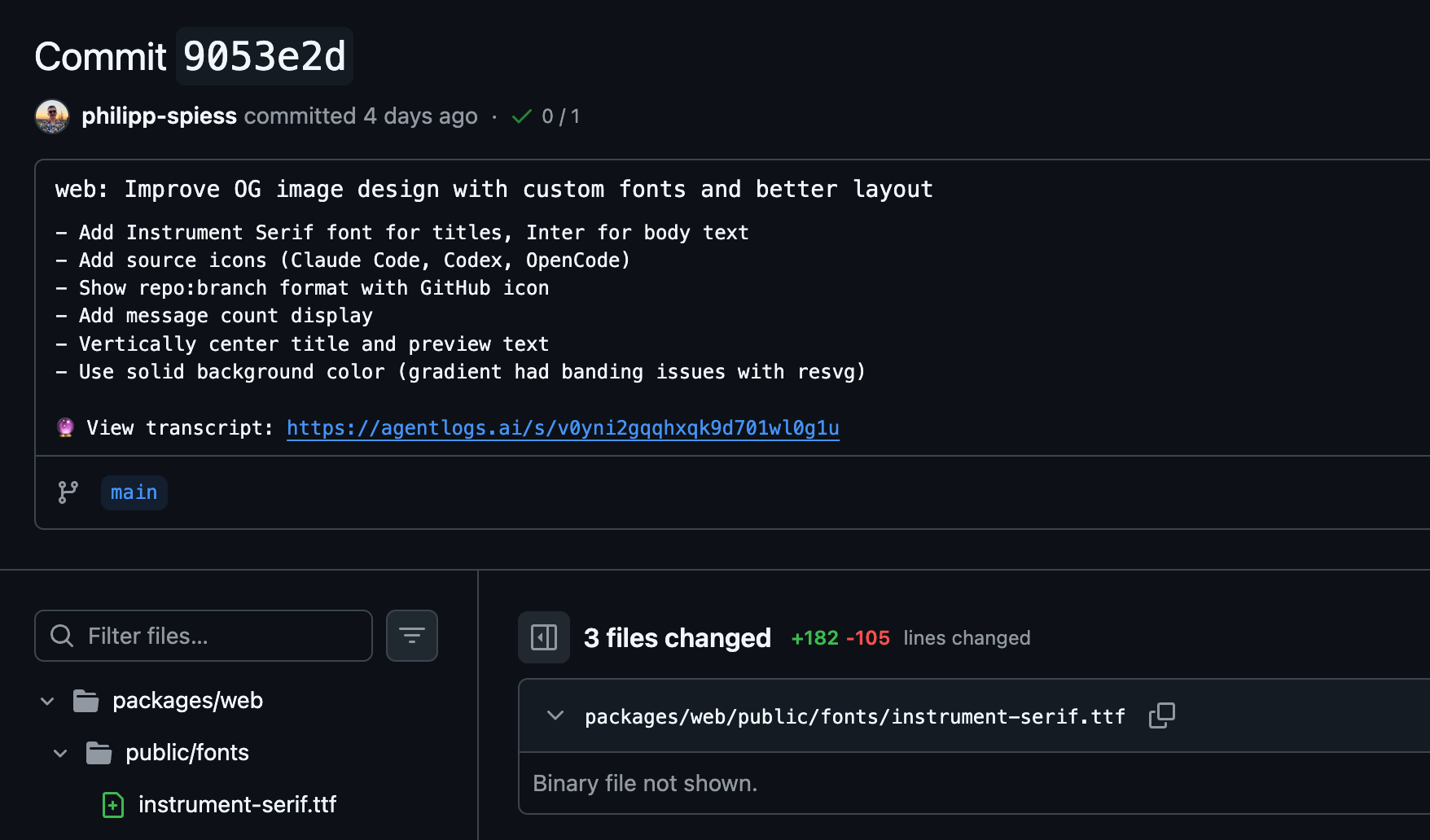
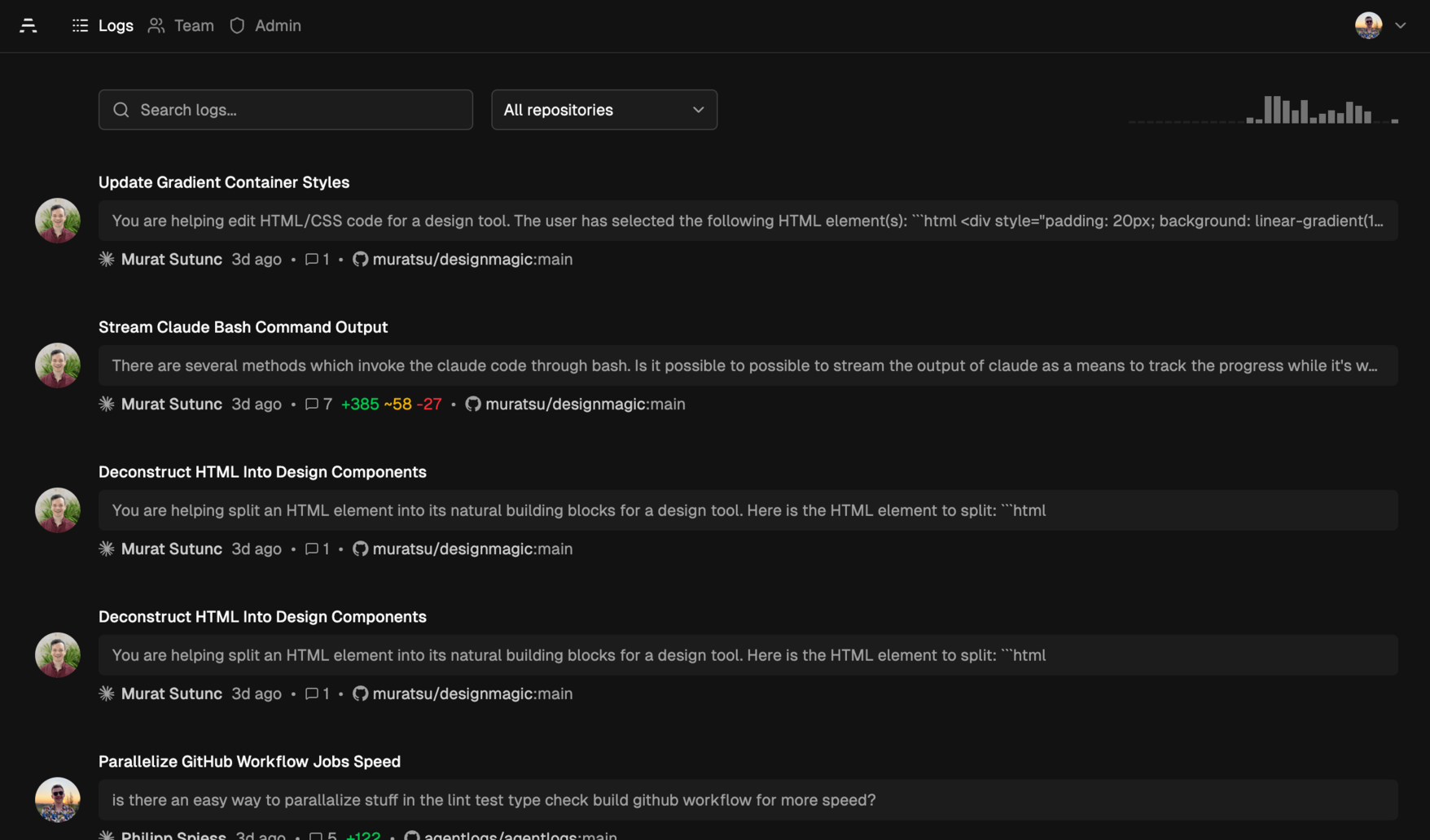
AgentLogs is a self-hostable platform that gives teams visibility into AI coding agent sessions. It captures transcripts from several popular agents, automatically linking them to git commits so teams can see which session produced which code. The web dashboard shows activity metrics, agent and model usage, and per-member breakdowns. Sessions can be shared with the team for learning effective prompts and workflows. All transcripts are scanned for secrets (1,600+ patterns) and redacted locally before upload. It runs as a Docker container or standalone binary using SQLite for storage and BetterAuth for GitHub/GitLab OAuth authentication. The project is licensed under FSL-1.1-Apache-2.0 (source-available, converting to Apache-2.0 after two years).
Should you self-host agentlogs?
agentlogs scores 42/100 on selfhost.directory (how scoring works) and ranks #122 of 166 in Developer Tools. It has 212 GitHub stars.
It shipped 13 stable releases in the past year. The latest, server-v0.1.4, came out on 10 September 2026. New versions land roughly every 1 days.
Setup is moderate: expect some configuration beyond a single command. An official Docker image is available. It is Other-licensed and written mostly in Typescript.
Its closest alternative on selfhost.directory is openhands (87/100, 92 094 stars). It scores higher overall, so compare the two before you pick. See agentlogs vs openhands side by side.
Features
- AI coding agent transcript capture
- AI-generated transcript summaries
- CLI Tool
- Git commit linking
- GitHub OAuth authentication
- GitLab OAuth/OIDC authentication
- Multi-agent plugin support
- Secret redaction
- Session Sharing
- Team dashboard
- Visibility Controls
agentlogs README
FAQ
How does AgentLogs compare to git-ai or agent-trace?
Tools like git-ai and agent-trace focus on tracking AI attribution at the code level (which lines were AI-generated). AgentLogs focuses on the session and prompt level, capturing full context of how code was created. They are seen as complementary with plans to integrate.
Which coding agents are supported?
AgentLogs supports Claude Code, Codex CLI, OpenCode, Pi, and Cline. Each has its own lightweight plugin, with more agents being added actively.
Who can see my transcripts?
You control visibility per transcript: Private (only you), Team (you and team members), or Public (anyone with the link). Defaults: public repos are public, private repos are team-visible, sessions without a repo are private.
How does AgentLogs protect my secrets and sensitive data?
AgentLogs automatically scans all transcripts for secrets before uploading using 1,600+ detection patterns covering API keys, tokens, passwords, and database credentials. Detected secrets are redacted entirely on your machine and never leave in plain text.
How does AgentLogs capture my sessions?
AgentLogs uses lightweight plugins for each coding agent. Install a plugin with a single command and it captures transcripts at the end of each session, automatically linking them to git commits.
Is AgentLogs source-available?
Yes, the entire codebase (CLI, web app, plugins) is on GitHub under FSL-1.1-Apache-2.0 and can be self-hosted with the official Docker image or standalone binaries.
More in AI
 AgentsMeshThe AI Agent Workforce Platform. Run a hundred AI coding agents across your own machines — schedule, isolate, and steer them all from one console.
 agenttierAgentTier is a self-hosted Kubernetes platform providing isolated sandboxes for AI agents and developers with browser terminals and gVisor isolation.
 agentverOpen-source, self-hosted platform for managing AI coding assistant skills across teams with version control, security scanning, and access controls.
 AGmindAGMind is a self-hosted, open-source installer deploying a private RAG stack on NVIDIA DGX Spark in ~30 minutes via an interactive wizard.
 AICONAICON is a self-hosted, open-source AI video creation platform with an infinite canvas and natural-language workflow assistant for script-to-video production.
 aigne-hubAIGNE Hub is a self-hosted AI gateway for 10+ LLM providers with API key management, usage tracking, and credit billing. Built as a Blocklet.
 AI GridAI Grid is a self-hosted, open-source orchestrator that pools your computers into a single OpenAI-compatible endpoint for local LLM inference and training.
 Ailin¹ Collective IntelligenceSelf-hosted open-source engine coordinating 100,000+ AI models through 31 strategies with verifiable consensus and OpenAI-compatible API.
 AI Native Call CenterSelf-hosted open-source call center where AI agents answer every call by default, with seamless human handoff on FreeSWITCH and PostgreSQL.
 AIReceptionistSelf-hosted AI receptionist using OpenAI Realtime API for natural voice calls via SIP, replacing costly SaaS alternatives with FAQ, transfers, and messages.
 aisuiteDocker Compose suite bundling N8N, Flowise, Langflow, LocalAI, Ollama, VLLM, Qdrant, ChromaDB, and Stable Diffusion behind Traefik with auto HTTPS.
 aiwayaiway is a self-hosted transparent SNI proxy that routes AI service traffic through your VPS using DNS and SNI routing, no VPN needed.
0 comments