
Self-host txtdot
v1.10.6HTTP proxy extracting text and images to save bandwidth
- Stars
- 213
- Port
- 8080 (HTTP proxy server)
ghcr.io/tempoworks/txtdot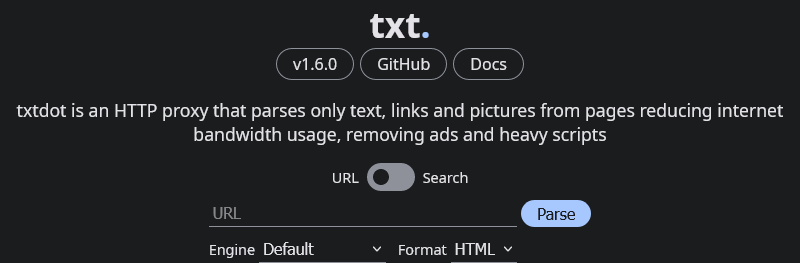
What is txtdot?
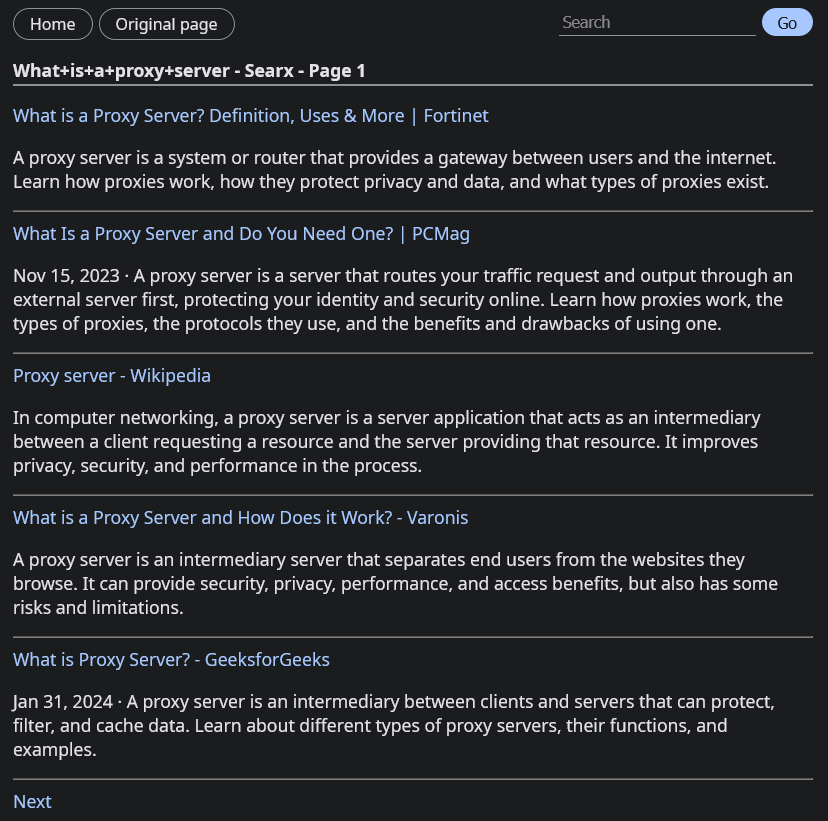
txtdot is a Node.js HTTP proxy that simplifies web pages on the server side using Mozilla's Readability library. It fetches a target URL, extracts the main content (text, links, images, tables), compresses images with Sharp, and serves a clean, minimal HTML page with no client-side JavaScript. It can also render JavaScript-heavy sites via the companion WebDer service and integrate with SearXNG for search. The project is designed for users on slow or metered connections who want to read articles without downloading megabytes of scripts and ads. It runs as a single container (Docker Compose) or via npm, listens on port 8080 by default, and is configured through environment variables. Development of the v1 branch is discontinued; active work continues on the v2 branch.
Should you self-host txtdot?
txtdot scores 47/100 on selfhost.directory (how scoring works) and ranks #19 of 25 in Proxy. It has 213 GitHub stars.
It shipped 5 stable releases in the past year. The latest, v1.10.6, came out on 25 October 2026. New versions land roughly every 3 days.
Setup is easy: most people get it running in one sitting. An official Docker image is available. It is MIT-licensed and written mostly in Typescript.
Its closest alternative on selfhost.directory is frp (85/100, 110 230 stars). It scores higher overall, so compare the two before you pick. See txtdot vs frp side by side.
Features
- Ad and tracker removal
- Image Compression
- JavaScript rendering via WebDerRequires separate WebDer instance
- Material Design 3 UI
- Media proxy
- No client-side JavaScript
- Plugin System
- REST API endpoints
- SearXNG search integrationRequires separate SearXNG instance
- Server-side page simplification
txtdot README
More in Web Scraping
 url-to-pngSelf-hosted, open-source PNG screenshot service from URLs using Playwright with caching (S3/CouchDB/filesystem) and Prometheus metrics.
 webclawSelf-hosted web extraction turning pages into clean Markdown, JSON, and LLM-friendly text. CLI, HTTP API, and MCP server for AI assistants. Rust, AGPL-3.0.
 YacyYaCy is open-source, self-hosted search engine software — crawler, index and web front-end in one Java server, with a peer-to-peer network or an intranet search portal.
 anakinSelf-hosted open-source web scraping API turning pages into clean markdown or JSON, with an anti-detect Camoufox browser, proxy auto-selection and a web dashboard.
 ArchiveBoxArchiveBox is an open-source, self-hosted web archiving app that ingests bookmarks, RSS feeds and URLs, then saves durable HTML, PDF, PNG, WARC and MP4 copies.
 binhex-official-byparrSelf-hosted, open-source API that drives a stealth headless browser to earn valid Cloudflare and other anti-bot cookies, and can fetch pages for Open WebUI's web loader.
 browserlessSelf-hosted headless browser deployment in Docker. Connects with Puppeteer or Playwright for web scraping, automation, and testing.
 browser-searchSelf-hosted AI agent skill combining SearXNG search, Camofox browsing, and CloakBrowser anti-bot bypass for web research.
 camofox-browserSelf-hosted, open-source browser server that drives the Camoufox Firefox engine through a REST API, evading Cloudflare and bot detection for AI agents.
 Crawl4AICrawl4AI converts websites into LLM-ready Markdown for RAG and AI agents. Self-host via pip/Docker or use the cloud API. Open-source Apache-2.0.
 CrawlabCrawlab is a self-hosted, open-source platform for managing distributed web crawlers and spiders in any language or framework, scaling across master and worker nodes.
 crawlee-cloudCrawlee Cloud is a self-hosted, open-source platform for running Apify Actors on your own infrastructure with a web dashboard, CLI, and full Apify SDK compatibility.
0 comments