
Self-host trigger
helm-v4.8.4Durable background jobs and AI workflows in TypeScript
- Stars
- 16 739
- CPU
- 6+ vCPU total
- RAM
- 12+ GB RAM total
- Ports
- 3000 (Webapp (dashboard/API) container port; the compose stack publishes it as 8030 on the host), 8020 (Supervisor workload API / health endpoint on the worker)
- Requires
- ClickHouse, Container registry, Object storage (S3-compatible, bundled MinIO), PostgreSQL, Redis
ghcr.io/triggerdotdev/trigger.dev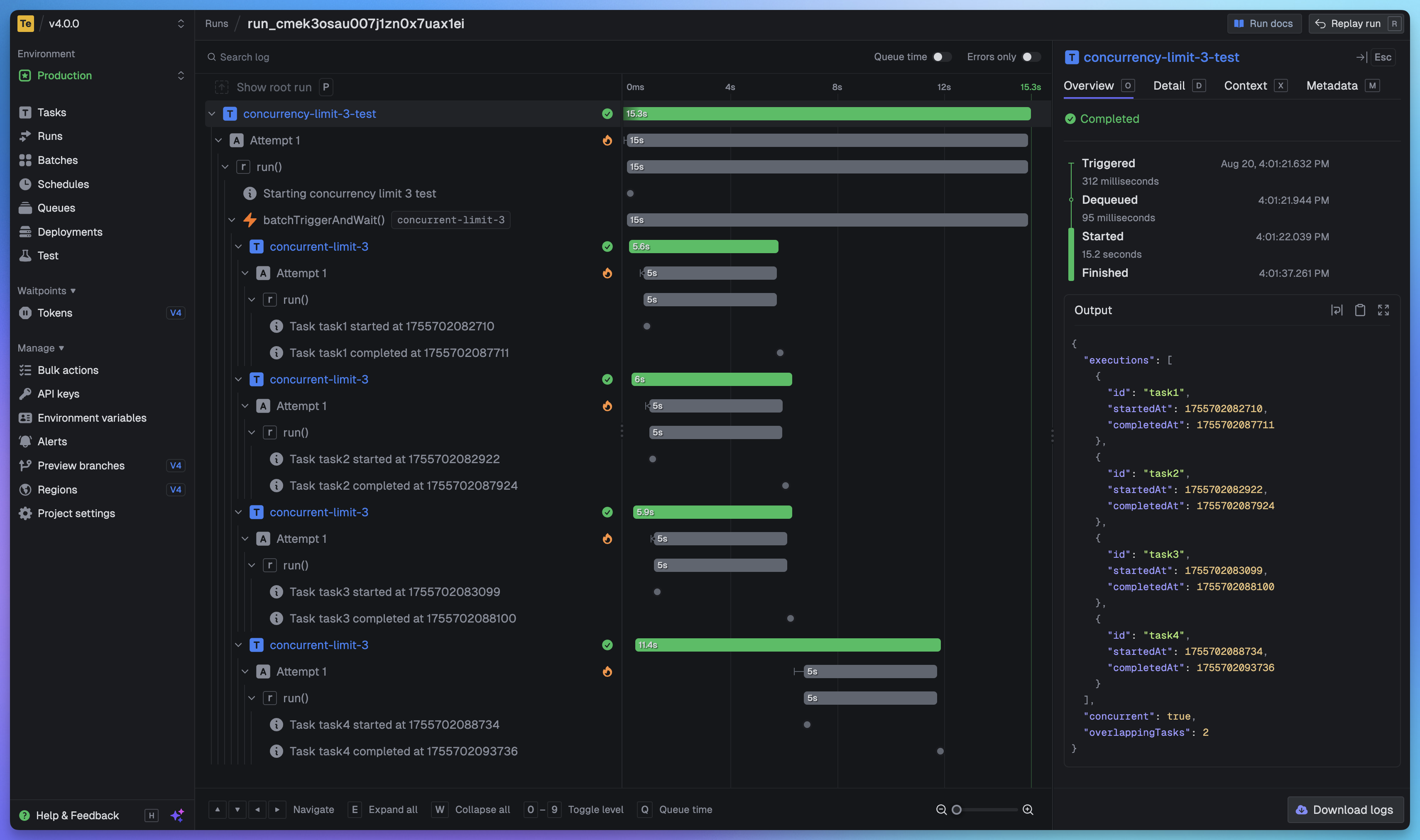
What is trigger?
Trigger.dev is an open-source platform for writing durable background jobs and AI-agent workflows in TypeScript, with tasks defined in your own codebase through its SDK. Runs are not limited by timeouts, and the platform layers on automatic retries, queues with concurrency rules, durable cron schedules, human-in-the-loop waitpoints, batch triggering, per-task machine presets for vCPU and RAM, structured inputs and outputs, tags, run metadata, bulk actions and full logging and tracing. A Realtime layer lets frontends subscribe to runs and stream AI responses, with React hooks wrapping the API. To self-host, you run a container stack that splits into two independently scalable parts: the webapp (dashboard plus services such as Redis and Postgres) and one or more worker machines whose supervisor executes task containers. Bundled container registry, object storage and an s2-lite stream service are provided, and a container registry must be pointed at before deploying tasks. Setup is documented for Docker Compose and for the official Helm chart; sign-in works via magic links or a GitHub OAuth app, and the CLI targets your instance with the -a/--api-url flag. Notable limits: warm starts, auto-scaling, checkpoints and dedicated support stay exclusive to the managed cloud, log events are never deleted, and the guides warn the default deployment is not production-ready without your own hardening.
trigger alternatives
 heymHeym is a self-hosted platform for building and running agentic AI workflows with a visual canvas, human-in-the-loop, RAG, MCP, and full observability.Compareheym with trigger
 ToolJetSelf-hosted, open-source low-code platform for internal tools and dashboards: visual builder, 90+ data sources, built-in database, AI app generation and MCP agent access.CompareToolJet with trigger
 inngestWorkflow orchestration platform for self-hosted durable step functions and AI workflows. Language SDKs for TypeScript, Python, Go automatically retry failed steps.Compareinngest with trigger
 MachinaOSSelf-hosted open-source AI organisation with six specialised employees owning business functions end-to-end. Token budget, bring your own model keys.CompareMachinaOS with trigger
 PlatypusPlatypus is a self-hosted, open-source platform for building AI agents with multi-tenant workspaces, MCP, A2A, Kanban boards, and memory.ComparePlatypus with trigger
 multicaSelf-hosted platform that makes coding agents work like teammates — assign issues, track progress, reuse skills, and monitor runtimes in one workspace.Comparemultica with trigger
 Evo AIOpen-source, self-hosted workbench for building AI agents: LLM, A2A, sequential, parallel, task and LangGraph workflow types with MCP tools and encrypted API keys.CompareEvo AI with trigger
 rivetRivet is an open-source, self-hostable orchestrator for AI agents, workflows, and sandboxes as lightweight Actors with SQLite and realtime.Comparerivet with trigger
All self-hosted alternatives to AWS Lambda → All self-hosted alternatives to Vercel →
Should you self-host trigger?
trigger scores 76/100 on selfhost.directory (how scoring works) and ranks #7 of 32 in Workflow Automation. It has 16 739 GitHub stars, +251 in the last 30 days.
It shipped 55 stable releases in the past year. The latest, v4.8.4, came out on 10 November 2026. New versions land roughly every 1 days.
Setup is advanced: plan for several services and some ongoing maintenance. An official Docker image is available. It is Apache-2.0-licensed and written mostly in Typescript.
Its closest alternative on selfhost.directory is coolify (88/100, 65 888 stars). It scores higher overall, so compare the two before you pick. See trigger vs coolify side by side.
Features
- Alerts on run failuresAlert limit is hardcoded at 100M when self-hosted.
- Atomic versioning
- Automatic Retries
- Batch Triggering
- Checkpointing / non-blocking waitsAvailable on Trigger.dev Cloud only; not supported when self-hosting.
- Cron Scheduling
- Human-in-the-loop waits
- Logging & tracing
- Long-running tasks without timeouts
- Machine presets (CPU/RAM per task)
- Multiple Environments
- Preview branches
- Queues & concurrency control
- Realtime run updates & streamingSelf-hosted v2 streams use the bundled s2-lite service; v1 falls back to Redis.
- Structured inputs / outputs
trigger README
Trigger.dev is the open-source platform for building AI workflows in TypeScript. Long-running tasks with retries, queues, observability, and elastic scaling.
Build AI agents using all the frameworks, services and LLMs you're used to, deploy them to Trigger.dev and get durable, long-running tasks with retries, queues, observability, and elastic scaling out of the box.
More in Workflow Automation
 TwentySelf-hosted, open-source CRM platform for technical teams to build custom solutions with AI agents, workflows, and extensible data models.
 uniflowUniflow is a self-hosted, fair-code workflow automation tool using flow-based programming and WebAssembly. Create flows that run on browser, Node.js, and VS Code.
 VisionClaw-Agent-Public-ReleaseSelf-hosted AI operations platform where specialist agents collaborate through hundreds of tools to deliver real business assets on your infrastructure.
 windmillOpen-source, self-hosted developer platform that turns scripts into APIs, background jobs, workflows and internal UIs, pitched as an alternative to Retool and Temporal.
 WOMLWOML is an open-source, self-hosted workflow orchestration language for writing durable automations as readable HTML-like documents with embedded JavaScript.
 xyOpsSelf-hosted open-source operations platform unifying fleet job scheduling, visual workflows, live server monitoring, alerting with snapshots, and incident response.
 z8runSelf-hosted visual flow engine for automation and AI pipelines. Rust + React, drag-and-drop editor, 39 nodes, 12 AI nodes, WASM plugins, single binary with SQLite.
 µTaskSelf-hosted, open-source automation engine from OVH that runs YAML-defined task workflows on a Postgres-backed, horizontally scalable Go server with a dashboard.
 ActivepiecesOpen-source, self-hosted workflow automation with AI agents, MCP servers, tables and 760+ app integrations, run via Docker Compose or Helm on Kubernetes.
 active_workflowSelf-hosted agent-based orchestration platform: build, schedule and monitor polyglot workflow services through a web UI, a REST API and a Remote Agent API.
 AgentaOpen-source, self-hosted workspace where teams build AI agents by chatting, run them in Slack, Telegram or WhatsApp, and schedule automations on any LLM.
 Agentic SignalSelf-hosted visual workflow automation with local AI via Ollama. Drag-and-drop nodes for data, APIs, RAG — no cloud dependencies.
0 comments