
Self-host PhreshOS
v0.8.6Self-hosted web desktop for running apps and AI agents
- Stars
- 302
- Ports
- 4300 (Desktop web interface), 5300 (Development desktop web interface)
- Requires
- Node.js
What is PhreshOS?
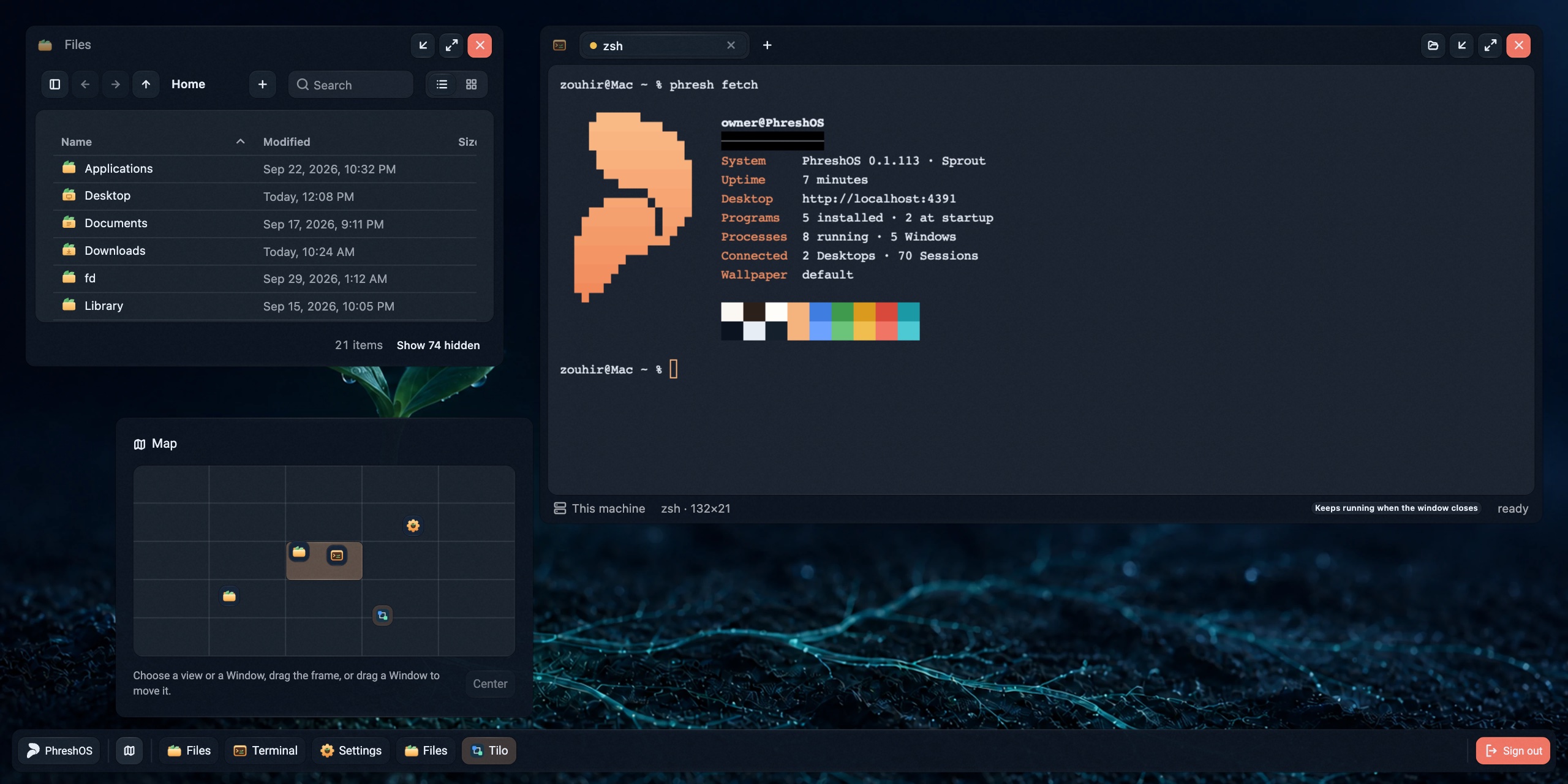
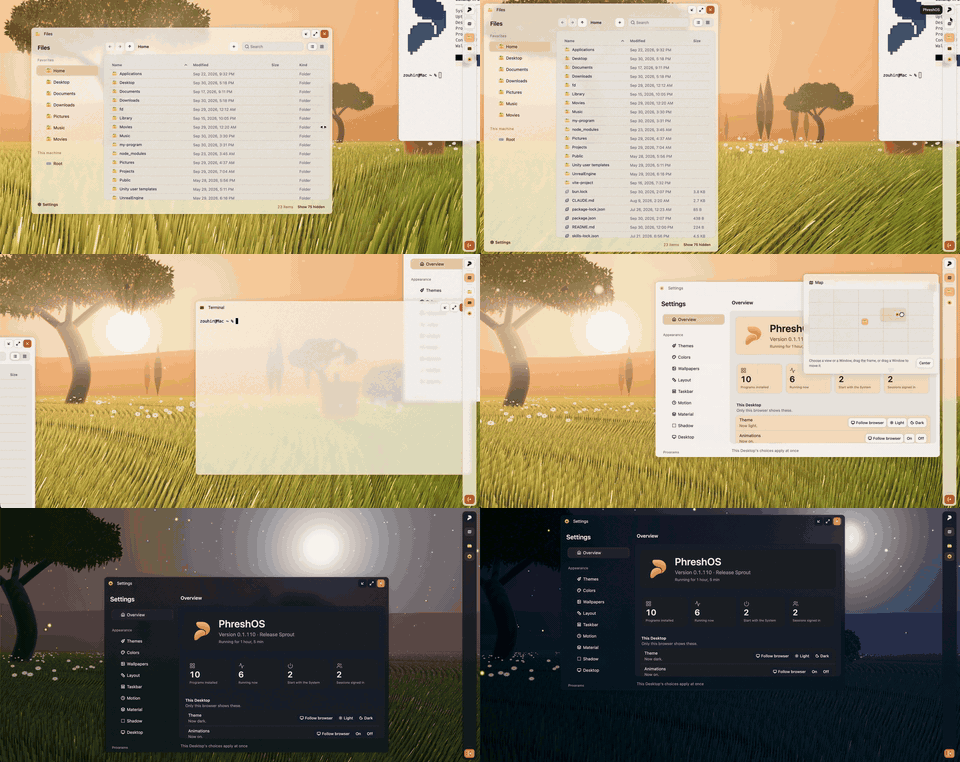
PhreshOS is an open-source, self-hosted platform that runs web applications on your own hardware. It provides a browser-based desktop environment where each application gets its own managed server process, shared authentication, inter-app communication, storage (files, key-value, SQLite), and granular permissions. The system is designed for both human users and AI agents to use the same apps simultaneously. Installation is via npm with the @phreshos/cli package, requiring Node.js 24.15+ and optionally Bun for development. The desktop runs on port 4300 by default. PhreshOS is currently experimental and not recommended for production use.
Should you self-host PhreshOS?
PhreshOS scores 42/100 on selfhost.directory (how scoring works) and ranks #13 of 20 in Application Management. It has 302 GitHub stars.
It shipped 10 stable releases in the past year. The latest, v0.8.6, came out on 15 October 2026.
Setup is moderate: expect some configuration beyond a single command. It is MIT-licensed and written mostly in Typescript.
Its closest alternative on selfhost.directory is raspiblitz (47/100, 21 stars). It scores higher overall, so compare the two before you pick. See PhreshOS vs raspiblitz side by side.
Features
- AI agent support
- App development SDKs
- Appearance theming
- Browser-based desktop environment
- Built-in storage (files, key-value, SQLite)
- CLI for system and app management
- Cross-platform (macOS, Linux, Windows)
- Customizable desktop shell
- Experimental statusProject states it is experimental and not production-ready
- Granular permissions system
- Inter-app communication
- Live demo available
- Managed app server processes
- Multi-view desktop (5x5 grid)
- Single sign-on for all apps
PhreshOS README
More in Application Management
 pm2-hawkeyeSelf-hosted, open-source dashboard to monitor PM2 processes with live CPU/memory metrics, log streaming, one-click restart, and alerting via webhooks or ntfy.
 powerlabPowerLab is a self-hosted, open-source home server panel managing Docker apps, files, and monitoring with a curated 137-app store and built-in MCP server for AI agents.
 ptah-serverSelf-hosted Fair Source PaaS replacing Heroku/Vercel, using Docker Swarm for apps, databases, backups, and SSL. Archived, development paused.
 pwnflowPwnflow is a self-hosted, open-source mind-mapping platform for cybersecurity professionals to visualize and track security testing methodologies with AI assistance.
 QuantumRun your own Platform-as-a-Service: deploy GitHub projects, databases, templates, and Compose stacks on a private server with a web UI.
 QuickStackA free, open-source platform you host yourself that replaces Vercel or Heroku — deploy apps and databases on your own hardware with automatic HTTPS and backups.
 sandboxdSelf-hosted AI app builder with isolated sandboxes and live previews. Build apps from prompts or run 80+ curated apps. MIT licensed, one-command Docker install.
 sandboxed.shOrb is a self-hosted platform connecting AI subscriptions and hardware to orchestrate coding agents from macOS and iOS.
 SenateSelf-hosted PaaS for deploying Docker containers on your own server with automatic HTTPS, live monitoring, and a web dashboard — no vendor lock-in or monthly fees.
 SenchoSelf-hosted, open-source control plane for managing Docker Compose stacks across multiple nodes with a web UI, real-time logs, and fleet-wide orchestration.
 Shiny ServerSelf-hosted server to run Shiny R web applications with multi-app hosting, user deployment, and authentication options.
 SmallwebSmallweb is a self-hosted personal cloud mapping subdomains to folders for instant app deployment. Runs as a single Go binary with Deno, no build step, sandboxed apps.
0 comments