
Self-host spacepad
v1.9.1Open-source meeting room display for tablets
- Stars
- 296
- Port
- 8080 (HTTP web interface)
ghcr.io/magweter/spacepad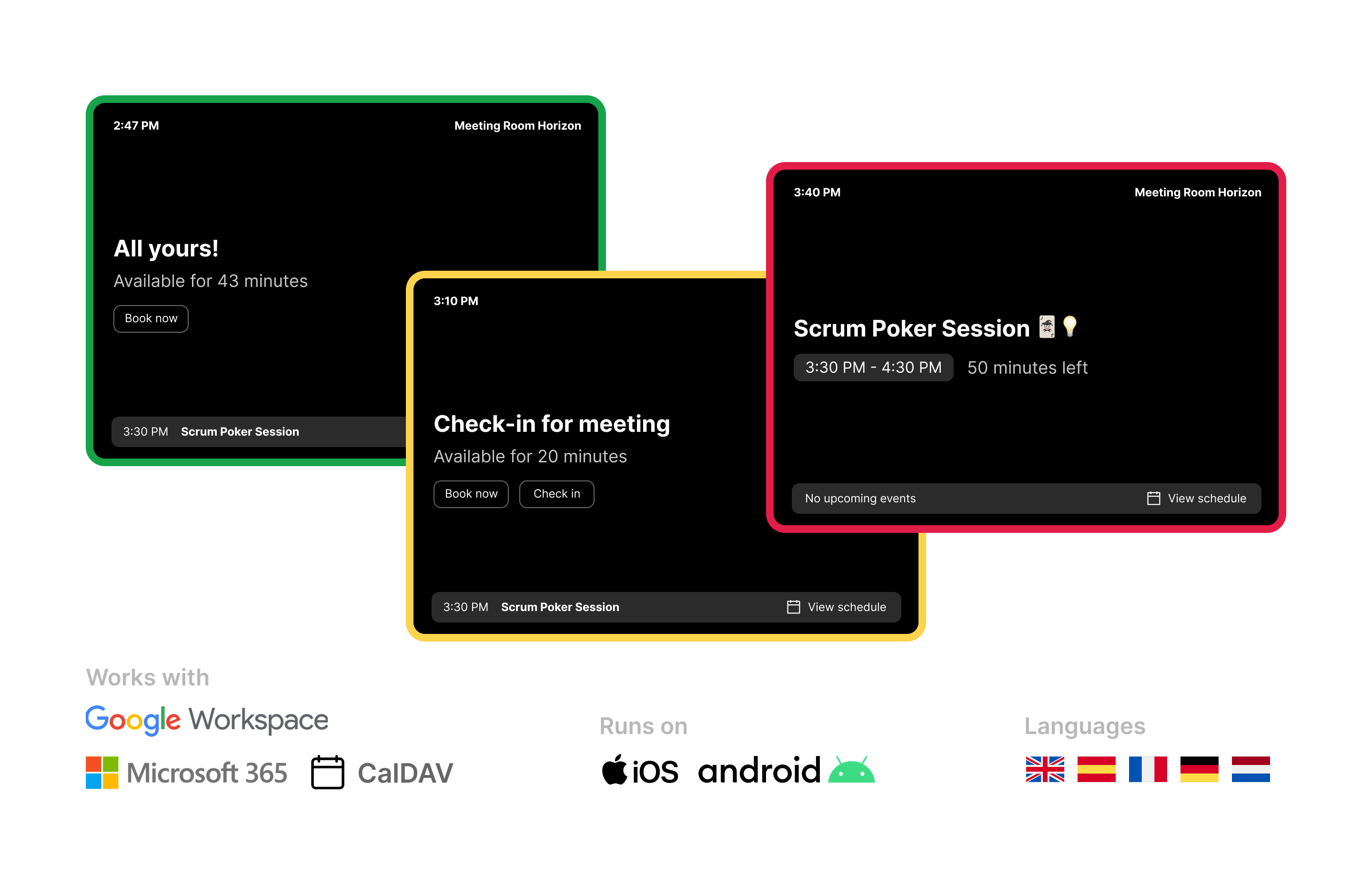
What is spacepad?
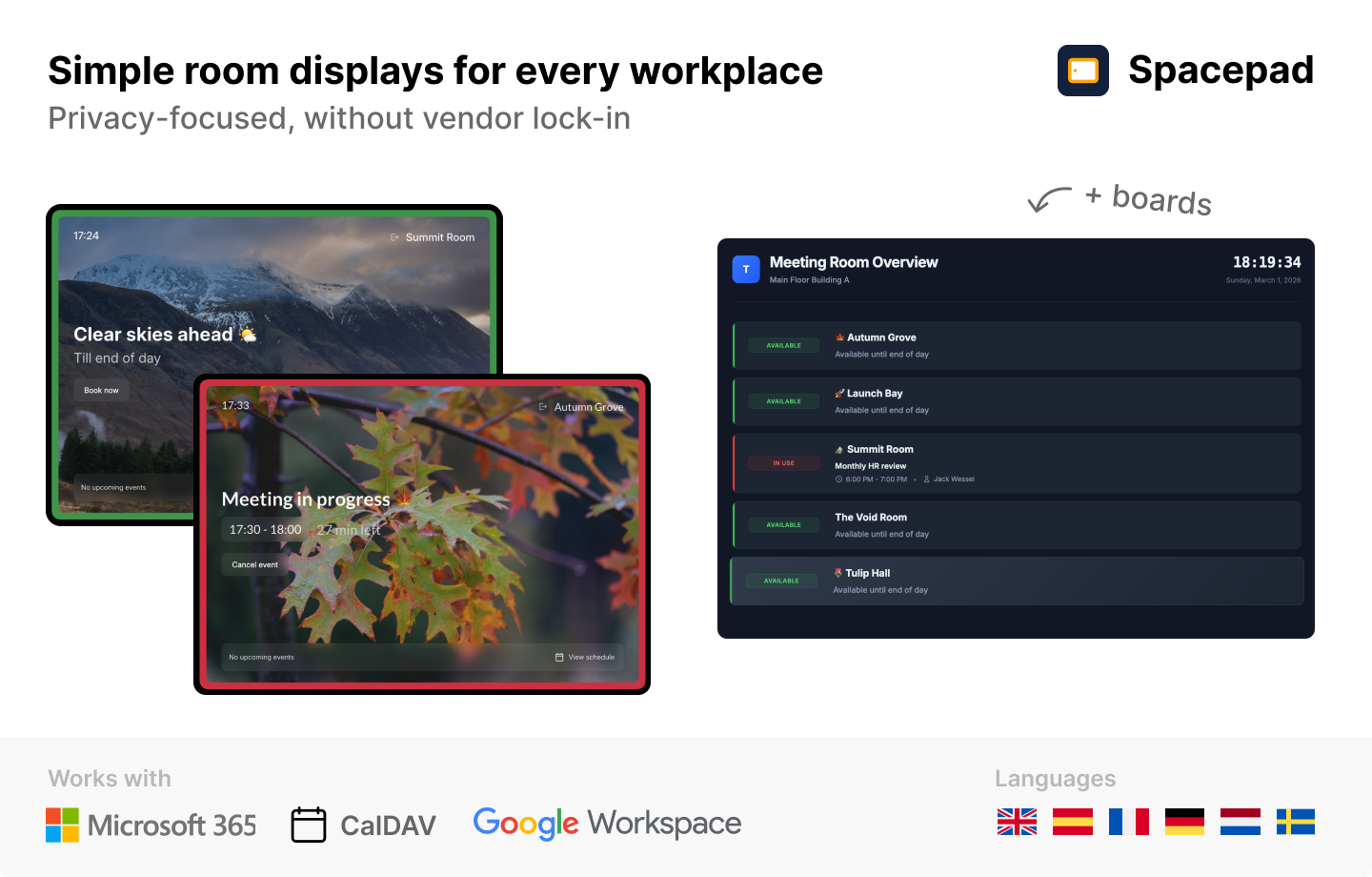
Spacepad is a self-hosted meeting room display solution that runs on standard tablets (iOS, Android, Windows) outside meeting rooms to show real-time availability and allow on-device booking. It syncs with Google Workspace, Microsoft 365, and any CalDAV-compatible calendar (Nextcloud, iCloud, etc.) via webhooks for instant updates. Features include multi-room overview boards, room check-in with grace periods, event cancellation, full-day schedules, custom themes (dark/light/system), branding with logos and Google Fonts, multi-language support, privacy controls, and workspace-based team collaboration. Deployment is via Docker Compose with a Traefik reverse proxy option, using a single ghcr.io/magweter/spacepad image that runs the web app and a scheduler. The Community License allows free self-hosted use for personal or up to one commercial display; Pro and Enterprise licenses unlock multiple displays and advanced features. Native mobile apps are available on the App Store and Google Play.
Should you self-host spacepad?
spacepad scores 46/100 on selfhost.directory (how scoring works) and ranks #6 of 8 in Scheduling & Booking. It has 296 GitHub stars.
It shipped 10 stable releases in the past year. The latest, v1.9.1, came out on 21 October 2026. New versions land roughly every 6 weeks.
Setup is moderate: expect some configuration beyond a single command. An official Docker image is available. It is Other-licensed and written mostly in PHP.
Its closest alternative on selfhost.directory is Rallly (69/100, 5 329 stars). It scores higher overall, so compare the two before you pick. See spacepad vs Rallly side by side.
Features
- Custom Branding
- Event cancellation
- Full day schedule
- Multi-language Support
- Multi-room overview boardsPro feature
- On-device room booking
- Privacy Controls
- Real-time room availability
- Room check-in
- Workspace Management
spacepad README
More in Digital Signage
 XiboXibo is a self-hosted, open-source digital signage platform for managing content across displays via a web CMS and multi-platform players, deployed with Docker.
 Xibo CMSSelf-hosted open-source digital signage software with a web-based CMS for managing screen content, schedules, and player devices. Deployed via Docker Compose.
 anthiasFree open-source digital signage platform for Raspberry Pi and x86 PCs. Schedule images, videos, web pages with no subscriptions or per-screen fees.
 garlic-hubSelf-hosted open-source digital signage CMS using SMIL for playlists, managing devices and content with multi-zone layouts, REST API, and player-agnostic compatibility.
 home-screensSelf-hosted, open-source smart display turning a Raspberry Pi into a customizable family dashboard with 45 modules, visual editor, and zero cloud dependency.
 magic-frameSelf-hosted, open-source dashboard for home displays with drag-and-drop editor, Home Assistant integration, Immich wallpapers, and live sync across screens.
 open-signageSelf-hosted digital signage platform built with Laravel that manages PDF-based presentations across monitors, groups, and schedules with LDAP authentication.
 screenliteSelf-hosted open-source digital signage CMS with web UI. Built with Fastify, React, PostgreSQL, Redis. Has TOTP 2FA, sandboxed FFmpeg. Early alpha.
 ScreenTinkerSelf-hosted digital signage CMS for TVs and kiosks across many platforms with playlists, scheduling, and integrations for Microsoft 365, Google Workspace, and Power BI.
0 comments