
Self-host SonarQube
26.11.0.134175Find bugs, smells and hotspots in every build you run
docker run --name sonarqube-custom -p 9000:9000 sonarqube:community- Stars
- 11 184
- Port
- 9000 (SonarQube web interface / server)
sonarqube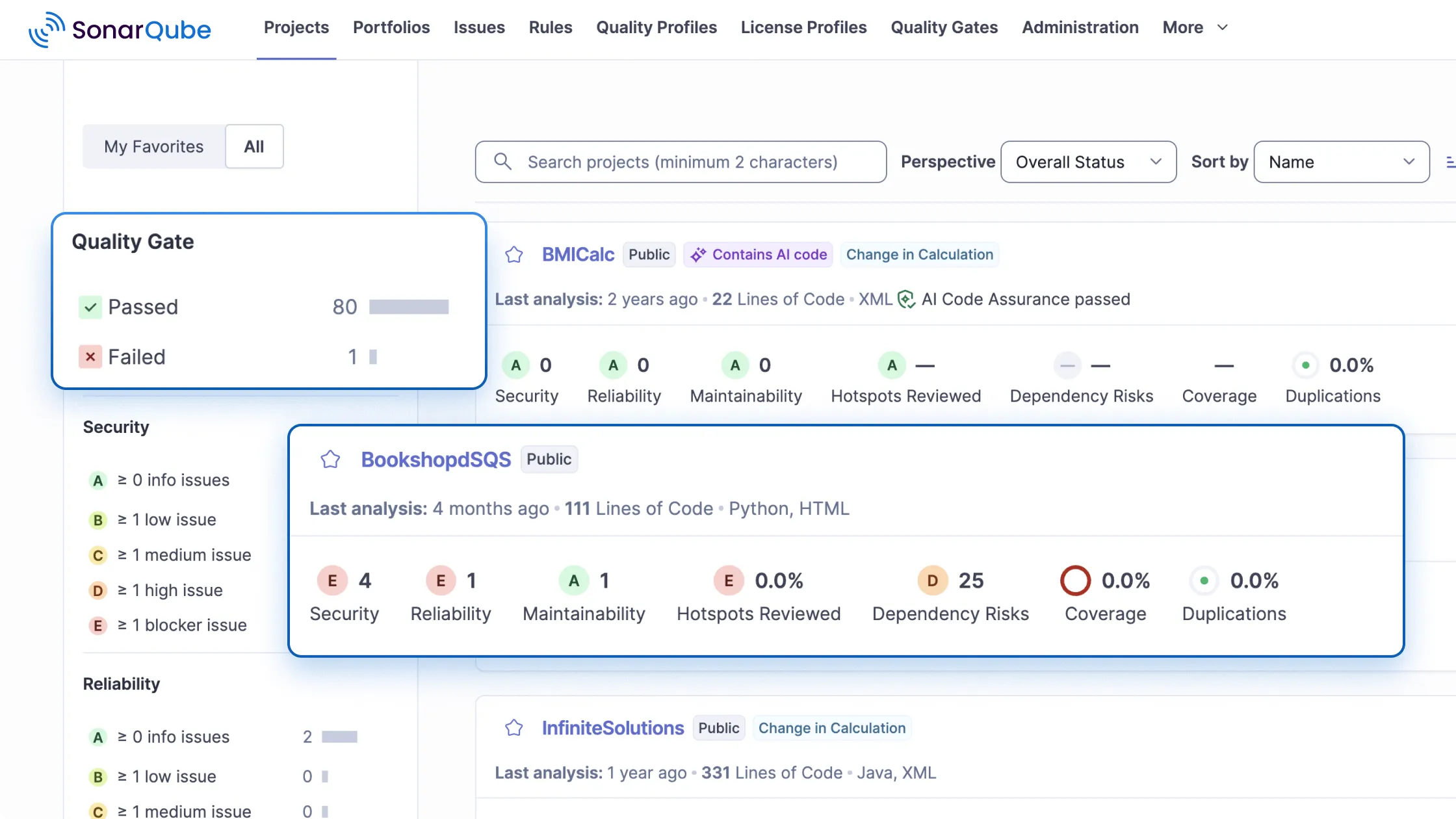
What is SonarQube?
SonarQube Community Build is the free, open-source edition of Sonar's code verification platform: a self-managed server that statically inspects repositories and reports bugs, vulnerabilities, security hotspots and maintainability problems, telling you what to fix and why. It analyses 21 programming languages and frameworks, focuses findings on new code, tracks coverage, and lets you define custom quality profiles plus pass-or-fail Quality Gates that pipelines and pull requests are checked against. DevOps platforms such as GitHub, GitLab, Bitbucket and Azure DevOps can be connected for project import and issue reporting, webhooks are supported, an extensions folder accepts third-party plugins, and Connected Mode shares your standards with SonarQube for IDE. You run it from the official sonarqube Docker image (the community tag), from the Helm chart on Kubernetes or OpenShift, or — deprecated — from a downloaded ZIP; state lives in data, logs and extensions volumes, the web UI listens on port 9000, the bundled search engine requires host kernel tuning, and an external production database should replace the embedded H2. Compared with the paid line, the Community Build analyses only the main branch, offers pull request analysis only when the target branch is main, and leaves software composition analysis, deep taint analysis, custom secret patterns, architecture rules, dashboards, portfolios, audit logs and SCIM provisioning to SonarQube Server or SonarQube Cloud.
SonarQube alternatives
 corootSelf-hosted, open-source APM and observability platform where eBPF agents capture every telemetry signal without code changes, with service maps and SLO alerting.Comparecoroot with SonarQube
 GitLab-CESelf-hosted, open-source DevOps platform for Git repositories, merge requests, CI/CD pipelines, issue boards and wikis, with free CE and paid Premium/Ultimate tiers.CompareGitLab-CE with SonarQube
 checkmateSelf-hosted, open-source uptime and infrastructure monitor: HTTP, ping, DNS, Docker and gRPC checks with incidents, status pages and Slack or email alerts.Comparecheckmate with SonarQube
 monoscopeOpen-source, self-hosted observability that keeps logs, metrics and traces in your own S3 buckets, with plain-English queries, scheduled AI agents and session replay.Comparemonoscope with SonarQube
 Review BoardOpen-source, self-hosted code review platform with advanced diff viewer, document/image review, flexible workflows, and Git/SVN/Perforce integrations.CompareReview Board with SonarQube
 FleetOpen-source MDM and endpoint management for macOS, Windows, Linux and mobile: self-hosted software patching, vulnerability tracking and live device reports.CompareFleet with SonarQube
 MiraSelf-hosted AI code reviewer for GitHub, GitLab, Forgejo with your LLM key. Code indexing, vuln scanning, custom rules, learning loop, dashboard — free.CompareMira with SonarQube
 DiggerOpen-source Terraform CI/CD that plans and applies inside your existing CI, with PR comments, drift detection, OPA policies and a self-hosted orchestrator backend.CompareDigger with SonarQube
Should you self-host SonarQube?
SonarQube scores 70/100 on selfhost.directory (how scoring works) and ranks #2 of 10 in Code Review. It has 11 184 GitHub stars, +119 in the last 30 days.
It shipped 12 stable releases in the past year. The latest, 26.11.0.134175, came out on 4 November 2026. New versions land roughly every 4 weeks.
Setup is advanced: plan for several services and some ongoing maintenance. An official Docker image is available. It is LGPL-3.0-licensed and written mostly in Java.
Its closest alternative on selfhost.directory is pr-agent (85/100, 16 263 stars). It scores higher overall, so compare the two before you pick. See SonarQube vs pr-agent side by side.
Features
- AI code analysis
- CI/CD Integration
- Custom quality gates
- Custom quality profiles
- DevOps platform integration
- Injection vulnerability detectionCustomising the security engine is commercial-edition only.
- MCP Server
- New-code coverage tracking
- Plugin System
- Pull request analysisFull branch and PR analysis is a commercial-edition capability.
- Quality Gates
- Security hotspot detection
- Software Composition AnalysisCommunity Build feature column is empty for this row.
- Static code analysis
- Webhooks
SonarQube README

SonarQube is the algorithmic verification platform for code quality and security. Its static analysis applies techniques such as symbolic execution and data and control flow analysis to inspect your code, find bugs, vulnerabilities, and structural problems, and tell you exactly what to fix and why, in your IDE, your pull requests, and your CI pipeline.
This repository holds the source of the SonarQube Community Build, the free, open-source edition of the SonarQube platform. It shares the same analysis used across the SonarQube product line.
AI writes code faster than teams can review it, creating verification debt: code reaching production before anyone has confirmed what it does. SonarQube applies the same consistent, explainable analysis to every line, whether a developer or an agent wrote it. Vibe, then verify: generate fast, then verify what reaches production. It is the verification stage of the Agent Centric Development Cycle, running in the outer CI verification loop to verify code before it merges.
- Bugs and reliability issues that break behavior at runtime.
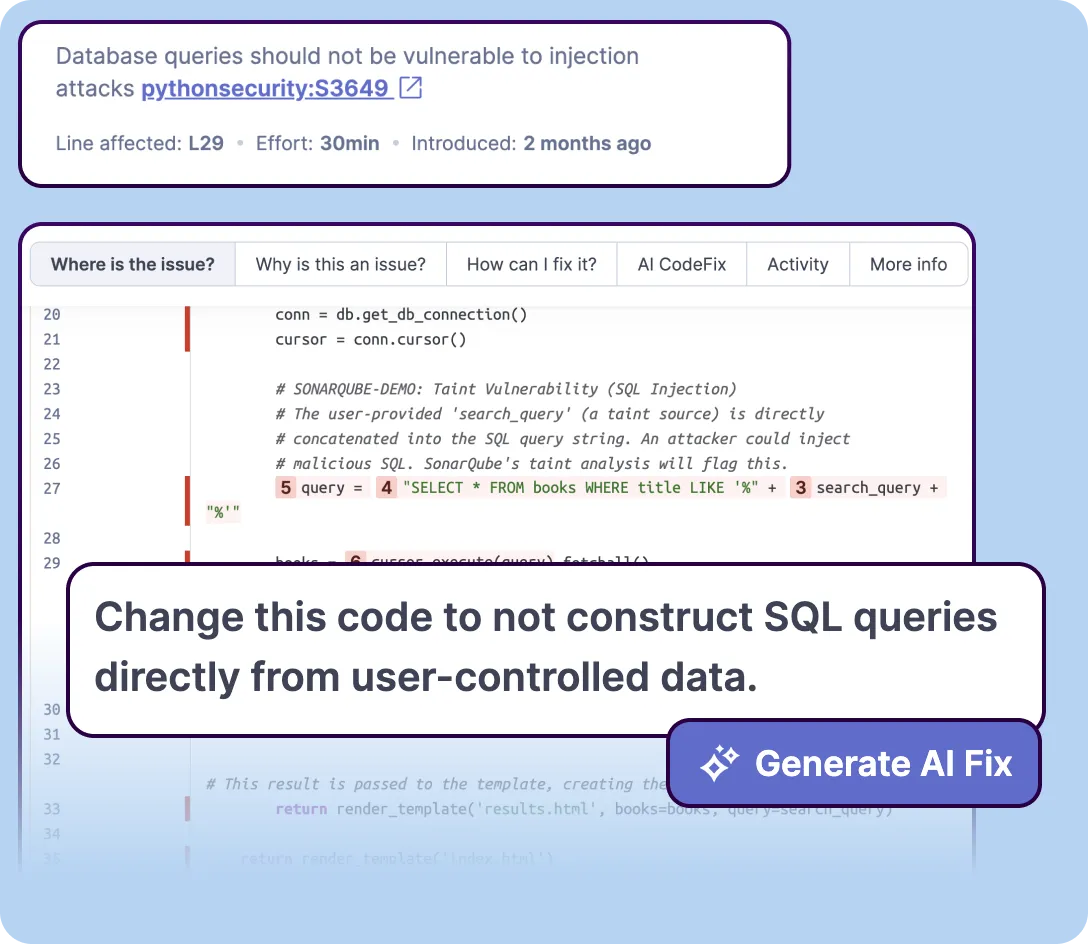
- Security vulnerabilities and security hotspots, with clear guidance on the risk and the fix.
- Maintainability and structural issues that make code harder to change over time.
- Coverage on new code, so quality improves with every commit instead of stalling behind a backlog.
The SonarQube platform analyzes more than 40 programming languages and frameworks; the Community Build supports a subset of them. Analysis is repeatable, auditable, and explainable: the same code always produces the same findings, every finding is traceable, and each one tells you what the problem is and why it matters.
SonarQube Server and SonarQube Cloud include everything in the Community Build and add:
Detect more
- More bugs, vulnerabilities, code quality issues, and architecture issues, through broader coverage and deeper analysis.
- More languages and frameworks than the Community Build.
- Software composition analysis (SCA) for vulnerable and risky open-source dependencies.
- Advanced security with deep taint analysis (SAST) that traces vulnerabilities across data flows.
- Secrets detection for leaked credentials, tokens, and keys.
- Infrastructure as code (IaC) analysis for Terraform, Kubernetes, Docker, and CloudFormation.
- Architecture management to define architectural constraints and catch structural violations.
Analyze your whole workflow
- Branch analysis and pull request decoration, so every change is verified before it merges.
Govern, report, and see across teams
- Portfolios and applications that roll up quality and security across many projects.
- Executive dashboards and trend reporting.
- Security and compliance reports, including OWASP Top 10, CWE, and PCI DSS.
- Enterprise governance: enforce Quality Gates and permissions across teams, with full audit trails.
Fix
- SonarQube Remediation Agent to reduce technical debt by fixing SonarQube issues for you, opening verified fix pull requests you can review and merge.
Some capabilities are part of the SonarQube Advanced Security add-on. See the product line for details.
A Quality Gate is a pass-or-fail check on your new code. Set the standard once, and SonarQube enforces it automatically in every pull request and pipeline, so issues are caught before they merge rather than found in production.
The Community Build is free and open source. The wider SonarQube line applies the same analysis across your workflow:
- SonarQube Server, self-managed, with more languages, deeper security analysis, and branch and pull request analysis.
- SonarQube Cloud, hosted, with the same capabilities as a managed service.
- SonarQube for IDE, real-time analysis as you write or generate code.
- SonarQube MCP Server, bringing SonarQube analysis into your AI agent's context.
- SonarQube CLI, running analysis from the command line.
Compare SonarQube plans and pricing to choose the appropriate product and deployment model.
- Website
- Download
- Documentation
- X
- SonarSource, author of SonarQube
Is the Community Build free? Yes. It is free and open source, and this repository is its source.
What is the difference between the Community Build and SonarQube Server? The Community Build is the free, self-managed engine. SonarQube Server and SonarQube Cloud are the commercial editions. They cover more languages and add branch and pull request analysis, software composition analysis (SCA), architecture management, advanced security with taint analysis (SAST), secrets detection, infrastructure as code (IaC) analysis, the SonarQube Remediation Agent for verified fix pull requests, and enterprise reporting. Some capabilities are part of the SonarQube Advanced Security add-on. See the product line for details.
Does it work on AI-generated code? Yes. SonarQube applies the same analysis to all code, whether a developer or an agent wrote it.
- Webapp source code
- Issue tracking, read-only. Only SonarSourcers can create tickets.
- Responsible Disclosure
For support questions ("How do I?", "I got this error, why?", ...), please first read the documentation and then head to the SonarSource Community. The answer to your question has likely already been answered! 🤓
Be aware that this forum is a community, so the standard pleasantries ("Hi", "Thanks", ...) are expected. And if you don't get an answer to your thread, you should sit on your hands for at least three days before bumping it. Operators are not standing by. 😄
If you would like to see a new feature or report a bug, please create a new thread in our forum.
Please be aware that we are not actively looking for feature contributions. The truth is that it's extremely difficult for someone outside SonarSource to comply with our roadmap and expectations. Therefore, we typically only accept minor cosmetic changes and typo fixes.
With that in mind, if you would like to submit a code contribution, please create a pull request for this repository. Please explain your motives to contribute this change: what problem you are trying to fix, what improvement you are trying to make.
Make sure that you follow our code style and all tests are passing (a GitHub Actions build is executed for each pull request).
Willing to contribute to SonarSource products? We are looking for smart, passionate, and skilled people to help us build world-class code-quality solutions. Have a look at our current job offers here!
To build sources locally follow these instructions.
- Java 21 - Required to build the project
- Native Git - Must be installed and available in your PATH
- Tests - Can be disabled if needed by adding
-x testto the gradle command (useful if you just want to build without running tests)
Execute from the project base directory:
./gradlew build
The zip distribution file is generated in sonar-application/build/distributions/. Unzip it and start the server by executing:
# on Linux
bin/linux-x86-64/sonar.sh start
# or on MacOS
bin/macosx-universal-64/sonar.sh start
# or on Windows
bin\windows-x86-64\StartSonar.bat
If the project has never been built, then build it as usual (see previous section) or use the quicker command:
./gradlew ide
Then open the root file build.gradle as a project in IntelliJ or Eclipse.
| ./gradlew command | Description |
|---|---|
dependencies |
list dependencies |
spotlessApply |
fix source headers by applying HEADER |
wrapper --gradle-version <version> |
upgrade wrapper |
The SonarQube UI (or webapp as we call it), is located in another repository: sonarqube-webapp.
When building the sonarqube repository, the webapp is automatically downloaded from Maven Central as a dependency, it makes it easy for you to contribute backend changes without having to care about the webapp.
But if your contribution also contains UI changes, you must clone the sonarqube-webapp repository, do your changes there, build it locally and then build the sonarqube repository using the WEBAPP_BUILD_PATH environment variable to target your custom build of the UI.
Here is an example of how to do it:
cd /path/to/sonarqube-webapp/server/sonar-web
# do your changes

# install dependencies, only needed the first time
yarn

# build the webapp
yarn build


cd /path/to/sonarqube

# build the sonarqube repository using the custom build of the webapp
WEBAPP_BUILD_PATH=/path/to/sonarqube-webapp/server/sonar-web/build/webapp ./gradlew build
You can also target a specific version of the webapp by updating the webappVersion property in the ./gradle.properties file and then building the sonarqube repository normally.
Historically our translations were stored in sonar-core/src/main/resources/org/sonar/l10n/core.properties, but this file is now deprecated and not updated anymore.
Default translations (in English) are now defined in the webapp repository, here:
https://github.com/SonarSource/sonarqube-webapp/blob/master/libs/sq-server-shared/src/l10n/default.ts
The format has changed but you can still have it as a .properties file format by running the following command:
cd /path/to/sonarqube-webapp/server/sonar-web

# install dependencies, only needed the first time
yarn

# generate a backward compatible .properties file with all the translation keys
yarn generate-translation-keys
Note that contributing extensions for translations into other languages still work the same way as before. It's just the source of truth for the default translations that changed.
Copyright (C) SonarSource Sàrl.
Licensed under the GNU Lesser General Public License, Version 3.0
FAQ
Does it work on AI-generated code?
Yes, the same analysis is applied to every line of code, regardless of whether a human developer or an AI agent produced it.
What is the difference between the Community Build and SonarQube Server?
The Community Build is the free self-managed analysis engine, while SonarQube Server and SonarQube Cloud are commercial editions with more languages, branch and pull request analysis, SCA, taint analysis, secrets detection, IaC analysis, the Remediation Agent and enterprise reporting.
Is the Community Build free?
Yes, it is free and open source, and the SonarSource/sonarqube repository is its source code.
More in Code Review
 twinnyOpen-source VS Code extension for AI coding with local models. Code completion, chat, inline edits, and reviews run on your infrastructure. No telemetry or accounts.
 WhiteboardSelf-hosted desktop canvas where coding agents draw architecture-level reviews of diffs. Open-source MIT: AST-based semantic diffs, diagrams linked to code.
 AI-Git-BotSelf-hosted AI automation for Git repositories that handles PR reviews, test creation, issue improvement, and code generation across major Git platforms.
 CodraCodra is a self-hosted, open-source AI code review engine on Cloudflare Workers that posts inline comments on GitHub PRs using configurable LLM providers.
 GerritOpen-source, self-hosted code review and Git repository management server: patchset reviews, fine-grained permissions, plugins, REST API and webhooks.
 gitbucketA self-hosted, open-source Git platform in Scala: run one war file on Java 17 for repos, issues, pull requests, wiki, LDAP/OIDC logins and GitHub-compatible APIs.
 kodusSelf-hosted AI code review for major Git platforms. Bring your own LLM keys with zero markup. AGPL core with enterprise features.
 mergeableMergeable is a self-hosted, open-source GitHub PR inbox with customizable search-based sections, local browser storage, and multi-instance support.
- MiraSelf-hosted AI code reviewer for GitHub, GitLab, Forgejo with your LLM key. Code indexing, vuln scanning, custom rules, learning loop, dashboard — free.
 ORG-2Open-source, self-hosted desktop app that records coding-agent sessions as replayable trajectories, with a Rust harness, launchers for 20+ CLIs, and team review.
 pr-agentSelf-hosted open-source AI agent that reviews pull requests, writes PR descriptions and suggests code improvements on GitHub, GitLab, Bitbucket, Gitea or Azure DevOps.
 ProvalSelf-hosted AI code reviewer for GitLab, Forgejo, and GitHub that runs on your own hardware with any LLM you choose, including local models via Ollama or llama.cpp.
0 comments