
Self-host AI-Git-Bot
1.29.0Automate Git workflows with self-hosted AI
- Stars
- 193
- Port
- 8080 (HTTP web UI and API)
- Requires
- PostgreSQL
tmseidel/ai-git-bot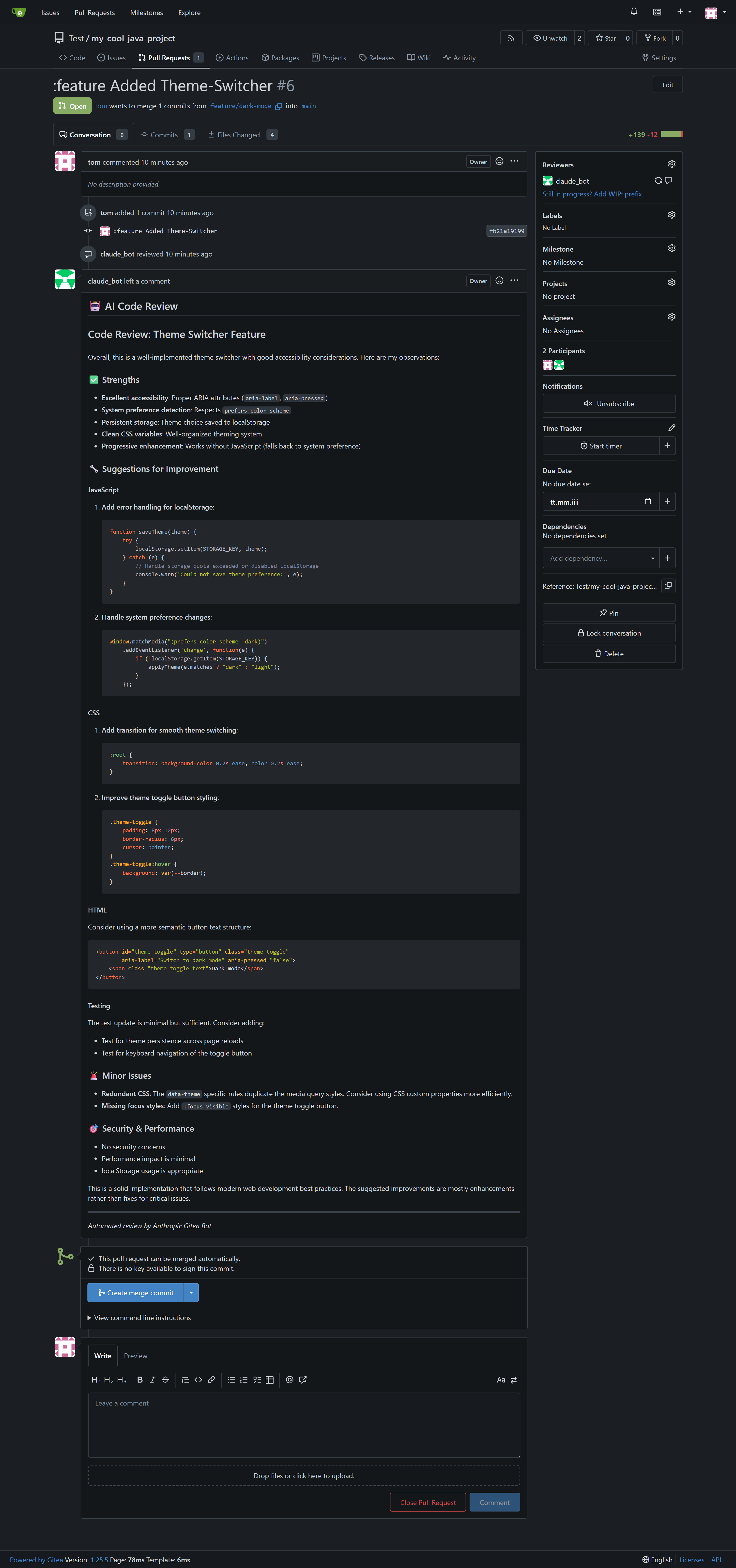
What is AI-Git-Bot?
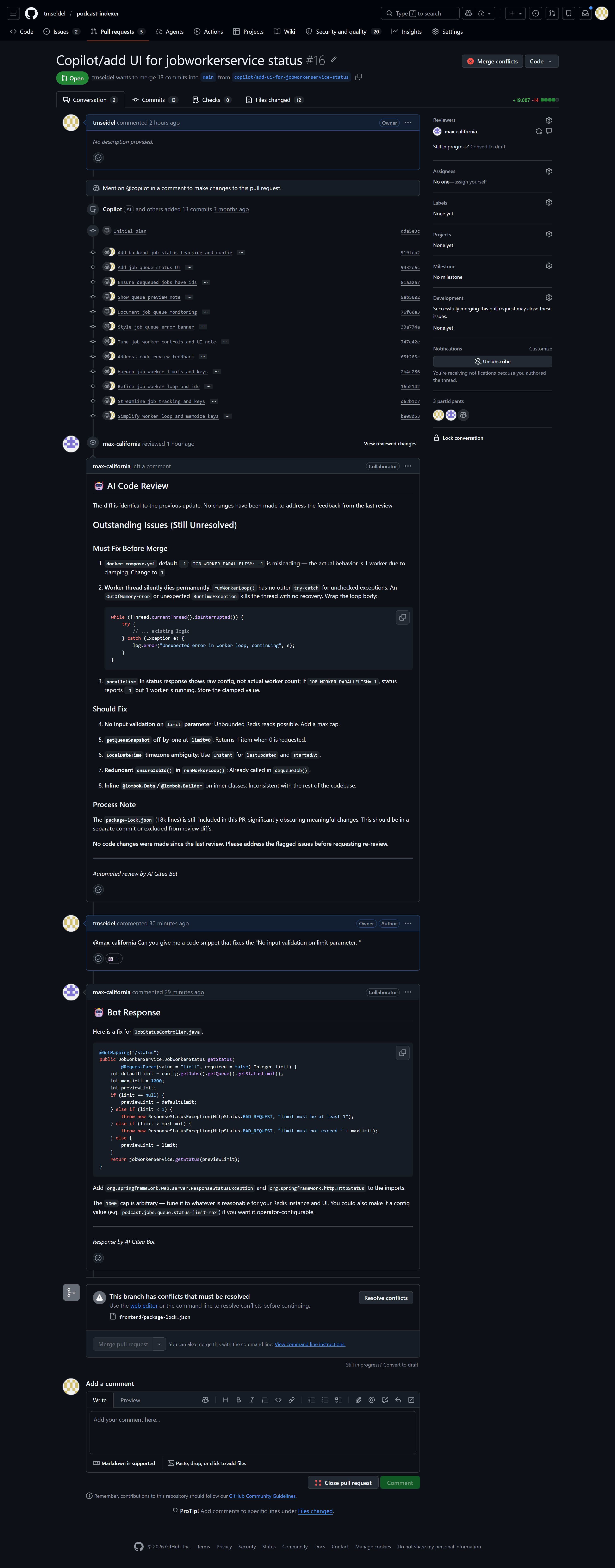
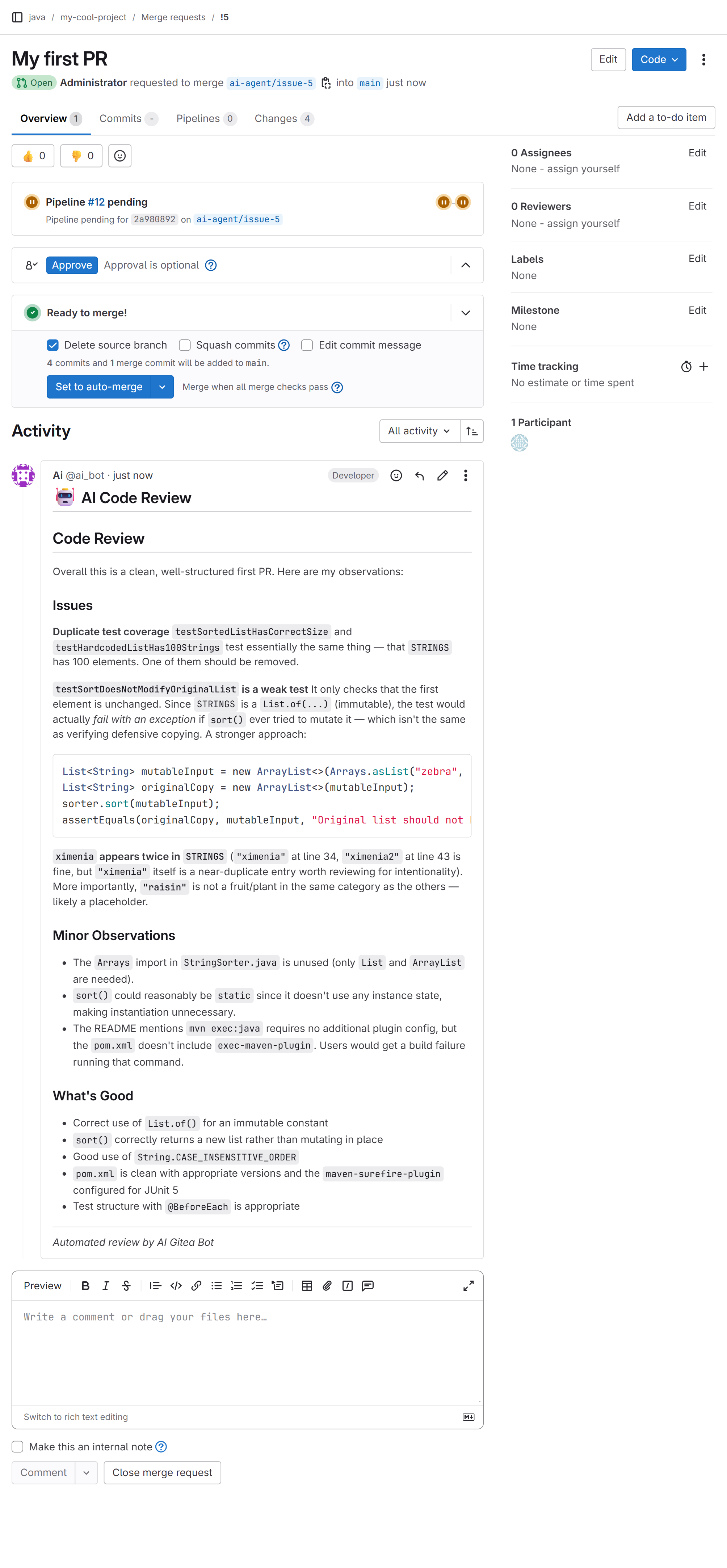
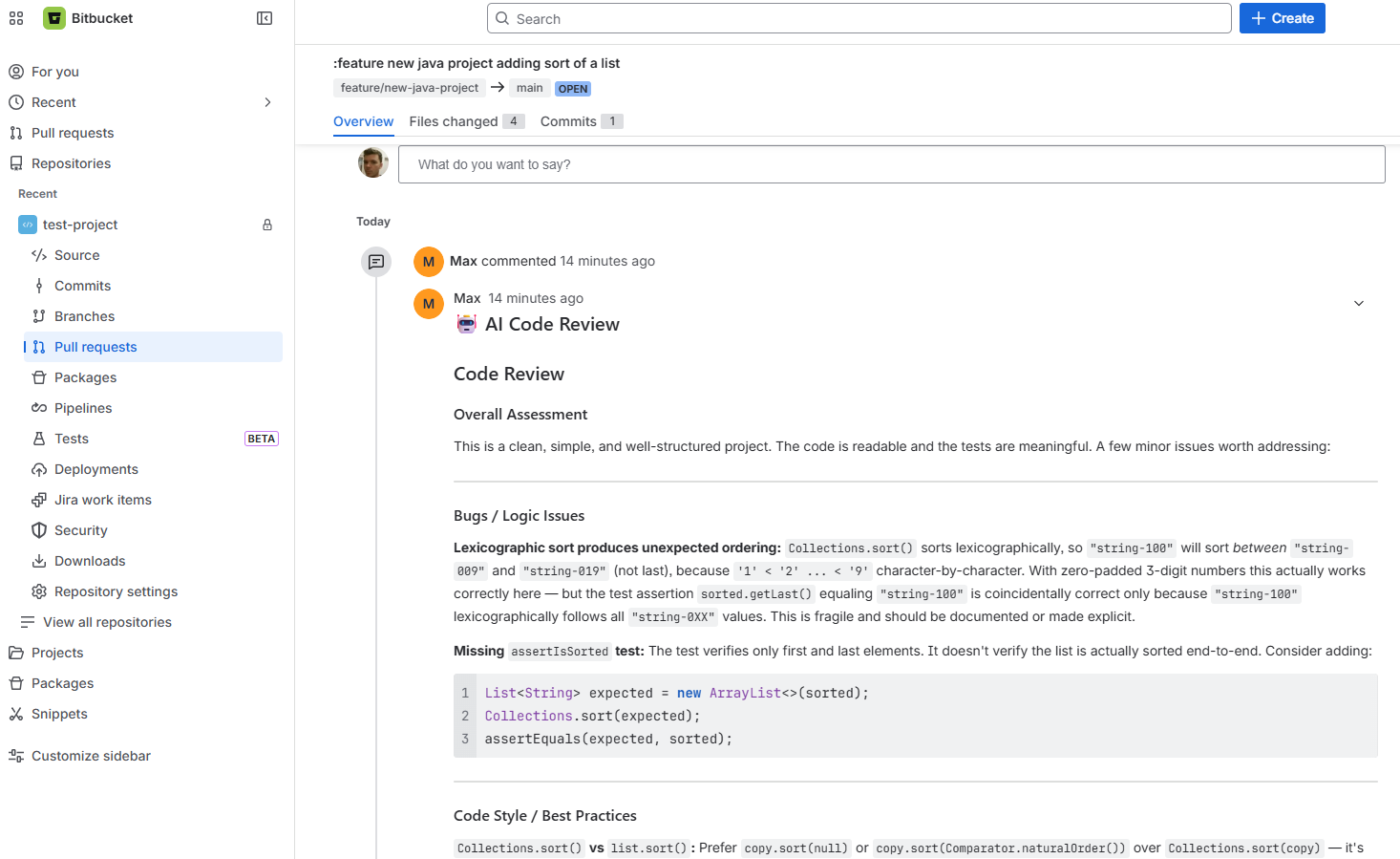
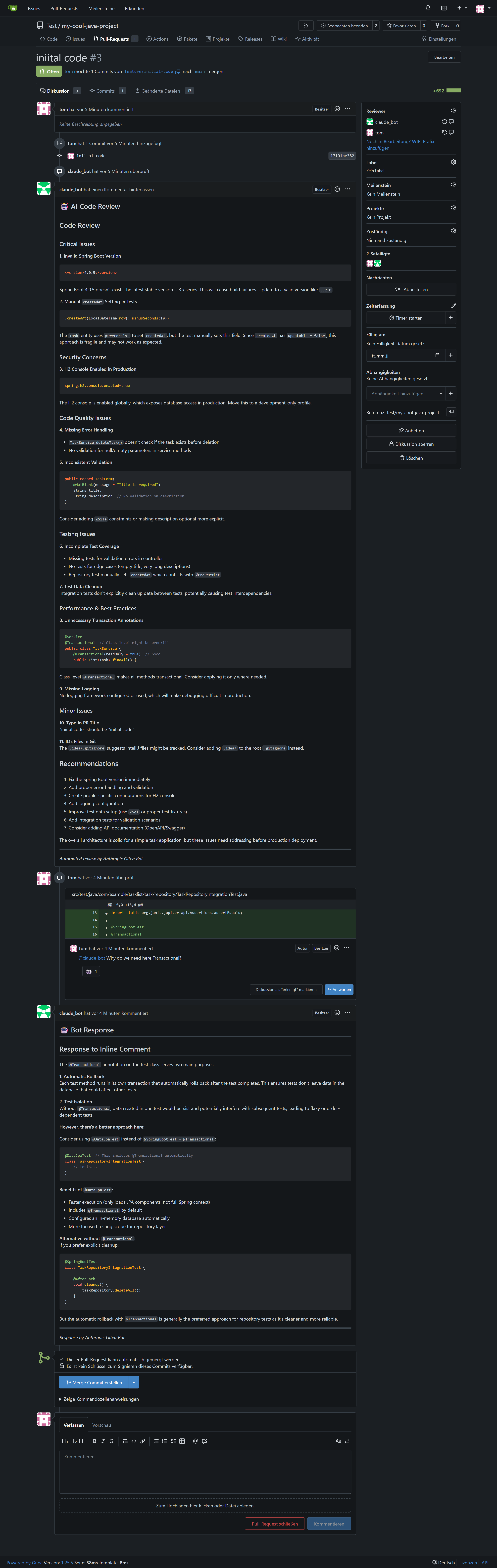
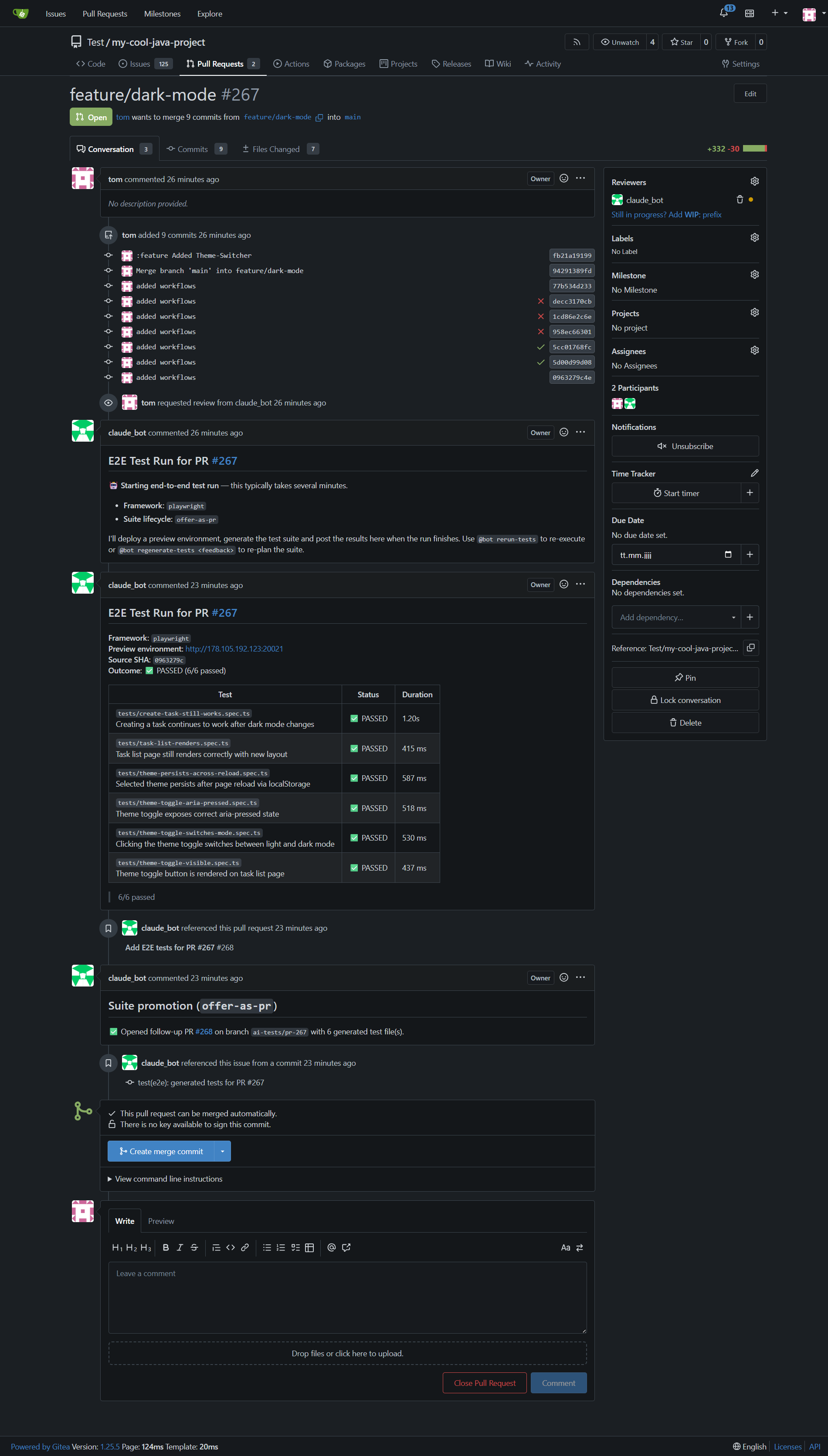
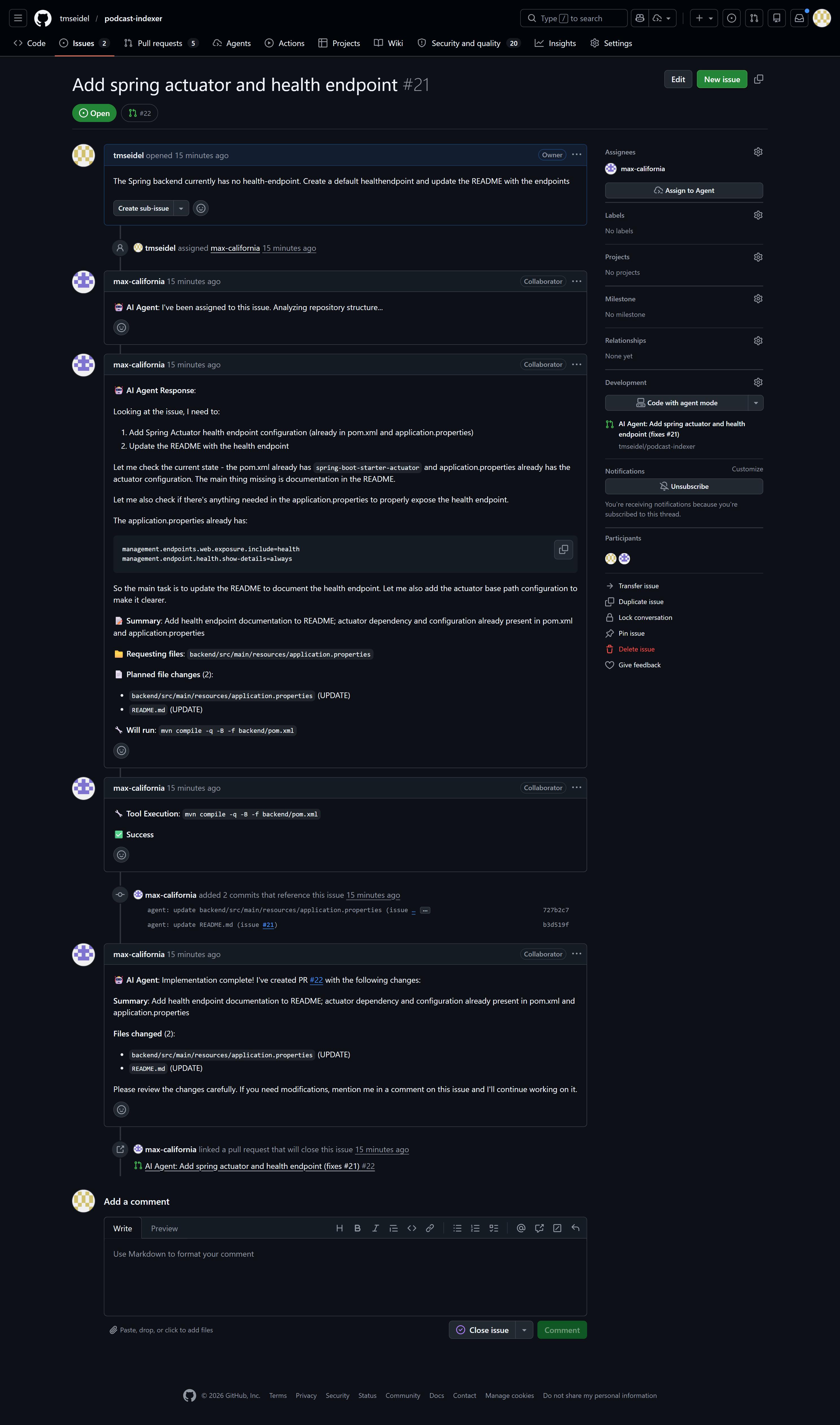
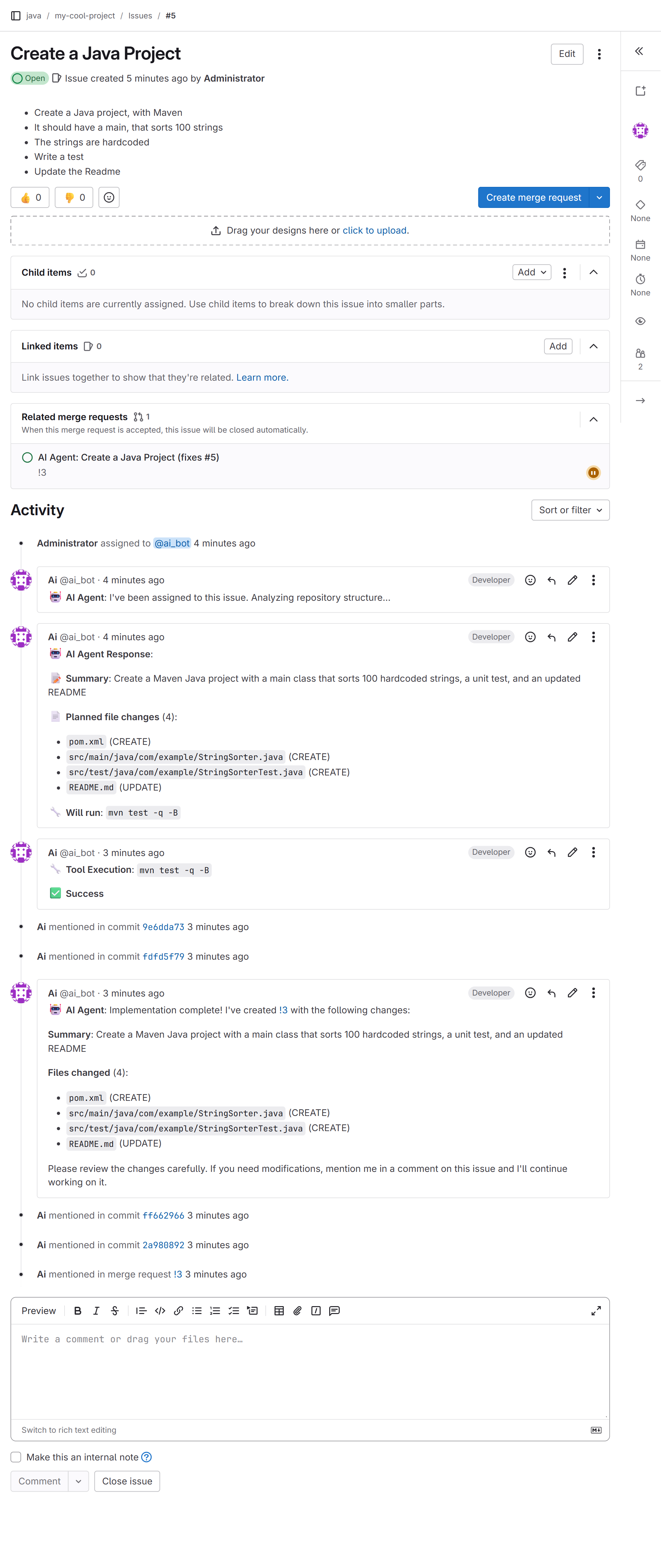
AI-Git-Bot is a self-hosted automation layer that connects to your Git hosting platform and AI provider to handle engineering chores. It reviews pull requests with inline comments, generates unit and E2E tests, refines issues into structured requirements, routes issues to the right owners, implements issues as pull requests via a coding agent, keeps documentation and translations in sync, and exposes Prometheus metrics. All configuration is done through a web UI after deploying the Docker image with a PostgreSQL database. The bot runs inside your infrastructure — nothing leaves your control.
Should you self-host AI-Git-Bot?
AI-Git-Bot scores 49/100 on selfhost.directory (how scoring works) and ranks #7 of 10 in Code Review. It has 193 GitHub stars.
It shipped 10 stable releases in the past year. The latest, 1.29.0, came out on 26 October 2026. New versions land roughly every 7 days.
Setup is moderate: expect some configuration beyond a single command. An official Docker image is available. It is MIT-licensed and written mostly in Java.
Its closest alternative on selfhost.directory is pr-agent (77/100, 13 657 stars). It scores higher overall, so compare the two before you pick. See AI-Git-Bot vs pr-agent side by side.
Features
- AES-256-GCM encryptionRequires APP_ENCRYPTION_KEY to be configured
- Full-Stack QA (E2E Testing)Experimental workflow
- i18n Translation Sync
- Interactive Q&A in PR Comments
- Issue Refinement (Writer Agent)
- Issue to Pull Request (Coding Agent)
- Issue Triage and Routing
- Local LLM Support
- Multi-Platform Git Support
- Multi-Provider AI Support
- Outgoing webhooks
- Prometheus MetricsDisabled by default, enable with PROMETHEUS_ENABLED=true
- Pull Request Code Review
- README Sync
- Unit Test Generation
AI-Git-Bot README
More in Code Review
 CodraCodra is a self-hosted, open-source AI code review engine on Cloudflare Workers that posts inline comments on GitHub PRs using configurable LLM providers.
 GerritOpen-source, self-hosted code review and Git repository management server: patchset reviews, fine-grained permissions, plugins, REST API and webhooks.
 gitbucketA self-hosted, open-source Git platform in Scala: run one war file on Java 17 for repos, issues, pull requests, wiki, LDAP/OIDC logins and GitHub-compatible APIs.
 kodusSelf-hosted AI code review for major Git platforms. Bring your own LLM keys with zero markup. AGPL core with enterprise features.
 mergeableMergeable is a self-hosted, open-source GitHub PR inbox with customizable search-based sections, local browser storage, and multi-instance support.
 MiraSelf-hosted AI code reviewer for GitHub, GitLab, Forgejo with your LLM key. Code indexing, vuln scanning, custom rules, learning loop, dashboard — free.
 ORG-2Open-source, self-hosted desktop app that records coding-agent sessions as replayable trajectories, with a Rust harness, launchers for 20+ CLIs, and team review.
 pr-agentSelf-hosted open-source AI agent that reviews pull requests, writes PR descriptions and suggests code improvements on GitHub, GitLab, Bitbucket, Gitea or Azure DevOps.
 ProvalSelf-hosted AI code reviewer for GitLab, Forgejo, and GitHub that runs on your own hardware with any LLM you choose, including local models via Ollama or llama.cpp.
 Review BoardOpen-source, self-hosted code review platform with advanced diff viewer, document/image review, flexible workflows, and Git/SVN/Perforce integrations.
 SonarQubeSelf-hosted, open-source static analysis server: finds bugs, vulnerabilities, code smells and coverage gaps across 21 languages, with quality gates and CI integration.
 twinnyOpen-source VS Code extension for AI coding with local models. Code completion, chat, inline edits, and reviews run on your infrastructure. No telemetry or accounts.
0 comments