Self-host Show Me The Story
v4.0.2Local AI long-fiction writer as a single Go binary
- Stars
- 631
- Port
- 48090 (Web UI served locally (default port, override with PORT))
What is Show Me The Story?
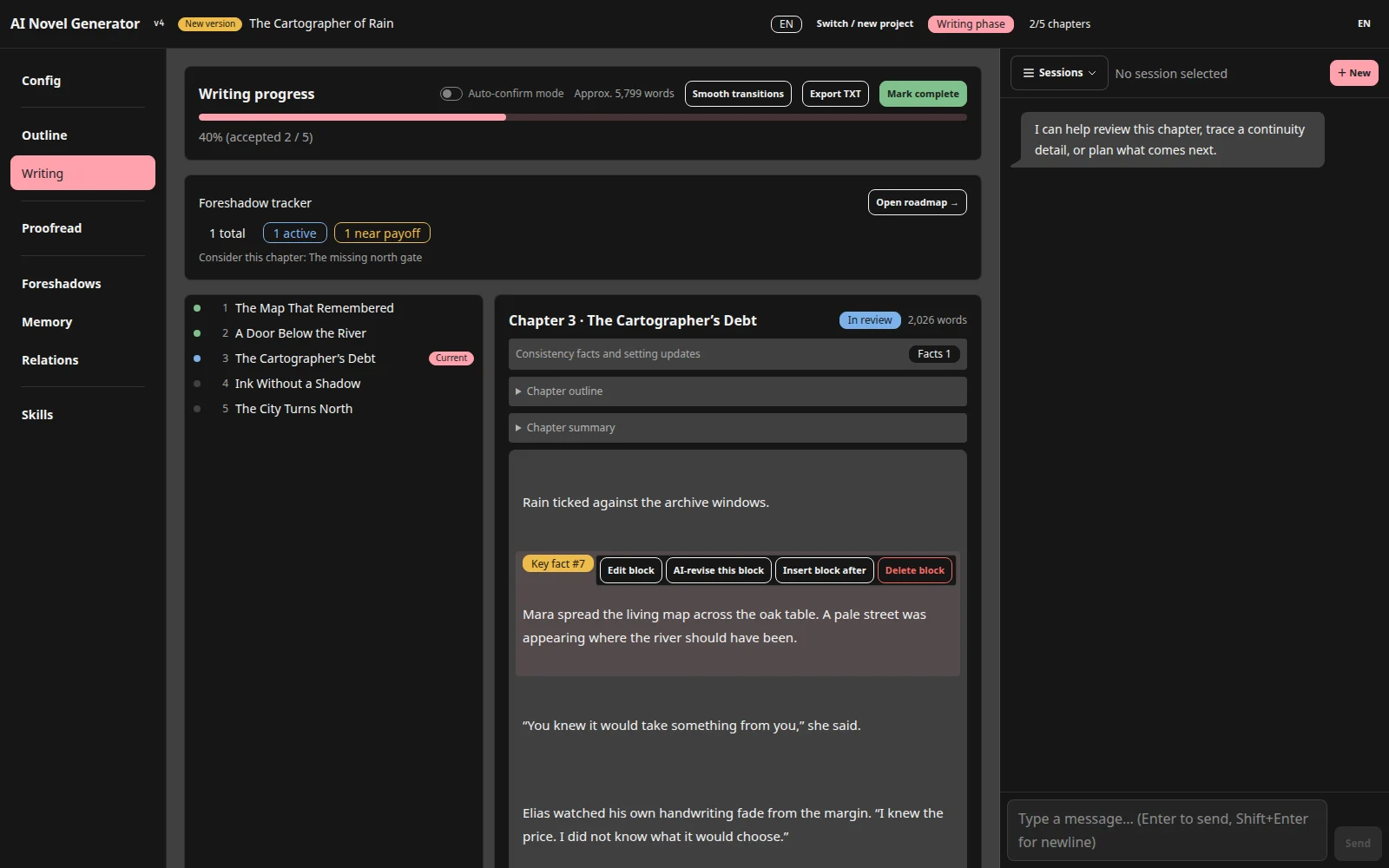
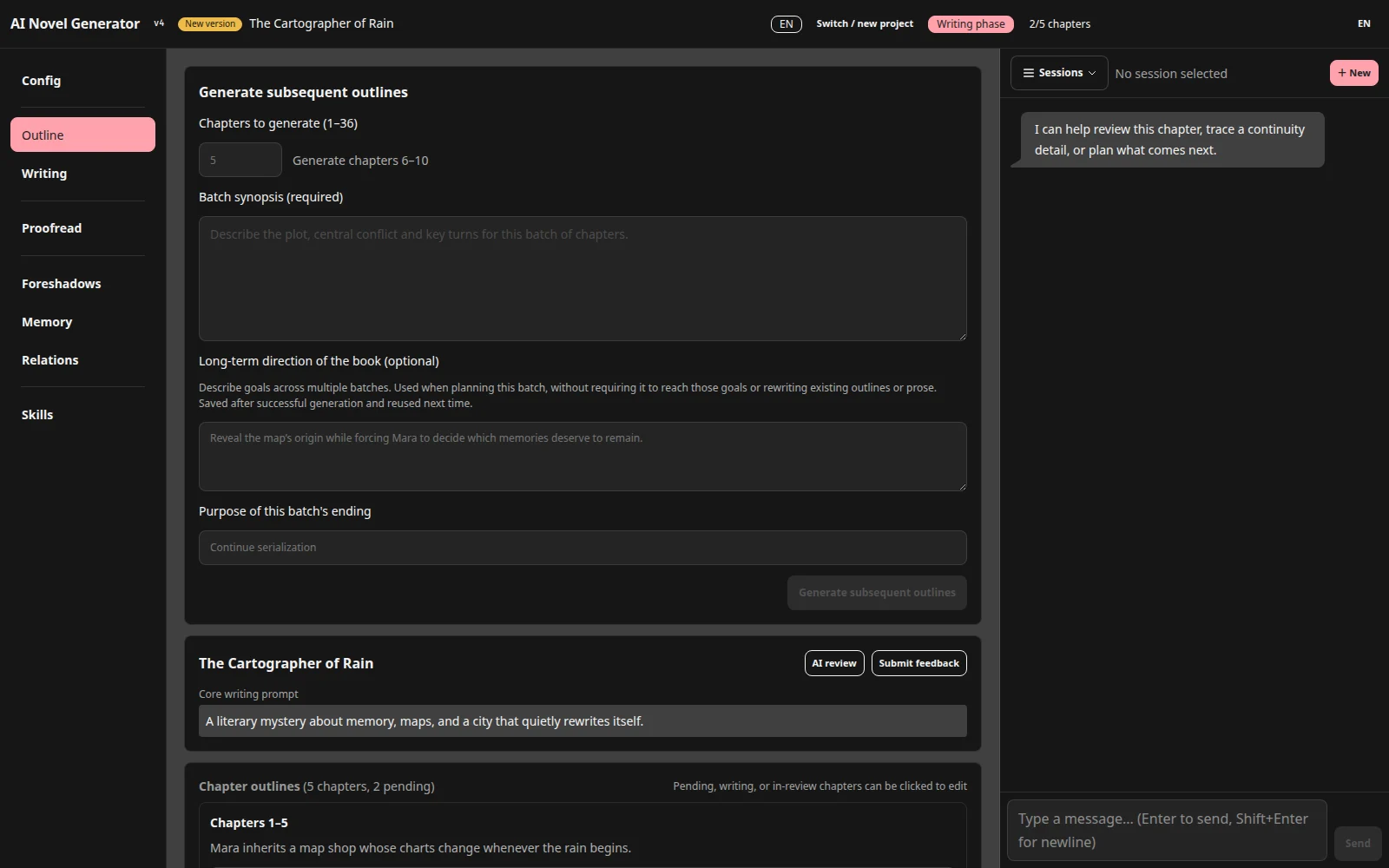
Show Me The Story is a novel-writing program you run on your own machine: one Go executable (the README puts it under 5 MB) that serves a browser UI and talks to any OpenAI-compatible chat endpoint. It organizes long fiction into projects — genre, style and point-of-view settings, characters, worldview entries with relationship graphs, and story knowledge — then plans chapter batches of 1 to 36 chapters, drafts each one, and lets you review, edit paragraphs, or ask for a targeted revision before accepting. Continuity is tracked through extracted facts that link back to source paragraphs, setting-change proposals needing approval, and foreshadow threads with planted/progressing/resolved states. Later stages offer a final proofreading pass with an interactive report, importing existing text, spinning off a sequel project, exports of text/outlines/reports, and per-project ZIP backup and restore. You must configure your own model endpoint; the docs warn that generated prose still needs author review, that AI calls send your text and prompts to the provider, and that the app belongs on a trusted local network rather than the public internet. Start it by downloading a release, launching the binary and opening http://localhost:48090; the data folder defaults to the working directory and PORT changes the port. Only v4 project files open in the current release.
Should you self-host Show Me The Story?
Show Me The Story scores 47/100 on selfhost.directory (how scoring works) and ranks #47 of 81 in Notes & Editors. It has 631 GitHub stars.
It shipped 10 stable releases in the past year. The latest, v4.0.2, came out on 4 October 2026. New versions land roughly every 8 days.
Setup is easy: most people get it running in one sitting. It is MIT-licensed and written mostly in Go.
Its closest alternative on selfhost.directory is Memos (86/100, 64 136 stars). It scores higher overall, so compare the two before you pick. See Show Me The Story vs Memos side by side.
Features
- AI-assisted chapter drafting
- Batch outline planning
- Built-in assistant
- Characters and worldbuilding management
- Export
- Final proofreading
- Foreshadowing and fact tracking
- Local Data Storage
- Multi-language Support
- OpenAI-compatible model service
- Sequel / continuation projects
- Streaming output
- Text import
- Writing skills system
- ZIP backup and restore
Show Me The Story README
More in Notes & Editors
 siliconSilicon Notes is a self-hosted, open-source personal knowledge base with Markdown editing, bi-directional links, full-text search, and page history.
 SiYuanOpen-source, local-first knowledge base where every note is a block with backlinks; runs as a desktop app or a self-hosted Docker service on port 6806.
 SpeakrSelf-hosted, open-source AI transcription platform with speaker diarization, LLM summaries, semantic search across recordings, and OIDC multi-user support.
 SrcbookSrcbook is a self-hosted TypeScript notebook running locally with a web UI, AI coding help, and Mermaid diagrams — for developers exploring libraries or testing APIs.
 standalone-rpiSelf-hosted Standard Notes syncing infrastructure packaged for Raspberry Pi using Docker Compose with Caddy, MariaDB, and Redis. Open-source under MIT license.
 Standard NotesOpen-source encryption app for notes. Self-hosted backend enables private secure note-taking with end-to-end encryption on your own infrastructure.
 Standard NotesSelf-hosted, open-source note-taking app with end-to-end encryption, cross-platform sync on unlimited devices, extensible note types, and a plugin system.
 Super ProductivityFree, open-source, local-first to-do app with timeboxing, time tracking, planner and Kanban boards; self-host the web app via Docker or SuperSync.
 surfsenseSelf-hosted, open-source NotebookLM alternative: an air-gapped desktop AI agent that researches, edits and transforms your documents with any local or hosted model.
 TagSpacesOpen-source, offline-first file manager for tagging, notes and search over local folders or S3 buckets, shipped as desktop apps and a self-hosted web app.
 TeamMapperSelf-hosted mindmapping with real-time collaboration via WebSockets. Supports images, pictograms, import/export, QR sharing, and auto-deletion after 30 days.
 textpodTextpod is a self-hosted, open-source note-taking application that stores all notes in a single Markdown file with search, filtering, and web page archiving capabilities.
0 comments