
Self-host shm
v1.2.7Privacy-first telemetry collector for self-hosted apps
docker compose up -d- Stars
- 165
- CPU
- 0.1 vCPU
- RAM
- 64 MB (app) + 256 MB (PostgreSQL)
- Storage
- ~1 KB per snapshot
- Port
- 8080 (HTTP server port for dashboard and API)
- Requires
- PostgreSQL, PostgreSQL migrations
ghcr.io/kolapsis/shm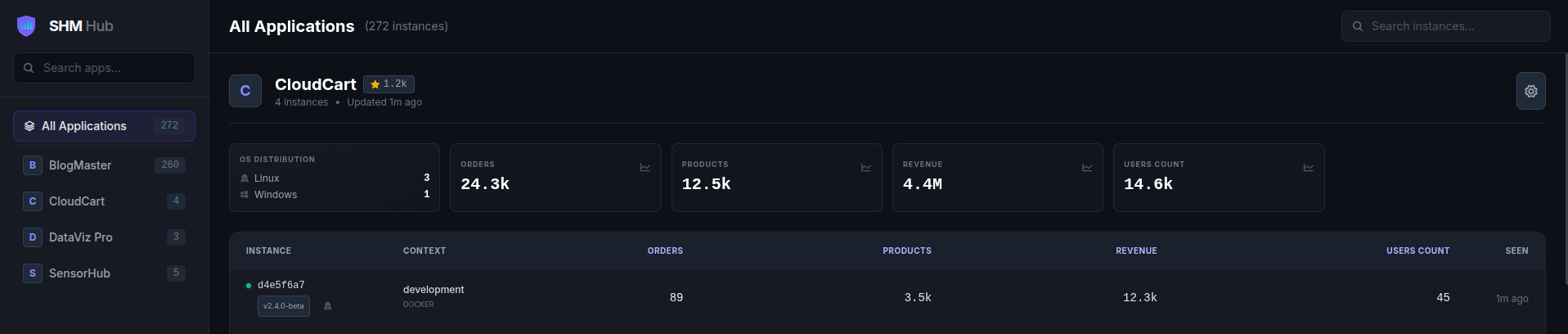
What is shm?
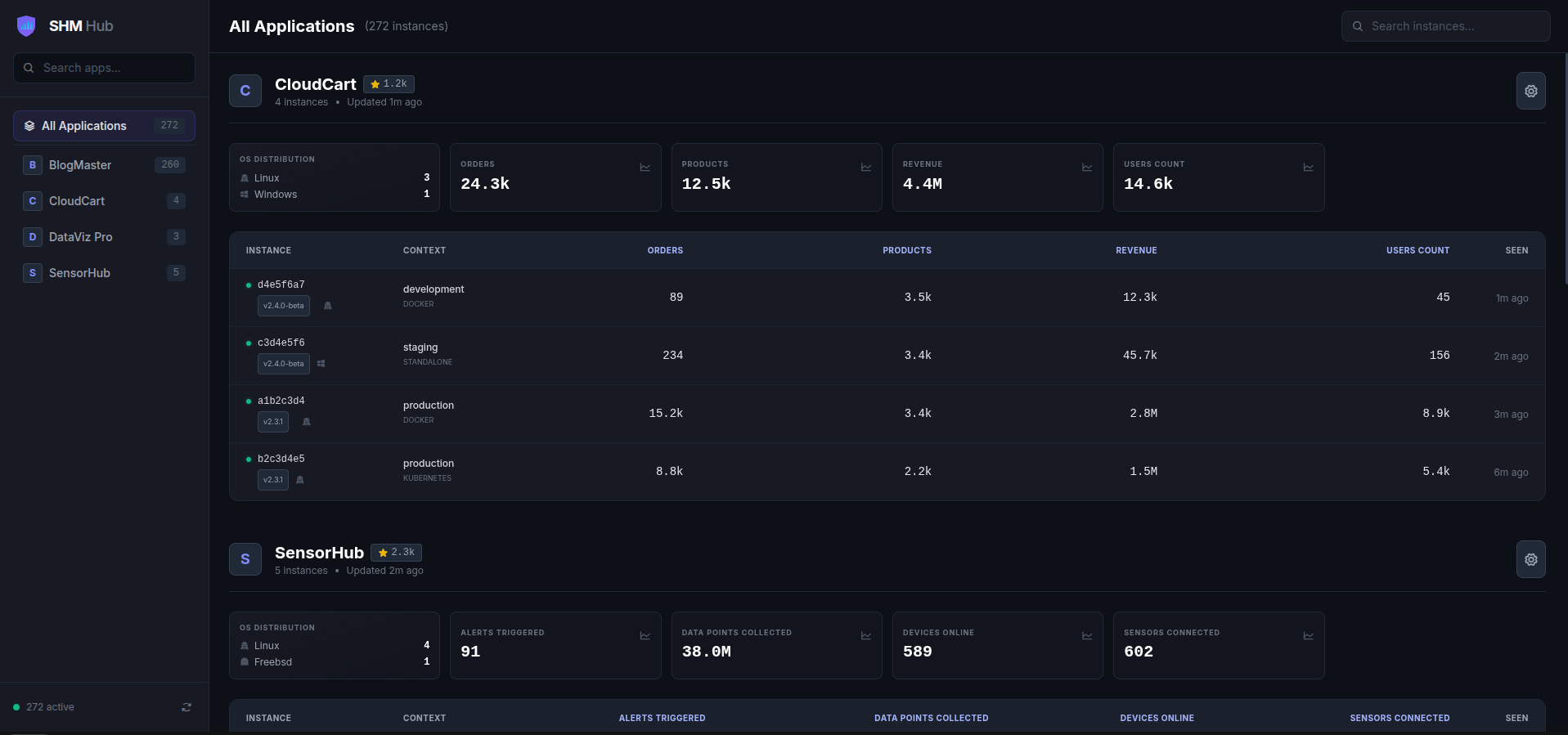
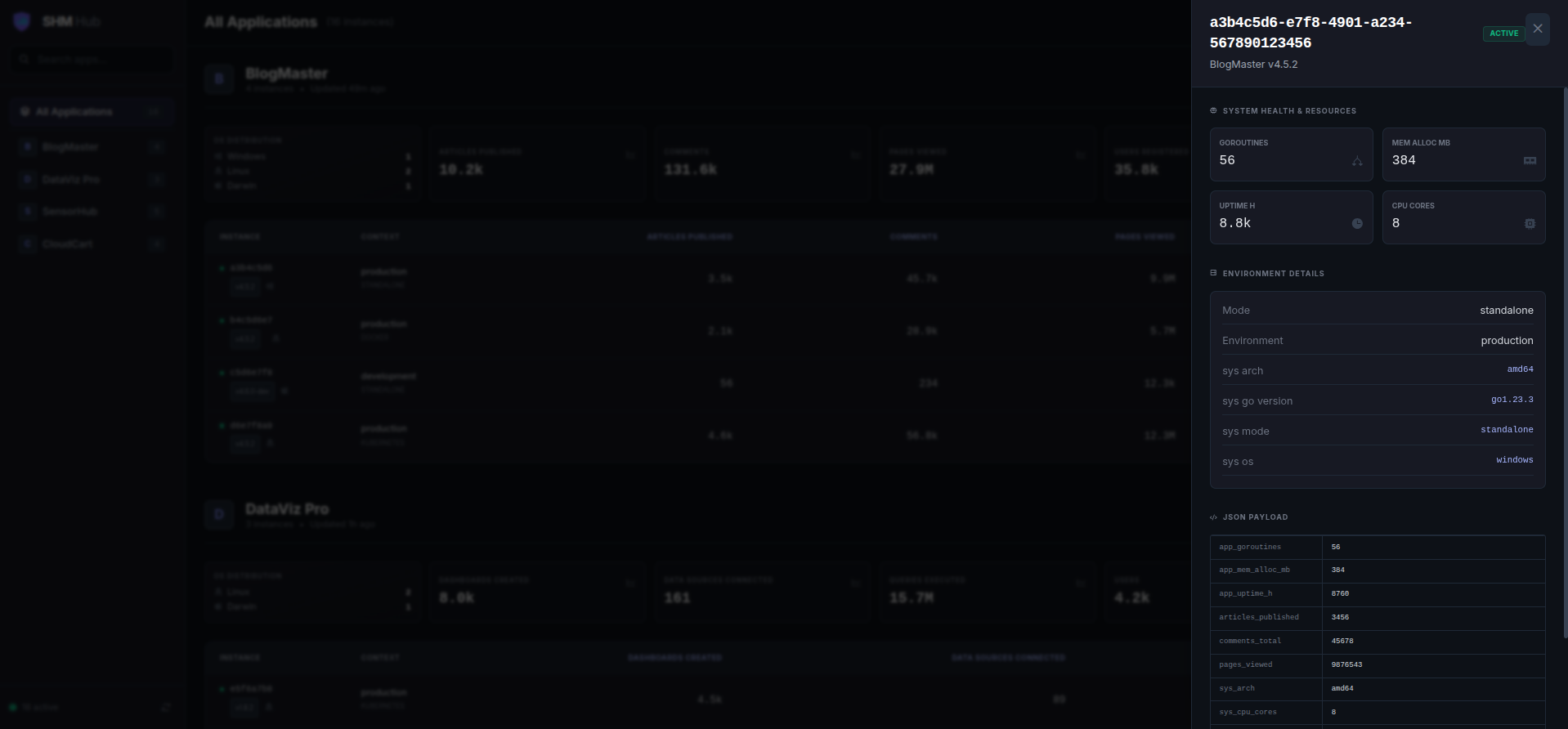
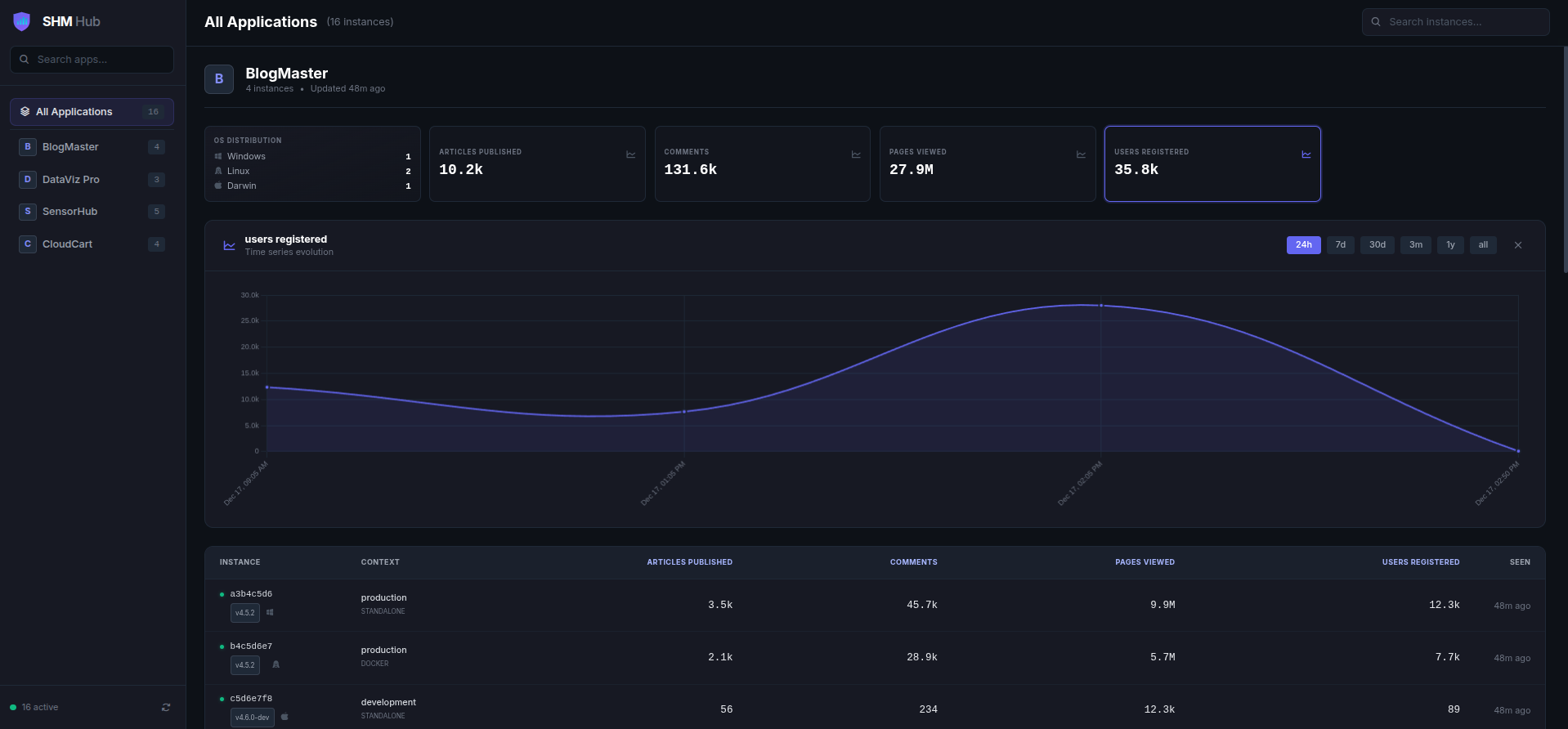
Self-Hosted Metrics (SHM) is a privacy-first telemetry platform for developers who distribute self-hosted software and need visibility into adoption, versions, and usage. The server is a single Go binary with an embedded AlpineJS/Tailwind dashboard, deployed via Docker Compose alongside PostgreSQL. Client SDKs for Go and Node.js send signed JSON payloads over HTTPS using Ed25519 keys generated on first run; the server stores raw JSONB and dynamically builds KPI cards, tables, and graphs from whatever keys appear. Features include multi-app tracking, automatic GitHub star fetching, public SVG badges for READMEs, rate limiting, and DO_NOT_TRACK opt-out. The dashboard has no built-in authentication — operators must add a reverse proxy with basic auth or ForwardAuth. The main server is AGPL-3.0; the SDKs are MIT-licensed for easier embedding. Minimum resources are ~0.1 vCPU, 64 MB for the app plus 256 MB for PostgreSQL.
Should you self-host shm?
shm scores 45/100 on selfhost.directory (how scoring works) and ranks #77 of 104 in Monitoring & observability. It has 165 GitHub stars.
It shipped 9 stable releases in the past year. The latest, v1.2.7, came out on 29 July 2026. New versions land roughly every 2 weeks.
Setup is moderate: expect some configuration beyond a single command. An official Docker image is available. It is AGPL-3.0-licensed and written mostly in Go.
Its closest alternative on selfhost.directory is grafana (90/100, 77 569 stars). It scores higher overall, so compare the two before you pick. See shm vs grafana side by side.
Features
- Automatic database migrations
- Cryptographic instance identity
- DO_NOT_TRACK opt-out
- Dynamic dashboard
- GitHub stars integration
- Go SDK
- Health check endpoint
- Multi-application tracking
- Node.js/TypeScript SDK
- Ops vs business metrics separation
- Public SVG badges
- Rate Limiting
shm README
More in Analytics
 SIPCAPTURE HomerSelf-hosted, open-source telecom observability server: capture SIP/VoIP traffic over HEP into a DuckLake datalake, with web UI, call search, QoS and API.
 Siraaj-analyticsSelf-hosted web analytics that tracks visitors without cookies, using Go and DuckDB for fast, private insights.
 SmartyURLSelf-hosted, open-source URL shortener with analytics and smart redirects by visitor location or device. PHP 8.1+, MySQL, Composer install.
 SortarrSelf-hosted open-source dashboard connecting Sonarr, Radarr, Plex, Jellyfin, and Emby to find missing media using playback data from Tautulli, Jellystat, Streamystats.
 spooSelf-hosted URL shortener with click analytics, custom domains, geo-targeting, A/B testing, and REST API with SDKs in six languages.
 SupersetApache Superset is a Data Visualization and Data Exploration Platform
 swe-dashboardSelf-hosted open-source dashboard collecting software engineering metrics from GitLab/GitHub into VictoriaMetrics for Grafana visualization.
 TautulliTautulli is a self-hosted, open-source Python web app that monitors Plex Media Server, providing analytics, watch history, and customizable notifications.
 telleryTellery is a self-hosted, open-source BI tool for defining SQL metrics and building collaborative dashboards with real-time multiplayer editing and dbt imports.
 tianjiSelf-hosted insight hub combining web analytics service monitoring and server status checks. Apache 2.0 licensed open-source platform for independent developers.
 tidbSelf-hosted, open-source distributed SQL database with MySQL compatibility, ACID transactions, HTAP analytics and vector search in one engine.
 timeplusSelf-hosted, open-source streaming SQL engine for real-time analytics and AI — a lightweight alternative to ksqlDB and Flink powered by ClickHouse.
0 comments