
Self-host Superset
superset-helm-chart-0.22.8 pip install apache-superset- Stars
- 75 538
- CPU
- 2 vCPU
- RAM
- 4GB
- Storage
- 10GB
- Port
- 8088
- Requires
- Redis
apache/superset

What is Superset?
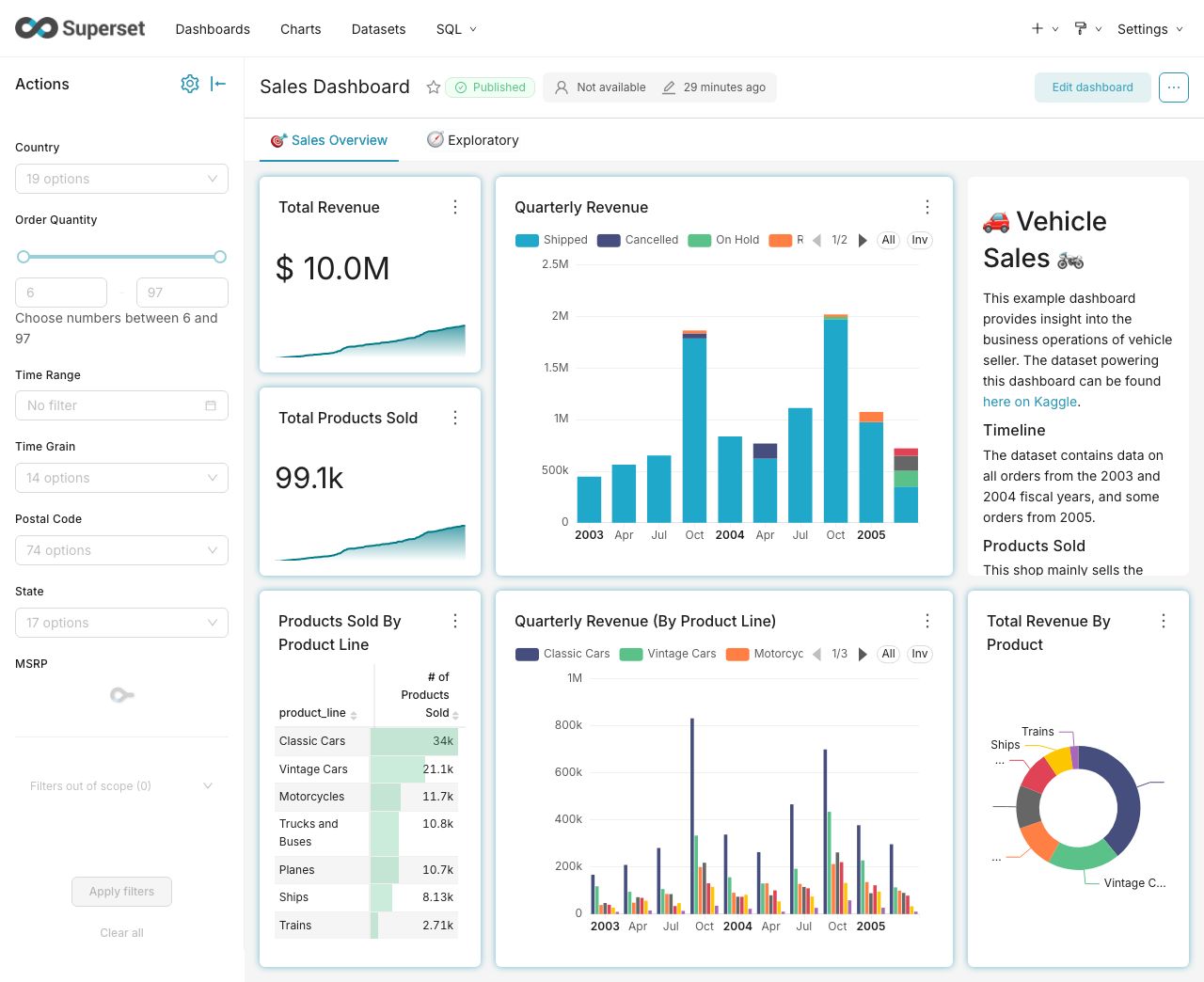
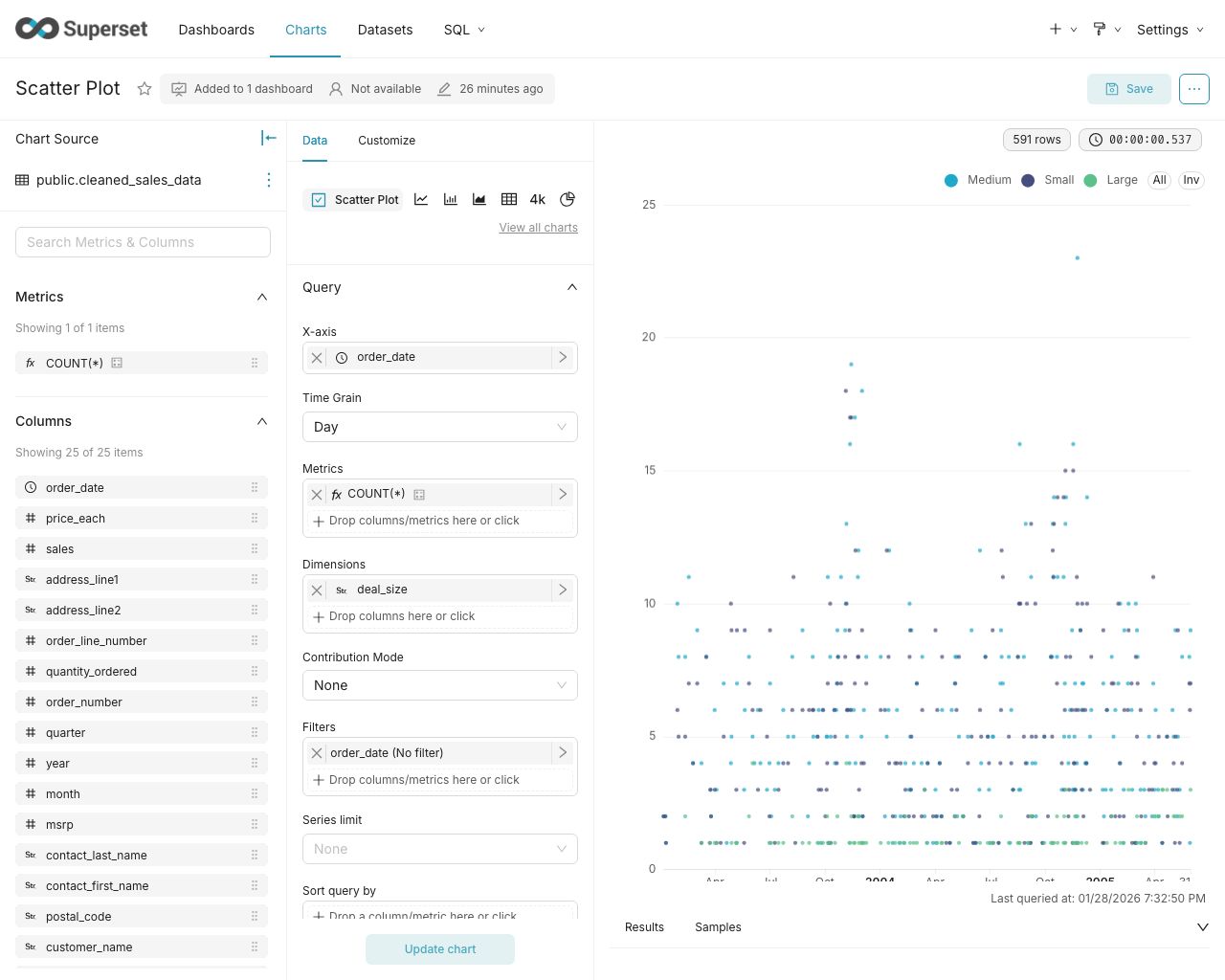
Apache Superset is a modern, enterprise-ready business intelligence web application that enables users to explore and visualize their data. It is designed to be fast, lightweight, and intuitive, making it accessible to users of all skill levels. Superset provides a no-code interface for building charts quickly, a powerful SQL editor for advanced querying, and a semantic layer for defining custom dimensions and metrics.
Superset supports nearly any SQL database or data engine, including PostgreSQL, MySQL, ClickHouse, Druid, and many others. It offers a wide array of visualizations, from simple bar charts to geospatial visualizations, and includes features like data caching, Jinja templating, and dashboard filters. The platform is highly extensible, with configurable security roles, authentication options, and an API for programmatic customization.
Superset is cloud-native and designed for scale, making it suitable for both small teams and large enterprises. It is widely used as an alternative to proprietary business intelligence tools, providing a cost-effective and open-source solution for data exploration and visualization.
Superset alternatives
 RedashOpen-source, self-hosted business intelligence tool: query over 35 database and API back ends, build dashboards, schedule refreshes, and get data alerts.CompareRedash with Superset
 MetabaseSelf-hosted, open-source BI tool with dashboards, a no-code query builder, a SQL editor, Metabot AI answers and embedding; run it in Docker or as a Java JAR.CompareMetabase with Superset
 Helical InsightHelical Insight is a self-hosted, open-source BI platform with AI analytics, pixel-perfect reporting, dashboards, SSO, multi-tenancy, embedding — all free under AGPL-3.0.CompareHelical Insight with Superset
 datalineSelf-hosted, open-source AI tool to chat with data and generate SQL, charts, reports — supports PostgreSQL, MySQL, Snowflake, SQLite, CSV, Excel.Comparedataline with Superset
 ToolJetSelf-hosted, open-source low-code platform for internal tools and dashboards: visual builder, 90+ data sources, built-in database, AI app generation and MCP agent access.CompareToolJet with Superset
 ChartbrewOpen-source reporting platform for building and sharing live dashboards from SQL, NoSQL databases and REST APIs, with a chart builder, embeds, schedules and AI help.CompareChartbrew with Superset
 lightdashLightdash is an open-source, self-hosted BI platform with a governed metrics layer, AI agents, dashboards, and data apps for modern data teams.Comparelightdash with Superset
 frappe-insightsSelf-hosted open-source BI tool with visual query builder, charts, dashboards. Connects MySQL, PostgreSQL, DuckDB, BigQuery.Comparefrappe-insights with Superset
All self-hosted alternatives to Looker → All self-hosted alternatives to Power BI → All self-hosted alternatives to Tableau →
Should you self-host Superset?
Superset scores 88/100 on selfhost.directory (how scoring works) and ranks #1 of 15 in Business Intelligence. It has 75 538 GitHub stars, +412 in the last 30 days.
It shipped 25 stable releases in the past year. The latest, superset-helm-chart-0.22.8, came out on 9 September 2026. New versions land roughly every 4 days.
Setup is advanced: plan for several services and some ongoing maintenance. An official Docker image is available. It is Apache-2.0-licensed and written mostly in Python.
Its closest alternative on selfhost.directory is Metabase (83/100, 50 374 stars). Superset scores higher overall. See Superset vs Metabase side by side.
Features
- 40+ visualizations
- API
- Authentication
- Caching
- Dark Mode
- Dashboard filters
- Multi-user support
- No-code chart builder
- RBAC
- Semantic Layer
- SQL Editor
- SSO
Superset README

A modern, enterprise-ready business intelligence web application.
- User Guide — For analysts and business users. Explore data, build charts, create dashboards, and connect databases.
- Administrator Guide — Install, configure, and operate Superset. Covers security, scaling, and database drivers.
- Developer Guide — Contribute to Superset or build on its REST API and extension framework.
Why Superset? | Supported Databases | Release Notes | Get Involved | Resources | Organizations Using Superset
Superset is a modern data exploration and data visualization platform. Superset can replace or augment proprietary business intelligence tools for many teams. Superset integrates well with a variety of data sources.
Superset provides:
- A no-code interface for building charts quickly
- A powerful, web-based SQL Editor for advanced querying
- A lightweight semantic layer for quickly defining custom dimensions and metrics
- Out of the box support for nearly any SQL database or data engine
- A wide array of beautiful visualizations to showcase your data, ranging from simple bar charts to geospatial visualizations
- Lightweight, configurable caching layer to help ease database load
- Highly extensible security roles and authentication options
- An API for programmatic customization
- A cloud-native architecture designed from the ground up for scale
Video Overview
superset-video-1080p.webm
Large Gallery of Visualizations
Craft Beautiful, Dynamic Dashboards
No-Code Chart Builder
Powerful SQL Editor
Superset can query data from any SQL-speaking datastore or data engine (Presto, Trino, Athena, and more) that has a Python DB-API driver and a SQLAlchemy dialect.
Here are some of the major database solutions that are supported:





















































A more comprehensive list of supported databases along with the configuration instructions can be found here.
Want to add support for your datastore or data engine? Read more here about the technical requirements.
Try out Superset's quickstart guide or learn about the options for production deployments.
- Ask and answer questions on Stack Overflow using the apache-superset tag
- Join our community's Slack and please read our Slack Community Guidelines
- Join our dev@superset.apache.org mailing list. To join, simply send an email to dev-subscribe@superset.apache.org
- Follow us on social media: X | LinkedIn | Bluesky | Reddit
- If you want to help troubleshoot GitHub Issues involving the numerous database drivers that Superset supports, please consider adding your name and the databases you have access to on the Superset Database Familiarity Rolodex
- Join Superset's Town Hall and Operational Model recurring meetings. Meeting info is available on the Superset Community Calendar
Interested in contributing? Check out our Developer Guide for resources and a detailed setup guide.
- Superset "In the Wild" - see who's using Superset, and add your organization to the list!
- Feature Flags - the status of Superset's Feature Flags.
- Standard Roles - How RBAC permissions map to roles.
- Superset Wiki - Tons of additional community resources: best practices, community content and other information.
- Superset SIPs - The status of Superset's SIPs (Superset Improvement Proposals) for both consensus and implementation status.
Understanding the Superset Points of View
-
Getting Started with Superset
-
Deploying Superset
-
Recordings of Past Superset Community Events
-
Visualizations
FAQ
How do I enable authentication in Superset?
Superset supports multiple authentication methods, including built-in, LDAP, OAuth, OIDC, SAML, and 2FA. To configure authentication, edit the `superset_config.py` file and set the appropriate parameters. See the [Security Documentation](https://superset.apache.org/docs/admin-docs/security) for detailed instructions.
Is Superset suitable for large-scale deployments?
Yes, Superset is designed to be cloud-native and scalable. It supports distributed caching, asynchronous queries, and can be deployed on Kubernetes for high availability. Many enterprises use Superset for large-scale data visualization and business intelligence.
Can I customize the look and feel of Superset?
Yes, Superset supports CSS templates to customize charts and dashboards to match your brand's look and feel. You can also create custom visualizations using the plugin architecture. See the [Customization Guide](https://superset.apache.org/docs/contributing/creating-viz-plugins) for more information.
How do I deploy Superset in production?
For production deployments, we recommend using Kubernetes with the [official Helm chart](https://github.com/apache/superset/tree/master/helm/superset). You can also use Docker Compose for smaller deployments, but it is not recommended for high-availability environments. See the [Production Deployment Guide](https://superset.apache.org/docs/installation/architecture) for more details.
What databases does Superset support?
Superset supports nearly any SQL database or data engine, including PostgreSQL, MySQL, ClickHouse, Druid, Amazon Redshift, Snowflake, BigQuery, Presto, Trino, SQLite, MongoDB, Elasticsearch, Databricks, SAP HANA, Oracle, Microsoft SQL Server, Apache Spark, Apache Hive, Apache Impala, and Apache Kylin. For a full list, see the [Supported Databases](https://superset.apache.org/docs/databases) page.
More in Business Intelligence
 telleryTellery is a self-hosted, open-source BI tool for defining SQL metrics and building collaborative dashboards with real-time multiplayer editing and dbt imports.
 Wren AI OSSOpen-source, self-hosted GenBI engine: an MDL semantic layer and MCP server that turn natural-language questions into governed SQL across 20+ data sources.
 Apache DevLakeSelf-hosted, open-source dev data platform that unifies fragmented DevOps tool data into one schema and serves DORA and productivity dashboards through Grafana.
 BaserowA self-hosted, open-source Airtable alternative: no-code databases with forms, automations and an app builder, MIT-licensed core with paid Premium tiers.
- ChartbrewOpen-source reporting platform for building and sharing live dashboards from SQL, NoSQL databases and REST APIs, with a chart builder, embeds, schedules and AI help.
 datalensDataLens is a self-hosted, open-source BI system for dashboards from SQL sources like ClickHouse and PostgreSQL. Runs via Docker Compose or Kubernetes Helm.
- datalineSelf-hosted, open-source AI tool to chat with data and generate SQL, charts, reports — supports PostgreSQL, MySQL, Snowflake, SQLite, CSV, Excel.
 EDAEdalitics is a self-hosted, open-source BI platform for no-code dashboards and KPI alerts, with advanced SQL and AI analytics. Runs via Docker with MongoDB.
 EvidenceOpen-source, self-hosted business intelligence as code: write SQL and markdown reports, ship interactive dashboards, and serve them from your own infrastructure.
- frappe-insightsSelf-hosted open-source BI tool with visual query builder, charts, dashboards. Connects MySQL, PostgreSQL, DuckDB, BigQuery.
- Helical InsightHelical Insight is a self-hosted, open-source BI platform with AI analytics, pixel-perfect reporting, dashboards, SSO, multi-tenancy, embedding — all free under AGPL-3.0.
 jsreportOpen-source self-hosted reporting server: design reports with javascript templates in a studio and render pdf, excel, docx or html, plus REST API and scheduling.
0 comments