
Self-host RSSbrew
v2026.1Self-hosted RSS aggregator with AI summaries and digests
docker compose up -d- Stars
- 295
- Port
- 8000 (HTTP web UI)
- Requires
- Redis
yinanc/rssbrew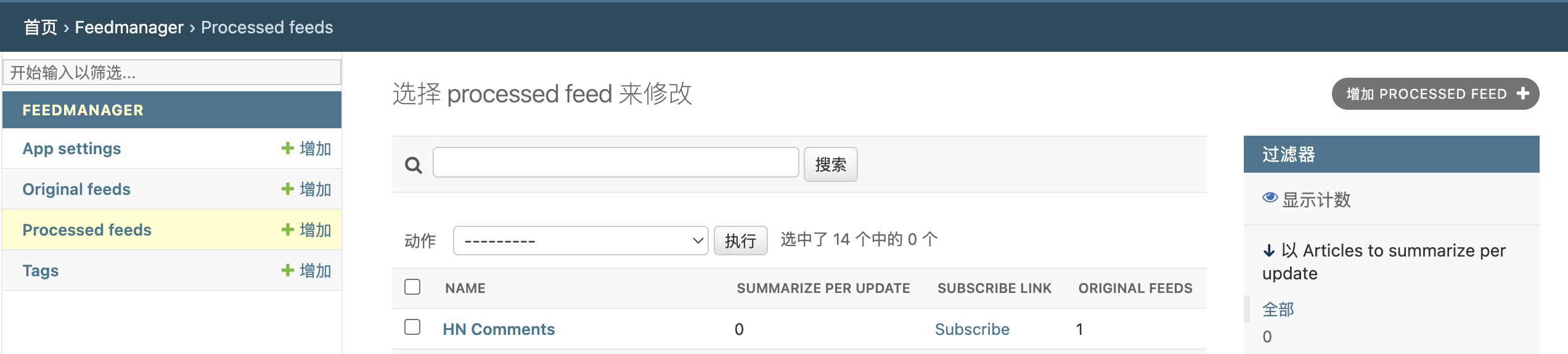
What is RSSbrew?
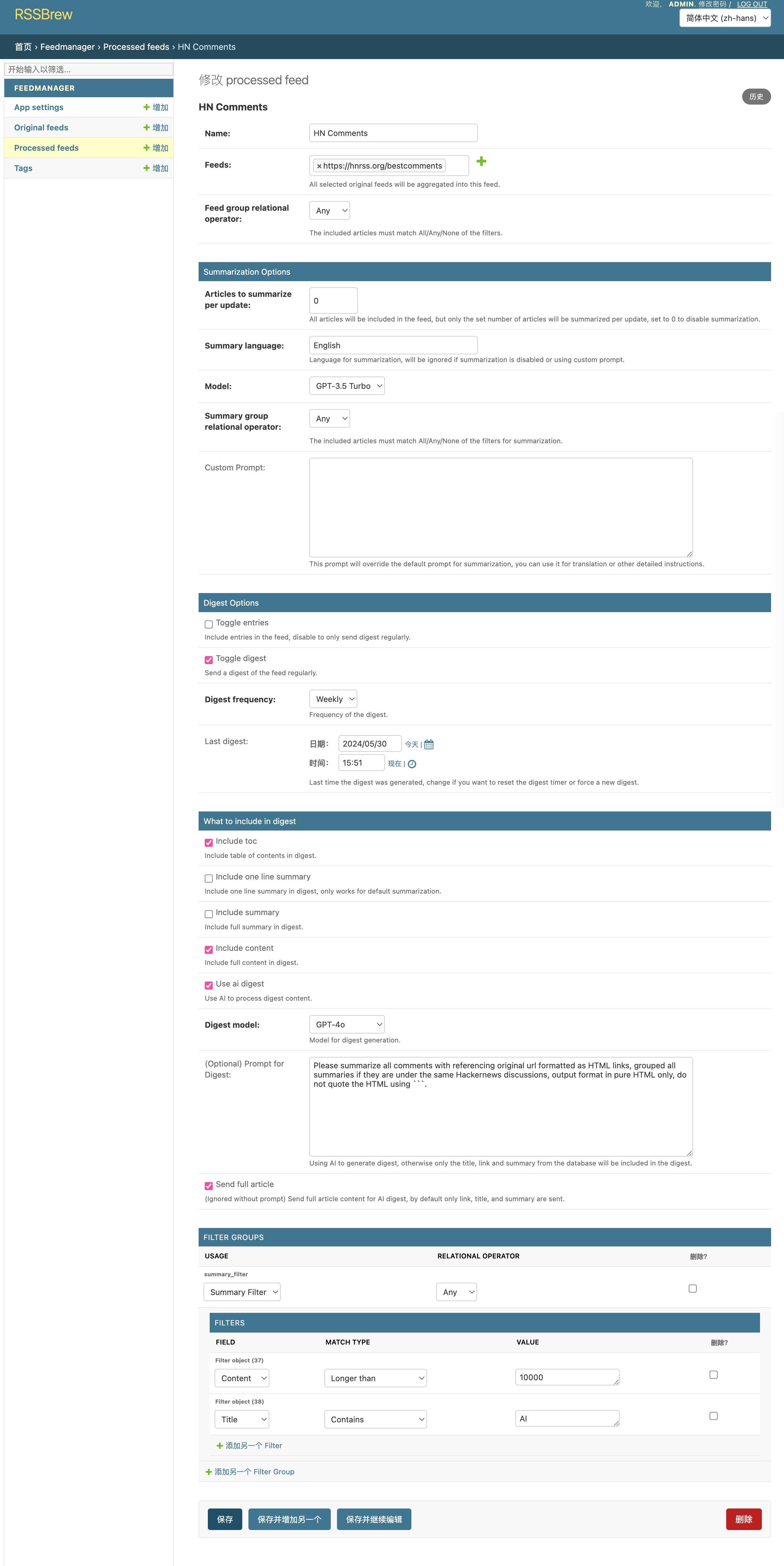
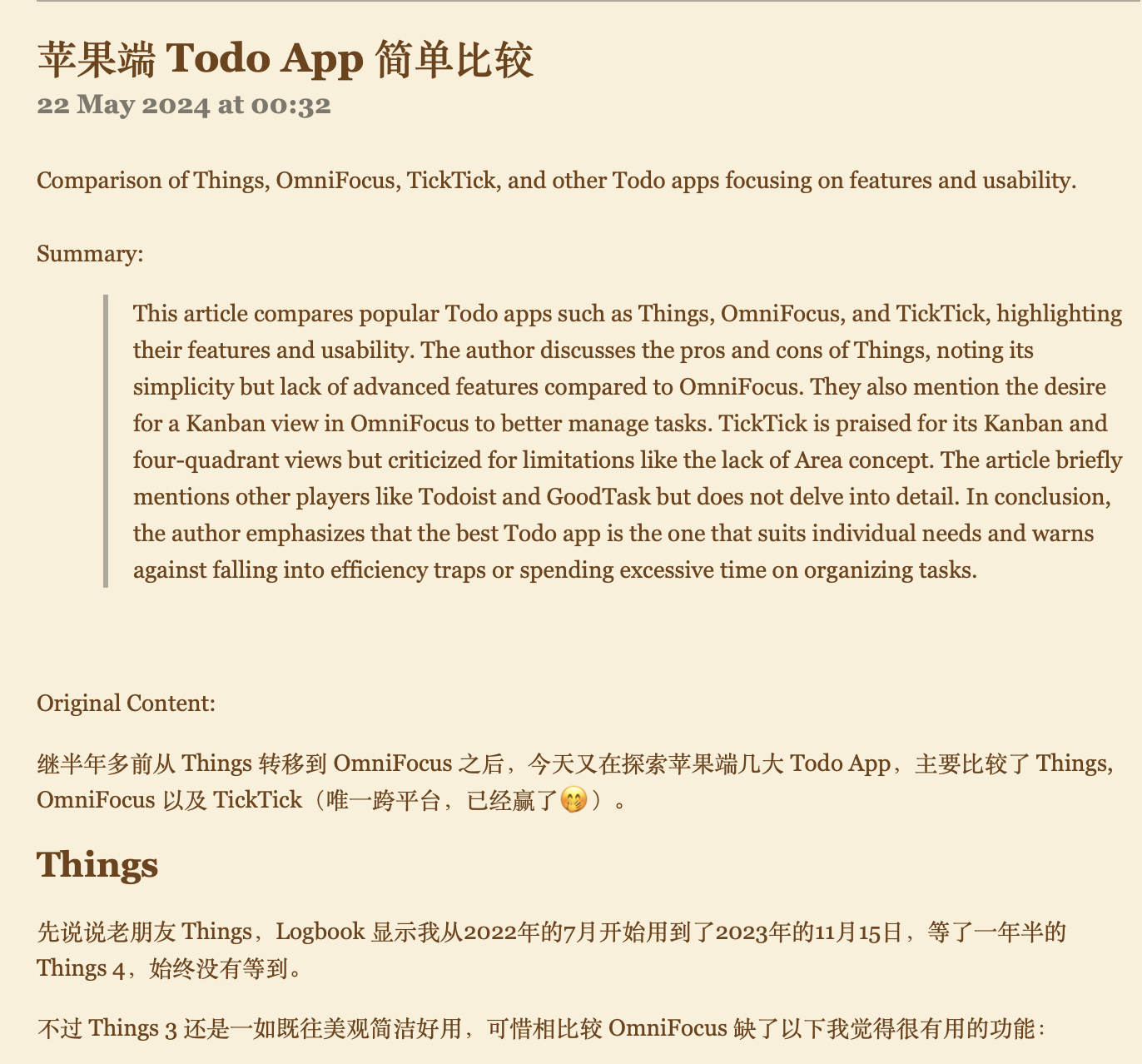
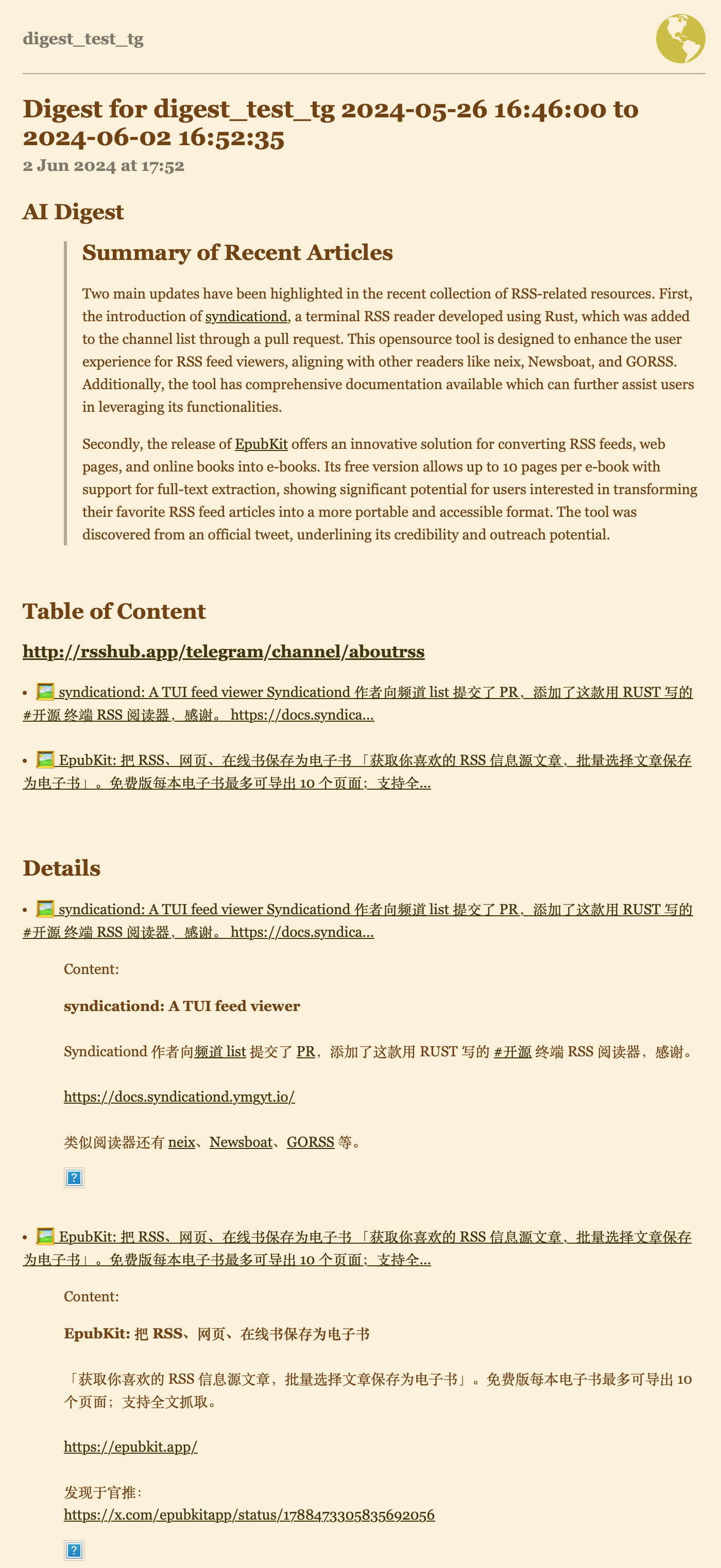
RSSBrew is a self-hosted RSS processor that combines multiple feeds into one, lets you filter articles by title, link, or description with regex and boolean logic, adds AI-generated summaries using any OpenAI-compatible model, and bundles items into daily or weekly digests with optional AI analysis. It runs via Docker Compose with Redis, serves a web UI on port 8000, and includes a demo at demo.rssbrew.com. Configuration uses environment variables like SECRET_KEY, OPENAI_API_KEY, and DEPLOYMENT_URL. The project is in beta and under active development.
Should you self-host RSSbrew?
RSSbrew scores 42/100 on selfhost.directory (how scoring works) and ranks #58 of 85 in Feed Reader. It has 295 GitHub stars.
It shipped 1 stable release in the past year. The latest, v2026.1, came out on 29 August 2026.
Setup is moderate: expect some configuration beyond a single command. An official Docker image is available. It is AGPL-3.0-licensed and written mostly in Python.
Its closest alternative on selfhost.directory is RSSHub (85/100, 46 704 stars). It scores higher overall, so compare the two before you pick. See RSSbrew vs RSSHub side by side.
Features
- AI article summarization
- Auth Code Access
- Configurable User-Agent
- Custom Filters
- Daily/Weekly Digests
- Dark/Light Mode Toggle
- Feed Aggregation
RSSbrew README
FAQ
What license does RSSBrew use?
AGPL-3.0.
Does RSSBrew support dark mode?
Yes, the UI includes a dark/light mode toggle button.
How often are feeds updated?
Every 5 minutes by default (configurable via CRON environment variable).
Is Redis required?
Yes, Redis is required as a dependency for the task queue (huey).
What is the default port?
The web UI runs on port 8000 by default (configurable via INTERNAL_PORT).
Can I use a custom OpenAI-compatible API?
Yes, set OPENAI_BASE_URL in .env to use services like OneAPI or xAI.
Does RSSBrew require an OpenAI API key?
No, OPENAI_API_KEY is optional; AI summarization features will be unavailable without it.
What are the default login credentials?
Username: admin, Password: changeme (should be changed after first login).
How do I install RSSBrew?
Download docker-compose.yml and .env.example from the repository, copy .env.example to .env, configure required variables (SECRET_KEY, OPENAI_API_KEY, DEPLOYMENT_URL), then run docker compose up -d.
More in RSS
 RSS-BridgeSelf-hosted, open-source PHP app that generates RSS, Atom and JSON feeds for websites missing them, with 447 community bridges and file, SQLite or Memcached caching.
 RSSerpentRSSerpent is a self-hosted, open-source Python app that creates RSS feeds for websites lacking native RSS, inspired by RSSHub. Runs via Docker or pip on port 8000.
 rss-fulltextrss-fulltext is an open-source tool that rewrites RSS feeds to include full article content. It fetches linked pages and serves enriched feeds as RSS, Atom, and JSON.
 rss-funnelRSS Funnel is a self-hosted, open-source RSS multi-tool that fetches, filters, transforms, and merges feeds through a configurable YAML pipeline with a web UI.
 RSSHub PythonSelf-hosted Python RSS generator creating feeds from web pages, documents, datasets, and APIs via Flask and Playwright. Supports JS rendering, PDF/EPUB, Hugging Face.
 RSSman XRSSman X is a self-hosted Docker Compose stack bundling Tiny Tiny RSS and RSSHub with optional Mercury, OpenCC, Huginn, and Watchtower in three editions.
 RSS-ProxyOpen-source, self-hosted feed generator that converts any static website into RSS, ATOM or JSON feeds, filters existing feeds, and runs from a single Docker container.
 rsspushSelf-hosted web app that watches RSS feeds and pushes new articles to WeChat via ServerChan, to custom webhooks, or to Telegram, Discord, Slack and many more.
 RSS-to-Telegram-BotSelf-hosted, open-source Telegram bot that pushes RSS and Atom feeds to chats and channels with rich formatting, media, OPML import/export, and multi-user support.
 SpodcastSpodcast is a self-hosted, open-source tool that converts Spotify podcasts into RSS feeds for any podcast player, with local caching and a web UI.
 StringerA self-hosted, open-source RSS reader in Ruby on Rails: no social features, just feeds, keyboard shortcuts, translations and a Fever-compatible API.
 TelegramRSSTelegramRSS is a self-hosted, open-source microservice converting public Telegram channels to RSS/JSON feeds with media support and shared caching.
0 comments