
Self-host redroid
GPU-accelerated Android-in-cloud container
- Stars
- 7 050
- Port
- 5555 (ADB remote shell and file transfer)
redroid/redroid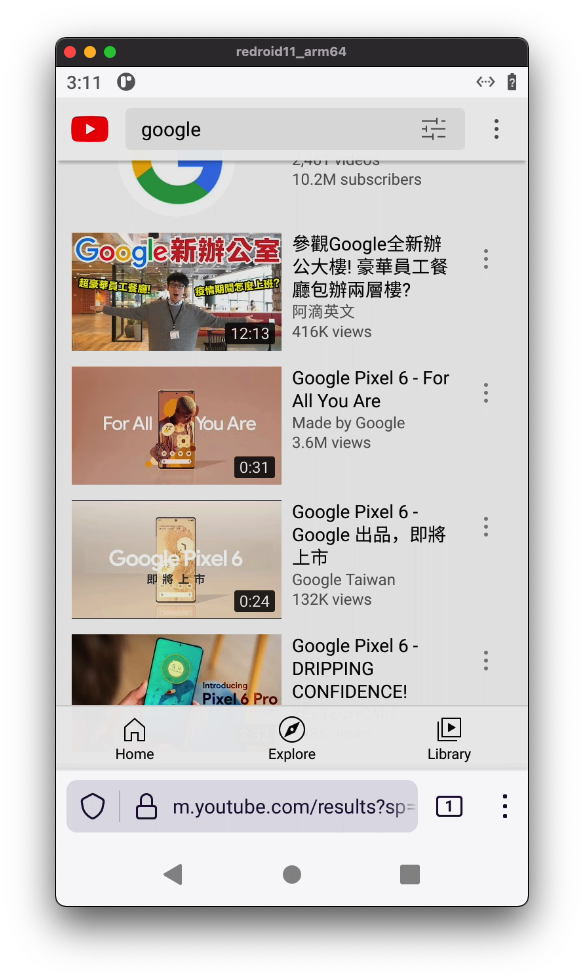
What is redroid?
redroid (Remote-Android) is a GPU-accelerated Android-in-Cloud platform that lets you boot multiple Android instances inside Linux containers using Docker, podman, or Kubernetes. It supports Android versions 8.1 through 16 on both arm64 and amd64 architectures. Users connect via ADB on port 5555 and view the screen with scrcpy. Key capabilities include hardware GPU rendering, software rendering fallback, native ARM-to-x86 bridge translation, optional Google Mobile Services, overlayfs-based shared data partitions, and configurable display resolution, DPI, and frame rate. Self-hosting requires a Linux host with the binder_linux and ashmem_linux kernel modules loaded. The main codebase uses the Apache-2.0 licence; bundled kernel modules are licensed under GPL-2.0-only. WebRTC streaming is planned but not yet implemented.
Should you self-host redroid?
redroid scores 57/100 on selfhost.directory (how scoring works) and ranks #4 of 5 in Emulation. It has 7 050 GitHub stars.
There was no stable release in the past 12 months, so check the repository's recent activity before you rely on it.
Setup is moderate: expect some configuration beyond a single command. An official Docker image is available. It is written mostly in Shell.
Its closest alternative on selfhost.directory is RomM (81/100, 14 086 stars). It scores higher overall, so compare the two before you pick. See redroid vs RomM side by side.
Features
- ADB remote access
- Android 8.1 through 16
- Customizable display resolution and DPI
- GPU-accelerated rendering
- Native ARM bridge on x86
- Optional GMS support
- Overlayfs shared data partition
- Software rendering fallback
redroid README
More in Emulation
 retroassemblySelf-hosted web app for retro games from NES, SNES, Genesis, Game Boy, Arcade and more with cloud sync, auto box art, save states, rewind, and gamepad navigation.
 RetromOpen-source, self-hosted game library service focused on emulation, with desktop clients for Windows, macOS, Linux and a built-in web client.
 RomMRomM is a free, open-source, self-hosted ROM manager that scans your library, enriches metadata from 10+ providers, plays in-browser, and syncs saves across devices.
 daedalOSDesktop environment in the browser
 dockerify-androidSelf-hosted, open-source Dockerized Android emulator with ARM app translation, Magisk root and PICO GAPPS, streamed in the browser via scrcpy-web.
 Gaseous ServerSelf-hosted ROM manager with in-browser emulation via EmulatorJS. Fetches metadata from IGDB/Hasheous, supports 2FA and OIDC auth, runs via Docker or Windows.
 PKVaultPKVault is a self-hosted, open-source Pokemon save editor and storage manager based on PKHeX with centralized storage, unified Pokedex, and cross-generation conversion.
0 comments