
Self-host dockerify-android
v1.0.0Android emulator in Docker with browser and ADB access
docker compose up -d- Stars
- 647
- RAM
- 4096 MB allocated to the emulator by default (RAM_SIZE)
- Port
- 5555 (ADB access to the Android emulator)
- Requires
- Kvm
shmayro/dockerify-android
What is dockerify-android?
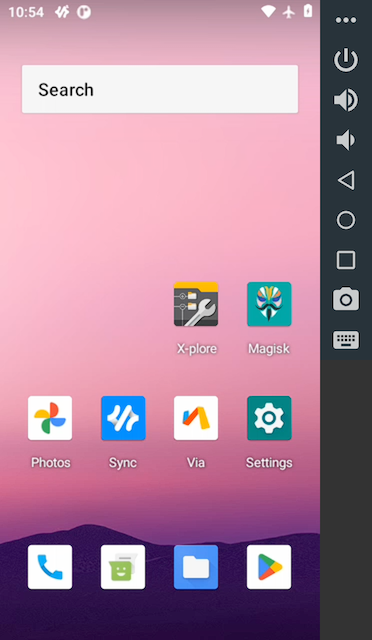
Dockerify Android packages an Android virtual device inside a Docker container so developers and testers can spin up scalable Android environments on their own hardware. The emulator is reachable straight from a browser through the bundled scrcpy-web front end, and also over ADB or the desktop scrcpy client. Optional first-boot steps add an ndk_translation layer for ARM/ARM64-only apps, Magisk-based rooting, and PICO GAPPS, and everything is controlled with a handful of environment variables. It runs natively on both x86_64 and arm64 hosts. Setup is clone the repository, then bring the stack up with docker compose; the web UI appears at localhost:8000 once the device has finished booting, which can take 10-15 minutes. It is MIT-licensed and currently creates an Android 11 device; support for more Android versions is still on the roadmap.
Should you self-host dockerify-android?
dockerify-android scores 50/100 on selfhost.directory (how scoring works) and ranks #76 of 166 in Developer Tools. It has 647 GitHub stars.
It shipped 1 stable release in the past year. The latest, v1.0.0, came out on 29 May 2026.
Setup is moderate: expect some configuration beyond a single command. An official Docker image is available. It is MIT-licensed and written mostly in Shell.
Its closest alternative on selfhost.directory is openhands (87/100, 92 079 stars). It scores higher overall, so compare the two before you pick. See dockerify-android vs openhands side by side.
Features
- ADB access
- ARM app translation
- Configurable device profile
- File Injection
- Google services (GAPPS)Enabled with GAPPS_SETUP=1
- Process supervision
- Root with MagiskEnabled with ROOT_SETUP=1
- Screen mirroring via scrcpy
- Unified Container Logs
- Web Interface
dockerify-android README
More in Emulation
 Gaseous ServerSelf-hosted ROM manager with in-browser emulation via EmulatorJS. Fetches metadata from IGDB/Hasheous, supports 2FA and OIDC auth, runs via Docker or Windows.
 PKVaultPKVault is a self-hosted, open-source Pokemon save editor and storage manager based on PKHeX with centralized storage, unified Pokedex, and cross-generation conversion.
 redroidSelf-hosted open-source Android-in-Cloud solution running GPU-accelerated Android containers on Linux via Docker, supporting arm64 and amd64 with Android 8.1 through 16.
 retroassemblySelf-hosted web app for retro games from NES, SNES, Genesis, Game Boy, Arcade and more with cloud sync, auto box art, save states, rewind, and gamepad navigation.
 RetromOpen-source, self-hosted game library service focused on emulation, with desktop clients for Windows, macOS, Linux and a built-in web client.
 RomMRomM is a free, open-source, self-hosted ROM manager that scans your library, enriches metadata from 10+ providers, plays in-browser, and syncs saves across devices.
 daedalOSDesktop environment in the browser
0 comments