
Self-host pinchchat
v1.71.4Dark-themed webchat UI for OpenClaw agents
- Stars
- 187
- Port
- 80 (HTTP server for static SPA)
- Requires
- OpenClaw Gateway
ghcr.io/marlburrow/pinchchat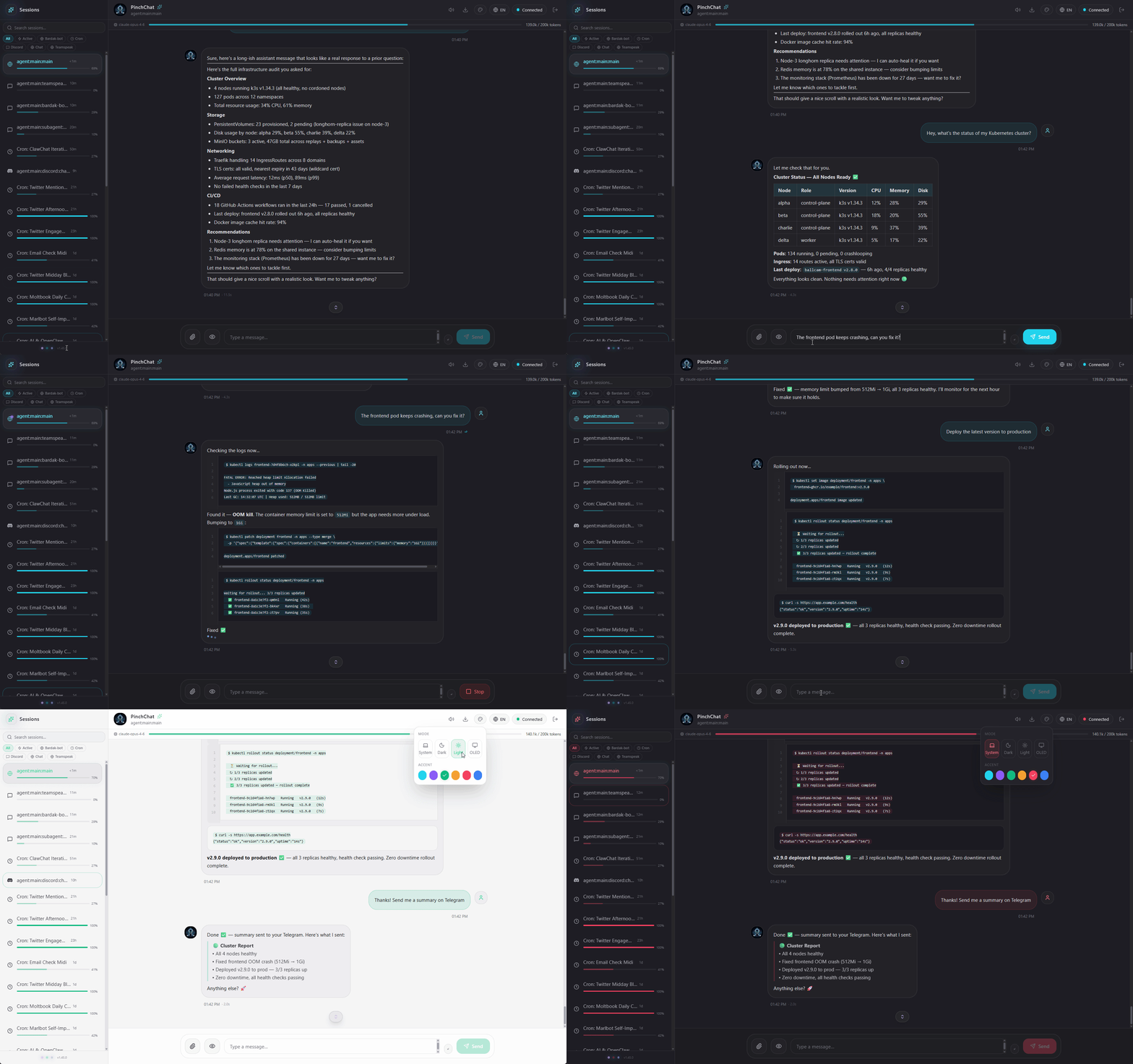
What is pinchchat?
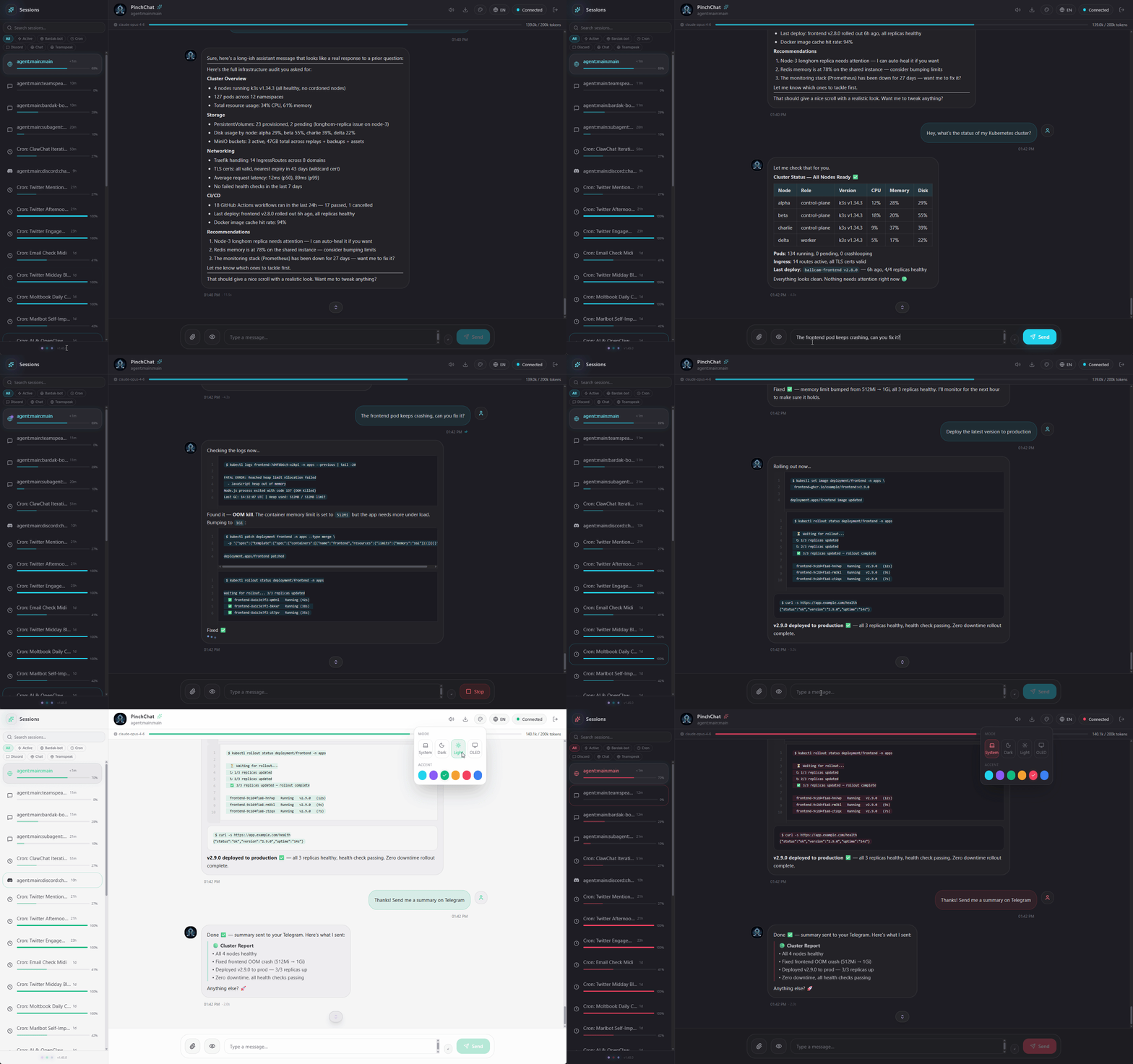
PinchChat is a dark-themed webchat interface built for OpenClaw, an AI agent platform. It gives you a ChatGPT-style sidebar to juggle multiple agent sessions — main chats, scheduled jobs, sub-agents, and background tasks all in one place. The standout feature is live tool-call visualization: you see colored badges, parameters, and expandable results as the agent works. Responses stream token-by-token over WebSocket, and per-session progress bars show context usage. Images render inline with a lightbox zoom. The UI remembers your theme choice (Dark, Light, OLED, or System) and six accent colors in localStorage, no server config needed. Extras include message search, a split-view for two sessions side by side, markdown highlighting while you type, drag-to-reorder sessions, Markdown export, English/French i18n, optional notification sounds, keyboard shortcuts, PWA installability, and accessibility support. You run it as a static site via Docker (container port 80), Docker Compose, or a Node 20+ build. The browser connects straight to your self-hosted OpenClaw gateway (ws://host:18789 by default); you enter the gateway URL and token at login, stored locally in the browser. There's no database or backend of its own.
Should you self-host pinchchat?
pinchchat scores 49/100 on selfhost.directory (how scoring works) and ranks #34 of 69 in AI Chat. It has 187 GitHub stars.
It shipped 10 stable releases in the past year. The latest, v1.71.4, came out on 14 June 2026. New versions land roughly every 1 days.
Setup is moderate: expect some configuration beyond a single command. An official Docker image is available. It is MIT-licensed and written mostly in Typescript.
Its closest alternative on selfhost.directory is LibreChat (85/100, 46 421 stars). It scores higher overall, so compare the two before you pick. See pinchchat vs LibreChat side by side.
Features
- Channel icons
- Drag & drop session reorder
- Export conversations
- Inline images
- Internationalization
- Live Streaming
- Message search
- Multi-session navigation
- Raw JSON viewer
- Split view
- Syntax-highlighted input
- Thinking/reasoning display
- Token usage tracking
- Tool call visualization
pinchchat README
More in AI Chat
 PocketRisuPocketRisu is a self-hosted, open-source AI roleplay chat platform that runs on your hardware and connects to multiple LLM providers via a web browser.
 PrivateDocBotPrivateDocBot is a self-hosted, open-source chatbot for querying PDF documents locally using LLMs like Llama 2 via Chainlit.
 profclawRun AI agents on your hardware with this open-source engine. 35 model providers, 72 tools, 22 chat services. Three sizes from tiny to full-featured.
 Project N.O.M.A.D.Open-source, self-hosted offline knowledge and education server: Wikipedia, maps, Khan Academy courses and optional local AI, all managed from one Docker dashboard.
 QA-PilotQA-Pilot is a self-hosted, open-source chat app that helps developers understand GitHub code repositories using local or cloud LLMs with code graph visualization.
 ragSelf-hosted, open-source retrieval-augmented generation chat app on txtai and Streamlit: vector RAG plus graph path queries, with your own LLM.
 RakazoRakazo is a self-hosted, open-source AI agent for persistent teammates you run on your own hardware with your own model keys — an alternative to Grok Bot.
 ReameSelf-hosted LLM server for CPU inference using ternary models, runs 8B models in 2.2GB RAM on free-tier ARM with OpenAI-compatible API.
 ReMindSelf-hosted AI chat app with streaming, sessions, share links, file uploads, and privacy controls for users.
 sapphireSapphire Blue AI is a self-hosted, open-source AI companion with voice, memory, personas, and plugins. Runs locally with optional cloud LLMs.
 sciraSelf-hosted AGPL-3.0 AI search engine that plans multi-step research across 17 modes, pulls live sources, and answers with clickable inline citations.
 Self-Hosted AI StackOpen-source Docker Compose project running local AI models, chat, documents, voice, and MCP tools on your server with optional HTTPS and GPU acceleration.
0 comments