
Self-host Outerbridge
outerbridge-ui@1.0.15Low-code workflow automation for Web3 and Web2
npm install -g outerbridge- Stars
- 193
- Port
- 3000 (HTTP web interface)
- Requires
- MongoDB
outerbridgeio/outerbridge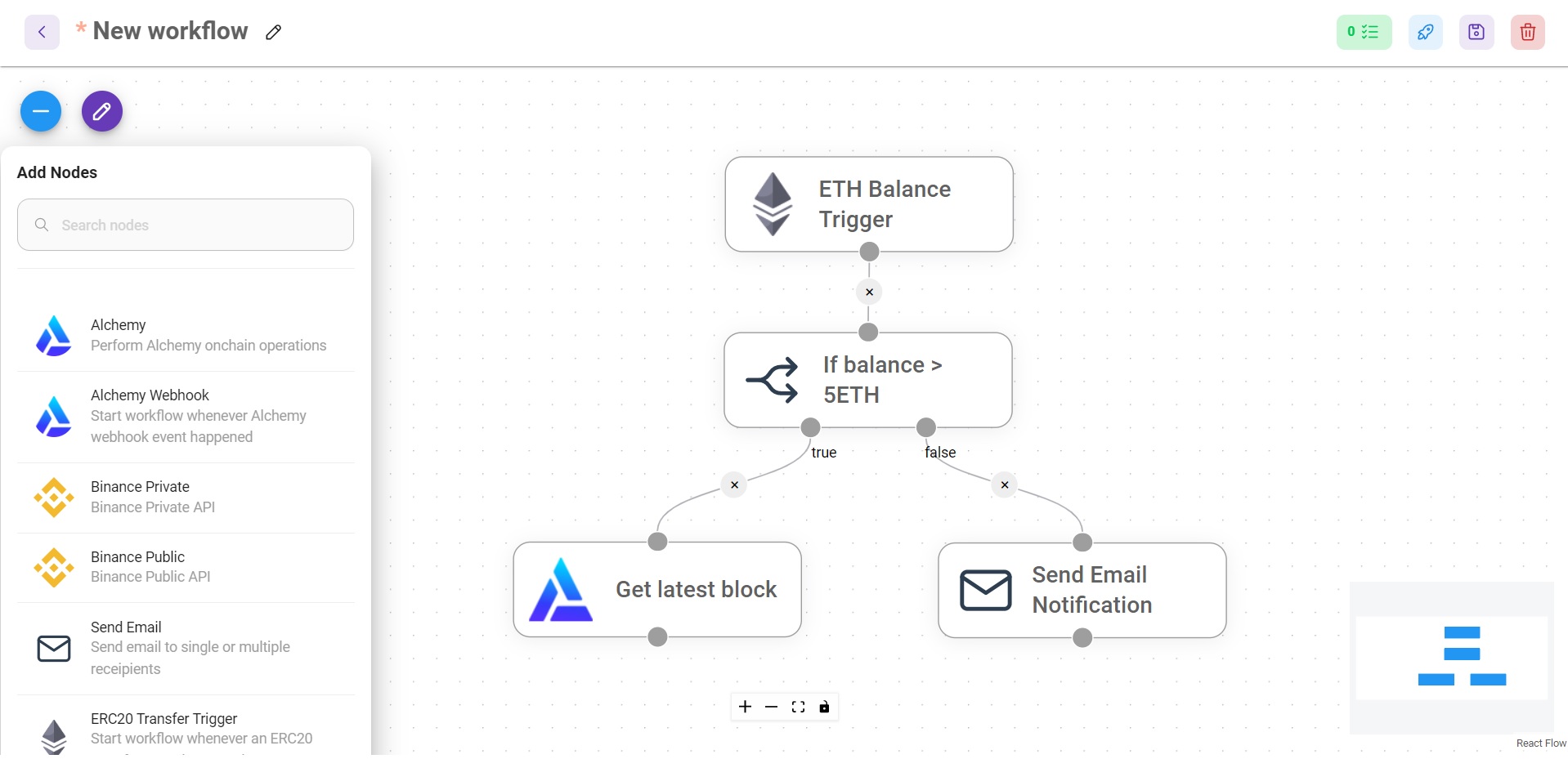
What is Outerbridge?
Outerbridge is a workflow automation tool that lets users build processes visually without writing code. It specializes in connecting blockchain networks with regular web services through a drag-and-drop canvas. The software runs on Node.js with a React interface and stores data in MongoDB. Users can install it themselves using Docker Compose or an npm package, and a managed cloud version exists at app.outerbridge.io. The codebase uses the Apache-2.0 license. Recent development has been quiet since early 2023.
Should you self-host Outerbridge?
Outerbridge scores 39/100 on selfhost.directory (how scoring works) and ranks #26 of 32 in Workflow Automation. It has 193 GitHub stars.
There was no stable release in the past 12 months, so check the repository's recent activity before you rely on it.
Setup is moderate: expect some configuration beyond a single command. An official Docker image is available. It is Apache-2.0-licensed and written mostly in Typescript.
Its closest alternative on selfhost.directory is n8n (92/100, 208 889 stars). It scores higher overall, so compare the two before you pick. See Outerbridge vs n8n side by side.
Features
- Cloud-hosted option
- Low-code/no-code workflow builder
- Web2 / off-chain integration
- Web3 / blockchain integration
Outerbridge README
More in Workflow Automation
 PawFlow-AgentsPawFlow is an open-source, self-hosted AI agent runtime connecting agents to real files and desktops via relays with durable context and deterministic workflows.
 pearlBubble Lab is a self-hosted, open-core workflow automation platform for developers. It combines visual workflows with TypeScript type safety for AI agents.
 PipesPipes CE is a self-hosted, open-source visual tool for fetching, transforming, and combining RSS/Atom/JSON feeds and web data through a block-based interface.
 pneumaticworkflowSelf-hosted workflow platform with visual process design, AI template generation, task buckets, and API/Zapier integrations — Apache 2.0 licensed.
 prefectPrefect is a self-hosted, open-source workflow orchestration framework turning Python functions into production data pipelines with scheduling, retries, and caching.
 PydioPydio Cells is a self-hosted file sharing platform with document management, 5TB transfers, WebDAV, sync, and no-code automation. Runs on your infra with MySQL/MariaDB.
 PyRunnerSelf-hosted Python script automation platform to upload, schedule, and monitor scripts from a browser with isolated environments, secrets, AI integration, and webhooks.
 RapidForgeRapidForge is an open-source, self-hosted automation platform turning Bash, Lua, or mRuby scripts into webhooks, APIs, scheduled jobs, and dynamic pages. Single binary.
 reflyThe first open-source agent skills builder. Define skills by vibe workflow, run on Claude Code, Cursor, Codex & more. Build Clawdbot 🦞· APIs for Lovable · Bots for Slack & Lark/Feishu · Skills are infrastructure, not prompts.
 REI3REI3 is a self-hosted, open-source low-code platform for building multi-user business apps with full data ownership, replacing spreadsheets and SaaS tools.
 RomeSelf-hosted, open-source agent OS for persistent human-AI collaboration. Builds reusable apps and memory that compound. Runs via Docker with Discord, Telegram, WhatsApp.
 runeRune is a self-hosted, open-source workflow automation platform with a visual drag-and-drop interface, AI assistants, secure credentials, and team collaboration.
0 comments